Browse categories
Explore
Fiverr Pro
English
$
USD
Struggling with complicated controls, missed scenes, or a slow stream setup?
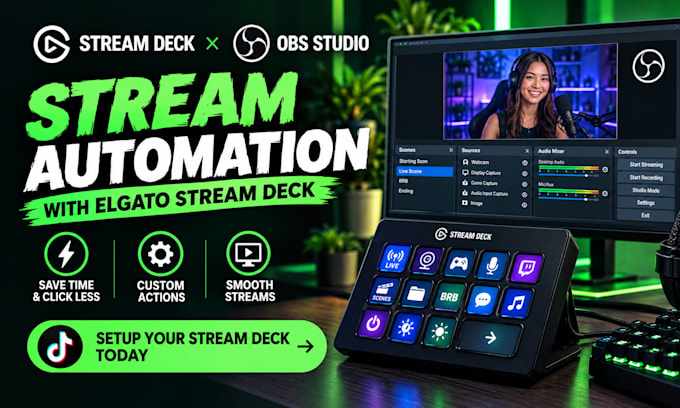
Turn your Elgato Stream Deck into a smooth, reliable control center for professional streaming. Get faster scene switching, easier controls, and a cleaner workflow that helps you focus on your content instead of managing your setup.
Whether you use OBS Studio, Streamlabs, Twitch, or YouTube streaming, your Stream Deck can be configured around the way you actually stream.
What you get:
Elgato Stream Deck setup and configuration
Custom buttons, hotkeys, and scene controls
OBS Studio and OBS setup integration
Stream automation for faster workflows
Window capture and streaming controls
Plugin configuration and essential integrations
Clean, organized Stream Deck layout
The result: smoother performance, fewer manual actions, faster stream control, and a more professional streaming experience.
Perfect for streamers, content creators, gamers, and anyone who wants a reliable Stream Deck setup without the technical hassle.
Ready to make your streaming workflow faster and easier?
Software:
OBS Studio
Platform:
Twitch
Do you need my Stream Deck model?
Yes. Please provide your Stream Deck model and number of keys.
Can you set up Stream Deck with OBS Studio?
Yes. Scenes, sources, hotkeys, and common OBS controls can be configured.
Can you create custom buttons and actions?
Yes. Buttons can be configured for scenes, sources, apps, shortcuts, and stream controls.
Can you set up stream automation?
Yes. Automation can be configured using Stream Deck actions and supported plugins.
Do you support Twitch and YouTube streaming?
Yes. The setup can be configured for Twitch, YouTube, and compatible streaming workflows.
What do I need before placing an order?
You’ll need your Stream Deck, computer access, streaming software, and any specific actions you want configured.
