Browse categories
Explore
Fiverr Pro
English
$
USD
Professional Google Ads PPC Management, Digital Analyst, GA4 Expert
Matteo B was selected by the Fiverr Pro team for their expertise.
Vetted for
Digital Marketing Management
Marketing Consultation
Search Engine Marketing (SEM)
Web Analytics
Vetted Pro
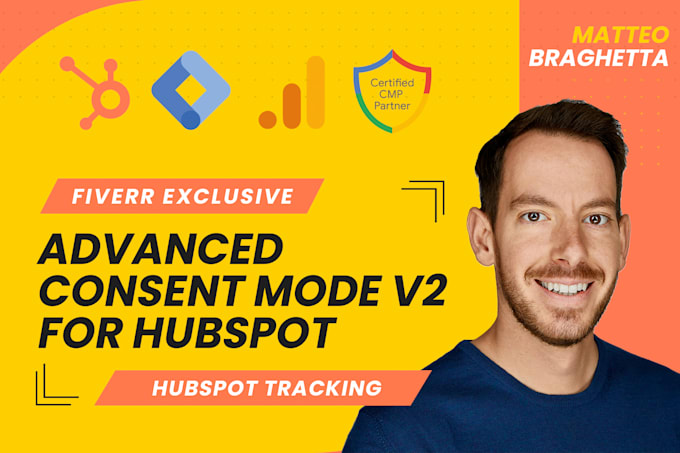
Since March 2024, Google Ads requires Consent Mode V2 without it, your lead tracking and CRM attribution lose precision and compliance.
As a Google-certified tracking specialist, Ill design and deploy a fully compliant GA4 + Google Ads setup for HubSpot CMS.
Youll get event-level visibility into your lead funnel while ensuring every interaction respects user consent and privacy laws.
Included in this service:
Your tracking will be precise, GDPR-compliant, and seamlessly integrated with HubSpot workflows ready to power accurate reporting and data-driven decisions.


VW Central
Internet Software & Services
Google Ads management for VW Central
Jul 2023

Habitar Design
Interior Design
Google Ads Account Setup, Conversion Tracking and Ongoing Management
Nov 2023
Why do I need Consent Mode V2 with HubSpot CMS?
Because HubSpot collects personal data through forms and cookies. Without Consent Mode V2, Google Ads and GA4 can’t use data from users who reject tracking, resulting in incomplete attribution and under-reported conversions. Consent Mode ensures compliant data flow and enables Google’s conversion.
How does GA4 integrate with HubSpot CMS?
I use Google Tag Manager to connect your GA4 property with HubSpot CMS. Every form submission, meeting booking, or call-to-action click is sent as a GA4 event (generate_lead, form_submit, meeting_booked) and mirrored in Google Ads as a conversion. These events can also pass unique IDs.
Do you track HubSpot forms and meetings automatically?
Yes. I configure listeners to detect HubSpot’s native form submissions and meeting bookings. Even forms embedded via iframes or pop-ups are captured, validated, and mapped to consent states — ensuring consistent data collection across your site.
Do you support Server-Side Tracking (sGTM)?
Yes — available in Standard and Premium packages. I’ll deploy a GTM Server container hosted on Stape.io (or your own host) to process conversions server-to-server. This enhances reliability, minimizes client-side loss, and gives you full control over what data is sent to Google.
Can you integrate with HubSpot’s cookie banner?
Absolutely. HubSpot’s native cookie banner can be extended to communicate consent signals (ad_storage, analytics_storage) to Google Tag Manager. I can also integrate with Iubenda, Cookiebot, or OneTrust if you prefer an external CMP.
Will this setup help me attribute leads to Google Ads campaigns?
Yes — this is one of the biggest advantages. I can configure your GA4 and GTM setup to pass gclid, gbraid, and wbraid values into hidden form fields. These identifiers are then stored in HubSpot CRM, letting you trace every lead back to its Google Ads campaign, ad group, and keyword.
What kind of validation do you perform?
I’ll test real submissions using GA4 DebugView and Tag Assistant, checking for accurate event flow, consent behavior, and conversion mapping. I’ll also verify that HubSpot’s CRM records match the GA4 and Ads data for end-to-end accuracy.
Can you track downloads, video plays, or button clicks?
Yes — any on-page action can be tracked as a GA4 event and linked to Google Ads conversions. This includes gated content downloads, resource clicks, and embedded video interactions — all respecting Consent Mode logic.
What access do you need to begin?
Access to your HubSpot CMS, Google Tag Manager, GA4, and Google Ads accounts. For server-side setups, access to your sGTM host (Stape.io or similar) will also be required. All credentials are handled securely and deleted after project completion.
What deliverables will I receive at the end?
You’ll receive: - A Google Tag Manager configuration summary (all tags, triggers, and variables) - A GA4 event map showing your lead and form tracking structure - A Loom walkthrough video demonstrating validation, consent behavior, and how to maintain or expand your setup - Post-delivery support
