Browse categories
Explore
Fiverr Pro
English
$
USD


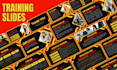

Spent hours on animations that still look clunky? DIY effects and mismatched transitions make good content look amateur.
I am an animated PowerPoint expert. I design polished interactive presentation decks using smooth morph transition effects, so you get a professional result without the trial and error. From training slides to webinar slides, you send the content and I deliver slides that move with purpose.
Services I Rendered:
Tired of fighting with PowerPoint? CONTACT ME NOW with your slides or topic and I will tell you the best package to start with.
Please inform the freelancer of any preferences or concerns regarding the use of AI tools in the completion and/or delivery of your order.
Presentation Design
Languages
What is an animated PowerPoint presentation?
Slides with built-in motion: text, icons, and images that move in with purpose, plus smooth transitions between slides. It keeps viewers watching without looking busy or distracting from your message.
Will the animated PowerPoint work on my computer?
Yes. You get an editable PowerPoint file with every animation built in. Open it and present as normal. A PDF copy is also included, but animations do not carry over to a PDF, so that copy is static.
What is a morph transition?
Morph glides text, shapes, and images smoothly from one slide into the next, so your deck feels like one connected animation instead of a series of hard cuts. It is the effect behind most modern animated presentations.
Which PowerPoint versions play a morph transition?
Morph works in PowerPoint 2019 and newer, and in Microsoft 365. Older versions and Google Slides will not play it, so please check your version before ordering.
What makes a presentation interactive?
Clickable elements such as next slide buttons and jump links. They let you move through the deck on purpose instead of only clicking forward, which keeps your talk smooth and easy to control.
Can I use an interactive presentation in a live session?
Yes. Buttons and links work in slide show mode in PowerPoint. If you share the deck with students or clients, send the PowerPoint file rather than a PDF so they get the full interactive version.
Can you design training slides for my team or course?
Yes. I turn your outline or notes into clear training slides with consistent layouts, icons, and animation that guides learners step by step. Please send your content, as I focus on the design.
Can you turn my existing training slides into an animated deck?
Yes. Send your current deck and I will redesign the layout, add animation and morph transitions, and keep your content in place. Mention it in the order note so I can match the right package.
Can you design webinar slides that fit my offer and brand?
Yes. I design webinar slides in your brand colors and fonts, including intro, teaching, and offer slides. Animation keeps attendees watching, and clean layouts keep your pitch easy to follow.
What do I send to start my webinar slides order?
Send your topic or outline, logo, brand colors and fonts, any images, and your slide count. If you already have a deck, send that too. Everything goes through Fiverr messages once you place the order.


