Browse categories
Explore
Fiverr Pro
English
$
USD
UX Designer, Accessibility Audits for Shopify and Webflow, WCAG
Is your Shopify store or Webflow site ready for the European Accessibility Act and ADA claims?
Automated scanners, overlay apps and Webflow's Audit panel catch only part of the problems. They can't tell if a menu works without a mouse, or what a screen reader actually says. That takes a person.
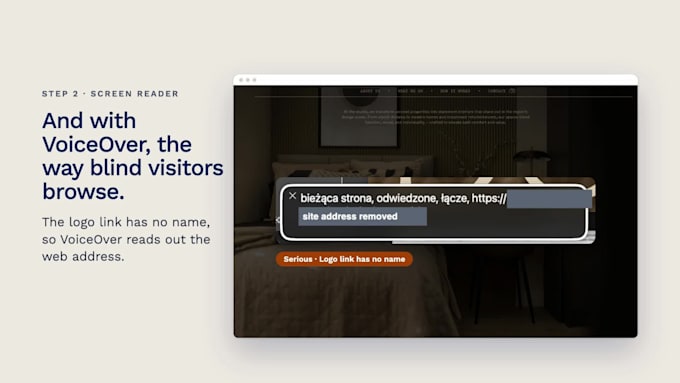
I test every page by hand against WCAG 2.2 AA (the basis for EN 301 549): keyboard only, VoiceOver screen reader on Mac and iPhone, zoom and reflow, contrast and interactions. Automated scans only collect leads; I confirm every finding myself.
You get:
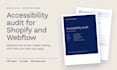
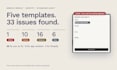
Findings ranked by severity, with WCAG criterion and affected pages
Screenshots and steps to reproduce each issue
Fix steps for Shopify theme editor or Liquid, or Webflow Designer
Issues split by who can fix them: you, the platform, or an app vendor
Plain-English summary for owners
Fix backlog as CSV (Jira, Trello, Notion)
Premium: accessibility statement draft, screen-reader video, re-test
Public pages only, no admin access needed. Staging links welcome.
Not included: legal advice, compliance guarantees, fixing the issues (custom offer available). WordPress or a large store? Message me first.




Testing application:
Website
Development technology:
HTML & CSS
•
JavaScript
•
Shopify store
•
Other
Device:
Mac
•
iPhone
Will this make my site compliant?
No audit can guarantee that. You get a documented, prioritized picture of where your site stands and what to fix first. Not legal advice.
Which pages are tested?
Templates, not every page. Shopify Standard: home, collection, product, cart, and search or contact. Webflow Standard: home, a landing page, a CMS list and item page, and the main form page. Premium adds checkout (up to payment) or a key flow. Content like alt text is spot-checked.
Do you need admin or Designer access?
No. Public pages or a staging link are enough; a test account helps for logged-in pages.
Do overlay apps or Webflow’s Audit panel solve this?
No. Overlays usually don’t fix the underlying code, and the Audit panel checks only a few things. Neither tests keyboard use, screen-reader output, focus or zoom, which is where most failures are.
Does the EAA apply to my site?
Mainly to businesses selling products or services to EU consumers. It depends on what you sell, where, and your size; very small businesses may be exempt. Check with a legal adviser.
Do you fix the issues?
This gig is the audit. Fixes available as a custom offer.
Do you test with Windows screen readers (NVDA, JAWS)?
I test with VoiceOver on Mac and iPhone, plus inspection of what Chrome exposes to screen readers on Windows. Most screen-reader failures come from the code and show up across screen readers. Need dedicated NVDA testing, for example for a legal response? Message me before ordering.
What about Shopify checkout and Webflow Ecommerce?
Tested up to payment in Premium; issues the platform controls are marked separately from what you can change.
WordPress, WooCommerce or another platform?
Message me first. I built WordPress and PrestaShop shops for 4 years and can offer the same audit and report as a custom offer.
Do you use AI tools?
Yes, for automated scans, evidence gathering and drafting. The testing is manual: I go through every page with keyboard only, VoiceOver on Mac and iPhone, zoom and reflow, and contrast checks. I confirm every finding myself before it goes in the report.