Browse categories
Explore
Fiverr Pro
English
$
USD
OBS Studio Configuration and Stream Optimization
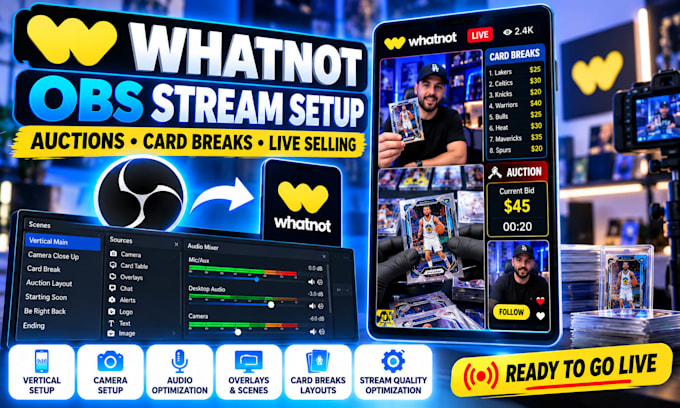
Need a professional OBS setup for Whatnot? I will build and optimize your vertical streaming setup for Whatnot auctions, sports card breaks, Pokémon, TCG, collectibles and live selling.
Im an OBS Studio specialist helping Whatnot sellers create clean, reliable and ready-to-stream setups tailored to their equipment and content.
WHAT I CAN SET UP:
Whether you're new to Whatnot or already selling live, I'll configure your OBS scenes, camera, audio, graphics and streaming settings for a smooth professional presentation.
I can work with your existing branding, overlays, logos, card-break boards and other graphics.
My goal is to give you a clean, organized OBS setup that is easy to use and ready for your next Whatnot stream.
Message me before ordering if you're unsure which package you need. Let's get your Whatnot stream ready to go live!

Software:
OBS Studio
Platform:
•
Twitch
•
YouTube
•
Kick
Purpose:
Gaming
•
Music
•
Webinar
1. Can you set up OBS Studio for Whatnot vertical streaming?
Yes. I can configure OBS specifically for Whatnot vertical streaming, including scenes, camera, audio, layout and stream settings.
2. Can you set up OBS for sports card breaks and auctions?
Yes. I can create OBS setups for sports cards, Pokémon, TCG, collectibles, auctions and other Whatnot live-selling streams.
3. Can you add my overlays and break boards?
Yes. I can integrate your existing overlays, scoreboards, break boards, logos and other graphics into your OBS scenes.
4. Can you fix audio, camera or stream-quality problems?
Yes. I can troubleshoot microphone, camera, audio, OBS settings, lag, dropped frames and other common streaming issues.
5. What do you need from me to start?
I'll need your computer specifications, camera/microphone details, Whatnot information, graphics or branding, and a description of the stream you want to create.
