Browse categories
Explore
Fiverr Pro
English
$
USD
Vulnerability Assessment and Ethical hacking
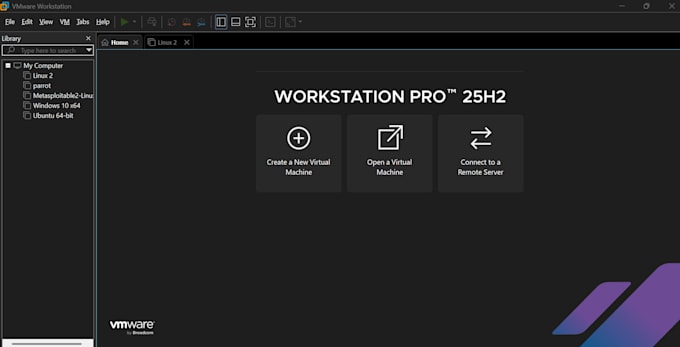
Linux virtual machine installation on VMware Workstation or Oracle VirtualBox. I support Ubuntu (beginner-friendly), Kali Linux (penetration testing), and Parrot OS (cybersecurity). Services range from a detailed written guide to full remote installation including network adapter configuration, shared folders, and guest additions. Message me with your Linux choice before ordering.


Device:
Desktop
•
Laptop
•
Server
Operating system:
Windows
•
Linux
Do I need to have VMware or VirtualBox already installed?
It is recommended but not required. If you don't have either software installed, I can guide you through downloading and installing VMware, VirtualBox before the remote installation begins.
Which Linux distribution should I choose?
Ubuntu is best for beginners and general use. Kali Linux is designed for penetration testing and cybersecurity. Parrot OS is ideal for privacy and security-focused users. If you're unsure, message me and I'll help you decide based on your goals.
Do you need remote access to my computer?
Yes, for Standard and Premium packages only. I use AnyDesk. You will be able to watch everything I do in real-time, and you can stop the session at any time. I never access personal files outside the virtual machine setup.
Will my Windows or Mac files be safe?
Absolutely. I only work inside the virtual machine software. Your host operating system and personal files are never touched or accessed.
How long does the installation take?
A standard remote installation takes 30 to 45 minutes.
Can you install tools like Nmap or Metasploit as well?
Yes, for Premium package buyers, I can pre-install Nmap, Burp Suite, Metasploit, Wireshark, and other cybersecurity tools at no extra cost. Just mention your requirements before ordering.
What if the installation fails?
I offer a 100% money-back guarantee. If I cannot complete the installation successfully, you will receive a full refund
Do I need a powerful computer to run Linux in a VM?
Minimum requirements: 4GB RAM and 20GB free disk space. Recommended: 8GB RAM or more for smooth performance, especially for Kali Linux or Parrot OS.
What information do you need from me before starting?
Please tell me: (1) Which Linux distribution you want, (2) Which VM software you have (or want to use), and (3) Whether you need remote installation or just the written guide.