Browse categories
Explore
Fiverr Pro
English
$
USD
Ai Automation and Ecommerce Content Specialis
Your work is spread across notes, chats and half-finished spreadsheets. You know what needs doing, but nobody else can see it, and finding the current version of anything takes longer than the task itself.
I build Notion systems that hold up after the first week.
Most Notion setups fail because they are too clever. Twelve databases, forty properties, and nobody updates it by month two. I build around the one bottleneck actually costing you time, then keep the structure narrow enough that using the system is faster than avoiding it.
What I build: client and project trackers, content calendars with approval stages, CRM style databases with pipeline views, task systems with filtered dashboards, and templates your team can duplicate.
Tools: Notion, plus Zapier, Gmail, Sheets and Slack when the system needs to connect outward.
You also get a walkthrough recording and a one page guide, so it survives after delivery.
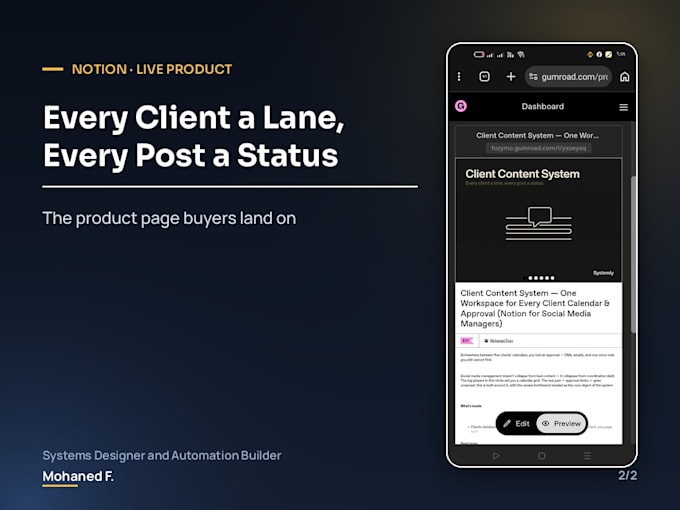
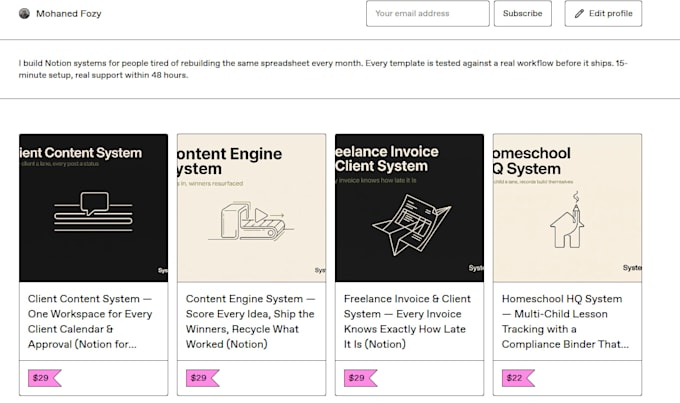
I designed and shipped a Notion product built around exactly this problem. It is live and for sale, and it is in my portfolio.
Tell me what you are currently tracking badly, and I will tell you what the system should actually look like.


Domain:
Business
Industry:
Business services & consulting
•
E-Commerce
Language:
Arabic
•
English
Q1. Do I need a paid Notion plan?
The free plan covers most single-user setups. Team permissions and unlimited file uploads need a paid plan. I will tell you which you need before you order rather than after.
Q2. Can you work in my existing messy workspace, or do we start fresh?
Both work. If your current setup has data worth keeping I will restructure around it. If it is beyond saving I will say so honestly and build clean, then move your data across.
Q3. Will my team actually use it without me explaining every time?
That is the whole design goal. I keep the structure deliberately narrow and include a walkthrough recording and a one page guide. A system nobody updates is a failed system, however impressive it looks.
Q4. Can the Notion system connect to my other tools?
Yes, through Zapier or Notion's own integrations. Gmail, Sheets, Slack and forms are all common. This is included in Premium and can be added to Standard.
Q5. Do I own it, and can I change it later?
It is entirely yours, inside your own workspace, and you can edit anything. I build with plain Notion features rather than anything locked, so nothing depends on me afterwards.