Browse categories
Explore
Fiverr Pro
English
$
USD
Streaming Setup Specialist OBS, StreamElements and TikTok Live Expert
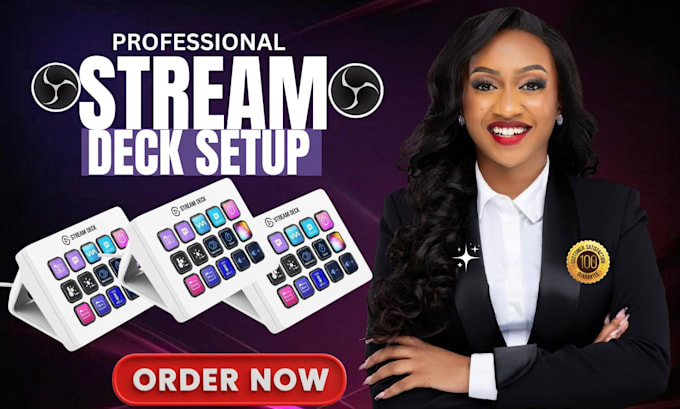
Struggling to get the most out of your Stream Deck? Spending too much time switching scenes, controlling audio, launching applications, or managing repetitive tasks during streams? A poorly configured Stream Deck can slow down your workflow and make content creation frustrating.
I will professionally setup and optimize your Elgato Stream Deck for streaming, content creation, podcasts, and productivity. Whether you use OBS Studio, Twitch, YouTube, Kick, Discord, GoXLR, or Voicemeeter, I'll create a customized workflow that improves efficiency and simplifies your streaming experience.
What I Can Help With:
Why Choose Me?
Message me before ordering and let's build a powerful Stream Deck workflow tailored to your needs!
Software:
OBS Studio
Purpose:
Gaming
•
Music
•
Lifestyle
•
Business
•
News
•
Streamshare
1. Can you setup my Stream Deck from scratch?
Yes. Whether you're completely new to Stream Deck or already have one installed, I can configure it from the ground up. This includes button mapping, profiles, folders, hotkeys, shortcuts, and workflow optimization tailored to your streaming, content creation, or productivity needs.
2. Can you integrate Stream Deck with OBS Studio?
Absolutely. I can connect Stream Deck with OBS Studio and configure scene switching, source visibility, recording controls, streaming controls, audio management, and other shortcuts. This helps streamline your workflow and makes your streams more efficient and professional.
3. Can you create custom Stream Deck profiles and automations?
Yes. I can build custom profiles, folders, multi-actions, and automation workflows based on your requirements. Whether you need simple shortcuts or advanced actions that perform multiple tasks with a single button press, I can create a setup that improves productivity.
4. Can you setup Stream Deck with GoXLR, Discord, or Voicemeeter?
Yes. Stream Deck works well with GoXLR, Discord, Voicemeeter, and many other tools. I can configure integrations that allow you to control audio, switch outputs, manage communication channels, and automate tasks directly from your Stream Deck.
5. My Stream Deck buttons are not working properly. Can you fix them?
Yes. I can troubleshoot common Stream Deck issues such as unresponsive buttons, broken actions, plugin errors, profile problems, software conflicts, and integration issues. I'll identify the cause and help restore proper functionality and performance.
6. What do you need to get started?
After ordering, I'll need details about your Stream Deck model, streaming software, workflow requirements, and any specific actions you'd like configured. This allows me to create a setup that matches your goals and maximizes efficiency.
7. Do you provide support after the setup is completed?
Yes. I provide guidance to help you understand your Stream Deck setup and use it effectively. If you have questions related to the delivered configuration, I'll do my best to assist and ensure you're comfortable using your new workflow.
