Browse categories
English
$
USD
Connect to your AI
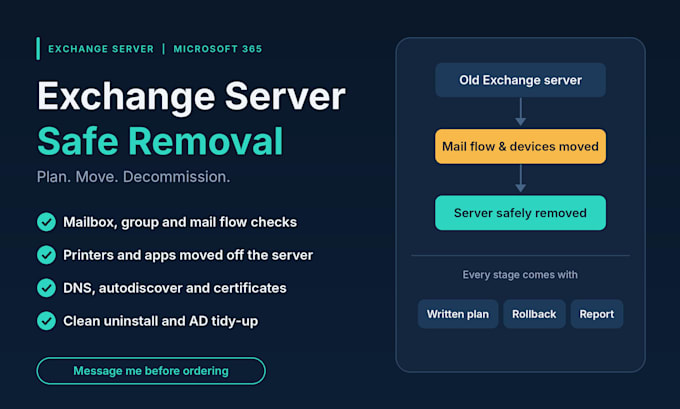
Moved your mailboxes to Microsoft 365 but still have an old Exchange server running? I'll remove it safely, so nothing breaks when it's gone.
What I can do for you:
What you get:
I work through your remote access tool (AnyDesk, TeamViewer, RDP over VPN). Nothing changes in your environment without your approval first.
Not sure you're ready to remove it? Message me first.
Email Provider:
Microsoft Outlook
Expertise:
Security
•
Configuration
•
Migration
Is it safe to remove my last Exchange server if I sync users with Entra Connect?
Yes, if it's done in the right order. Microsoft supports managing synced users with the Exchange Management Tools instead of a full server. I set that up first, so you can still edit mailboxes and email addresses afterwards.
Will email stop working?
No. Your mail already runs in Microsoft 365. I check DNS, autodiscover and connectors before anything is removed, and I move devices that still send mail through the old server, like scanners, before it's shut down.
Which Exchange versions do you work with?
Exchange 2013, 2016 and 2019, including hybrid setups with Microsoft 365.
Will you need admin access?
Yes. I need Exchange and domain admin rights plus Microsoft 365 admin access for the work. A temporary account that you remove when we're done is fine.
What if something still depends on the server?
That's what the first check is for. If I find an app, device or mailbox still using it, I tell you, and we move it before going any further.
