Browse categories
Explore
Fiverr Pro
English
$
USD
Professional Streaming Systems That Deliver Results
Tired of audio routing problems, echo, poor sound quality, or complicated streaming setups?
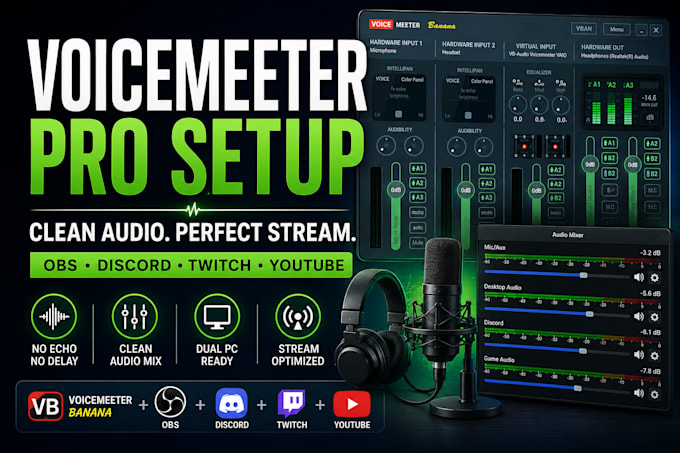
A properly configured Voicemeeter setup can make your stream sound cleaner, more professional, and easier to manage. Whether you're streaming on Twitch, YouTube, or recording content, optimized audio routing helps reduce technical issues and improve viewer experience.
Get a reliable Voicemeeter setup designed for smooth streaming, clear communication, and better audio control across all your applications.
What you get:
Perfect for streamers, content creators, gamers, podcasters, and professionals who want crystal-clear audio and a smoother workflow.
Enjoy cleaner sound, fewer audio issues, improved stream quality, and a more professional streaming experience from day one.
CONTACT BEFORE ORDRING
Software:
OBS Studio
Platform:
•
Twitch
•
YouTube
•
Mixer
Purpose:
Gaming
•
Music
•
Lifestyle
•
Business
•
News
Can you also help with Stream Deck, GoXLR, RodeCaster, or advanced streaming setups?
Yes. Many clients combine Voicemeeter with Stream Deck, GoXLR, RodeCaster, OBS optimization, and advanced audio workflows to create a complete professional streaming environment with greater control and efficiency.
Will I receive support if something needs adjustment after delivery?
Yes. Revisions included in your package can be used for fine-tuning settings and ensuring the configuration performs as expected within your workflow.
Can you set up Voicemeeter for dual PC streaming?
Yes. Dual PC audio routing, game audio separation, microphone routing, Discord audio management, and streaming optimization can all be configured for a cleaner and more reliable broadcast.
How long does the setup usually take?
Most setups are completed within the selected package delivery time. More advanced configurations involving multiple audio sources, dual PC streaming, or complex routing may require additional setup time.
Do you work with OBS, Streamlabs, Twitch, and YouTube setups?
Absolutely. Voicemeeter can be integrated with OBS, Streamlabs, Twitch, YouTube, Discord, gaming applications, and other streaming tools to create a smooth and professional workflow.
Can you fix audio issues such as echo, duplicate sound, or routing problems?
Yes. Common issues such as echo, delayed audio, duplicated sound, missing audio sources, microphone routing problems, and application audio conflicts can be diagnosed and resolved.
What do you need from me to get started?
Simply provide details about your setup, including Voicemeeter version (Banana or Potato), OBS/Streamlabs configuration, audio devices, and your streaming or recording goals. The more details provided, the faster the setup process.
