Browse categories
Explore
Fiverr Pro
English
$
USD



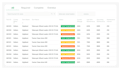
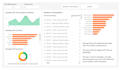
Still approving documents by email? Manually moving files? Chasing people for updates? There's a better way.
I will build custom Microsoft Power Automate workflows that connect your SharePoint, Teams, Outlook, and Microsoft 365 apps into one automated system eliminating manual tasks, reducing errors, and saving your team hours every week.
What I Can Automate For You:
Tools: Power Automate | SharePoint Online | Microsoft Teams | Outlook | OneDrive | Excel | Dataverse | Power Apps | Microsoft 365
Why choose me:
Message me your workflow.
I build SharePoint Online, Migration expert and Microsoft 365 Specialist
Languages
Can you automate my SharePoint approval process with Microsoft Power Automate?
Yes. I create custom Microsoft Power Automate approval workflows for SharePoint Online, including document approvals, HR requests, leave forms, contracts, purchase requests, expense approvals, and multi-level approval processes with automatic notifications and tracking.
Can you migrate my SharePoint Designer 2010 or 2013 workflows to Power Automate?
Absolutely. Microsoft is retiring SharePoint Designer workflows, so I can migrate your existing SharePoint Designer 2010/2013 workflows to modern Power Automate cloud flows while preserving your business logic and improving performance.
Which Microsoft 365 apps can you integrate with Power Automate?
I can connect Power Automate with SharePoint Online, Microsoft Teams, Outlook, OneDrive, Excel, Forms, Power Apps, Dataverse, Planner, Lists, and many third-party apps, creating automated workflows that eliminate repetitive manual work.
Can you automate document management in SharePoint?
Yes. I build workflows that automatically create folders, organize files, rename documents, move files between libraries, manage document versions, trigger approval requests, and notify the right people whenever files are uploaded or updated.
Can you build employee onboarding or HR automation workflows?
Yes. I automate employee onboarding by assigning tasks, creating SharePoint folders, sending welcome emails, notifying managers, provisioning resources, collecting documents, and keeping HR teams updated through Microsoft Teams and Outlook.
Do you create custom Power Automate workflows for my business?
Yes. Every workflow is customized to your organization's process. Whether you need approval automation, notifications, task assignments, reporting, document routing, or complex business logic, I build solutions tailored to your exact requirements.
Can you automate email notifications and Microsoft Teams alerts?
Definitely. I configure automated emails, Teams notifications, reminders, escalations, deadline alerts, approval requests, and status updates based on SharePoint events, ensuring your team stays informed without manual follow-up.
Will my Power Automate workflow be easy to manage after delivery?
Yes. I build clean, organized, and well-documented Power Automate workflows using best practices. I also explain how everything works so you can confidently maintain, edit, or expand your automation in the future.
What information do you need before starting my Microsoft Power Automate project?
Please share your current business process, SharePoint structure, Microsoft 365 environment, desired automation, approval steps, users involved, and any existing workflows. The more details you provide, the better I can design your solution.
Why should I hire you for SharePoint and Power Automate automation?
I specialize in SharePoint Online, Microsoft 365, and Power Automate solutions that reduce manual work, improve productivity, and streamline operations. I deliver scalable, reliable, and easy-to-maintain workflows designed specifically for your business goals.