Browse categories
English
$
USD
Connect to your AI
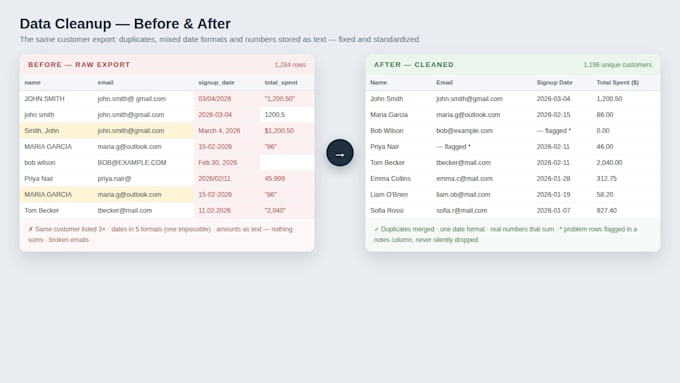
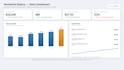
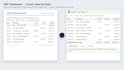
Send me the messy file. Get back a sheet you can actually use. Exports from banks, CRMs, Shopify, Stripe, and old PDFs all arrive the same way: duplicates, broken dates, names in the wrong columns, numbers stored as text. I clean that up and build the formulas so the sheet keeps working after I hand it back. Cleanup: dedupe, split and merge columns, standardize dates, phones, addresses, and SKUs. Conversion: CSV, PDF tables, bank statements, and invoices to structured Excel or Google Sheets. Formulas and pivots: VLOOKUP/XLOOKUP, INDEX-MATCH, pivot summaries, conditional formatting that flags problems. Dashboards: simple KPI views with totals, trends, charts, and filters. Automation: Google Apps Script for auto-import, scheduled cleanups, form-to-sheet pipelines, and email alerts. How it works: send the file and one sentence about what you need from it. I confirm the row count and a fixed price, then send the cleaned file back with a note on what I changed. Your data stays yours: files are handled only for your order, never shared, and deleted from my side after delivery plus 14 days. Message me a sample first if your file is big or unusual.

Platform:
Excel
•
Google Sheets
•
Microsoft Office
Development technology:
Google Apps Script
•
Python
•
Power Query
What file types can I send?
CSV, XLSX/XLS, Google Sheets links, PDF statements, invoices, and reports with tables, TXT, and exports from Shopify, Stripe, QuickBooks, and most CRMs. Send a sample page first for unusual PDFs.
My PDF is scanned images, not real text. Can you still convert it?
Usually yes, with OCR. Accuracy depends on scan quality. Send one page first for a free test conversion before ordering.
Can you keep my column order and format exactly as my system expects?
Yes, if it must re-import into Shopify, a CRM, or accounting software. Send the template or a good example file and I will match headers and date formats exactly.
What is the difference between a one-time cleanup and automation?
Cleanup fixes the file you have. Automation, in Premium or as an extra, fixes every future file: scheduled import and clean, or a form landing pre-formatted. It pays for itself in a month if you redo the same cleanup weekly.
How do you handle confidential data, like payroll, customer lists, or finances?
Minimal access and delete after delivery. I work only on the file sent, store nothing in third-party tools, share with no one, and delete copies after delivery plus 14 days, or immediately on request. Happy to work on a redacted sample first.