Browse categories
Explore
Fiverr Pro
English
$
USD

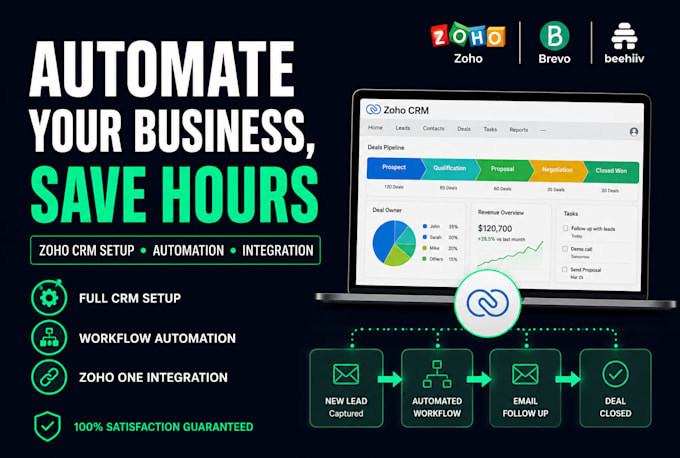

Looking for a Zoho CRM expert who actually understands your business not just the software?
I specialize in full Zoho CRM setup and automation for sales teams, service businesses, and growing companies. Whether you need a fresh CRM build, custom workflow automation, or a migration from HubSpot, Pipedrive, or Salesforce I've got you covered.
What I can set up for you:
Zoho CRM setup, customization & automation
Zoho One full business suite configuration
Workflow & blueprint automation (no more manual follow-ups)
Zoho Campaigns email marketing setup
Zoho Commerce store setup
Zoho Books bookkeeping & UAE VAT/tax setup
Zoho Analytics dashboard & reporting
Zoho Desk, Recruit & People HR setup
Zoho Forms & landing page integration
CRM migration (HubSpot Zoho, Salesforce Zoho, Pipedrive Zoho)
Zapier, Make.com & GoHighLevel integrations
Deluge scripting & Zoho Creator app development
I deliver clean, documented setups built to scale no bloated configurations.
Message me before ordering if you have a custom requirement.
Automation, Websites, Mobile App Design
Languages
What does a Zoho One setup and onboarding service typically include?
A good Zoho One onboarding covers, activating and configuring the apps relevant to your business, connecting them to each other setting up user accounts and permissions, importing existing data, and a walkthrough session with your team. Freelancers provide a short video guide for ongoing reference.
What does Zoho Books setup involve for a small business?
Zoho Books setup typically includes: connecting your bank account, configuring your chart of accounts, setting up invoice templates, adding tax rules (e.g VAT.), import existing customers & vendors, & connecting it to Zoho CRM. A freelancer usually completes this in 4–8 hours depending on complexity
Why is Zoho CRM not syncing with my email, and how do I fix it?
The most common causes are: incorrect IMAP/SMTP credentials, a disconnected email integration in Settings > Email Configuration, or a firewall blocking Zoho's servers. Start by going to Setup > Channels > Email and re-authorizing your account. A freelancer can diagnose and fix this in under an hour.
How do I find someone to fix broken Zoho workflow rules quickly?
Post on Upwork with a clear description of what the rule is supposed to do, what it's doing instead, and which Zoho product it's in. Include a screenshot if possible. Most experienced Zoho freelancers can diagnose and fix broken workflows within a few hours.
Zoho invoices aren't being sent to my customers, how do I fix this?
First check your email configuration in Zoho Books under Settings > Email. Emails may also land in spam and ask your customer to check. If you're using a custom domain, your DKIM records may need updating to authorize Zoho to send on your behalf. A freelancer can help configure this.
How do I migrate from Salesforce to Zoho CRM without losing data?
Zoho offers a built-in Salesforce migration tool under Setup > Data Administration > Import. Hiring a freelancer experienced in Salesforce-to-Zoho migrations is strongly recommended for anything beyond a basic contact list; they'll do test imports, validate data, and handle edge cases.
How do I connect Zoho CRM to QuickBooks?
This syncs contacts, invoices, and payments between the two. The setup takes about 1–2 hours and usually requires someone with access to both platforms. If you're on QuickBooks Desktop, the integration is more complex and typically requires a third-party connector like Zapier or a custom API build.
Can I import my existing contacts from Excel into Zoho CRM?
Yes, Zoho CRM has a built-in Excel import tool under your Contacts or Leads module. Before importing, make sure your column headers match Zoho's field names, remove duplicate emails, & clean up any formatting issues. A freelancer can prep & import the data cleanly without creating a mess in your CRM
What's involved in moving data from HubSpot to Zoho?
The challenge is that HubSpot & Zoho use different data models, contacts, companies need to be mapped carefully. Associations between records (e.g a contact linked to a deal) must be re-established in Zoho. A freelancer with experience in both platforms can do this in 3 days depending on data volume
How do I get my team properly trained on how to use Zoho CRM?
The most effective approach is a combination of a live walkthrough session tailored to your team's actual workflow & short recorded shared videos for common tasks. Fiverr has trainers who specialize in Zoho. Avoid generic YouTube tutorials; they teach the default Zoho, not your configured version.
