Browse categories
Explore
Fiverr Pro
English
$
USD



Gig Summary
==== IMPORTANT! PLEASE READ BEFORE PURCHASING THE GIG ====
As of June 29, 2021, Intuit has removed the Import Style plugin. If you have already enabled the feature you will not be affected and I can help you with the templates. But if you haven't enabled the plugin before the feature was removed, please do not purchase this gig as I will not be able to help you. Please drop me a message if you are not sure about the plugin.
== ATTENTION Canadian QBO Users ==
The above limitation may not be applied to the Canadian QBO subscriptions. But please message me before purchasing the gig.
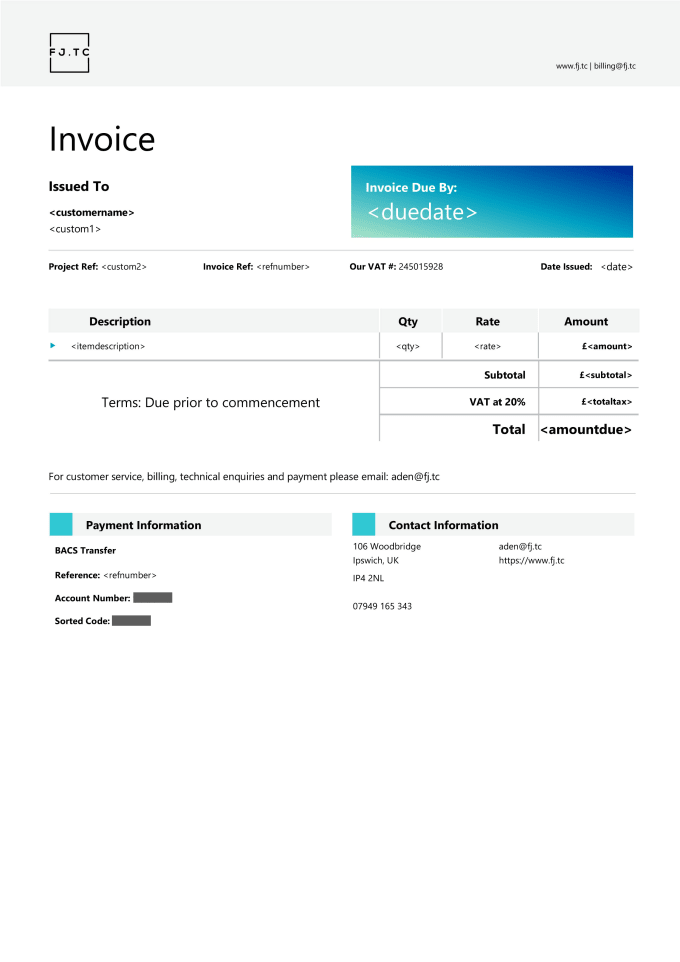
Whether you want to have more than one logo on your QBO invoice or default templates are boring, I am here to help you out designing attractive and professional invoice and/or estimate styles. I can create invoice/estimate style templates for any QBO as long as it supports Invoice Style Import.
Please inform the freelancer of any preferences or concerns regarding the use of AI tools in the completion and/or delivery of your order.
Business Automation Specialist and Data Analytics Consultant
Languages
I want to use my own fonts.
Unfortunately no, QBO supports the following fonts: o Arial Unicode MS o Courier, Courier Bold, Courier Oblique, Courier Bold-Oblique o Helvetica, Helvetica Bold, Helvetica Oblique, Helvetica Bold- Oblique o Times Roman, Times Bold, Times Italic, Times Bold-Ita
I want to add custom fields to my template.
QBO supports up to three custom fields that you can set when creating the invoice. These are not activity/item table columns but free text custom fields. The activity/item table can only have the standard fields.
I want to add a computed field (e.g., numeric, date difference).
Please message me with the details of the computed field.
Some data is not appearing in the printed or preview document. Why?
The Standard form style settings are used to decide how data is handled and presented in the imported templates. Please enable the desired settings in your standard style by following the steps below: 1 Gear Icon > Custom Form Styles 2 Locate the Standard template > Edit 3 Enable the fields > Save
| (51) | ||
| (0) | ||
| (0) | ||
| (0) | ||
| (0) |
sneakybrett

United States
They went above and beyond to complete the work. Excellent job. I'll be coming back to them again.
$50
Price

merouanekhaldou

Canada
great gig ! fast and straight to the point thanks a lot
$50
Price
obzhen
United States
great work
$50
Price
onemedicalr

United Kingdom
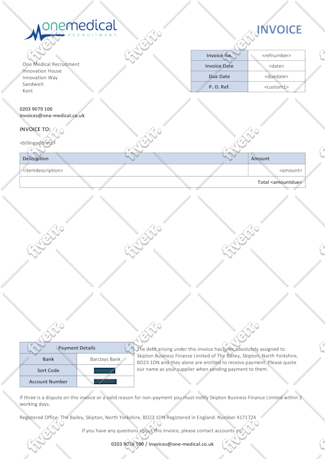
Amazing thank you
$50
Price

rwebbe
Canada
Saeed was always prompt with his responses even when we had several revisions. It has been a pleasure to work with Saeed.
$50
Price

| (51) | ||
| (0) | ||
| (0) | ||
| (0) | ||
| (0) |
sneakybrett
United States
They went above and beyond to complete the work. Excellent job. I'll be coming back to them again.
$50
Price
merouanekhaldou
Canada
great gig ! fast and straight to the point thanks a lot
$50
Price
obzhen
United States
great work
$50
Price
onemedicalr
United Kingdom
Amazing thank you
$50
Price
rwebbe
Canada
Saeed was always prompt with his responses even when we had several revisions. It has been a pleasure to work with Saeed.
$50
Price