Browse categories
Explore
Fiverr Pro
English
$
USD
Data Driven Marketing, Google Analytics 4, Google Tag Manager Expert
Why do you setup google analytics 4 Server side tracking?
according to GDPR rules, you can't track data from Browser Side or third-party side in the future. In this case, a lot of visitor data will be missing.
To get more accurate results for your visit, you need to setup google analytics 4 server side conversion tracking.
What I will do for you:
Which Events I Track From Server Side:
Platforms:
Note:If you have any queries about ga4 server side tracking or Facebook conversion API from server side tracking feel free to knock inbox.
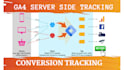


Why You should Setup Server Side Conversion Tracking?
Without Setup server side conversion tracking You do not get accurate conversion result.
Is Server Setup free of cost?
If you have a very small business you can use the server basic plan which is free. But if you have a medium or large-scale business you need to purchase servers according to your business.
Do you accurate conversion result from server side?
Yes, get 100% conversion results from server side tracking. Data will not mismatch.


