Browse categories
English
$
USD
Connect to your AI
Got a supplier or vendor spreadsheet that won't import into WooCommerce cleanly? I'll turn it into a clean, import-ready WooCommerce product CSV.
Supplier files are messy: wrong column names, $ and comma prices, missing SKUs, sizes and colours as separate rows, no parent for variations. WooCommerce then skips rows or imports them wrong.
What you get:
- A WooCommerce product CSV with the exact column names WooCommerce's importer uses
- Simple and variable products: parent rows, variations, sizes and colours as attributes
- Prices, sale prices, stock, categories (Parent > Child), tags and image links
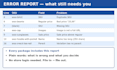
- An error report: missing or duplicate SKUs, bad prices, broken image links, variations with no parent
How it works:
1. Send your Excel or CSV file
2. I map and clean it for WooCommerce
3. I run my checks and fix what the file can fix
4. You get the CSV and the error report
File in, file out. I never ask for your store login and never change your store. You run the import, so you stay in control.
Not sure which package fits? Message me with your product count first.


Convert from:
XLS, XLSX
Convert to:
CSV
What files do you accept?
Excel (XLS/XLSX) or CSV from your supplier, wholesaler or old store. Google Sheets: download it as Excel or CSV first. One file per package, or up to 3 combined in Premium.
How do I count products?
Count products, not rows. A T-shirt in 3 sizes and 2 colours is 1 product with 6 variations, and counts as 1. Over 500 products? Message me with the file and I'll send a custom offer.
Do you set up variable products?
Yes. I make the parent product and one row per variation, with attributes like Size and Color, each variation linked to its parent by SKU.
What is in the error report?
A list of every row that needs your decision: missing or duplicate SKUs, bad or blank prices, sale price above regular, image links that aren't full URLs, and variations with no parent. Each line says what to do.
Will you make up missing data?
No. Missing SKUs, prices or images stay blank and go in the error report. If you want, I can make SKUs from product names, but only when you say yes.
Do you need my WooCommerce or WordPress login?
Never. File in, file out. You import the CSV yourself in Products > Import, so you stay in control.


