 August 3, 2026
 14 minute reading
Poor podcast audio quality is a nightmare.
Dead space, hisses, weird transitions, and background noises take away from your content and show’s authority.
While you may have the right podcast recording software and equipment, getting great sounding audio comes down to your podcast editing tools.
This guide shares the best podcast editing software plus a handful of tips to create polished episodes that dazzle your listeners.
What is podcast editing?
Podcast editing is the process of improving or altering an audio or video file to its maximum sound quality to make it more appealing to your audience. Editing a podcast ensures the output matches the podcast show’s story, theme, and requirements.
Unedited podcasts sound like a long-winded conversation that’ll never end. Podcast editing ensures everything moves seamlessly from one topic to the next while keeping the conversation lively.
Editing also allows you to shape the conversation for more impact without altering the content of your conversations.
What goes into editing a podcast?
Publishing a podcast takes more than just recording it. You need a carefully crafted narrative that sounds amazing for your audience.
When editing your podcast, you’ll refine your recording by looking for mistakes, removing anything that’s unnecessary, and moving bits around to build a more cohesive story.
Here’s a quick rundown of what happens during the podcast editing process:
- Removing background noise: Many noises in your environment might pop up in your podcast recording and distract your listeners. Editing the podcast filters and removes or lessens those noises making your audio sound like you recorded in a pristine, soundproofed studio.
- Getting rid of filler: You don’t want your listeners struggling to find your point amid filler words like “uh” and “um” or pauses and other distractions. You can remove these during editing to sound more concise, intelligent, and confident.
- Deleting unwanted material: Ultimately, each podcast episode should only contain audio that serves the story. Deleting the parts that feel superfluous creates the story you’re looking for so it’s interesting to your audience.
- Cleaning up volume levels: Sometimes you’ll combine tracks from multiple sources that were recorded separately with varying loudness. Editing the podcast file adjusts each track’s volume levels for an even listening experience.
- Adding music and audio effects: Insert royalty-free music or sound effects enhances your podcast's tone and evokes a desired feeling in your listeners. For instance, if you run a cooking podcast, you can bring it to life by adding sizzling or chopping sounds.
- Creating intros and outros: Podcast editing lets you create a beginning and an end so your audience knows what you’re listening to and when it’s over.
- Listening and re-listening: Listening to your podcast repeatedly helps to catch mistakes and polish it into a piece that attracts your listeners and delivers a high-quality show.
Next, let’s look into the best podcast editing software to find the right tool for your needs.
Best podcast editing software in 2025
Free and paid come with unique features to produce high-quality audio for your audience.
If you’re a beginner or on a limited budget, free podcast editing software offers essential recording and editing features for basic podcast production. However, if you need more advanced features, professional-grade audio processing, and greater flexibility, paid options offer comprehensive toolsets and integrations.
No matter your experience and budget level, you can find the right one for your needs. Check out our top picks below.
Produce Your Podcast Professionally
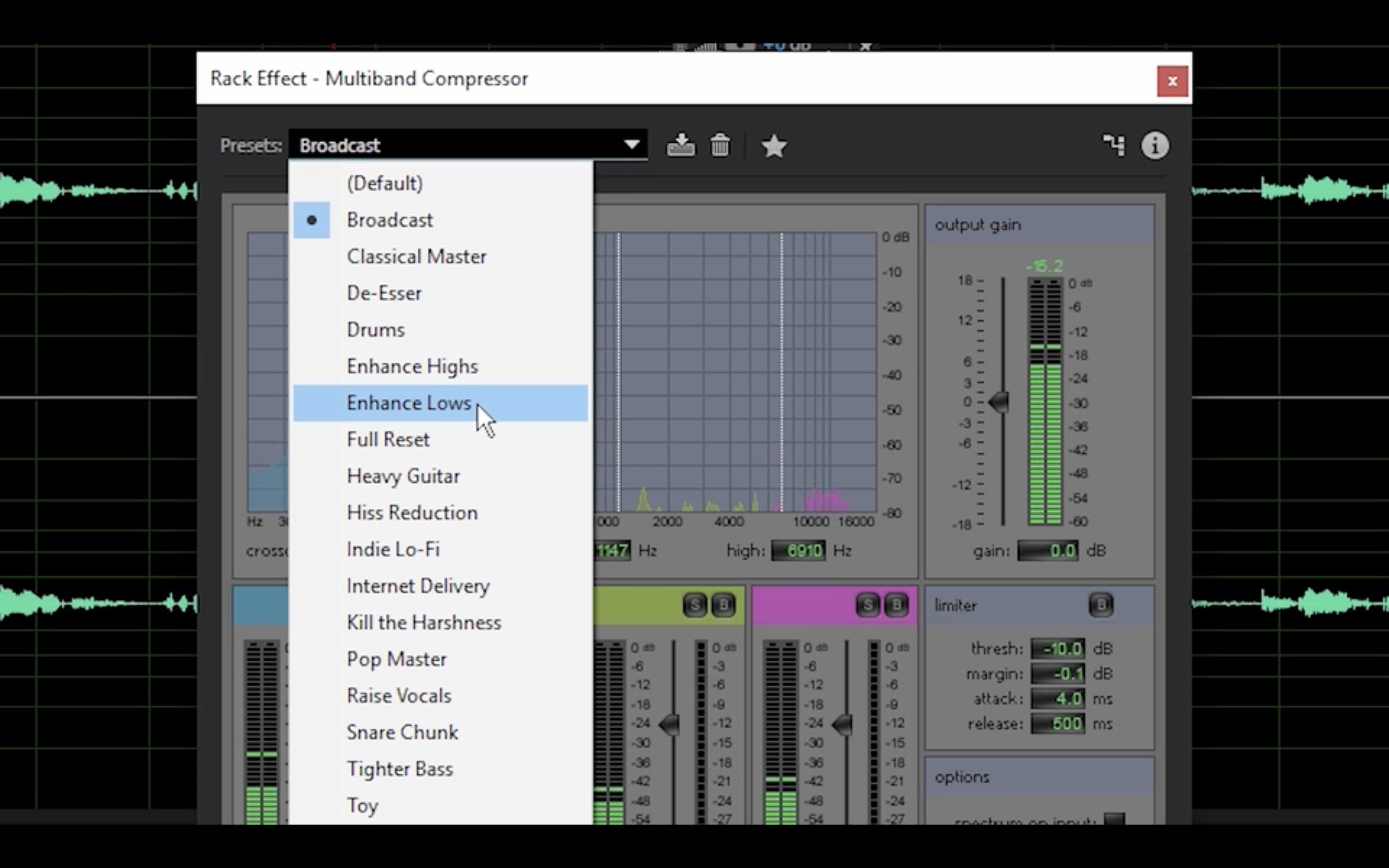
1. Adobe Audition: Best all-in-one podcast editing suite
Key features:
- Music, segues, and fades
- Audio presets and templates
- Adaptive noise reduction
- Audio track restoration and compression
- Batch-processing capabilities
- Session and clip markers
- Variable playback speed
- Copy or paste effects between tracks
- Time, marquee, and lasso selection tools
- Spectral Frequency Display to edit wav files
Pricing:
- Individual: $20.99 per month
- Business: $35.99 per month (annual plan)
Pros
- One-stop shop audio editing software
- Packed with advanced features for intermediate and advanced users
- Adheres to audio broadcast regulation standards
Cons
- Pricey for beginners
- Learning curve for new podcasters
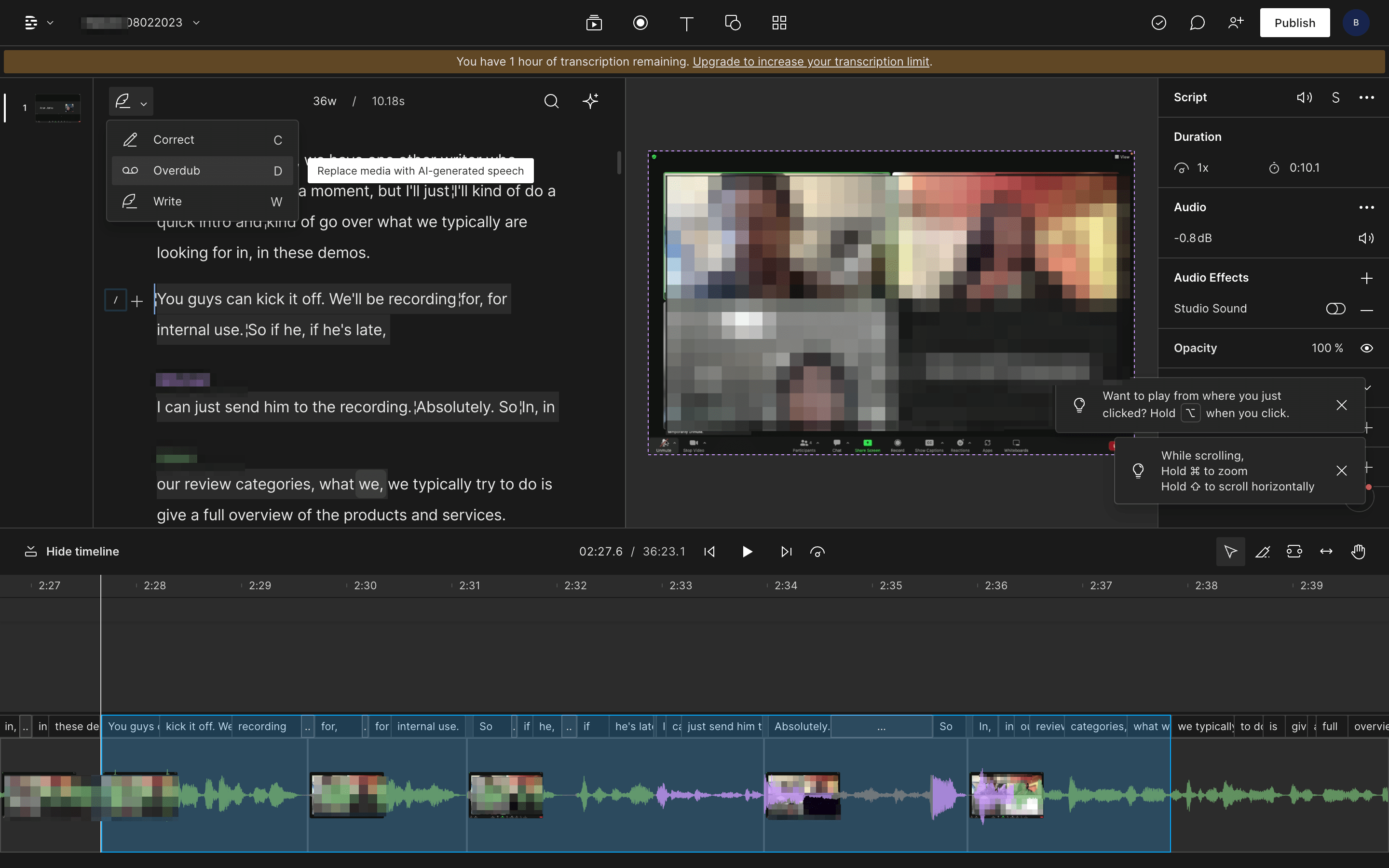
2. Descript: Best AI-powered podcast editing software
Key features
- Non-destructive editing
- Powerful search
- Batch clip editing
- Batch cut and paste audio search results
- Automatic room tone generation
- Shorten or remove silences
- Cloud media assets library
- Sequences
- Timeline format editor
- Wordbar (to adjust the space between words)
- Mic bleed detection
- Multi-composition projects
- Clip to composition and copy highlights
Pricing
- Free: $0
- Creator: $12 per user/month
- Pro: $24 per user/month
- Enterprise: Custom pricing
Pros
- Makes podcast recording and editing easy and accessible
- Automated transcription
- You can delete, insert and change scenes based on the transcript
- You can train Overdub to sound like yours in different emotional states
- Attractive templates and features
- Good for people who need to recorded and transcribed a lot of dialogue quickly
Cons
- Falls critically short on reliability
- New Storyboards are more difficult to use than Descript classic
- Audio cuts sometimes don’t fade automatically, which can create clicking in your final product
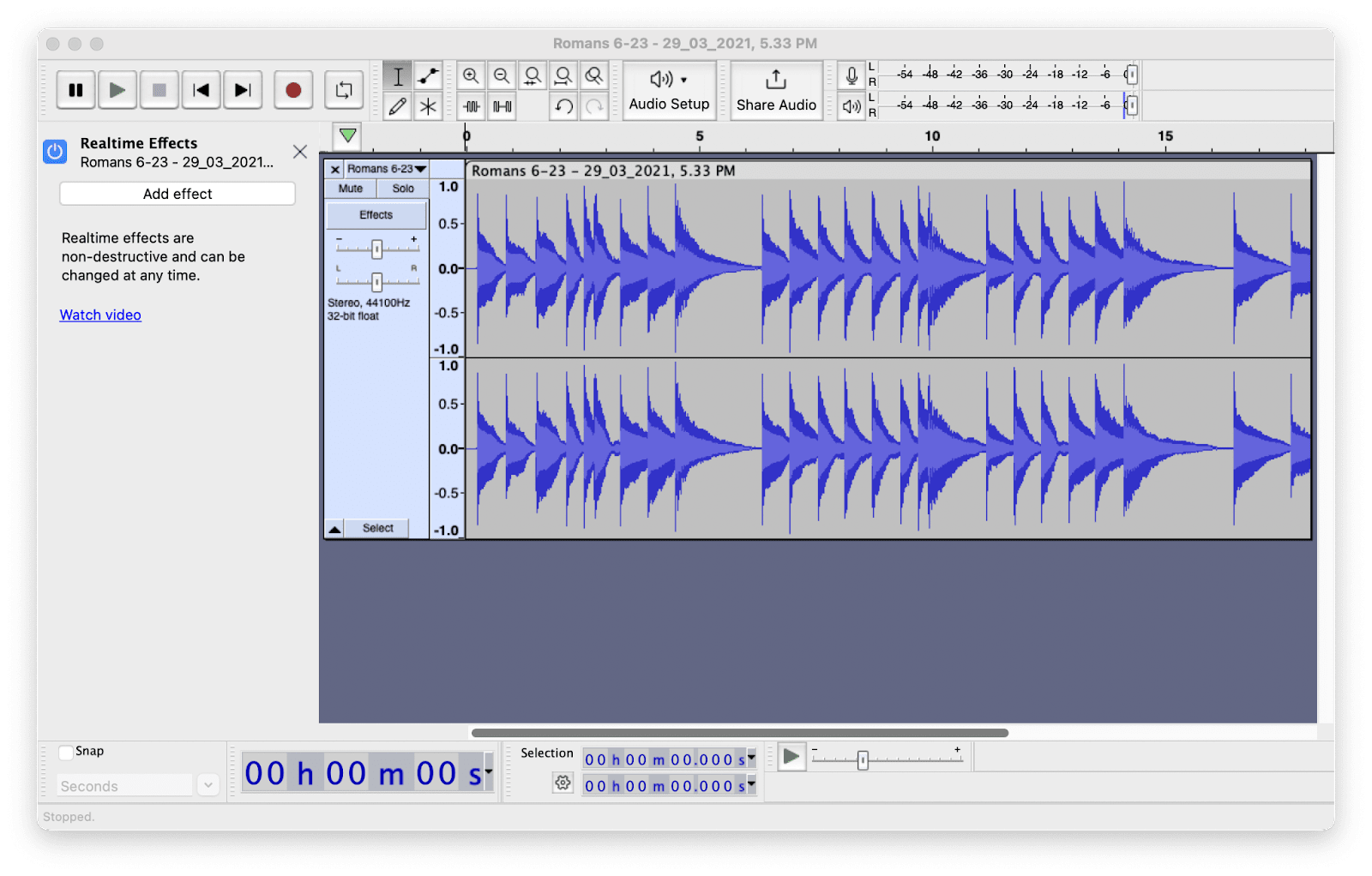
3. Audacity: Best free and open-source podcast editing software
Key features
- Cut, copy, paste, duplicate, and delete tools
- Scrubbing and seeking
- Timeline Quick-Play
- Unlimited sequential undo and redo
- Edit and mix selected tracks
- Multiple clips per track
- Label tracks
- Sync-Lock Tracks
- Draw and envelope tools
- Automatic Crash Recovery (for open and unsaved projects)
Pricing
- Free, open-source
Pros
- Free and open-source
- Beginner-friendly
- Stable and secure
- Presets reduce the learning curve
- Free tutorials available to help you edit better
- Works with Windows, MacOS, or Linux
Cons
- Interface feels clunky and outdated
- May lack some high-end podcasting capabilities
- You’ll need separate software for remote recording
- Doesn’t support MIDI recording
4. Garageband: Best for Apple users
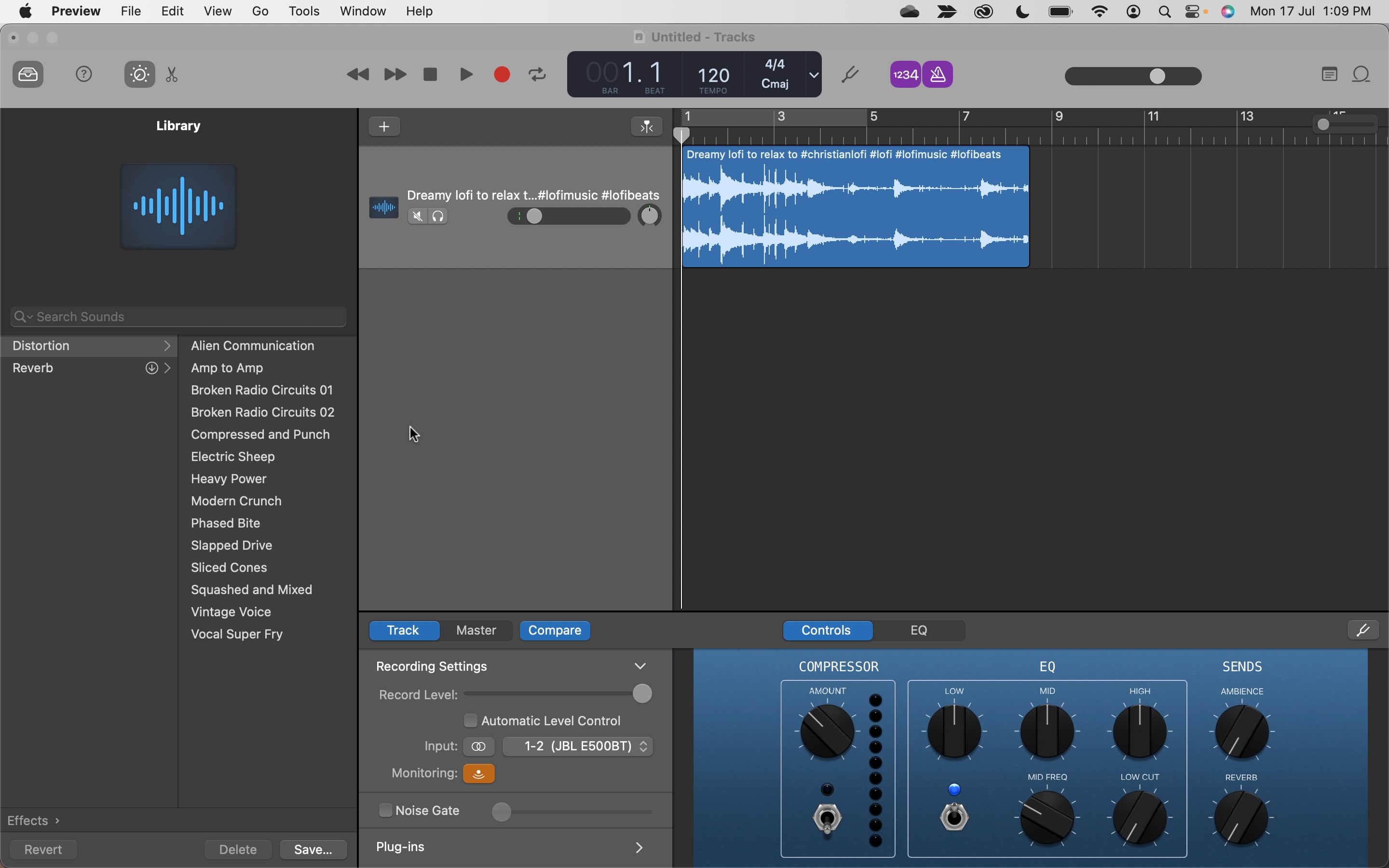
Key features
- Audio effect plugins
- Compression and visual EQ
- Create and mix up to 255 audio tracks
- Name and reorder podcast sections
- Polish tracks with reverb, volume levels, stereo panning, and reverb
- Section looping
- Flex Time
- Capture changes in real-time
- Piano Roll Editor to fine-tune audio
Pricing
- Free with Apple devices
Pros
- User-friendly
- Sleek and intuitive interface
- No steep learning curve or tricky features
- Works on iOS devices (iPhones and iPads)
Cons
- Not accessible for non-Apple product users (Windows, Android, Linux)
- Supports MIDI recording
- No remote recording
- May be too simple for professional podcasters
5. Riverside: Best for creating shareable podcast teasers
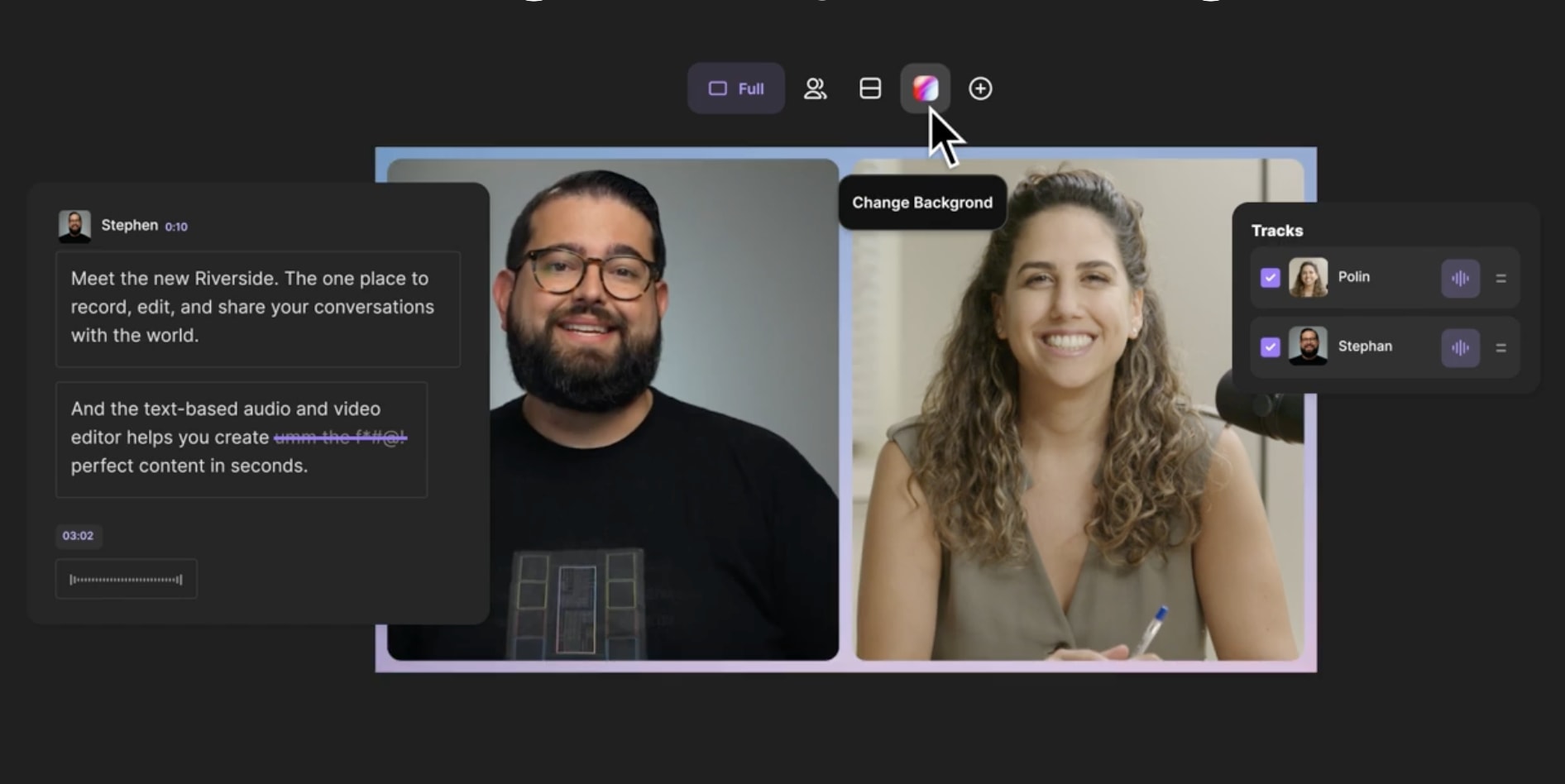
Key features
- Clips
- Video editing
- AI transcriptions
- Automated multitrack sync
- Transcript timeline navigation
- Phrase highlighter and speaker detection
- Background noise removal
- Audio level normalization
- AI-Speaker layout
- Branding and customization tools
Pricing
- Free: $0
- Standard: $15 per month
- Pro: $24 per month
- Enterprise: Custom pricing
Pros
- Easy to use for all experience levels
- Accessible features in a few taps
- No difficult learning curve
- No need for separate podcast editing software
- Remote recording
- Create short promotional teasers
- Livestream from a browser
Cons
- Free option offers limited editing hours and features
- Its automatic editing tools might not be ideal for users who want more control over their podcast
6. Pro Tools: Best professional grade features

Key features
- Clip Effects
- Position elements in 3D audio
- 120+ plugins
- Huge sound library
- Sonic Drop
- Elastic Audio
- Melodyne essential
- Media Composer
- Track automation and effects
- Markers
- Session syncing
Pricing
- Pro Tools Artist: $9.99 per month
- Pro Tools Studio: $29.99 per month
- Pro Tools Ultimate: $99 per month
Pros
- Free version available
- Industry-leading features
- Supports MIDI tracks
- Robust and complex editing tools
Cons
- Pricey for beginners
- Steep learning curve
7. Hindenburg: Best for users of all experience levels
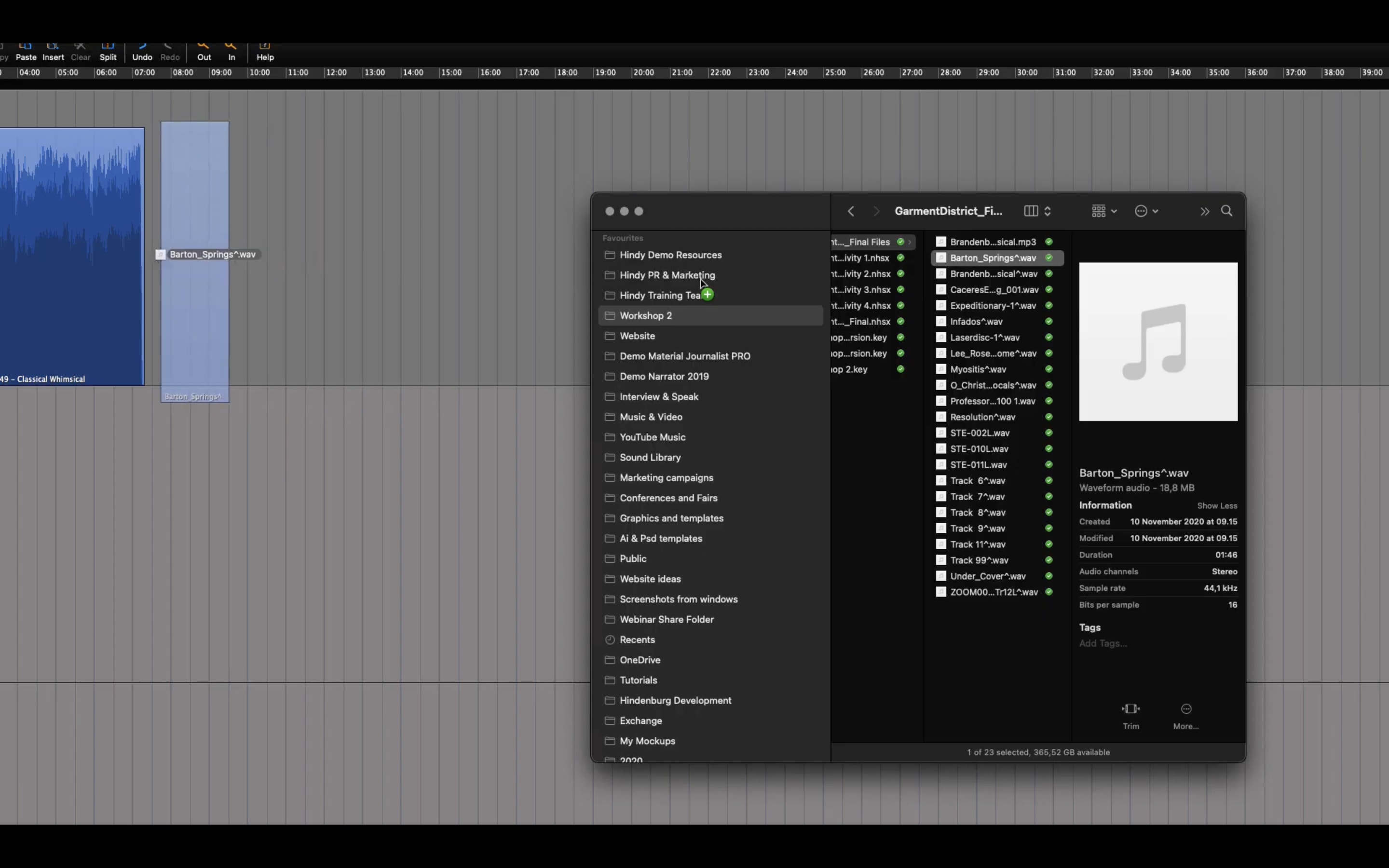
Key features
- Fully-featured editing suite
- Recording transcriptions
- Auto-leveling
- Sound library
- Auto-noise reduction
- Built-in Skype call recorder
- Video Track for post-production
Pricing
- Standard: $12 per month
- Plus: $15 per month
- Premium: $30 per month
Pros
- Intuitive interface
- Easy to handle and arrange audio recordings
- Easy to use no matter your experience level
Cons
- No free plan
- Only works with Windows and MacOS
8. Alitu: Best drag-and-drop editing features
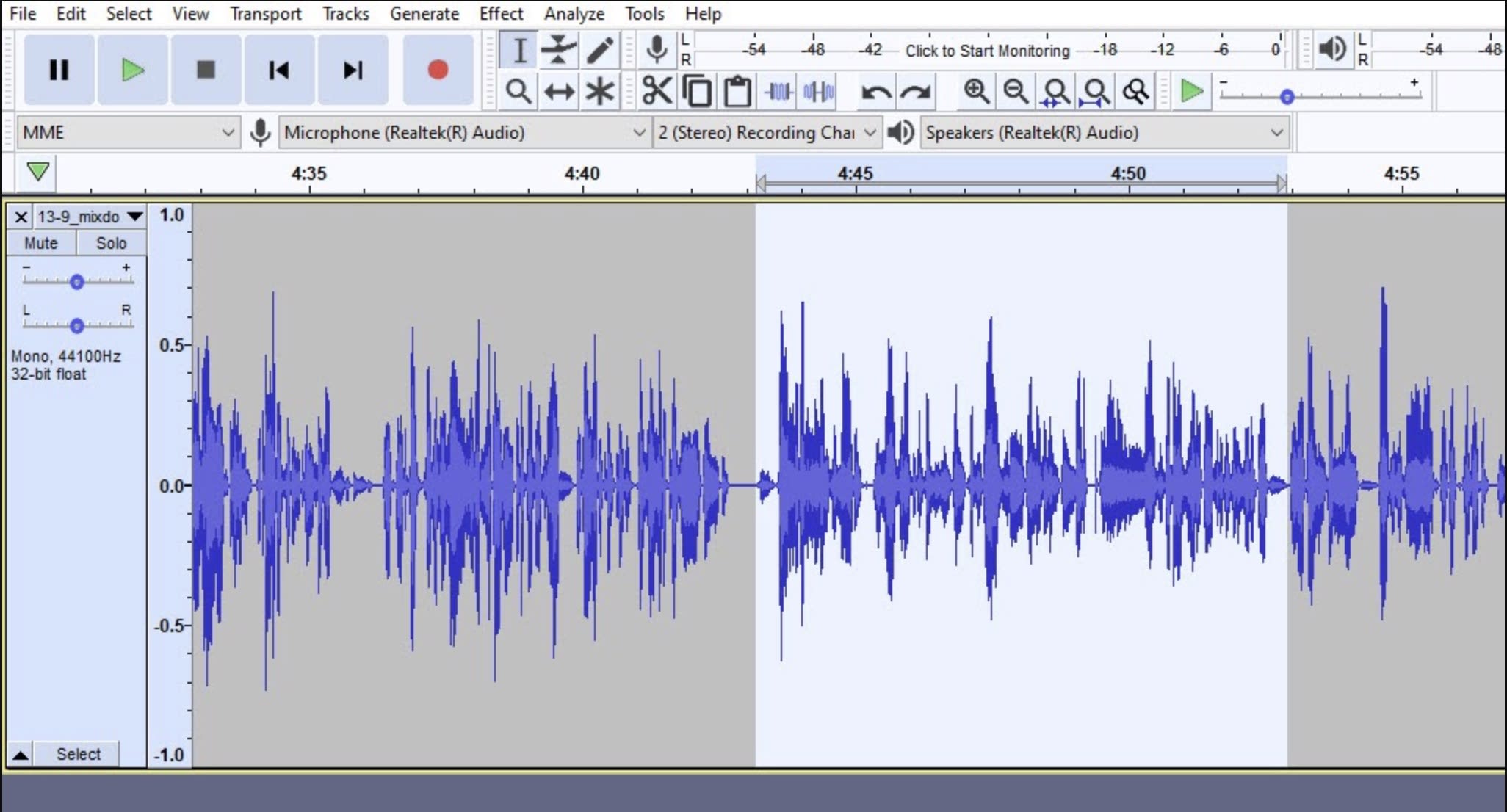
Key features
- Intuitive interface
- Live support via chat or calls
- Exported episodes use industry standards
- Segment transitions
- Audio Cleanup
- Drag-and-drop audio blocks
- Waves editor
- Easy navigation and playback speed options
Pricing
- All-in-one podcast maker: $38 per month
- Bundled: $99.99 per month
Pros
- You can publish and host your podcast in Alitu
- Allows remote recording
- Intuitive interface
- Smooth transitions between audio segments
- No-frills editor
- Designed for beginner podcasters
Cons
- No free plan
- Limited pro-grade features
9. Logic Pro: Most sophisticated sound variations or effects
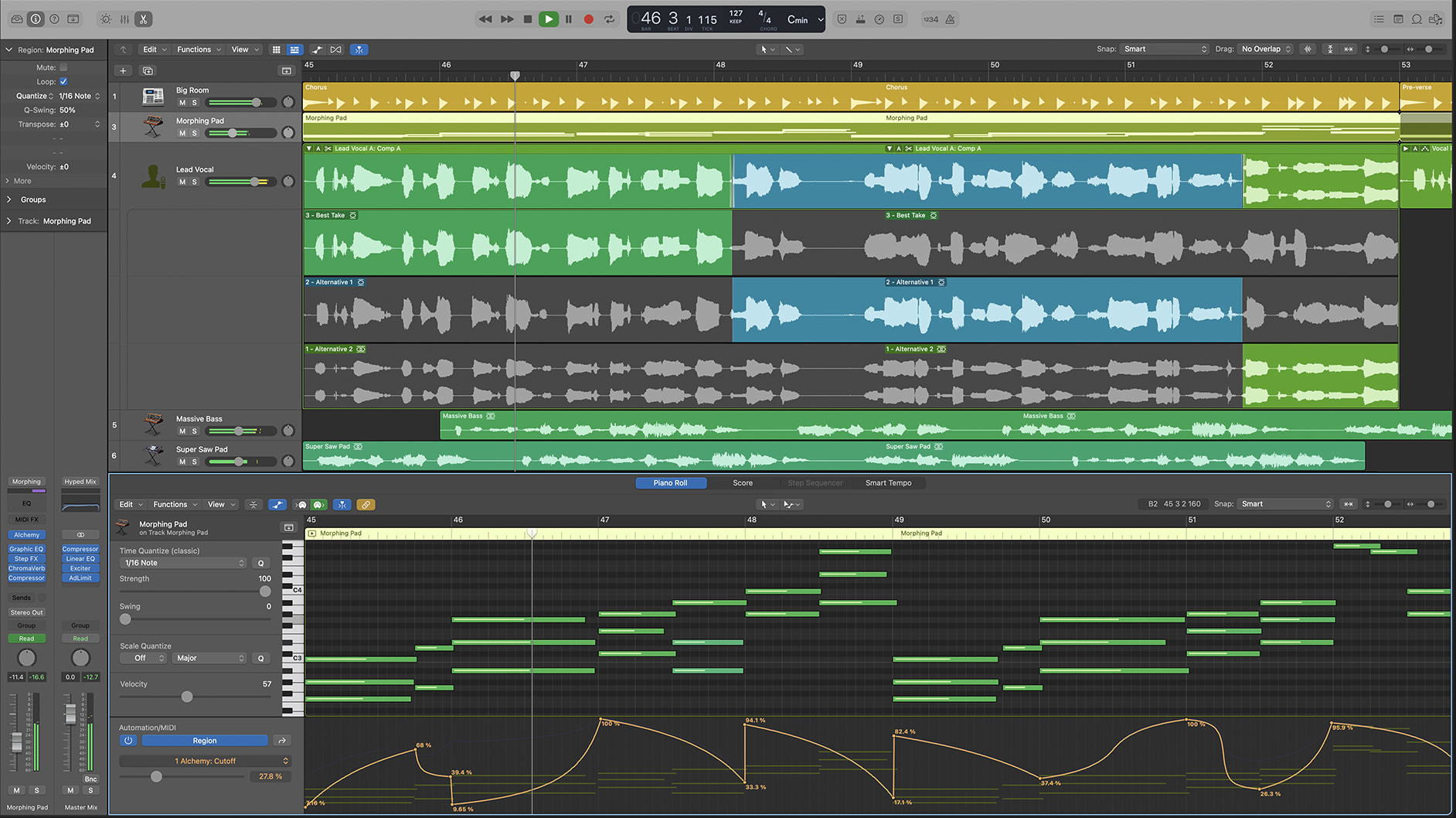
Key features
- Flex Time to manipulate tempo and timing
- Flex Pitch to edit the level and pitch of sound notes
- Smart Tempo
- Track Alternative
- Recreate video podcast files
- Dynamic processors and EQs
- Built-in plugins
- Fix out-of-tune vocals
Pricing
- $199.99-$229.99 (one-time fee)
Pros
- Comprehensive features
- Produces pro-grade high-quality audio
- Automated features streamline editing and save time
Cons
- Steep learning curve for advanced features
- Only has Apple or Mac compatibility
10. Reaper: Most customizable automation features
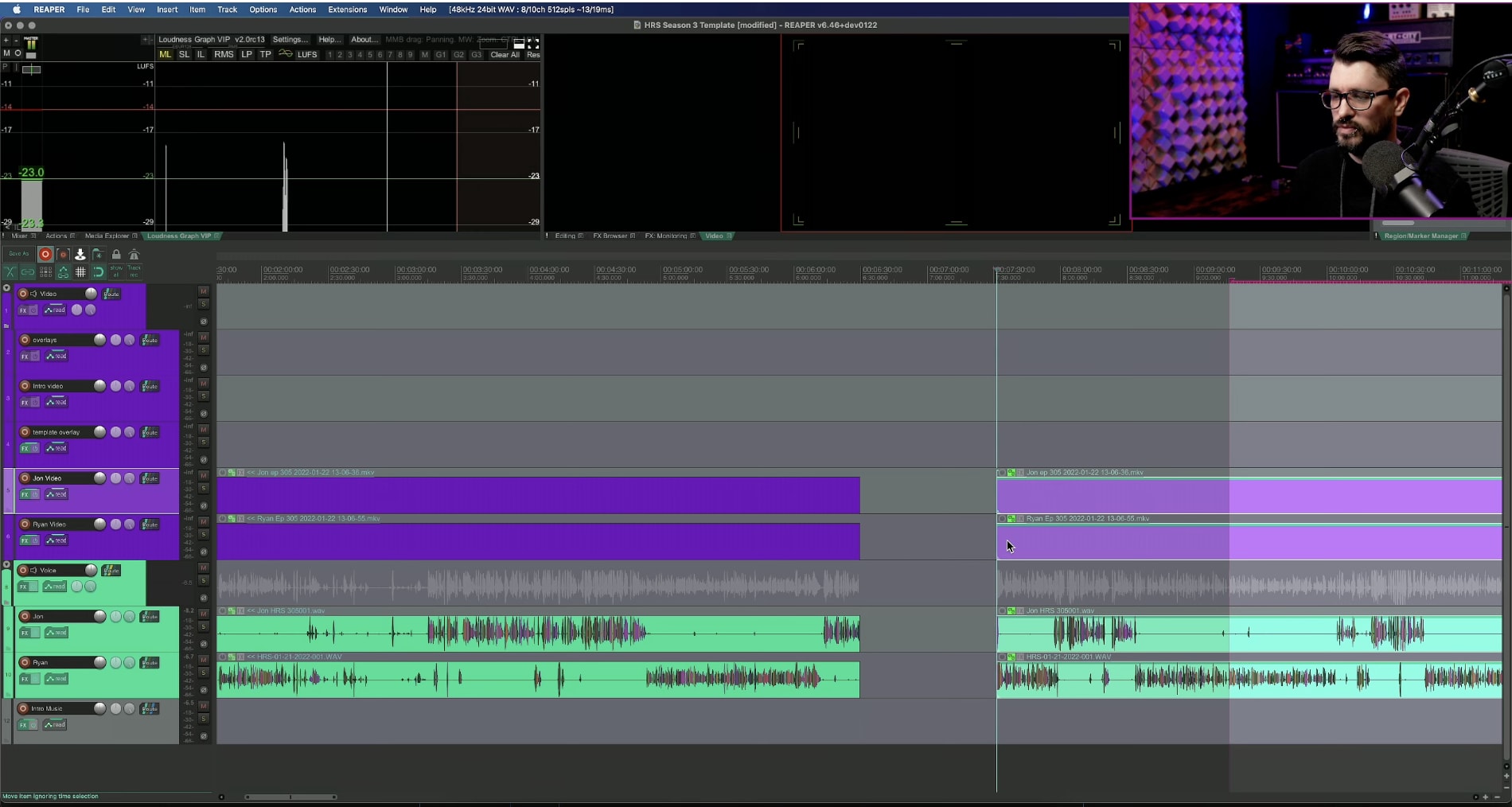
Key features
- Powerful audio and MIDI routing
- Multi-channel support
- 64-bit internal audio processing
- Import, record to, and render in multiple media formats, bit depths, and sample rates
- Supports thousands of third-party plugins and virtual instruments
- Hundreds of studio quality effects to process MIDI and audio
- Automation, grouping, modulation, macros, surround, and scripting
- Custom skins and layouts
Pricing
- Discounted license: $60
- Commercial license: $225
Pros
- Well-designed interface
- Generous 60-day free trial
- Affordable one-time charge instead of monthly subscription
Cons
- Favors intermediate and advanced users
Promote Your Podcast To Reach More Listeners





































Level 2
I will promote your podcast and write show notes to grow real audience downloads
From $15Offers video consultations



























Choosing the right podcast editing software
- Your skill level: Find a podcast editing software that fits your audio editing knowledge, experience, and skill levels. Some tools overcomplicate things with advanced features that aren’t worth the cost for podcast editing. For instance, simple podcast editing software works best for beginners while more advanced users may prefer tools with high-end features and flexibility.
- Learning curve: Consider the effort and time you want to spend learning a podcast editing tool. Some tools have steeper learning curves, making it hard for you to use without experience.
- Scalability: If you plan to expand your podcast production, a higher-end platform will help you scale faster.
- Features: Choose podcast editing tools that offer everything, such as recording, mixing, merging, multi-track editing, noise reduction or background noise removal, room tone generator, and more.
- Robust, user-friendly interface: Find a tool with a visual, timeline-based editor with multitrack editing, audio level adjusting, cut and paste, and equalizer for individual tracks. A podcast editing tool that makes these and other processes difficult will make your editing process longer.
- Automation and integration: If you want to save time, choose a podcast editing tool with automation features. Plus integrations with other tools in your podcasting workflow, such as podcast hosting platforms, recording software, or plugins.
- File storage: You must save your raw and edited podcast files for future editing and use. Find a podcast editing tool that saves your audio recordings locally on your device.
- Technical support: Look for a podcast editing tool with adequate technical support options (e.g., online chat, 24-7 phone support) and help documentation so you can quickly troubleshoot problems.
- Budget: Think of how much you’re willing to spend on a podcast editing software, then check the pricing of the tool you’re considering. Some tools have a free version, but for more robust editing features or plugins, you’ll likely need to pay for the software.
A note about AI podcast editing tools
- Resound
- Podcastle
- Adobe Podcast
- Auphonic
- Listnr
- Altered Studio
Tips to produce high-quality podcast episodes
- “Keep podcasts short and use humor to increase the chances that people will listen to your show, and it will be easier to edit and manage,” says Ryan Faber, founder and CEO of Copymatic.“Everyone likes to laugh. Especially if your field is complex, like tech, humor will display your creativity and also help you understand the concept better.”
- “Start with a clear goal for your podcast so you can plan your content and editing process accordingly,” says Brenton Thomas, CEO of Twibi.“Take the time to remove any mistakes, trim the fat, and add any music or sound effects that you think will improve the overall listening experience.”
- “Listen to the entire raw audio file and create a "to fix" list with any segments that require editing,”says Celeste Renee, SEO strategist at The Elegance Edit.“Then use your list and the corresponding timestamps you noted down to edit the segments that require attention, rather than stopping and editing at every point.”
- “Use music and sound effects strategically to add depth and texture to your content,” says Aysu Erkan, social media manager at Character Calculator.“Use them sparingly and only where they naturally fit, ensuring the volume of such elements is balanced with the speech volume. Master soundscaping to transform your podcast into an immersive auditory experience.”
- “Don't edit on a small screen as these make editing more cumbersome and time-consuming,” says Kirkland Gee, co-founder ofPerfect Extraction.“Get a larger screen (or multiple displays), so you can easily see any blips in the file where your microphones may have picked up a rogue noise without zooming in and out, and edit faster and more effectively.”
- “I recommend critically analyzing a selection of high-ranking podcasts, paying close attention to their editorial practices,” says Steve Dinelli, founder of MarketerInterview.com.“Listen for the structure of their introductions, pause lengths, and the pacing of their topic transitions. You'll notice patterns and commonalities that professional podcast production teams employ, which you can add to your own editing process and enhance your podcast’s overall quality.”
Produce great-sounding podcasts

Related Guides


About author
Elsier Otachi
Elsier writes data-driven content for tech-led brands and SaaS companies that gets them noticed online and truly delivers value.
