 August 3, 2026
 8 minute reading
With the rise of video’s popularity coupled with YouTube’s monetization options, it’s no wonder more brands want to establish a presence on this social media platform.
Becoming a YouTuber isn’t rocket science, and any creator or business can get started on the platform in several easy steps.
In this guide, we’ll show how to build your YouTube channel from the ground up and what tips industry experts have for newcomers.
What is a YouTuber?
A youTuber is any business or individual who uploads videos to the platform. But, those looking to take their channel to the next level usually have larger goals in mind. YouTube is a great avenue for additional revenue, and the perfect place for potential customers to discover your brand.
Whether you’re wanting to advertise on YouTube, become a YouTube influencer, or use YouTube for business, it’s worth taking the platform seriously and following our step-by-step guide to becoming a YouTuber.
Hire a YouTube expert on Fiverr





























Top Rated
I will do best youtube video SEO expert optimization and channel growth manager
Offers video consultations










Level 2
I will do best youtube video SEO expert optimization and channel growth manager
Offers video consultations













Level 2
I will be your youtube manager for video SEO, optimization, and channel growth
Offers video consultations


Level 2
I will optimize youtube SEO for more views and higher rankings
Offers video consultations





























Top Rated
I will increase views of your youtube videos with video SEO content
Offers video consultations
11 steps to become a YouTuber
1. Pick a niche
2. Set your goals
- Do you want to entertain or educate?
- Is your channel tied to another entity, like a business?
- Who's your target audience and what type of content do they want to see?
- How often can you realistically post new content?
- What’s your main call to action?
3. Analyze your competition
4. Create a YouTube channel
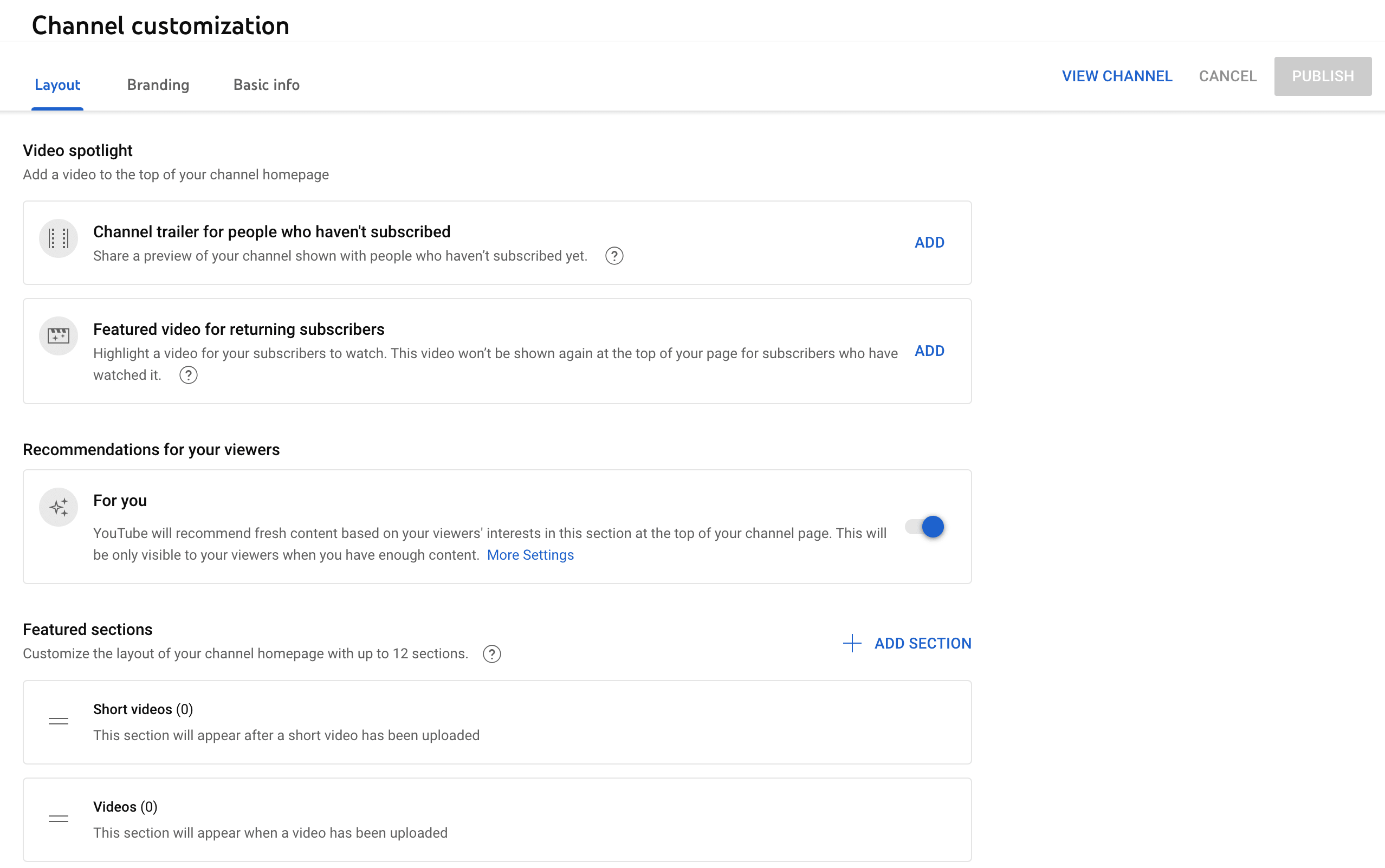
5. Set a content schedule
- Tutorials
- Collaborations
- Live streams
- Interviews
- Podcasts
- Trends
6. Invest in quality equipment
- Microphone
- Good lighting
- Tripod
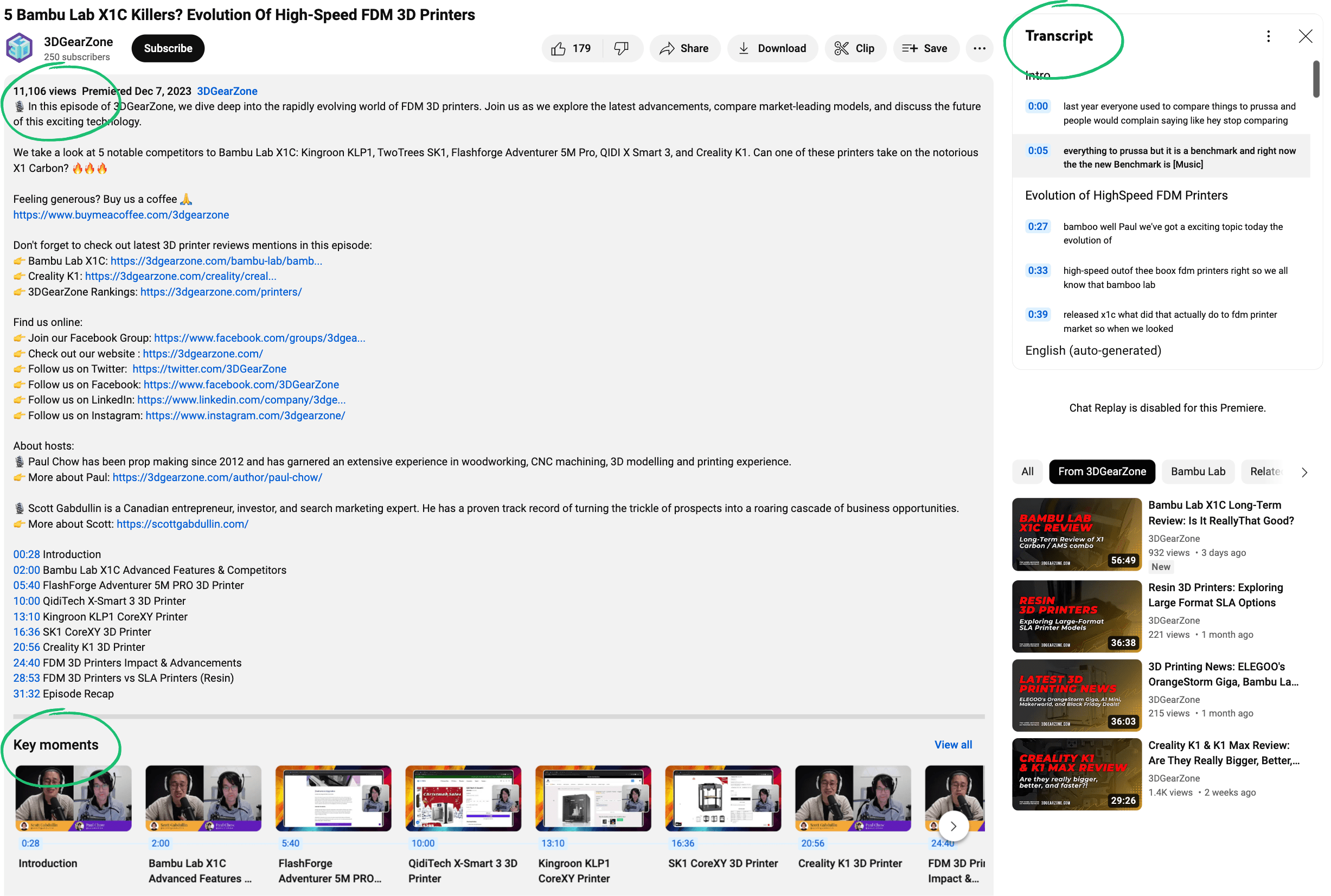
7. Optimize your videos and channel
- Include custom thumbnails
- Use tags and hashtags
- Put keywords in the video description
- Include transcripts and closed captions
8. Monetize your YouTube channel
- Offering channel memberships
- Finding sponsorships
- Making ad revenue
- Creating an AdSense account
- Participating in affiliate marketing
- Setting up a Patreon
- Selling merch
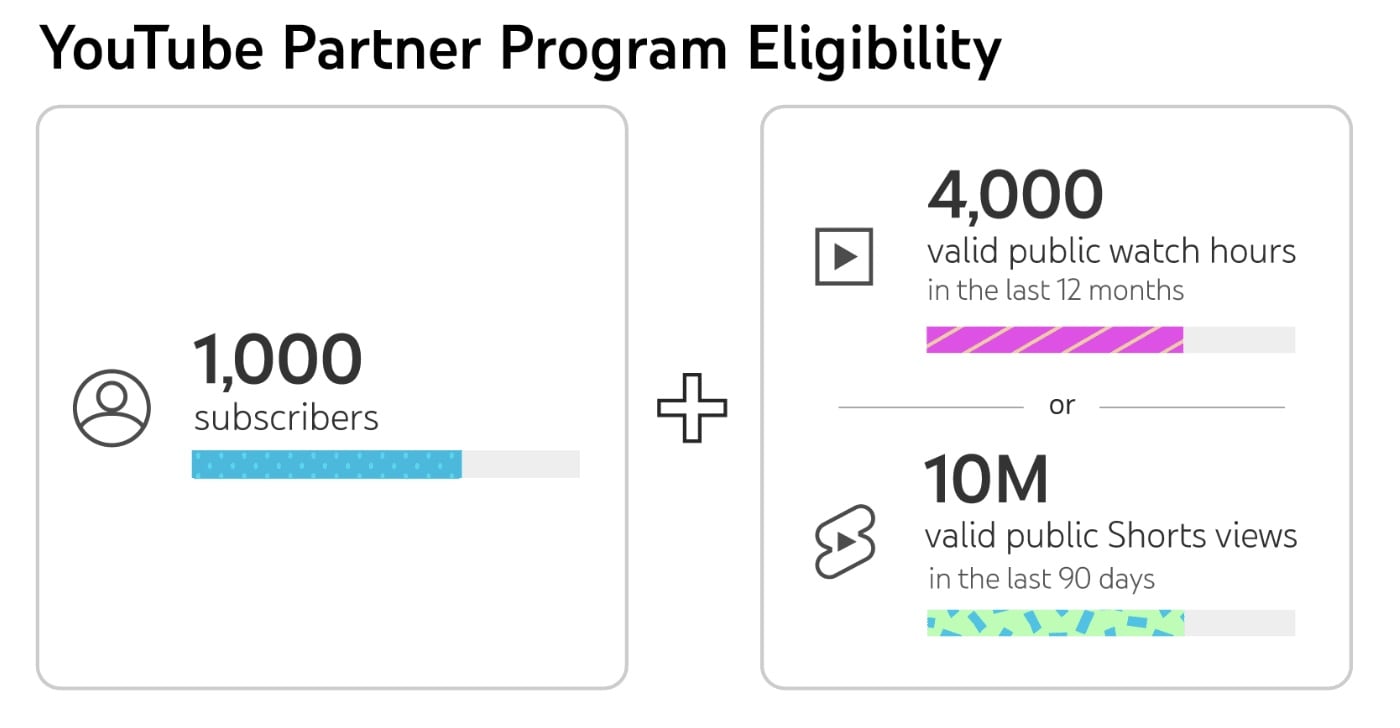
9. Foster community among your audience
10. Promote your videos
11. Analyze your metrics
- Watch time
- Retention
- Click-through rate
Top equipment and software successful YouTubers use
Lighting
Camera
Microphone
Editing software
- Final Cut Pro (paid)
- iMovie (free)
- Adobe Premiere Pro (paid)
- InShot (free)
Expert tips for creating a successful YouTube channel
- Well-researched and strategically placed keywords
- A focused niche that aims to educate or entertain the target audience
- Accessibility with captions, transcripts, and cards

Checklist for becoming a YouTuber
- Pick a niche
- Set your goals
- Define your target audience
- Analyze your competition
- Create a YouTube channel
- Set a content schedule
- Publish a variety of video ideas
- Invest in equipment
- Optimize your videos
- Monetize your YouTube channel
- Foster community among your audience
- Promote your videos
- Analyze your metrics
Become a YouTuber with the help of freelancers

Related Guides





About Author
Michelle Newblom
Michelle Newblom is a B2B SaaS writer with a knack for creative storytelling, which she artfully applies to all of her content. Her expertise lies in creating compelling copy for blogs and guides, which help businesses generate conversions and attain their goals.
