Browse categories
Explore
Fiverr Pro
English
$
USD
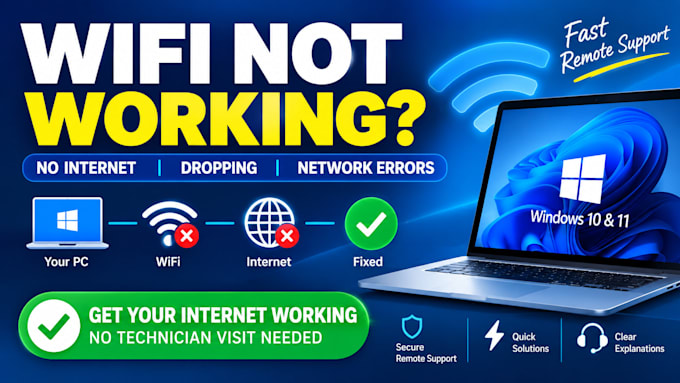
Is your Windows PC unable to connect to WiFi, showing No Internet, disconnecting frequently, or having network errors?
I will remotely diagnose and troubleshoot Windows WiFi, Ethernet, Internet, and network configuration problems.
I can help with:
WiFi not connecting
No Internet / limited connectivity
WiFi disconnecting
DNS and IP address errors
Network adapter and driver issues
Ethernet not working
Windows network configuration
VPN connection problems
Slow or unstable connections
Why choose me?
Hands-on IT support experience
Windows 10 & 11 troubleshooting
WiFi, Ethernet, DNS and TCP/IP troubleshooting
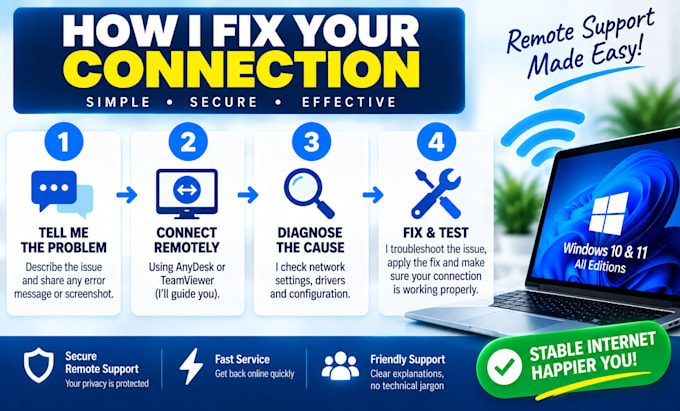
Remote support via AnyDesk or TeamViewer
Clear explanations without unnecessary technical jargon
How it works:
Important: ISP outages, faulty routers, damaged hardware, or physical cabling may require your ISP or a local technician.
Not sure which package you need? Message me before ordering.


Device:
Desktop
•
Laptop
Operating system:
Windows
Can you fix WiFi that is connected but has no Internet?
Yes. I can troubleshoot common Windows DNS, IP configuration, network adapter and Windows network configuration problems.
Can you fix WiFi that keeps disconnecting?
Yes. I'll investigate Windows network settings, drivers, adapter configuration and other common causes of repeated disconnections.
Can you fix Ethernet problems?
Yes. I can troubleshoot Windows Ethernet adapter, driver, IP, DNS and network configuration problems.
Can you fix my router?
I can help determine whether the router is causing the problem and troubleshoot Windows-side connectivity. Physical router faults or ISP-side problems may require local or ISP support.
Do you support Windows 10 and Windows 11?
Yes. This Gig is focused on Windows 10 and Windows 11 computers and laptops.
Do I need AnyDesk or TeamViewer?
For remote troubleshooting, yes. I'll guide you through the connection process.