Browse categories
Explore
Fiverr Pro
English
$
USD
I build small, clearly scoped Google Sheets automations with Apps Script: daily sales summaries, input checks, and simple custom menu actions. Each order includes Apps Script code and setup notes. I test the agreed result with sample rows.
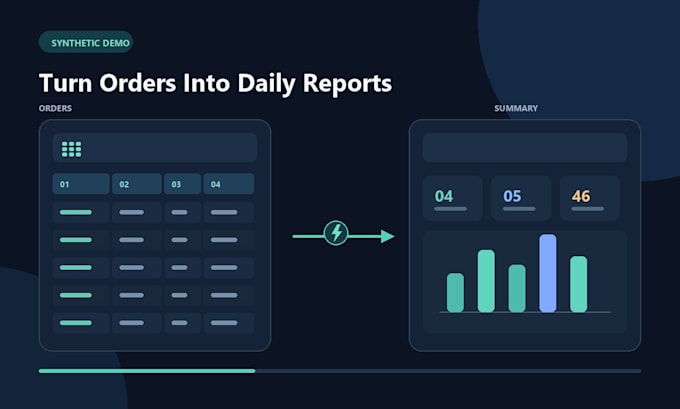
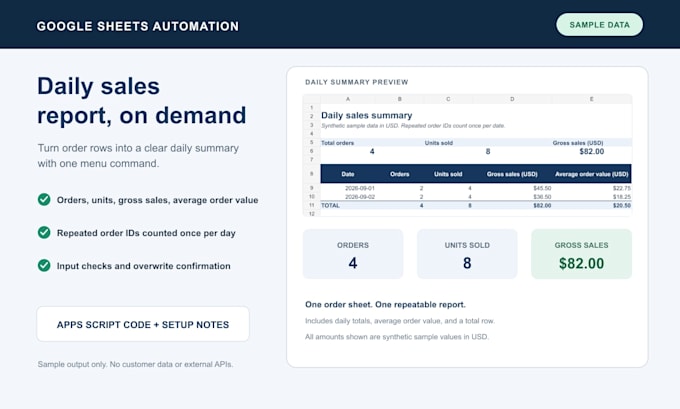
Sample: Add order lines to Orders and choose Sales report > Build from Orders. The demo groups sales by date, counts repeated order IDs once, and shows orders, units, gross sales, average order value, and a total. It checks required headers, real dates, positive whole quantities, and prices with up to two decimals. It asks before replacing an existing summary.
Basic: one small action in one Sheet (for example, a menu action or safe formatting). Standard: one workflow with up to 2 steps. Premium: one workflow with up to 4 steps, input checks, and a sample test.
All packages cover one Google Sheet. To start, share the repeatable steps, column names, rules, and desired result, plus a copy with fake or anonymized data. Never send passwords or real customer/payment details. Paid APIs, external services, subscriptions, and ongoing support are excluded. I confirm scope before starting. The demo uses synthetic data.
Technology:
Google Sheets
Expertise:
Data manipulation
•
Data validation
Do you need my Google password?
No. Never share passwords. I provide the script and setup notes; you install it in your own Google account.
What do you need from me to begin?
Please share a copy with sample or anonymized rows, the column names, the steps you repeat, and an example of the result you want. Do not include private customer or payment data.
Can you connect my sheet to an API or other external service?
Not in these packages. Paid APIs, third-party subscriptions, and external integrations need separate scope and agreement before an order.
What counts as one workflow step?
A step is one clear action, such as reading rows, applying a condition, or writing a result. Each package covers one spreadsheet. I confirm scope before starting if the workflow is unclear.
Does the sample report calculate profit or net payout?
No. It reports gross sales, order count, units, and average order value. It does not subtract discounts, refunds, taxes, shipping, or platform fees. Include the fields and rules if you need those calculations.
What do included revisions cover?
A revision adjusts the agreed workflow or output. A new sheet, feature, data source, or workflow is a scope change and may need a separate order. I will confirm before doing work outside the original scope.