Browse categories
Explore
Fiverr Pro
English
$
USD
Streaming Setup and OBS Optimization Specialist
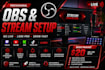
Want a professional streaming setup without the technical headaches?
I will set up and optimize your OBS Studio, Streamlabs, and StreamElements so your stream looks clean, sounds great, and runs smoothly.
I can help with both new and existing streaming setups for Twitch, YouTube, Kick, TikTok Live, Facebook Gaming, and other supported platforms.
What I can set up:
Why work with me?
Whether you're starting your first stream or upgrading an existing setup, I'll help you create a professional streaming environment that is ready to go live.
Message me before ordering with your platform, current set

Software:
OBS Studio
Platform:
•
Twitch
•
YouTube
•
Kick
Purpose:
Gaming
•
Music
•
Lifestyle
•
Business
•
News
•
Streamshare
•
Webinar
1. Which streaming platforms do you support?
I support Twitch, YouTube, Kick, TikTok Live, Facebook Gaming, and other platforms compatible with OBS Studio or Streamlabs.
2. Can you help me if I am completely new to streaming?
Yes. I can guide you through the setup process, including OBS, scenes, audio, webcam, alerts, and stream settings.
3. Can you fix lag, dropped frames, or poor stream quality?
Yes. I can troubleshoot common issues such as dropped frames, encoder overload, lag, audio delays, and streaming performance problems.
4. Do I need OBS Studio or Streamlabs installed before ordering?
No. If installation is required, I can install and configure the necessary software as part of the appropriate package.
5. Can you set up StreamElements alerts and widgets?
Yes. I can configure StreamElements alerts, widgets, overlays, and other supported streaming features.
6. Can you configure my Stream Deck?
Yes. Stream Deck configuration is available with the Premium package and can be discussed for custom requirements.
7. Can you optimize my existing streaming setup?
Absolutely. You don't need to start from scratch. I can review your existing setup, identify problems, and optimize it for better performance.
8. Can you set up multistreaming?
Yes. I can help configure multistreaming based on your platforms, software, and technical requirements.
9. Will I need to provide remote access?
Some setup and troubleshooting projects may require remote access. Access will only be used for the requested work and can be revoked afterward.
10. Should I contact you before placing an order?
Yes. Send me your streaming platform, computer specifications, current setup, and what you want to achieve. I'll recommend the most suitable package for you.
