Browse categories
Explore
Fiverr Pro
English
$
USD



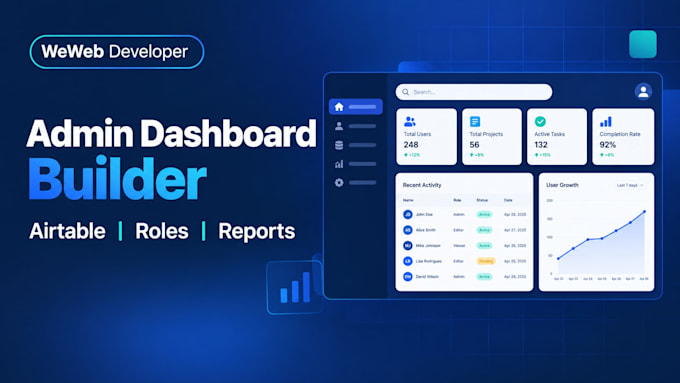
Is managing operations in spreadsheets slowing your team down? I build clean admin dashboards and internal tools in WeWeb that connect to Airtable and automate repetitive tasks with Make. Built for small businesses, startups, and operations teams that want less chaos and more control.
What you get:
Why choose me: I design for speed and clarity, so your team learns the tool quickly. I keep communication simple, share progress often, and document everything you need to manage the system.
How it works: tell me your workflow, your current Airtable base, and what you want to automate. I confirm scope and timeline, build in stages, and test with you before launch.
Order now and let's replace the spreadsheet chaos with a tool your team will actually use.
Please be aware that it is against Fiverr's policies for sellers to include themes, templates, or any other elements that infringe third-party rights or applicable laws in the delivered work. Read more about in our Guide to Responsible Digital Creation.
WeWeb Developer
Languages
What is an admin dashboard?
An admin dashboard is a control panel where your team can view, search, edit, and manage business data. It is faster than working directly in spreadsheets or scattered tools.
Can you connect the dashboard to Airtable?
Yes. I connect WeWeb to your Airtable base so records display live, and staff can add or update entries through forms. I can also work with Xano or Supabase if needed.
What is Make used for in this project?
Make automates repetitive tasks, such as sending emails, creating records, syncing data, or triggering alerts when something changes. I set up scenarios based on your workflow.
Can different team members have different access?
Yes. I set up user roles and permissions, so managers, staff, and clients see only the screens and actions they are allowed to use.
Will the dashboard work on phones?
Yes. Layouts are responsive, so team members can check records, approve items, or update status from mobile browsers. Key screens are tested across common device sizes.
Do I need to be technical to use it?
No. I design simple, clear interfaces and provide a short walkthrough. Your team can start using the dashboard without technical knowledge.
What do you need from me to start?
Your current Airtable base or spreadsheet structure, a list of workflows you want to improve, user roles, and examples of the reports or fields your team relies on.
Can you add reports and charts?
Yes. I can add summary cards, filters, search, and charts for key metrics. The exact reports depend on your data structure and what your team needs to track.
Will I have to pay for Airtable or Make?
Yes. Airtable, Make, and WeWeb have their own subscription costs, paid directly to those platforms. I will tell you which plans you need before we begin.
Can you help after launch?
Yes. I offer support for updates, new fields, new workflows, and troubleshooting. We can agree on a one-time fix or an ongoing support arrangement that fits your team.