Browse categories
English
$
USD
Connect to your AI
Admin and Accounts Support, Canva, Graphic Design and Digital Products
Bank only gives you PDFs? Converters break the columns, and AI tools invent numbers?
I convert your bank and credit card statement PDFs into clean Excel or an import-ready CSV for QuickBooks or Xero, and I prove it balances.
What you get:
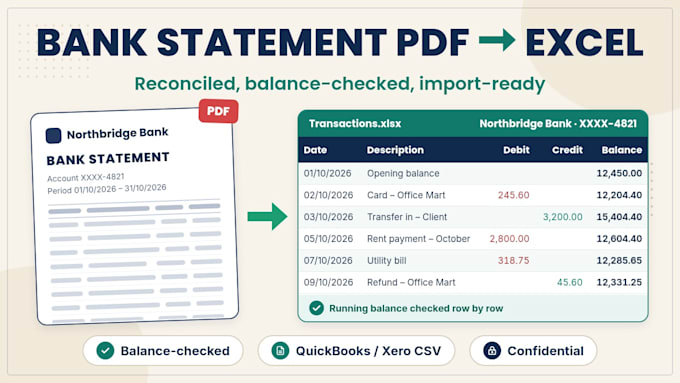
- Every transaction: Date, Description, Debit, Credit, Balance
- Multi-line descriptions joined, dates and amounts standardised
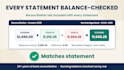
- Reconciliation tab: opening + credits debits = closing, checked for each statement
- Running balance checked row by row; any difference flagged, never hidden
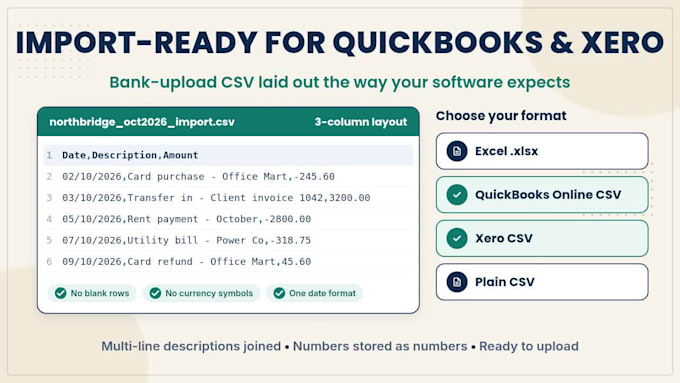
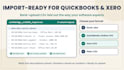
- CSV laid out for QuickBooks Online or Xero bank import
- Text-based and scanned PDFs (scanned checked line by line)
Why me: 20+ years in Finance & Accounts, doing bank reconciliation, cashbook and creditor reconciliation daily. Totals must match before I deliver.
Confidential: your statements are used only for your order, never shared, and deleted after delivery. Masking account numbers before sending is fine.
Scope: data preparation only. I don't give accounting or tax advice.
AI-assisted, human-reviewed for accuracy.
Message me with the bank name and page count, and I'll confirm the package before you order.


Q: How do I know the numbers are correct?
A: Every statement gets a reconciliation check: opening balance + credits − debits must equal the closing balance printed on the statement, and the running balance is checked row by row. If anything doesn't match, I show the difference and flag the lines involved, so nothing is hidden.
Q: Can you handle scanned or photographed statements?
A: Yes, if they're readable. Scanned pages are checked line by line against the image. Please send one sample page first, and choose the scanned-statement extra if needed.
Q: Which banks and currencies do you support?
A: Any bank whose statement shows dates, descriptions and amounts, including Malaysian, UK, US, Australian and other banks. Amounts stay in the statement's currency.
Q: Will the CSV import straight into QuickBooks or Xero?
A: Yes. The CSV follows QuickBooks Online's bank-upload layout (3- or 4-column) or Xero's statement import format, with no blank rows or currency symbols. Tell me which software you use. I don't log into your accounting software.
Q: Is my financial data safe?
A: Your files are used only for your order, never shared or resold, and deleted after delivery. I don't use free public converter websites. You can mask account numbers and personal details before sending; I only need the transaction lines.
Q: Do you categorise transactions for tax?
A: I can apply your category list or your accountant's chart of accounts as an extra. Deciding tax treatment stays with you or your accountant.