Browse categories
Explore
Fiverr Pro
English
$
USD
Google Workspace Expert, Business Email and Google Admin Specialist
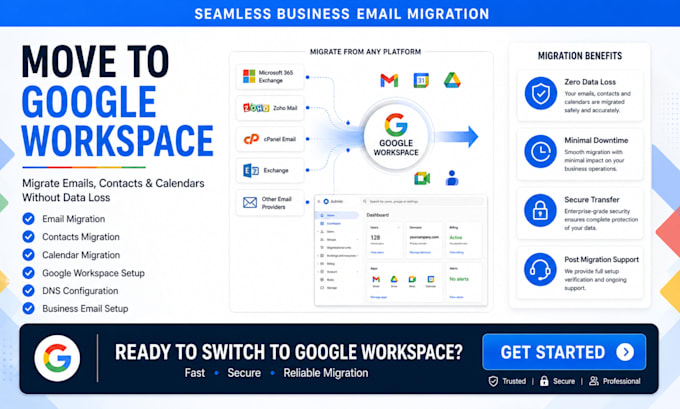
Moving your business email to Google Workspace doesn't have to be complicated. I provide secure and reliable Google Workspace migration services to help businesses move emails, contacts, calendars, and data from Microsoft 365, Zoho Mail, cPanel, Exchange, and other email platforms with minimal downtime and no data loss.
Whether you're upgrading your business communication system or switching providers, I'll ensure a smooth and proper configuration of your Google Workspace.
What I Offer
What You Get
I work with businesses, startups, agencies, and organizations looking for a hassle-free Google Workspace migration experience. Contact me before placing an order!


Device:
Desktop
•
Laptop
•
Mobile
•
Router
•
Printer
Operating system:
Windows
•
Linux
•
Unix
•
IOS
•
Android
1. What email platforms can you migrate to Google Workspace?
I can migrate emails, contacts, calendars, and business data from Microsoft 365, Office 365, Exchange, Zoho Mail, cPanel Email, Bluehost, Hostinger, Rackspace, GoDaddy, and many other email hosting providers to Google Workspace.
2. Will I lose any emails during the migration?
No. The migration process is carefully planned to minimize risks and preserve your emails, contacts, folders, calendars, and important business data. I always perform verification checks after migration.
3. How much downtime should I expect?
Most Google Workspace migrations are completed with little to no downtime. Users can usually continue working while the migration is in progress, depending on the size and complexity of the project.
4. Do you configure DNS and MX records after migration?
Yes. I can configure DNS records, MX records, SPF, DKIM, and DMARC to ensure your Google Workspace email is properly authenticated and functioning correctly after migration.
5. Can you migrate multiple email accounts?
Absolutely. I can migrate a single mailbox or multiple business email accounts, including shared mailboxes, user accounts, contacts, and calendars based on your requirements.
6. What access do you need to start the migration?
I typically require access to your current email platform, Google Workspace account, and domain DNS provider. All access is used strictly for the migration process and configuration tasks.
7. Do you provide support after the migration is completed?
Yes. I provide post-migration testing, verification, and support to ensure your Google Workspace environment, Gmail accounts, DNS records, and email services are working properly after the migration is completed.