Browse categories
English
$
USD
Connect to your AI
Professional OBS Studio Setup and Streaming Expert
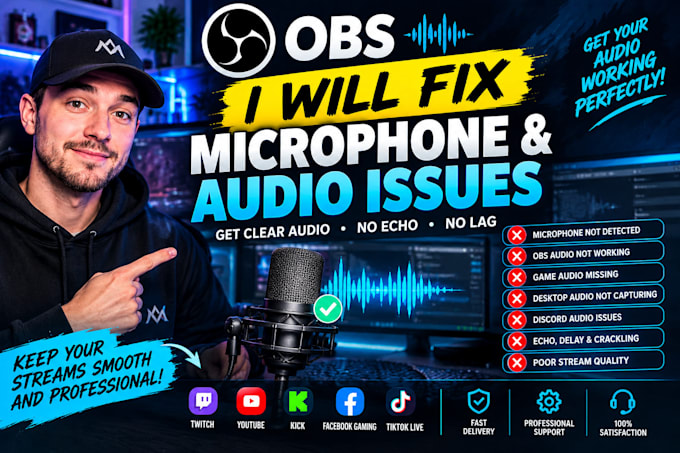
Are you experiencing microphone or audio problems in OBS Studio? Is your microphone too quiet, producing background noise, echo, buzzing, or no sound at all?
I'm here to help! I will troubleshoot and fix your OBS Studio audio issues, ensuring your microphone and sound are properly configured for clear, professional live streaming and recording.
MY SERVICES INCLUDE
WHY CHOOSE ME?
Whether you're a beginner, content creator, podcaster, or live streamer, I'm ready to help you get your OBS audio working properly
Software:
OBS studio
Platform:
•
Twitch
•
YouTube
•
Mixer
•
GosuGamers
•
Bigo Live
•
Kick
1. What OBS audio problems can you fix?
I can fix microphone issues, background noise, echo, buzzing, distortion, low volume, missing audio, and synchronization problems.
2. Can you fix my microphone if OBS is not detecting it?
Yes! I can troubleshoot your microphone connection and configure the correct audio input device in OBS Studio.
3. Can you remove background noise from my microphone?
Yes. I can configure noise suppression, noise gates, and other audio filters to reduce unwanted background noise.
4. Can you fix echo and microphone distortion?
Yes. I can troubleshoot your audio settings and routing to identify and resolve echo and distortion issues.
5. Do you support USB microphones and audio interfaces?
Yes! I can help configure USB microphones, XLR microphones, audio interfaces, mixers, and other compatible audio equipment.
6. Can you fix desktop audio and game sound in OBS?
Yes. I can configure desktop audio, game sound, and other audio sources to ensure they work correctly.
7. Can you optimize my audio for Twitch and YouTube?
Absolutely! I can optimize your OBS audio settings for clear and balanced sound during live streaming and recording.
8. Can you fix audio delay and synchronization issues?
Yes. I can troubleshoot audio delays and adjust synchronization settings to help keep your microphone and video in sync.
9. Do I need to have OBS Studio installed before ordering?
Yes, it is preferable to have OBS Studio installed. If you need help installing it, I can guide you through the process.
10. Will you test my audio after fixing the issues?
Yes! I will test your microphone and audio sources to make sure everything is working correctly before completing the project.