Browse categories
Explore
Fiverr Pro
English
$
USD

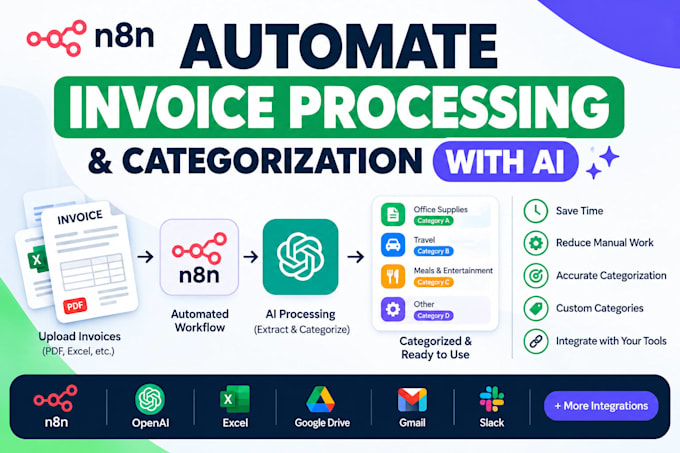

Stop manually entering data from every invoice or document that comes in.
I build custom AI automations that read your incoming PDFs or documents,
extract the important data automatically (invoice number, amount, vendor,
etc.), sort them into categories, and take action whether that's logging
to a spreadsheet, sending a custom email response, or notifying your team.
HOW IT WORKS
1. You send me a sample document (invoice, form, receipt, etc.) and tell
me what data needs to be extracted and how it should be categorized
2. I build a custom automation using AI-powered data extraction and
business logic
3. Every processed document gets logged to a spreadsheet automatically,
with custom responses sent based on category
4. You review, I make revisions, delivered
WHAT THIS SOLVES
- Manual invoice data entry eating up hours every week
- Documents that need different handling based on type/amount/vendor
- No centralized record of what's been processed
WHAT I NEED FROM YOU
- Sample document(s) to build against
- The specific data fields you need extracted
- How documents should be categorized and what should happen for each
category
AI Automation Developer Custom Agents, Workflows and Integrations
Languages
Q: What types of documents can this work with?
Any document you can export as PDF or provide digitally — invoices, receipts, forms, applications, and similar. Send me a sample document before ordering so I can confirm it's a good fit.
Q: Do I need to have Google Drive, Gmail, or Google Sheets already set up?
Yes, this automation runs through Google Drive, Gmail, and Google Sheets. If you don't have these set up yet, I can guide you through the quick setup process as part of the order.
Q: How does the categorization work — can I customize the rules?
Yes, you tell me how documents should be sorted (e.g., by amount, vendor, type) and I build the logic around your specific rules during setup.
Q: What happens if a document doesn't match any category?
I build in a fallback so unmatched documents are flagged instead of being silently ignored, so nothing slips through unnoticed.
Q: Will I be able to make changes myself after delivery?
Premium package includes the source workflow file, so you (or any n8n user) can view and adjust it later. Basic and Standard packages include revisions during our project, but not the exported file.
Q: What if my documents don't come as PDFs (e.g., scanned images or Word docs)?
Let's discuss this before ordering — scanned/image-based documents may require additional setup (OCR) not included in standard packages.
