Browse categories
English
$
USD
Connect to your AI
OBS EXPERT
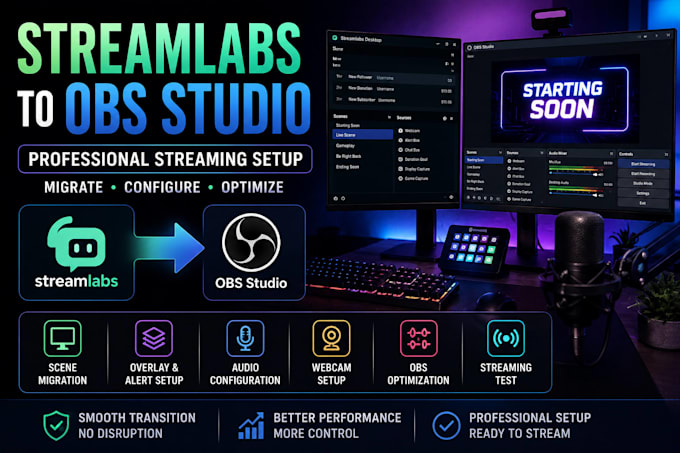
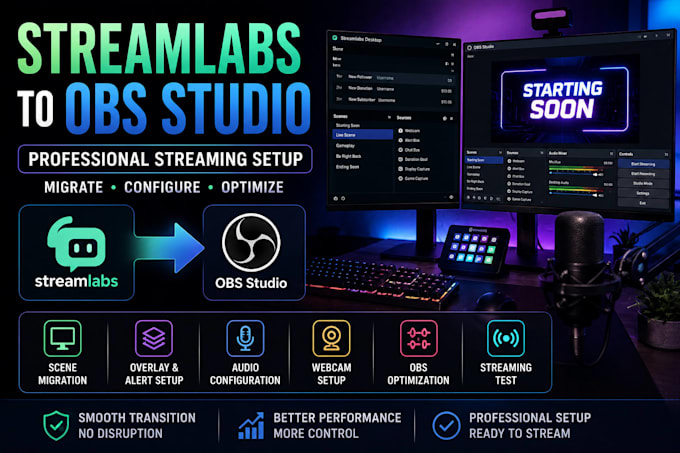
Are you looking to switch from Streamlabs Desktop to OBS Studio? I will help you migrate your streaming setup and configure OBS for a smooth and professional streaming experience.
Whether you're a Twitch streamer, YouTube creator, gamer, or content creator, I'll help you make the transition with minimal disruption.
MY SERVICES INCLUDE:
My goal is to provide an organized, reliable streaming setup tailored to your equipment and needs.
CONTACT ME BEFORE ORDERING so we can discuss your current setup and migration requirements!
Software:
OBS Studio
Platform:
•
Twitch
•
YouTube
•
Kick
Purpose:
Gaming
•
Music
•
Lifestyle
•
Business
•
News
•
Streamshare
•
Webinar
1. Can you migrate my Streamlabs scenes to OBS Studio?
Yes! I can help transfer or recreate your existing scenes, sources, layouts, and compatible settings in OBS Studio.
2. Will my existing overlays and alerts work in OBS?
Yes, compatible overlays and alerts can be configured in OBS Studio. Some Streamlabs widgets may require additional setup.
3. Can you configure OBS for Twitch and YouTube?
Absolutely! I can configure OBS streaming settings for Twitch, YouTube, and other supported platforms.
4. Can you set up my microphone and webcam?
Yes! I can configure your microphone, webcam, audio sources, and video settings for your streaming setup.
5. Can you optimize OBS Studio for smooth streaming?
Yes! I can help optimize your resolution, bitrate, frame rate, encoder, and other settings based on your computer specifications and internet connection.