Browse categories
Explore
Fiverr Pro
English
$
USD

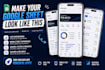
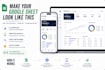
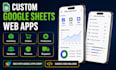
Turn your Google Sheets workbook into a clean, responsive web app for mobile and desktop.
I build read-only dashboards and data viewers with Google Apps Script. Suitable uses include inventory, purchase orders, production, vendors, dispatch, finance, collections and KPI reporting.
Your package can include a responsive dashboard, list or detail screens, search, filters, charts, KPI cards, images, status indicators, branding, automatic data refresh, Apps Script source code, deployment help and a handover guide.
Important: this is a read-only app. Users cannot add, edit or delete spreadsheet data through it.
One Google Sheets workbook means one complete spreadsheet document. A tab is one worksheet inside it. An app screen is one dashboard, list, detail page or report.
Pricing assumes organised data with clear headers. Large, inconsistent or complex spreadsheets may need preparation or a custom offer.
For scoping, share a separate or sanitised Google Sheets copy by link. Never send passwords or your only production copy. After ordering, provide only the minimum access required. Please also provide the required screens and your optional SVG logo or brand assets.
Social Media Designer, Carousels, Branding and Figma Graphics
Languages
Can users edit the Google Sheet through the web app?
No. This Gig is for a read-only dashboard and data viewer. Users cannot add, edit or delete spreadsheet data through the app.
How should I share my Google Sheets workbook?
Share a separate or sanitised copy by link with view access first. After ordering, grant only the minimum access agreed for development. Never share passwords or your only production copy.
What is the difference between a workbook, tab and app screen?
A workbook is one complete Google Sheets document. A tab is one worksheet inside it. An app screen is one dashboard, list, detail page or report.
Will I receive the Apps Script source code?
Yes. You receive the project source code, deployment assistance and a short handover guide for managing the connected Google Sheets workbook.
Do I need AppSheet or another paid app builder?
No. The web app is built with Google Apps Script and connected directly to your Google Sheets workbook.


