Browse categories
Explore
Fiverr Pro
English
$
USD
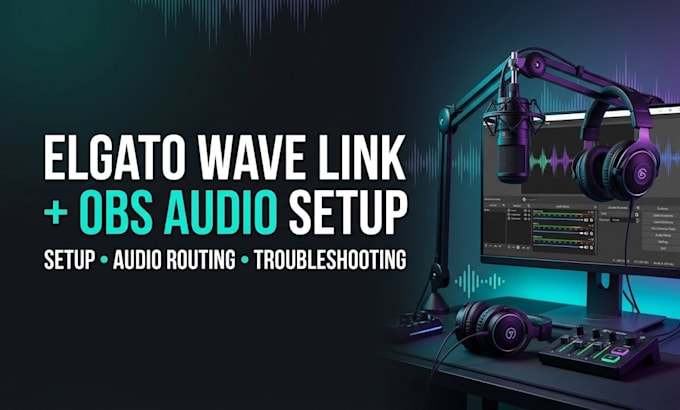
Are you having audio problems with Elgato Wave Link and OBS Studio? I will help you set up, configure, and optimize your audio for streaming and recording.
I can help you connect your microphone, game audio, Discord, music, and other application sounds so they work correctly with OBS.
My services include:
Elgato Wave Link setup and configuration
OBS Studio audio setup
Microphone and headphone configuration
Game and desktop audio routing
Discord and application audio setup
Audio monitoring configuration
Troubleshooting missing or duplicated audio
Basic audio level optimization and testing
Why choose my service?
Whether you are starting a new streaming setup or fixing an existing audio problem, I will work with you to achieve a clean and reliable audio workflow.
Ready to improve your streaming audio?
Message me before ordering to discuss your needs!
Software:
OBS Studio
Platform:
•
Twitch
•
YouTube
•
Kick
Purpose:
Gaming
•
Music
•
Lifestyle
•
Business
•
News
•
Streamshare
•
Webinar
What do you need to set up Elgato Wave Link with OBS?
I need to know your microphone, audio devices, Wave Link version, OBS setup, and the issue you want to fix.
Can you fix audio problems in OBS?
Yes, I can help troubleshoot missing audio, incorrect routing, monitoring issues, and duplicated sound.
Can you configure microphone, game, and Discord audio?
Yes, I can configure supported audio sources in Wave Link and OBS according to your setup. Copy answer
Do you support Twitch and YouTube streaming?
Yes, I can configure your Wave Link and OBS audio for streaming or recording workflows on these platforms. Copy answer
Do I need to install OBS and Wave Link first?
Yes, please install OBS Studio and the compatible Wave Link software before the session, if possible. Copy answer