Browse categories
Explore
Fiverr Pro
English
$
USD
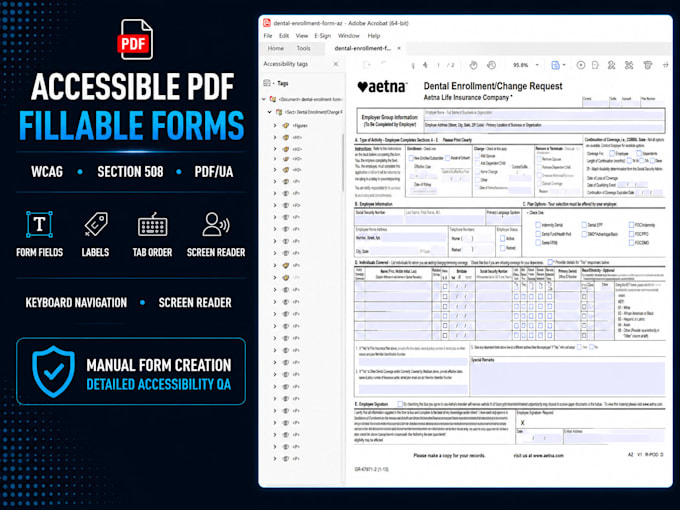
Need an accessible, keyboard-friendly fillable form that works with screen readers? I create and test accessible forms using Adobe Acrobat, PAC, NVDA, and JAWS.
I'm Sanjay, founder of Eyes On PDF. Our 15+ accessibility specialists have remediated 80,000+ pages for clients including RBC, Aetna, U.S. SEC, and CUNY. We specialize in WCAG 2.1 AA, Section 508, ADA, and PDF/UA accessibility.
What I deliver:
Ideal for applications, healthcare, HR, registration, surveys, government, and business forms.
I can create or rebuild fillable forms from existing documents, Word, Excel, or scanned files.
Process: Create Configure Test Validate
For complex calculations, conditional logic, signatures, file uploads, or forms over 3 pages, message me first for a custom quote.




Convert from:
Convert to:
Will this form work with screen readers like JAWS and NVDA?
Yes. I test form fields, labels, tab order, and keyboard navigation with accessibility tools such as JAWS and NVDA. Testing depends on the selected package and project requirements.
What's the difference between a fillable and an accessible form?
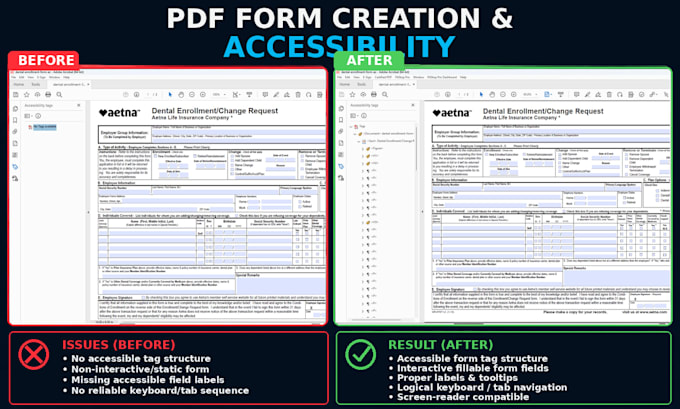
A fillable form has interactive fields. An accessible form also needs meaningful labels, logical tab order, keyboard navigation, proper structure, and support for assistive technology.
Can you create accessible forms from Word, Excel, or scanned documents?
Yes. I can create fillable forms from Word, Excel, scanned documents, paper forms, or existing source files, depending on the layout and required functionality.
Can you add calculations, validation, or custom form logic?
Yes. I can create calculations, field validation, conditional logic, and other custom functionality. Please message me first for complex requirements.
Can you add signatures, dropdowns, checkboxes, or file-upload fields?
Yes. I can create accessible text fields, checkboxes, radio buttons, dropdowns, signature fields, file-upload fields, and form buttons.
I have more than 3 pages or a complex form — can I get a custom quote?
Yes. Send me the form and requirements. I'll review the pages, fields, calculations, logic, and functionality and recommend the appropriate package or custom quote.
What makes your accessible form creation different?
I focus on both functionality and accessibility. Forms are manually reviewed for field labels, tab order, keyboard navigation, screen-reader usability, and accessibility validation—not just whether the fields work.