Browse categories
Explore
Fiverr Pro
English
$
USD
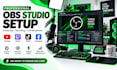
Are you looking for a professional OBS Studio setup for streaming, recording, or live broadcasting? I can help you configure and optimize OBS for a smooth, reliable, and professional streaming experience.
I will set up OBS Studio based on your computer, internet connection, equipment, and streaming platform. Whether you are a beginner or an experienced streamer, I can configure everything you need to get started or improve your current setup.
WHAT I CAN DO:
WHY CHOOSE ME?
I provide customized OBS setups instead of generic configurations. I focus on stability, quality, performance, and making your setup easy to manage.
Whether you need a simple setup or a complete professional streaming environment, I'm ready to help.

Software type:
Other
Can you set up OBS for my streaming platform?
Yes. I can configure OBS for YouTube, Twitch, Facebook, TikTok, Whatnot, and other compatible platforms.
Can you fix OBS streaming problems?
Yes. I can troubleshoot issues such as lag, dropped frames, black screens, audio problems, encoding errors, and poor stream quality.
Can you set up my camera and microphone?
Yes. I can configure your camera, microphone, audio sources, capture card, and other connected equipment.
Can you create professional scenes and overlays?
Yes. I can configure scenes, sources, transitions, browser sources, alerts, and existing overlays. Custom graphic design can be discussed separately.
What do you need from me to start?
I'll need details about your computer, streaming platform, equipment, internet connection, and what you want to achieve with your OBS setup.
