Browse categories
Explore
Fiverr Pro
English
$
USD




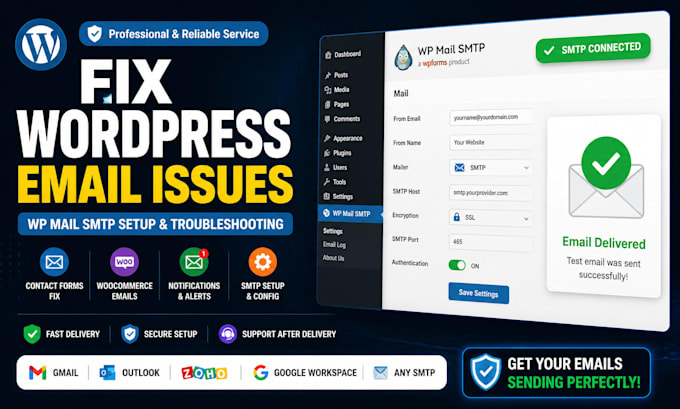
Are your WordPress emails failing to send, landing in spam, or not reaching customers?
I will diagnose and fix WordPress email delivery issues, configure a secure SMTP connection, and test everything to make sure your website sends messages correctly.
I can help with:
Why choose me?
Please message me before ordering if your setup involves Microsoft 365, Amazon SES, Mailgun, SendGrid, server restrictions, or advanced DNS work.
Lets get your WordPress emails working properly again.
Please be aware that it is against Fiverr's policies for sellers to include themes, templates, or any other elements that infringe third-party rights or applicable laws in the delivered work. Read more about in our Guide to Responsible Digital Creation.
Canva Designer for Price Lists, Service Menus Brand PDFs
Languages
What information do you need?
I normally need temporary WordPress administrator access, details of the email provider and hosting or DNS access when server-level authentication is required.
Can you fix WooCommerce order emails?
Yes. I can troubleshoot customer, administrator, processing-order, completed-order and other WooCommerce notification emails.
Which SMTP plugins can you configure?
I can work with WP Mail SMTP, FluentSMTP, Post SMTP and other reliable WordPress SMTP plugins.
Can you stop emails from going to spam?
I can improve authentication and deliverability by checking SMTP, SPF, DKIM and DMARC. However, no freelancer can guarantee inbox placement because the receiving email provider makes the final decision.
Can you use Gmail or Google Workspace?
Yes. Depending on the account, the setup may require an app password, OAuth connection or Google Workspace administrator access.
Do I need to provide my password?
Only the access required to complete the selected service should be provided. Temporary credentials are recommended and can be changed after delivery.