Browse categories
Explore
Fiverr Pro
English
$
USD




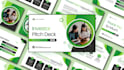
Your great idea can be ignored if it's trapped inside a poorly designed presentation. If your Figma presentation, PDF, or existing slides aren't converting attention into action, you're in the right place
That is where I come in. I specialize in converting Figma to PowerPoint, transforming PDFs into fully editable PowerPoint presentations, improve existing presentation slides, and redesign PowerPoint templates for greater clarity and impact.
WHAT I OFFER
Ready to turn your Figma presentation into a polished, fully editable PowerPoint presentation? ORDER NOW or MESSAGE ME and let's create presentation slides that not only look exceptional but also deliver results.
Please inform the freelancer of any preferences or concerns regarding the use of AI tools in the completion and/or delivery of your order.
Turning Ideas Into Powerful Presentations That Drive Actions
Languages
Can you convert Figma to PowerPoint while keeping the original design?
Yes. I provide pixel-perfect Figma to PowerPoint conversion, preserving your original Figma design, layout, typography, branding, and visual elements while ensuring the PowerPoint presentation is fully editable.
Will my PowerPoint presentation be fully editable after conversion?
Absolutely. Every PowerPoint presentation I deliver is fully editable, allowing you to modify text, images, shapes, colors, and other design elements without losing quality.
Can you convert Figma slides into Google Slides or Canva presentations?
Yes. In addition to Figma to PowerPoint conversion, I can convert Figma slides into Google Slides and Canva presentations while maintaining a professional and consistent design.
Can you improve my existing PowerPoint presentation?
Yes. I can improve PowerPoint slides by enhancing layouts, typography, visual hierarchy, branding, readability, and overall presentation quality to make your message more impactful.
Do you redesign PowerPoint presentations?
Yes. I offer complete PowerPoint redesign services, transforming outdated or cluttered slides into modern, professional, and visually engaging presentations.
Can you convert PDF files into editable PowerPoint presentations?
Yes. I can convert PDF to PPT/PPTX and ensure the resulting PowerPoint presentation is editable, professionally formatted, and presentation-ready.
Do you work with investor pitch decks and business presentations?
Yes. I specialize in investor pitch decks, business presentations, sales pitch decks, startup presentations, and other professional presentation formats designed to impress stakeholders and investors.
Can you create presentations using Figma AI designs?
Yes. If your presentation was created using Figma AI or other Figma design tools, I can convert it into a clean, editable PowerPoint presentation while maintaining design consistency.
What types of presentations do you design and convert?
I work on investor pitch decks, business presentations, educational presentations, lecture presentations, medical PPT slides, sales presentations, keynote presentations, and corporate decks.
Why should I hire you for Figma to PowerPoint conversion?
I focus on more than simple conversion. I ensure your Figma slides are transformed into a professional PowerPoint presentation with accurate formatting, editable elements, visual consistency, and a polished design that helps you communicate effectively.