Browse categories
Explore
Fiverr Pro
English
$
USD
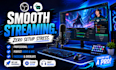
Streaming Setups Built For Professional Results
Tired of audio issues, dropped frames, lag, or a confusing OBS setup ruining your streams?
A professional streaming setup can improve stream quality, create a smoother viewer experience, and help you focus on content instead of troubleshooting.
Whether you're streaming on Twitch, YouTube, or Kick, your setup will be optimized for performance, stability, and clear audio. From OBS Setup and Streamlabs configuration to advanced streaming setup and audio routing, every detail is configured for reliable live streaming.
What You Get:
Perfect for streamers, gamers, content creators, podcasters, and professionals who want a clean, reliable, and professional stream setup.
Stop wasting time fixing technical issues and start streaming with confidence. Order now or send a message to discuss your setup requirements before getting started.

Software:
OBS studio
Platform:
•
Twitch
•
YouTube
•
Mixer
•
Kick
What do you need from me to get started?
Please provide details about your streaming goals, platform (Twitch, YouTube, Kick, etc.), hardware, and any software you currently use. If remote setup is required, clear instructions will be provided before work begins.
Can you fix audio issues such as echo, noise, or incorrect routing?
Yes. Audio troubleshooting is one of the most requested services. Common issues involving OBS, Voicemeeter, GoXLR, Rodecaster, microphones, and audio routing can be diagnosed and optimized for clearer, more professional sound.
Do you support Twitch, YouTube, Facebook Gaming, and Kick?
Absolutely. Streaming setups can be configured and optimized for major streaming platforms, including Twitch, YouTube, Kick, Facebook Gaming, and multi-platform streaming workflows.
How long does the setup process take?
Most projects are completed within the delivery timeframe shown on the package. More advanced configurations involving Voicemeeter, GoXLR, custom audio routing, or multi-platform streaming may require additional setup time.
What results can I expect after the setup?
You can expect a smoother streaming experience, improved audio quality, better system performance, optimized OBS settings, and a more professional broadcast that helps keep viewers engaged.
Do you offer support after delivery?
Yes. Support is available to ensure everything works as expected. Higher-tier packages may include extended assistance and additional optimization based on your setup.
Can you help with advanced streaming setups?
Yes. Advanced services include Voicemeeter configuration, GoXLR setup, Rodecaster optimization, stream automation, custom scenes, overlays, audio routing, and performance tuning for professional creators.
