Browse categories
Explore
Fiverr Pro
English
$
USD
Professional Streaming Systems Built for Performance and Clarity
Level 1
Has met certain performance criteria and shows strong potential in the marketplace.
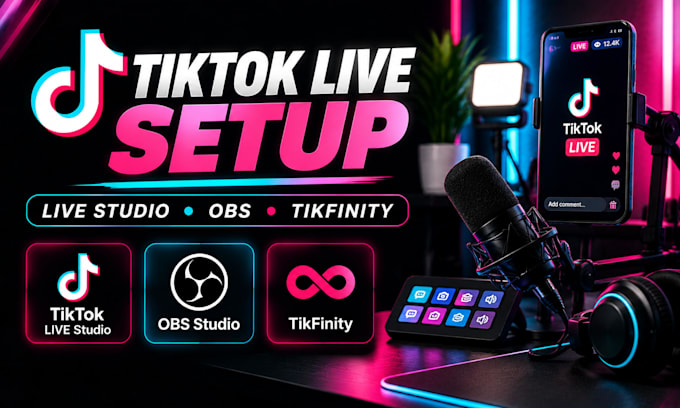
Want a professional TikTok LIVE setup on your PC with interactive alerts and a clean vertical stream?
Setting up TikTok LIVE Studio, OBS Virtual Camera, and TikFinity can be confusing when sources, audio, scenes, and alerts are not configured correctly.
I will build a reliable TikTok LIVE workflow around your PC, camera, microphone, OBS setup, and content style.
WHAT I CAN SET UP:
Whether you are starting TikTok LIVE for the first time or improving an existing setup, I will configure the workflow for smoother broadcasts and better viewer interaction.
Your setup will be tested before completion so you can go LIVE with confidence.
Contact me before ordering so we can review your TikTok LIVE setup and requirements.
Software:
OBS Studio
Platform:
•
Twitch
•
YouTube
•
Mixer
•
DLive
•
Disco Melee
•
Kick
Purpose:
Gaming
•
Music
•
Lifestyle
•
Business
•
Webinar
1. What do you need from me to set up TikTok LIVE?
I need your PC specifications, TikTok LIVE Studio access, OBS installation if you already use it, camera and microphone information, and details about the type of content you plan to stream. This helps me configure the workflow correctly.
2. Can you connect OBS Virtual Camera to TikTok LIVE Studio?
Yes. I can configure OBS Virtual Camera as part of the workflow and help route your OBS scenes into TikTok LIVE Studio when the required LIVE Studio features are available on your account.
3. Can you set up TikFinity alerts?
Yes. I can configure TikFinity alerts and supported interactions such as follows, gifts, and chat triggers, then integrate the required overlay or source into your TikTok LIVE workflow and test the triggers.
4. Can you create a vertical 1080×1920 TikTok LIVE layout?
Yes. I can configure your scenes and sources for a vertical 1080×1920 workflow, including camera, gameplay, screen capture, overlays, alerts, and other elements required for your LIVE format.
5. Can you set up my camera and microphone?
Yes. I can integrate your webcam or compatible camera and microphone, configure the appropriate sources and audio devices, and test the video and audio so they work correctly during your LIVE broadcast.
6. Do I need OBS Studio before ordering?
Not necessarily. I can work with TikTok LIVE Studio alone or configure an OBS-based workflow when required. If your setup requires OBS Virtual Camera or TikFinity integration, I will configure the appropriate workflow based on your available features.
7. Can you fix an existing TikTok LIVE setup?
Yes. I can troubleshoot problems such as missing video, incorrect sources, audio issues, Virtual Camera problems, broken alerts, incorrect layouts, and other configuration issues affecting your TikTok LIVE workflow.
