Browse categories
Explore
Fiverr Pro
English
$
USD
Expert Microsoft 365 Admin MS102 and SC300
⭐ LIMITED TIME OFFER: I am heavily discounting my standard enterprise rates for my first 10 Fiverr clients to build my profile reputation. Get premium IT support today! ⭐
Is your computer running slow, crashing, or throwing unexplained error messages? Don't let tech issues disrupt your workday.
I am a certified IT systems administrator (Microsoft MS-102 & SC-300) with over 9 years of enterprise-level experience. I provide secure, rapid, and professional remote desktop support to get your technology back on track immediately.
What I can fix for you:
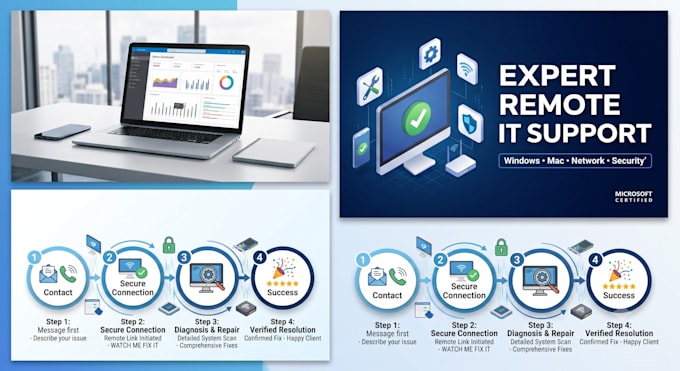
How it works: We will use secure, industry-standard remote software (like TeamViewer, AnyDesk, or QuickAssist). I will fix the issue right in front of you while you watch.
Please message me briefly describing your issue before placing an order!


Device:
Desktop
•
Laptop
•
Server
•
Mobile
•
Tablet
Operating system:
Windows
•
Linux
•
IOS
•
Android
•
OSX
1. How will you connect to my computer remotely, and is it safe?
We will connect using industry-standard, secure remote tools such as AnyDesk, TeamViewer, or Microsoft Quick Assist. The connection is fully encrypted, and you can see everything I do on your screen in real time. You maintain complete control and can disconnect the session at any time with a single
2. Will my private files and personal data remain secure?
Yes, absolutely. As a certified enterprise administrator, data privacy and confidentiality are top priorities. I only access the specific settings, software, or system files needed to resolve the technical issue. I will never open personal folders, browsers, or documents without your direct permissi
3. Which operating systems and platforms do you support?
I support all major operating systems, including Windows 10, Windows 11, and macOS, along with standard office hardware (printers, scanners, routers) and productivity suites like Microsoft 365, Outlook, and Google Workspace.
4. Do I need to be in front of my computer during the entire session?
You only need to be present at the start to approve the remote connection and grant administrative permissions. Once the troubleshooting begins, you can stay and watch or step away. It is best to remain nearby in case a system reboot or password prompt requires your input.
5. What happens if the issue cannot be resolved remotely?
If an issue is caused by physical hardware failure (such as a dead hard drive, faulty RAM, or a broken motherboard) that cannot be fixed remotely, I will diagnose the root cause, provide clear repair recommendations, and cancel the order for a full refund.