I will set up a custom 3d interactive game for your tiktok live stream
About this Gig
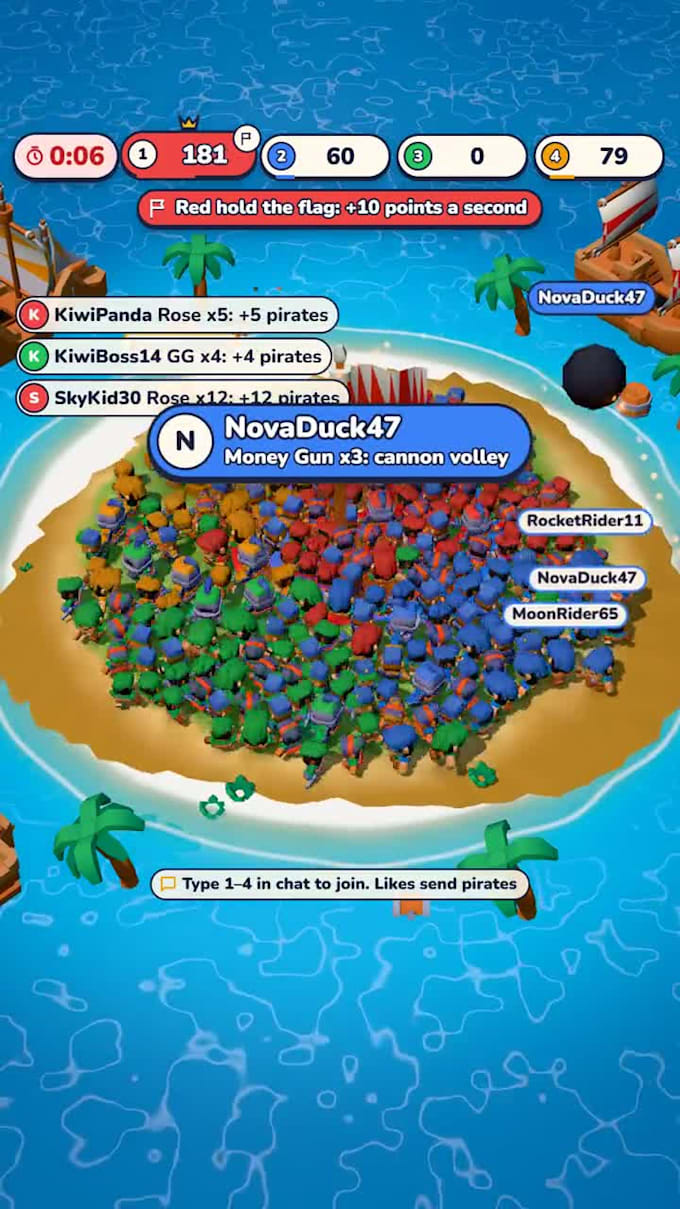
- Turn your viewers into players. I build 3D games that run as a browser source in OBS (1080x1920) and react instantly to chat, likes and gifts.
Ready-made game: Island Clash
- 3 to 6 teams fight for the flag on a pirate island
- Viewers join a team for free by typing a number in chat, likes add pirates
- The team that holds the flag scores, so a losing team can fight back
- Gifts trigger real game actions: pirates, knights, tidal wave, cannon volley, giant. The sender's nickname appears on the action
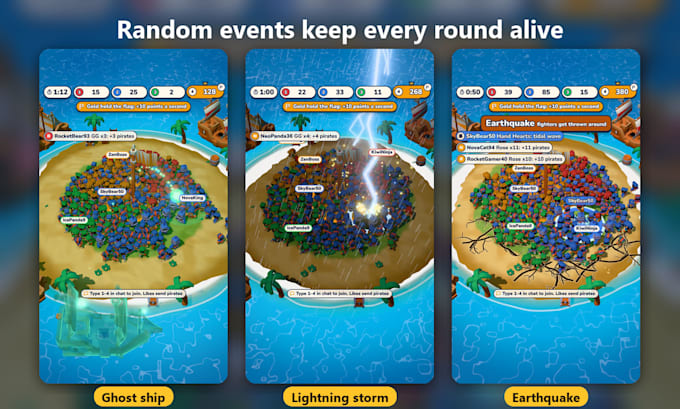
- Random events: kraken, ghost ship, storm, treasure chest, earthquake
- Pirate announcer voice, sound effects, winner and MVP every round
- Host control page: start rounds, fire events, live scores (OBS dock or phone)
What you get
- The game set up on your PC (I do it with you remotely)
- Test mode with simulated viewers
- Your team names, colors, language and gift rules
Important
- TikTok has no official LIVE API. The game reads events through a community library, so a TikTok update can pause it until the library is fixed.
- I sell a game, not results: no promise of gifts or income.
- A host must be present: no looped or unattended streams.
- Not included: Kick support and phone-only streaming.
Software:
OBS Studio
Platform:
Other
Purpose:
Gaming
My Portfolio
FAQ
Do I need a powerful PC?
It runs at 60 fps on an AMD Radeon 780M laptop GPU with about 270 fighters and all events on screen. Weaker laptops get a low-quality mode that runs two to three times faster.
Is it allowed by TikTok?
Interactive games are a common LIVE format. Two-sided "send gifts for your side" formats and unattended streams get restricted. Island Clash uses 3 to 6 teams and needs a host.
Can I try it before going live?
Yes. The game has a test mode with simulated viewers, chat and gifts, so you can see every action and event before your first stream.
How do I control the round during a stream?
From a control page: start and reset rounds, fire events and see live scores. Open it in your browser, as an OBS dock or on your phone.