Browse categories
Explore
Fiverr Pro
English
$
USD
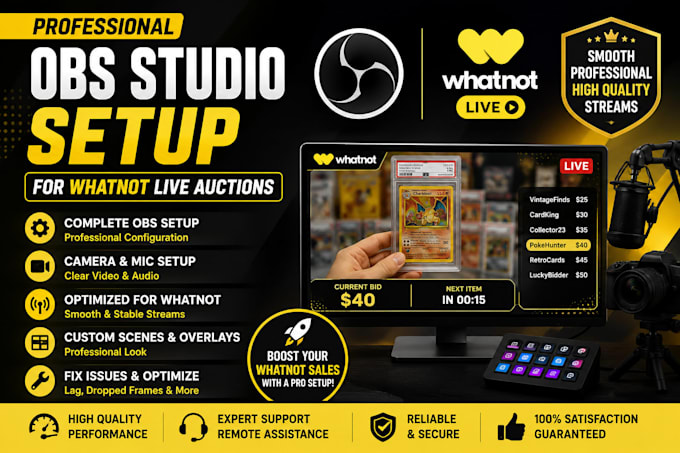
Are you ready to take your Whatnot live auctions to the next level?
I will professionally configure OBS Studio to deliver a smooth, high quality streaming experience that keeps your audience engaged and your auctions running flawlessly.
Whether you're a new or experienced Whatnot seller, I'll optimize your OBS settings based on your PC and internet connection for the best performance.
What You'll Get:
Why Choose Me?
Let's get your Whatnot livestream professionally configured so you can focus on selling while I handle the technical setup!


Software:
OBS Studio
Purpose:
Gaming
•
Music
•
Lifestyle
•
Business
•
News
•
Streamshare
•
Webinar
1. What do I need before placing an order?
You should have a Whatnot seller account, a computer with OBS Studio (or permission to install it), and a stable internet connection. Remote access via AnyDesk or TeamViewer may be required.
2. Can you install and set up OBS Studio from scratch?
Yes! I can install, configure, and optimize OBS Studio even if you're completely new to streaming.
3. Can you connect OBS Studio to my Whatnot account?
Yes. I'll configure OBS with your Whatnot stream settings so you're ready to go live.
4. Can you improve my stream quality?
Absolutely. I'll optimize your bitrate, resolution, FPS, encoder, and other settings for the best performance based on your PC and internet speed.
5. Can you fix OBS issues like lag, dropped frames, or audio problems?
Yes. I troubleshoot and resolve common OBS issues, including lag, dropped frames, black screens, audio sync, and microphone problems.
6. Do you provide remote support?
Yes. I use secure remote access software such as AnyDesk or TeamViewer to configure your setup safely.
7. Can you set up my camera and microphone?
Yes. I'll configure your webcam and microphone for clear video and professional-quality audio.
8. Can you add overlays and organize my scenes?
Yes. I can install your overlays, logos, alerts, and create well-organized OBS scenes for a professional livestream.
9. Do you support both Windows and Mac?
Yes. I provide OBS setup and optimization for both Windows and macOS.
10. What if I need help after the delivery?
I'm happy to provide post-delivery support based on the package you purchase and will assist with any setup-related questions.