Browse categories
Explore
Fiverr Pro
English
$
USD



Save time on repetitive AutoCAD work with a custom automation tool built around your workflow.
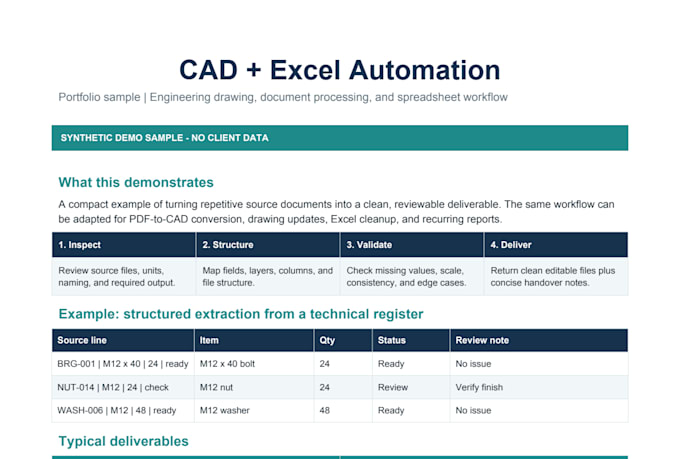
I create AutoLISP tools for drawing operations, blocks and attributes, layer and text updates, batch DWG processing, and PDF workflows. VBA and Excel/CSV integration are available within the agreed scope.
What you receive:
- A tool for the agreed task or workflow
- Testing on your supplied sample drawings
- Source code written for your order and simple usage instructions
- Revisions within the agreed scope
Basic covers one simple AutoLISP command. Standard covers a defined multi-step workflow. Premium covers one scoped advanced batch or data-driven workflow.
Please message me before ordering with your manual steps, sample DWGs, AutoCAD version, and expected output. I will confirm feasibility, compatibility, and scope.
New features and large multi-module systems require a custom offer. Any reusable or third-party components and their licenses will be agreed before ordering.
AutoCAD Automation and Mechanical CAD Specialist
Languages
Can you automate my specific AutoCAD workflow?
Send me your manual steps, a sample drawing, your AutoCAD version, and the expected result. I will assess feasibility and confirm compatibility and scope before you order.
Can you modify or debug existing AutoLISP or VBA code?
Yes. I can review, debug, improve, or extend existing AutoLISP and VBA tools. Please provide the code, any errors, and a sample that demonstrates the issue so I can confirm the scope.
Can you process multiple DWG files automatically?
Yes, depending on the operations. Batch processing is scoped according to the number and structure of drawings, the processing rules, and the expected output.
Can you update blocks, attributes, layers, text, or dimensions?
Yes. These elements can be updated according to predefined rules and your drawing standards. Please supply a representative drawing and explain the required changes.
Can you integrate Excel or CSV data with AutoCAD?
Yes, when the drawing and data structures allow it. Please share sample data and explain how each field should map to the drawing so I can confirm the approach and package.