Browse categories
Explore
Fiverr Pro
English
$
USD

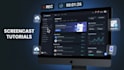

Need a clear, high-converting screencast tutorial or software demo video?
I create sleek, easy-to-follow screen recording videos that turn complex software, websites, and digital tools into engaging walkthroughs your users will actually enjoy watching.
Perfect For:
What You Get:
Why Choose Me?
Ready to showcase your platform at it's absolute best? Send a message with your script or workflow details, and let's get started!
AI Video Creator
Languages
What do you need from me to start creating my screencast tutorial videos?
To get started, please provide a clear script or outline of the workflow, access details or links to your platform, and any brand assets (such as logos, brand colors, or preferred background music).
Can you record my website or app on both desktop and mobile?
Yes. I can screen record both desktop interfaces and mobile screens, adapting the layout, mockups, and framing to best showcase your platform across all devices.
Will my final video be optimized for YouTube videos and social media?
Every project can be formatted and exported in the correct aspect ratio, resolution, and frame rate required for standard YouTube videos, YouTube Shorts, or any other hosting channel.
How do you ensure complex software features are easy to follow in a screencast?
During editing, I utilize dynamic zoom-ins, spotlight callouts, mouse-click emphasis, and on-screen arrows to keep the viewer focused on the exact step being demonstrated.
Can you hide or blur my private information during the screen capture?
Yes. Sensitive information such as login credentials, API keys, personal user data, and financial details can be blurred or pixelated during the screen capture editing process.
Do you write the script for tutorial videos, or do I need to provide one?
You can provide your own prepared script, or you can supply bullet points of the workflow and I can help refine it into an engaging step-by-step walkthrough before recording.
Can you provide a voiceover for my screen record demonstration?
Yes. High-quality AI or human voiceovers synced precisely to the on-screen actions and pace of the screencast are available.
What resolution and format will the final screen capture video be delivered in?
Deliverables are provided in crisp Full HD (1080p) or 4K resolution in universal MP4 format, ensuring ready-to-upload compatibility for your website, SaaS dashboard, or YouTube channel.
Can you create a continuous series of tutorial videos for product onboarding?
Yes. I can produce complete multi-part onboarding series, how-to guides, and feature breakdown playlists structured specifically for client knowledge bases or YouTube videos.
What if my platform updates after the initial screen record is finished?
Minor interface tweaks or single-step replacements can be easily re-recorded and spliced into the master edit without having to rebuild the entire screencast from scratch.


