Browse categories
Explore
Fiverr Pro
English
$
USD

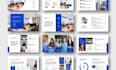
Consistency is the hallmark of an elite brand. When your team creates decks using mismatched fonts, broken layouts, or outdated colors, it erodes your corporate authority. I specialize in building professional business PowerPoint and Google Slides master slide systems that empower your organization to produce flawless, on-brand content every time.
A truly professional template is more than just a collection of slides; it is a high-performance tool. I develop custom business frameworks that are "locked-in" for brand integrity while remaining flexible for the end-user. By architecting your master slide layouts with a focus on visual hierarchy and ease of use, I ensure that your corporate brand remains consistent, whether its a quick internal update or a high-stakes pitch deck.
Why invest in a custom master template system?
Turn your presentation workflow into a competitive advantage. Let's build a master slide system that reflects the true standard of your brand. Message me today for a consultation or select your package to start building your professional corporate asset!
Strategic Corporate Presentation Designer and Brand Specialist
Languages
What exactly is included in a "Master Slide" template?
Unlike a standard deck, a master slide template is a "theme" file. It includes pre-formatted layouts (covers, text slides, data grids, etc.) with "locked-in" brand colors, fonts, and image placeholders.
Is the template compatible with both PowerPoint and Google Slides?
Yes. If you select the Standard or Premium package, I provide two separate, optimized files. I manually adjust the theme settings for both PowerPoint and Google Slides to ensure that fonts, spacing, and charts look identical across both platforms, regardless of which software your team uses.
Can our internal staff easily update the content without breaking the design?
Sure, I build these templates specifically for non-designers. By using professional placeholders and "locked" background elements, I ensure your staff can drag and drop images or type in text without accidentally moving logos or changing the corporate color palette.
Will I need to install special fonts to use the template?
I recommend using "Web-Safe" or Google Fonts to ensure universal compatibility. However, if your corporate brand uses a specific proprietary font, I can embed it into the PowerPoint file or guide you on how to sync it with your organization’s Google Slides account.
Can you migrate my existing "messy" slides into the new template?
The gig focus is on building the master slide architecture. However, if you need your existing business content migrated into the new system, I offer a "Legacy Cleanup" as a gig extra. This ensures your old data immediately adopts the new, clean corporate look.
