Browse categories
Explore
Fiverr Pro
English
$
USD
Print ready PDF formatting and A Plus Content for KDP authors
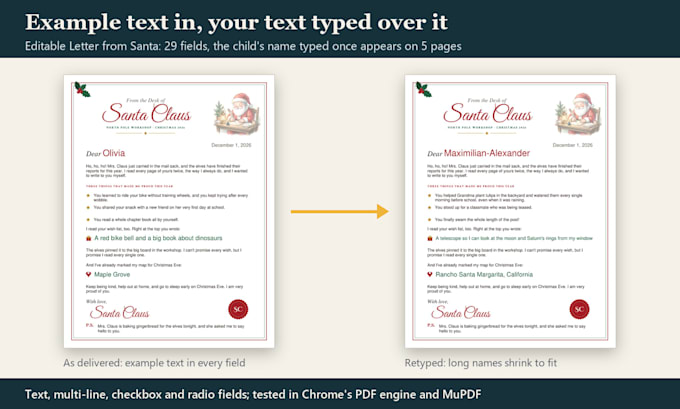
A fillable form only works if people can fill it on the device they have. I build forms and templates, then fill every one with long test answers before I deliver it.
What you get:
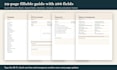
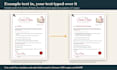
The gallery shows two of my own fillable products: a 29-page guest welcome book with 266 fields, and a letter set where one name fills 5 pages.
I build forms with code (Python), not by hand, so a 10-page form keeps consistent spacing and every field has a clear name. I test every form in the PDF engine of Chrome and Edge and in MuPDF, a second PDF engine.
Not included: automatic calculations, scripts, e-signature fields or online form builders (Google Forms, Jotform). Message me first if you need more.
Convert from:
Convert to:
What files do I get?
The fillable PDF, a filled test copy and screenshots. Every field has a clear name, so it can be edited later in Adobe Acrobat Pro.
Will it work on Mac and phones?
The forms use standard PDF form fields, which the free Adobe Acrobat Reader supports on Mac, iPhone and Android. macOS Preview and some phone viewers show fields differently, so you get a filled test copy to compare.
Can you make my existing PDF fillable without changing the design?
Yes, that is the Basic package (1 page, more pages as an extra). I add fields on top of your pages. If the layout leaves no room to write, I tell you before I start.
Can the form add up totals or check dates?
Not in these packages. I do not add calculation scripts. Message me first and I will tell you honestly if I can help.
Can I edit the text later?
Field text, yes, in Adobe Acrobat Reader or any app that fills PDF forms. Fixed text on the page needs a revision from me, or I can make paragraphs editable fields if you ask for it in your brief.
Do you keep my data?
I only use what you send for the order. If your form will hold personal data, send me a blank version, not filled copies.