Browse categories
Explore
Fiverr Pro
English
$
USD
Your Affordable SEO Expert
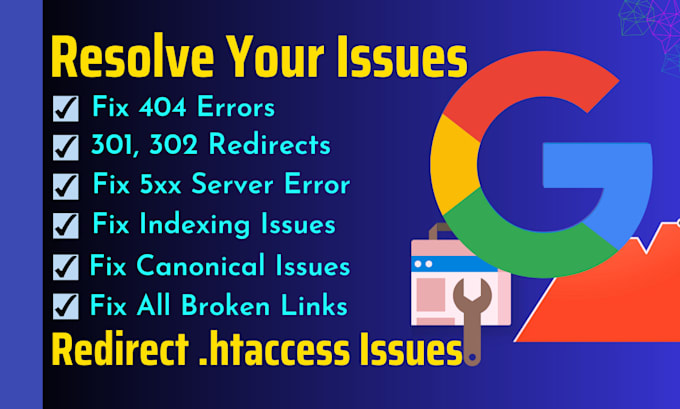
Are you frustrated by Google Search Console errors that affect your website performance and SEO rankings? Do you need help fixing 500 error, 404 error, 301 redirect, broken links, canonical tags, indexing issues, and more? If so, can help you!!!
I have the skills and experience to identify and resolve the most common and critical website errors.
I'll follow the best practices and guidelines from Google and other search engines to ensure that your site is optimized and error-free. I also test and validate the changes I make and monitor your site's performance.
My Service Includes:
Why My Service?
Let's have a discussion about your problem and make it solve!!
Thank You


Language:
Bengali
•
English
SEO services offer implementation of SEO practices only, which may take weeks or months before any results begin to show.
What is a 301 redirect?
A 301 redirect is a permanent redirect that tells search engines that a page has moved to a new location. This is the most SEO-friendly way to redirect broken links.
What is a 404 error?
A 404 error is a page not found error that is caused by a page that no longer exists. This can be caused by a variety of things, such as a deleted page, a moved page, or a typo in the URL.
What is a 500 error?
A 500 error is a server error that is caused by a problem on the server. This can be caused by a variety of things, such as a misconfiguration, a plugin conflict, or a memory leak.
What is a broken link?
A broken link is a link that points to a page that no longer exists. This can be caused by a variety of things, such as a deleted page, a moved page, or a typo in the URL.
How can I check my website's indexing status in Google Search Console?
You can check your website's indexing status in Google Search Console by going to the Search Traffic > Indexing tab. This will show you a list of all the pages on your website that are indexed in Google.
When should I use a canonical tag vs a 301 redirect?
A canonical tag is a good option when you have two or more pages that are essentially the same content. A 301 redirect is a good option when you want to permanently redirect a page to a new location.
Is a 301 redirect better than a canonical link?
It depends on the situation. A 301 redirect is more permanent than a canonical link, but it can also be more disruptive to your website's traffic. A canonical link is less disruptive, but it can be less effective at preventing duplicate content issues.
How long does it take to fix 301 redirect, 500, 404 errors, broken links, canonical and indexing issues?
The time it takes to fix these issues will vary depending on the severity of the problems and the size of your website. In general, I would expect to be able to fix most of these issues within a few days.
What are the benefits of fixing 301 redirect, 500, 404 errors, broken links, canonical and indexing issues?
Fixing these issues can improve the user experience of your website, improve your SEO, and increase your website traffic.
How can I prevent these issues from happening again?
There are a few things you can do to prevent these issues from happening again: >Regularly check your website for broken links and 404 errors. >Use canonical tags to prevent duplicate content issues. >Keep your website’s code and plugins up to date. >Back up your website regularly.