 August 3, 2026
 15 minute reading
It’s no secret: WordPress is the most popular content management system. So it shouldn’t come as a no surprise that 43% of all websites use it.
Besides its open-source software, WordPress is easy to use, flexible, and scalable for users of all levels. And, it boasts a gallery of thousands of plugins to help users build a WordPress website.
The platform’s massive user base makes WordPress sites a prime target for hackers, backdoor and DDOS attacks, and malicious bots. These threats compromise your server and website infrastructure and steal visitor data. Eventually, they endanger your site’s stability, customer trust, and future profits.
How do you keep out potential intruders from attacking and destroying your site? By using WordPress security plugins.
This guide shares the 20 best WordPress security plugins that can protect your business website from online threats.
Why do you need WordPress security plugins?
Hackers and malicious bots target WordPress sites with flaws, such as:
- Weak passwords
- Unsecured web hosting
- Incorrect file permissions
- Unpatched and obsolete themes or plugins
- An outdated WordPress version
- Unprotected access to WordPress admin (directory)
- Unsecure wp-config.php file
WordPress experts often recommend that site owners maintain strong passwords and a strong username, as well as keep their sites’ themes, plugins, and WordPress core up to date.
But it's not enough to do the basics. Your website is your business, so you need to protect such a high-value investment against attacks and threats.
You can either use a secure hosting platform—like Hostinger—or install a dedicated WordPress hosting security plugin. It’s like getting insurance or installing an alarm system, because you can never know when you’ll be attacked.
We recommend using a WordPress security plugin because it:
- Keeps your website safe by providing an extra security layer
- Protects your brand from damaged reputation or lost customer trust
- Safeguards your private data (owner or visitor information)
- Improves your SEO ranking by safeguarding your site’s performance
- Delivers security alerts and updates, notifying you of potential or emerging threats
- Limits login attempts to protect your site and its users against hacking
- Detects corrupted files on your website
- Prevents spam messages and accounts from accessing your site, which enhances your site’s credibility
- Gives you more control over your site’s security and protection by securing areas that don’t get enough attention
- Removes security threats instantly to avoid more serious issues with your site
Armed with these benefits, let’s review the best security plugins for WordPress available, so you can choose the most suitable option for your business website and improve your security measures.
20 best WordPress security plugins for 2023

1. Wordfence Security: Best WordPress security plugin
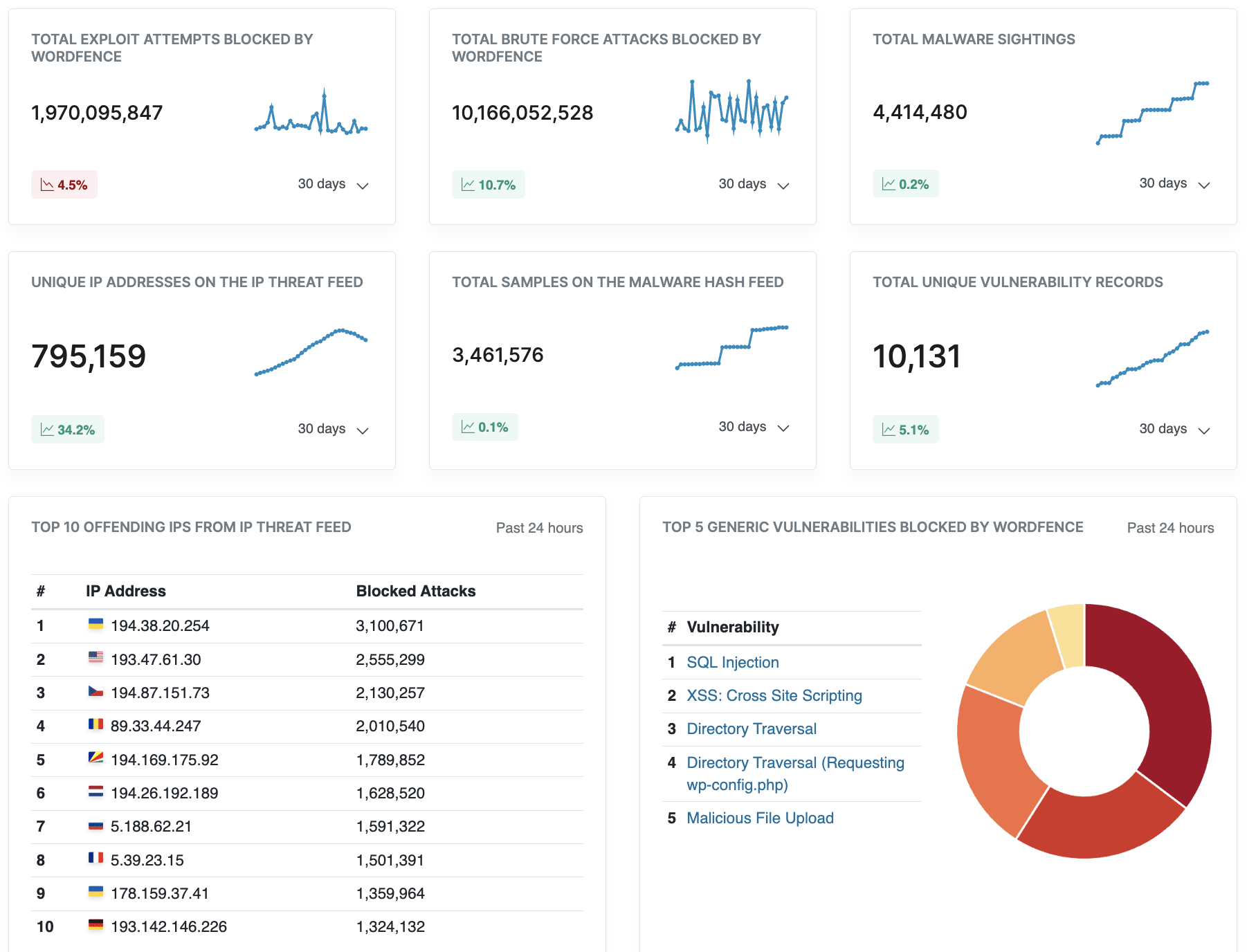
- Free version is adequate for smaller sites
- Easy setup
- User-friendly interface
- Prompt support
- Premium versions can be expensive
- Some features may need technical know-how to setup
- Free: $0
- Premium: $119/year
- Care: $490/year
- Response: $950/year
2. Sucuri Security: Best cloud-based WordPress security plugin
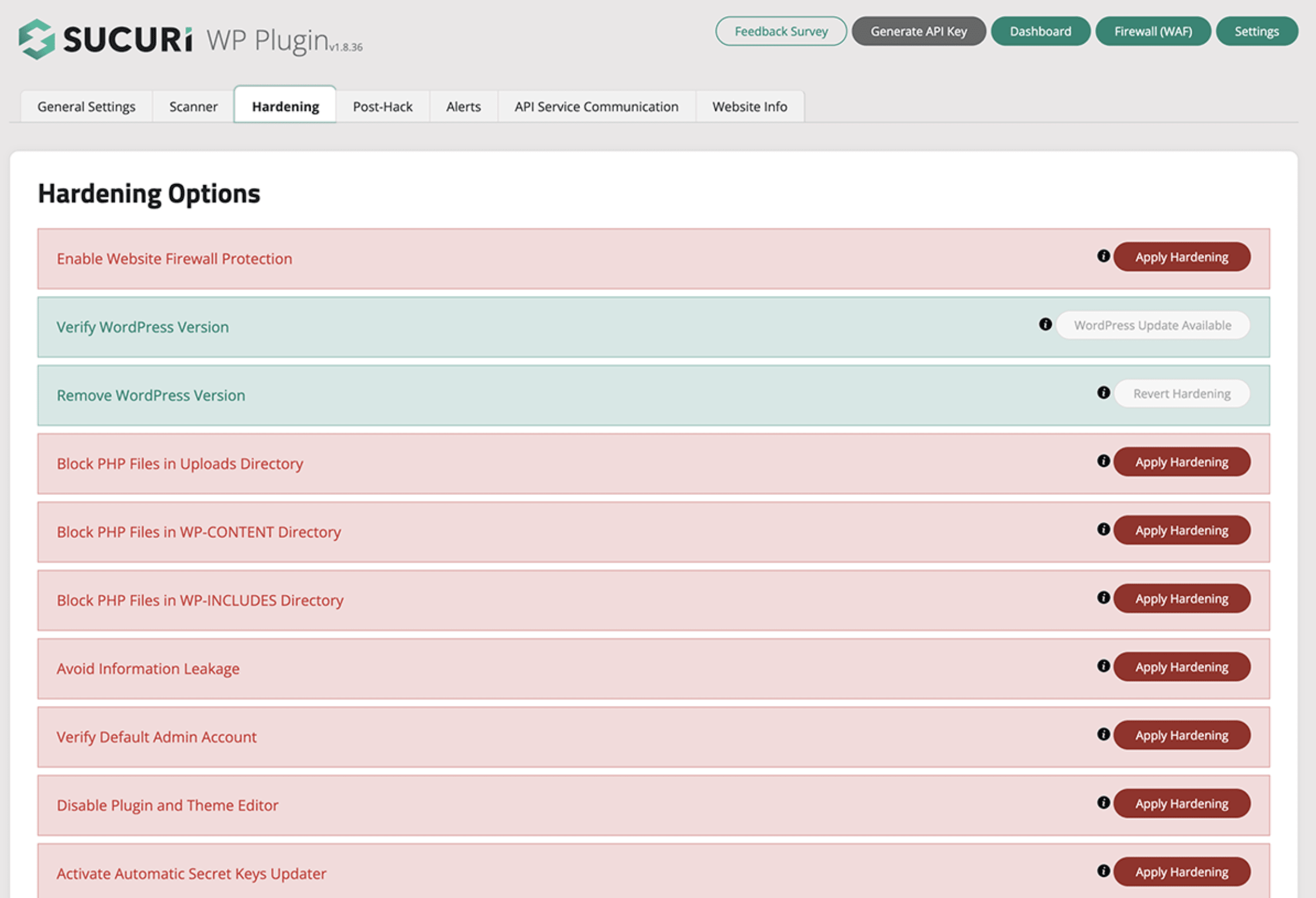
- Cloud-based platform
- Free to all WordPress users
- Premium version offers powerful security features
- Effective security hardening
- Content delivery network (CDN)
- Support available 24/7/365
- Unlimited manual cleanups on every plan with no hidden fees
- Free plan lacks firewall and other strong tools
- Premium plans can be pricey for small businesses
- Free: $0
- Basic: $199/year
- Pro: $299/year
- Business: $499/year
- Custom pricing for multi-site and custom plans
3. iThemes Security: Best security monitoring
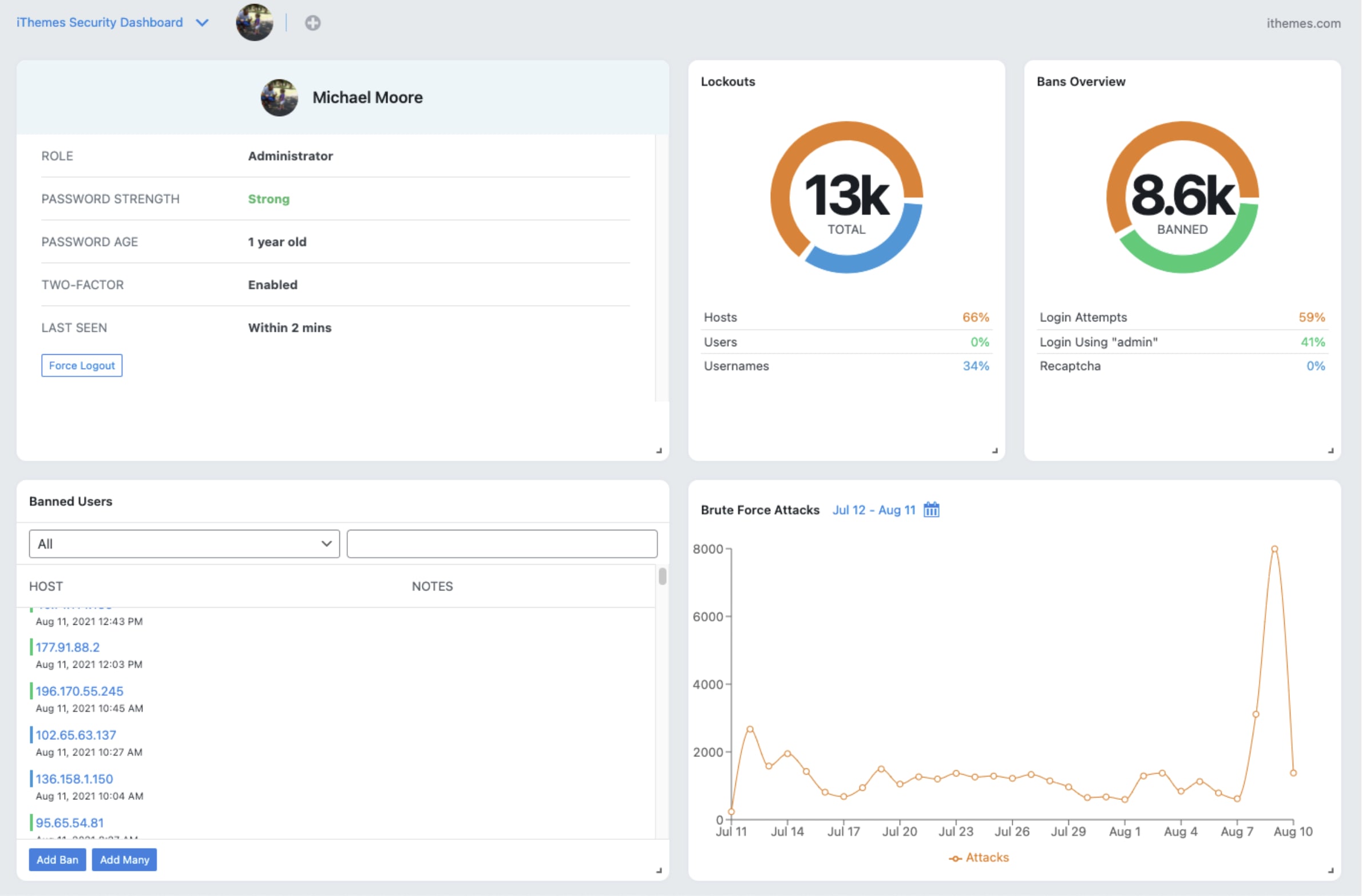
- Plenty of site security features
- Free plan available
- User-friendly dashboard
- Friendly, responsive support
- Regular site and security updates
- Some features may not be easy to configure for non-tech-savvy users
- Only iThemes Security Pro offers real-timeWordPress Dashboard and activity logs
Find a WordPress customization specialist for hire

Level 2
I will do wordpress website development, responsive website redesign
Offers video consultations


Top Rated
I will build wordpress website, custom wordpress website, business website development
Offers video consultations

Vetted Pro
Our agency will design, redesign your wordpress website into a modern premium brand
Offers video consultations


Top Rated
I will design and develop a wordpress website using elementor and woocommerce
Offers video consultations




Vetted Pro
I will create wordpress website design, redesign, ecommerce website development
Offers video consultations


Vetted Pro
I will do contractor construction plumbing roofing electrician painting website design
Offers video consultations

Top Rated
I will create wordpress website or business website within 12 hours
Offers video consultations

Top Rated
I will design and develop a professional wordpress website and blog
Offers video consultations


Level 2
I will build luxury website design and website development
Offers video consultations









Vetted Pro
I will design and develop a responsive wordpress business website
Offers video consultations


Vetted Pro
I will design a contractor, construction, plumbing, hvac, roofing website
Offers video consultations






Top Rated
Our agency will build a professional wordpress website for your business
Offers video consultations




Vetted Pro
Our agency will design a professional wordpress website for your business
Offers video consultations


Top Rated
I will develop a custom real estate wordpress website with idx integration
Offers video consultations

Vetted Pro
I will develop a wordpress website with elementor and acf or elementor pro
Offers video consultations


Vetted Pro
Our agency will be avada theme expert, wordpress avada, avada builder, avada customization
Offers video consultations



Vetted Pro
I will create a premium attorney, lawyer and law firm wordpress website with elementor
Offers video consultations




Vetted Pro
Our agency will build an elementor pro wordpress website
Offers video consultations

Vetted Pro
Our agency will design, redesign responsive wordpress business website
Offers video consultations


Vetted Pro
I will design and develop a professional wordpress website design
Offers video consultations


Vetted Pro
I will build, redesign responsive wordpress website design for your business
Offers video consultations



Top Rated
I will do a professional wordpress website design or fix an ai website
Offers video consultations


Top Rated
I will build a local SEO optimized website for your local business that generates leads
Offers video consultations






Top Rated
I will do website development, website design, wordpress website development
Offers video consultations




Vetted Pro
I will design and develop a high converting wordpress website
Offers video consultations


Vetted Pro
I will design and develop a professional wordpress website
Offers video consultations

Level 2
I will do wordpress website design and build custom business website development
Offers video consultations


Vetted Pro
Our agency will build elementor wordpress website as wordpress web developer
Offers video consultations


Vetted Pro
Our agency will create a wordpress website design for your business
Offers video consultations

Vetted Pro
I will convert figma to wordpress, webflow, squarespace, wix
Offers video consultations
4. All-In-One Security: Most intuitive interface

- Comprehensive security features
- Intuitive, user-friendly interface
- Reliable support
- Free plan available with firewall and file protection
- Lots of features and documentation
- Regular security updates
- Affordable premium plan compared to other plugins
- No malware scanning or 2FA in free plan
- May interfere with indexing
5. SecuPress: Best for low-traction sites
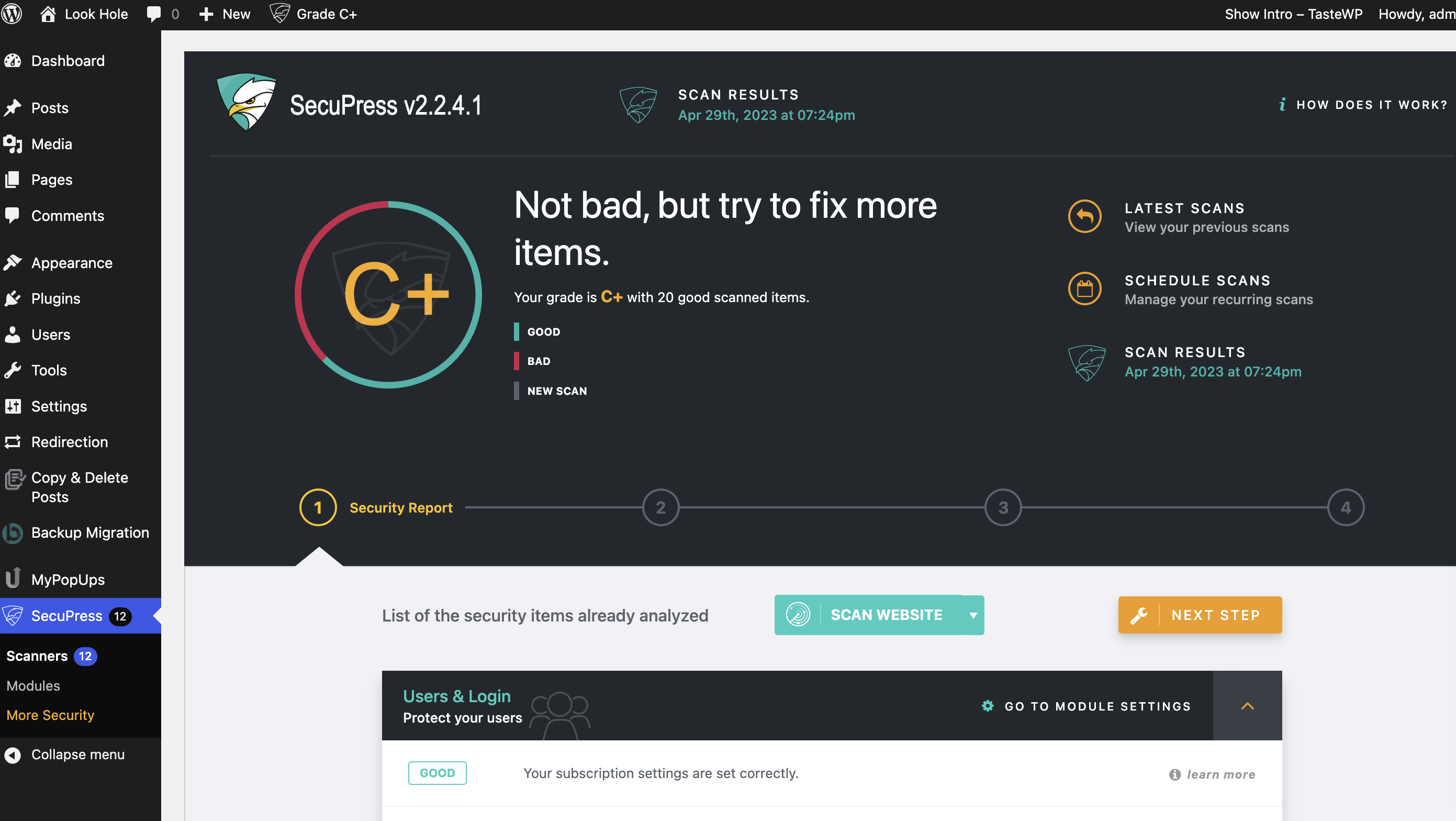
- Easy-to-use, intuitive interface
- Free plan has firewall
- All plans come with anti-brute force login protection
- Regular security checks
- Priority support for paid users
- Standard features like 2FA and security reports only in paid version
- Complex configurations
- Few updates
- Limited security features in free plan
- Free: $0
- Premium: $69.99/year per site
6. BulletProof Security: Best for advanced users
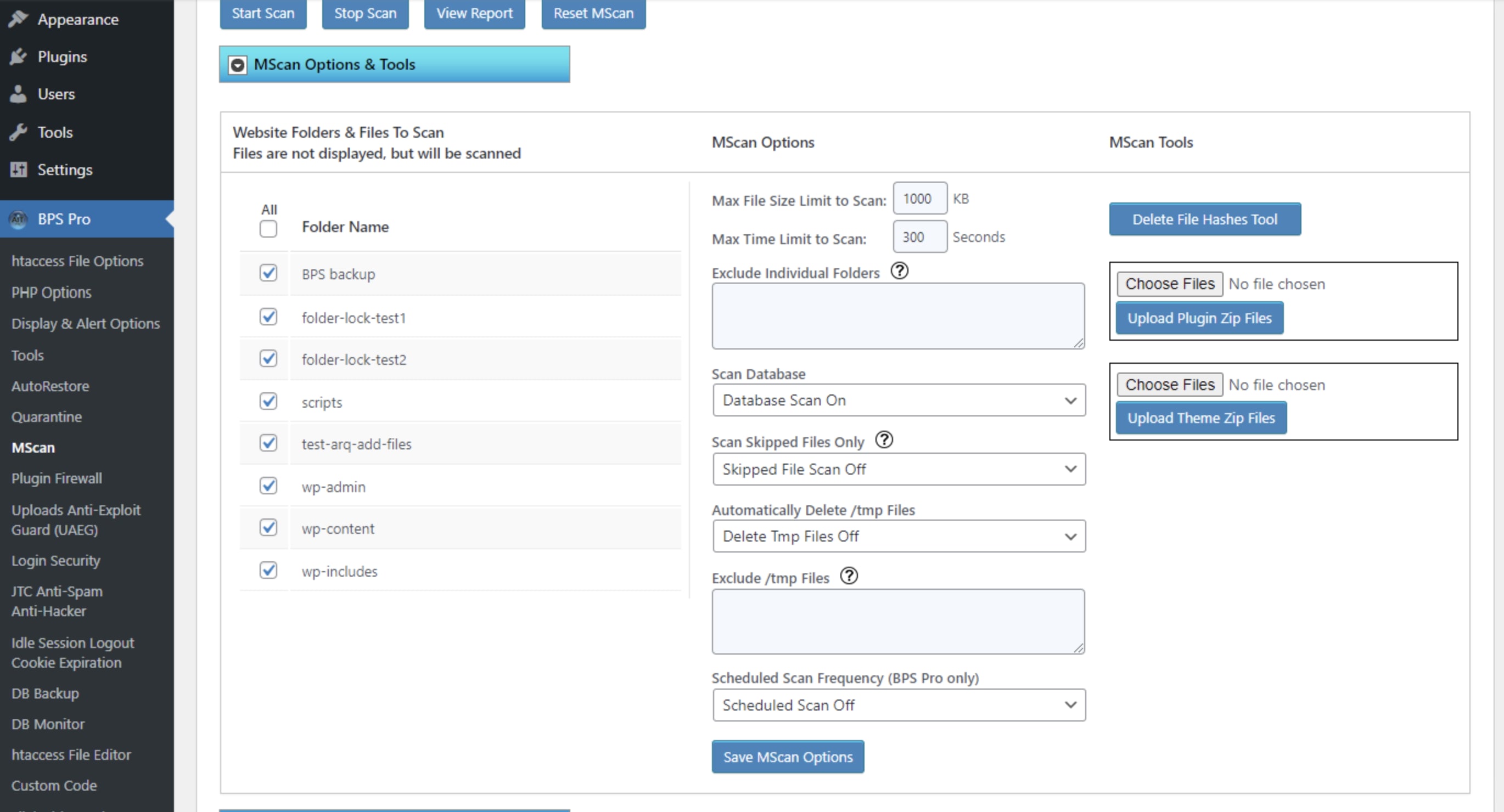
- Free version has database backups
- One-time payment for the Pro version (with 30-day moneyback guarantee)
- Difficult installation and configuration
- Not suitable for novice users
- Free: $0
- Premium: $69.95 (one-time payment)
7. Defender Security: Best budget security plugin for WordPress
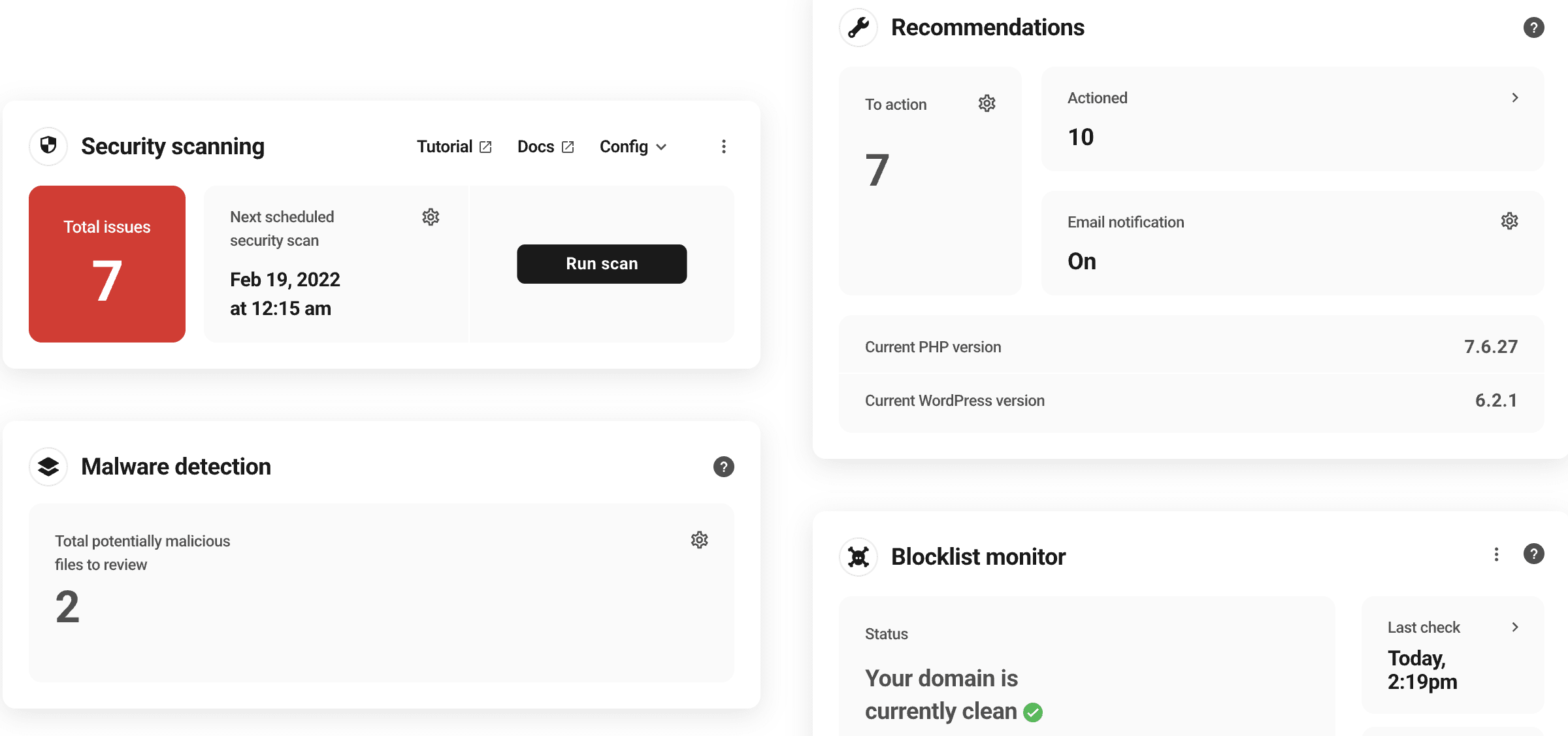
- Easy to use
- Reliable expert support
- Suitable for businesses on a budget
- Free plan offers security hardening and IP lockout
- Some essential features locked in the Pro plan
- Short 7-day trial for its Pro plan
- Free: $0
- Premium: $7.50/month
8. WP fail2ban: Best for authentication and login security
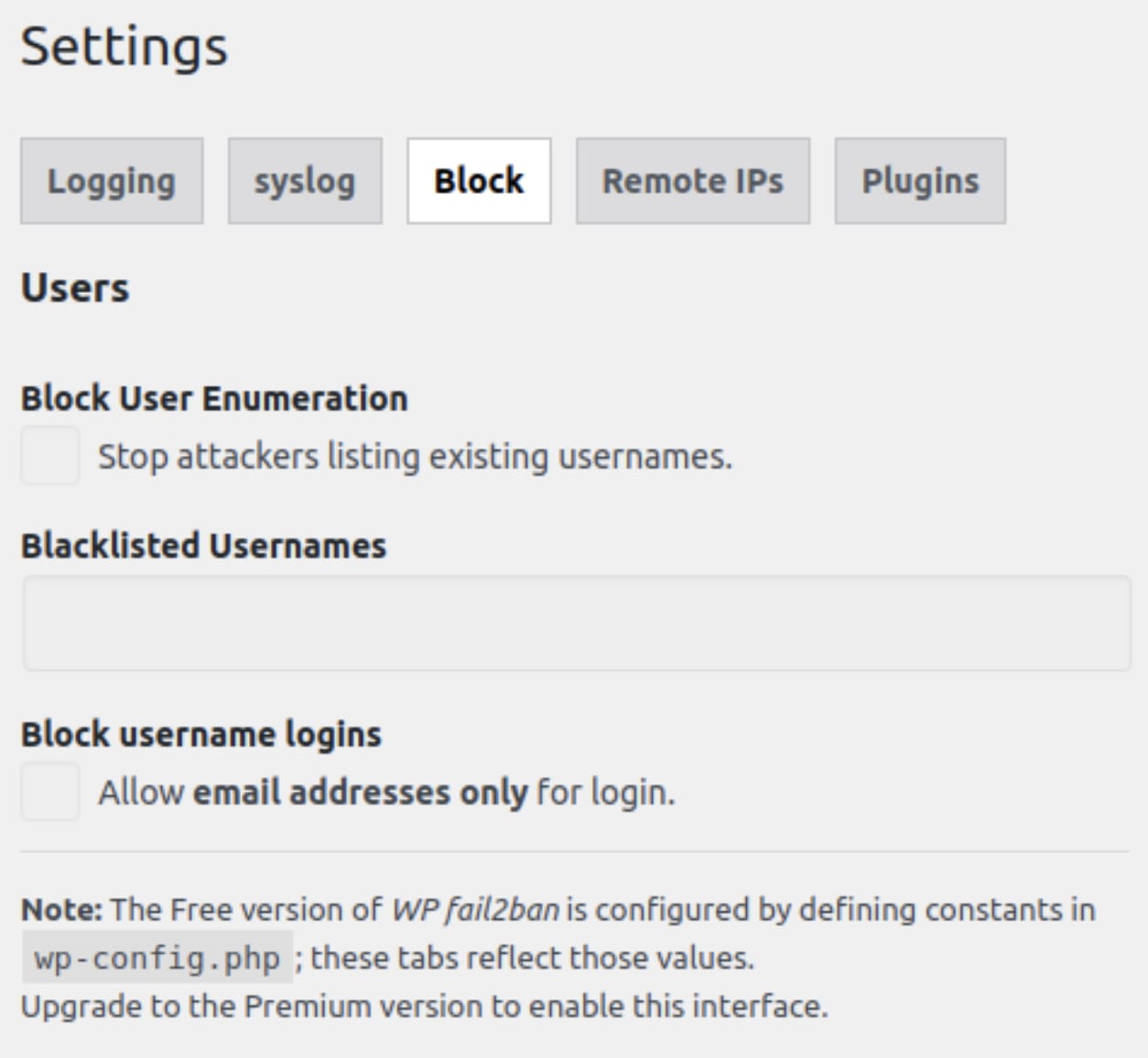
- Free to use
- Constantly updated with powerful features
- Offers both soft or hard ban options
- Logs information about pingbacks, spam, and more
- You can integrate with proxy servers and CloudFlare
- Displays limited number of events on dashboard
- Free: $0
9. Security Ninja: Best security fix-it options
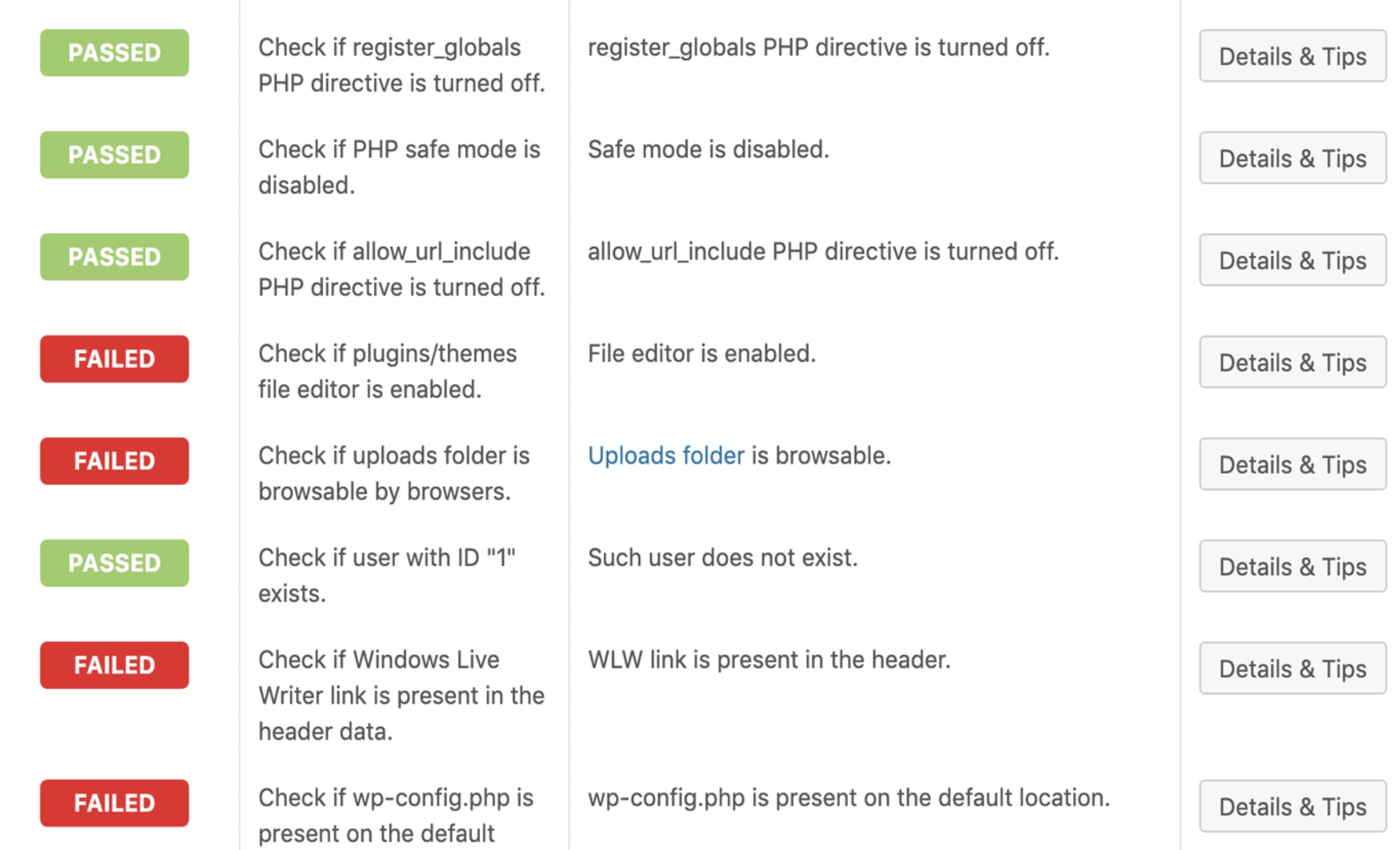
- Performs 50+ security tests
- Logs all events on your site
- Offers regular site scan scheduling
- In-depth scans and tests only available in premium plan
- Free: $0
- Premium: $6.99/month per site
10. WPScan: Best WordPress security scanner
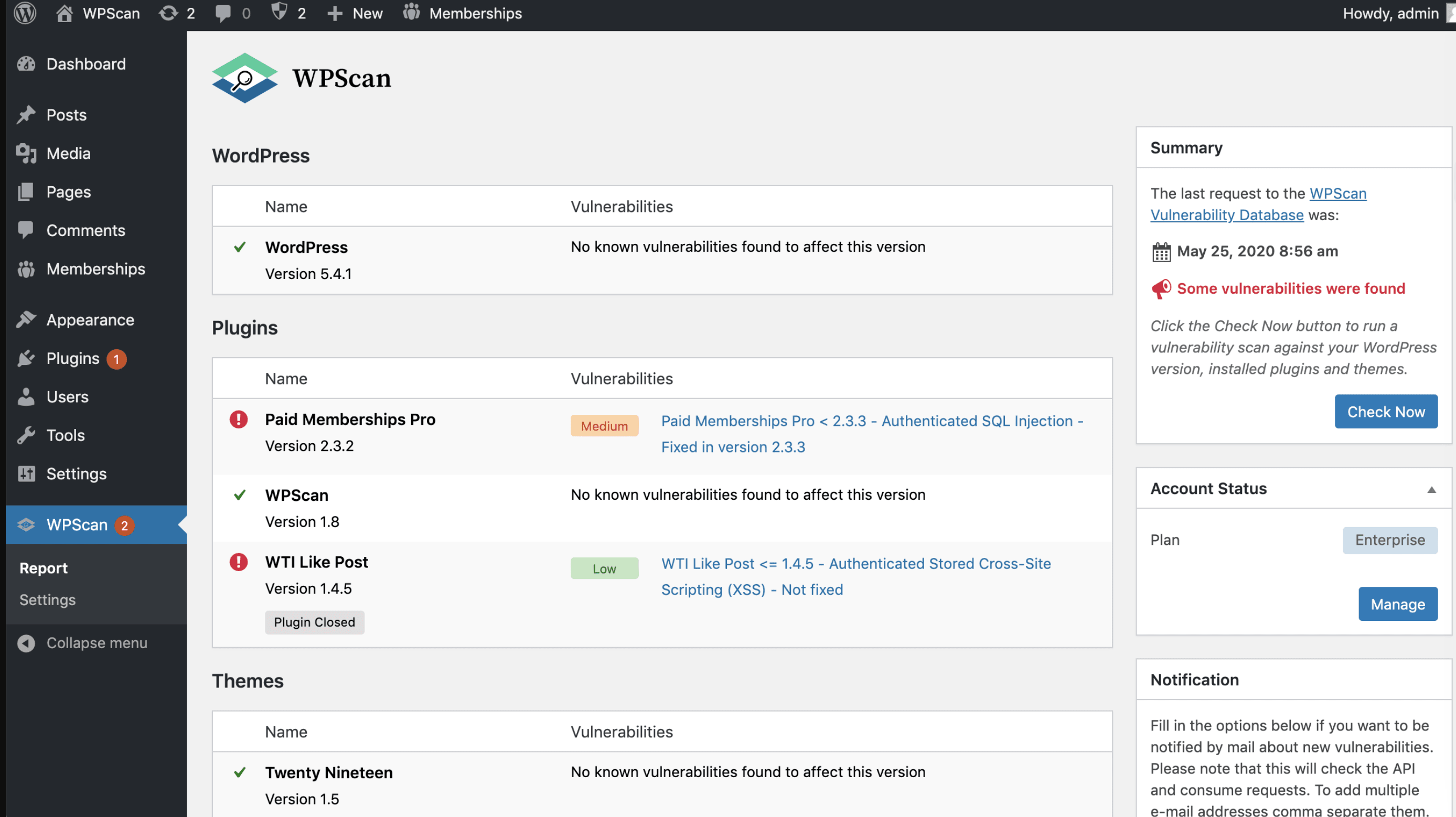
- Has its own database of 39,036 WordPress vulnerabilities
- Free version available
- Scans websites daily
- Easy to use
- Timely reports
- Some standard security features locked in premium plan
- Free version not actively supported
- Free: $0
- Premium: Sold as part of Jetpack ($4.95/month for the first year, billed annually)
11. Anti-Malware Security and Brute-Force Firewall: Best for hack repairing
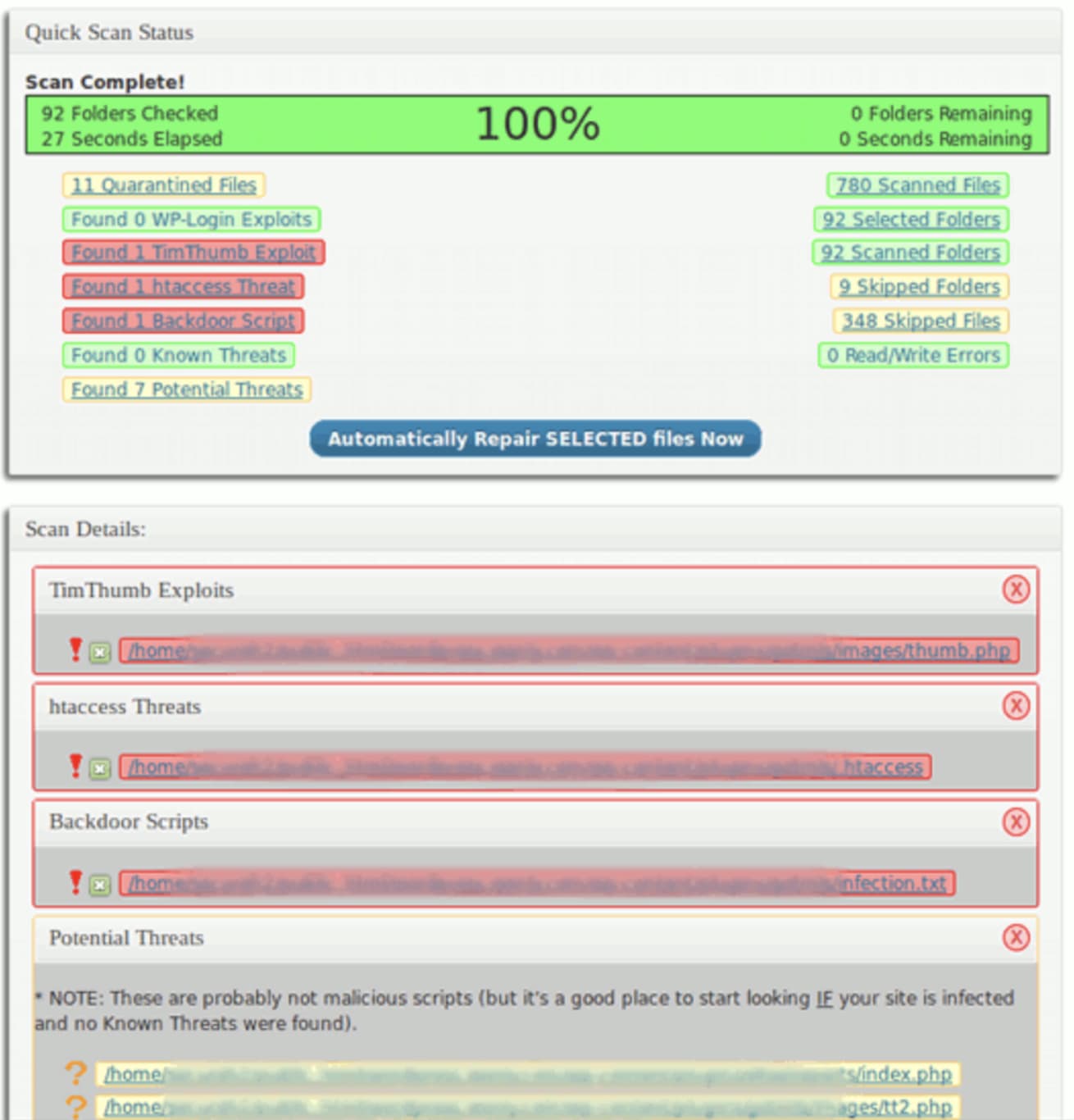
- Protects against new threats
- Runs manual or automatic scans to identify threats
- Offers options to patch your site after attacks
- Firewall protects certain site plugins
- Hack repairs your website
- Easy installation
- Complicated scan settings
- Confusing interface
- Free: $0
12. Astra Security Suite: Best threat protection
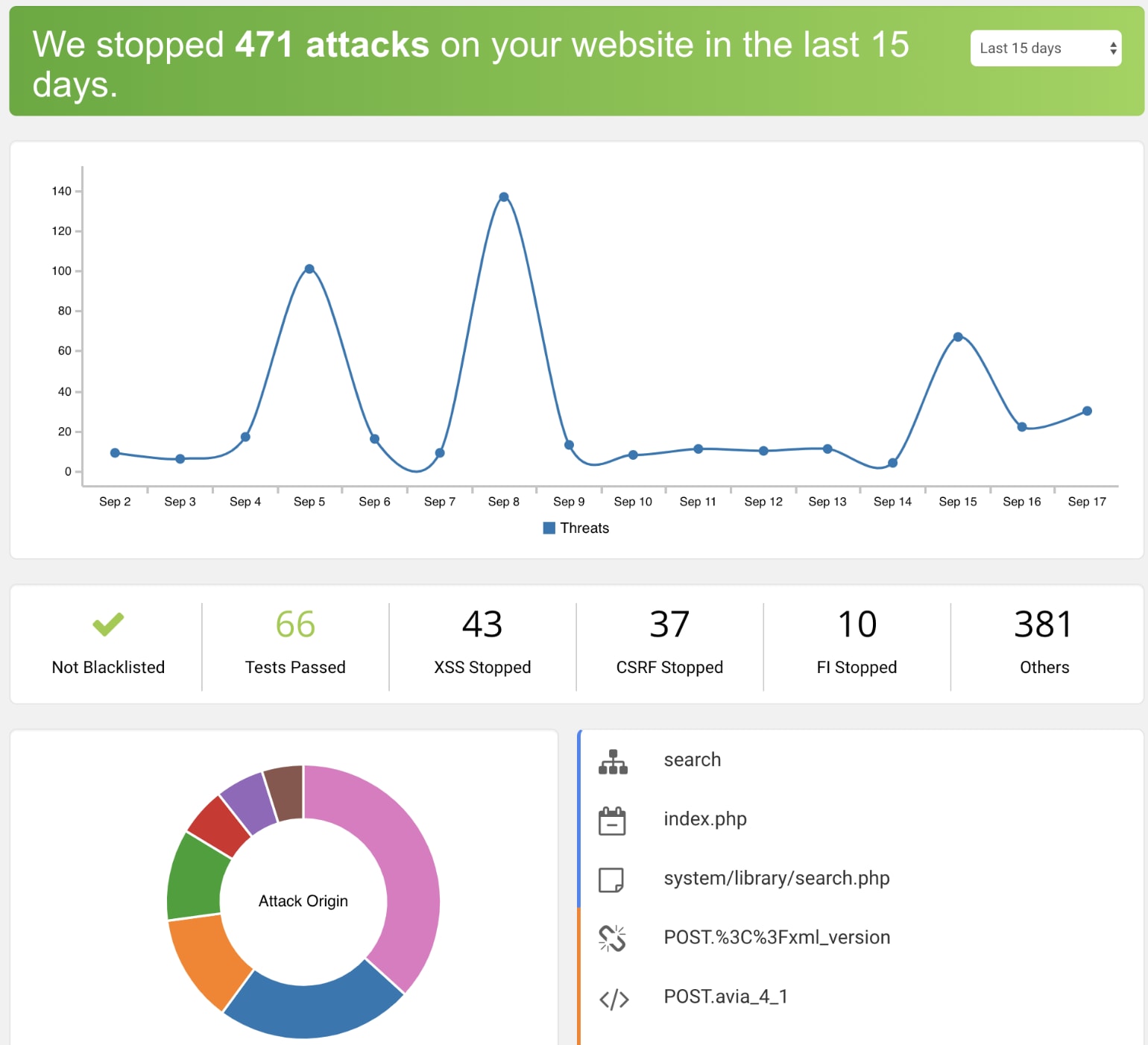
- Easy to install
- Has a strong firewall
- Handles multiple types of threats
- Offers security audits
- Intuitive dashboard
- Multiple notifications
- Complicated features
- Not free
- Costlier than other plugins
- Pro: $25/month per site
- Advanced: $79/month per site
- Business: $199/month per site
13. MalCare Security Plugin: Best malware finder
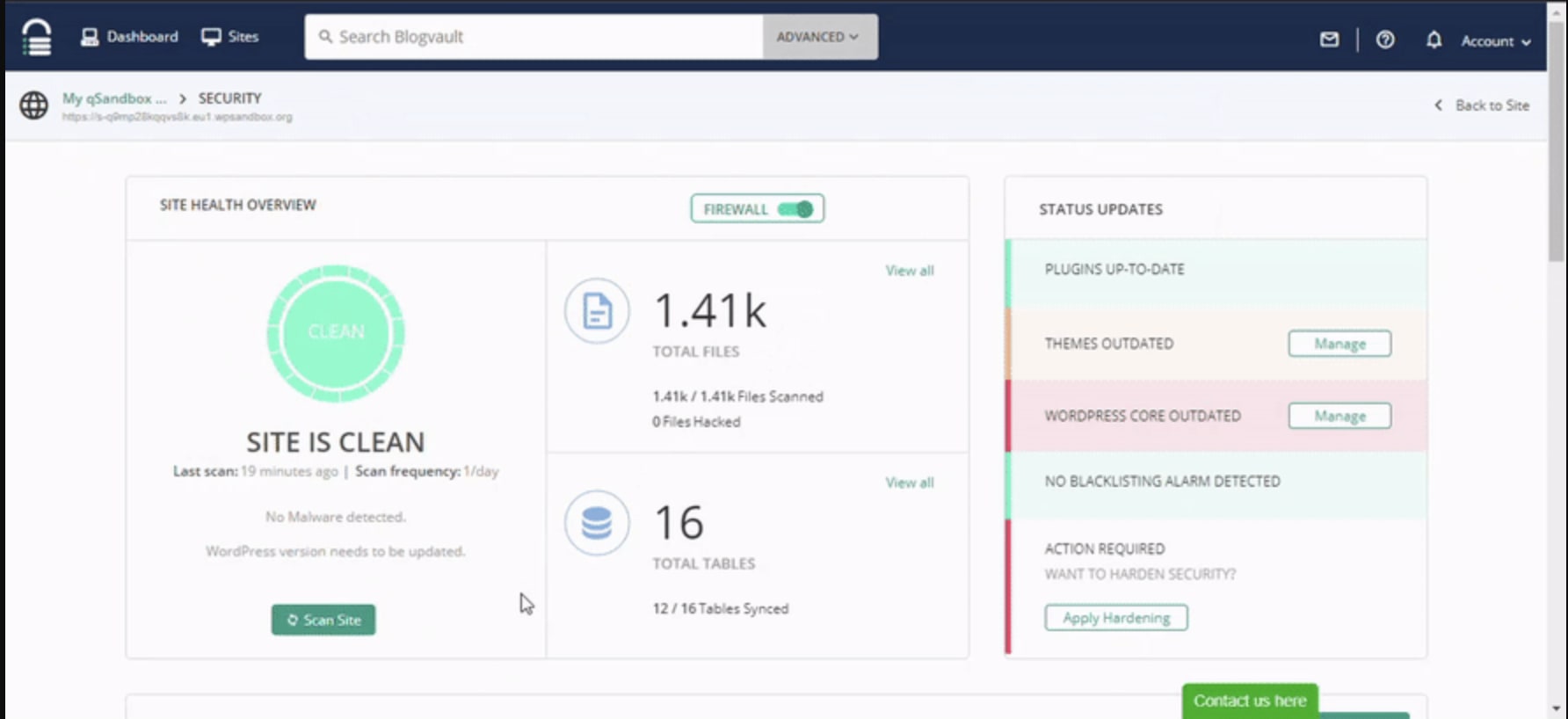
- Comprehensive site cleanup
- Intelligent protection
- Accurate malware detection
- Lightweight, so it doesn’t affect site performance
- Free version doesn’t offer cleanups
- Free: $0
- Basic: $99/year
- Plus: $149/year
- Pro: $299/year
14. Security & Malware Scan by CleanTalk: Best for regular threat surveillance
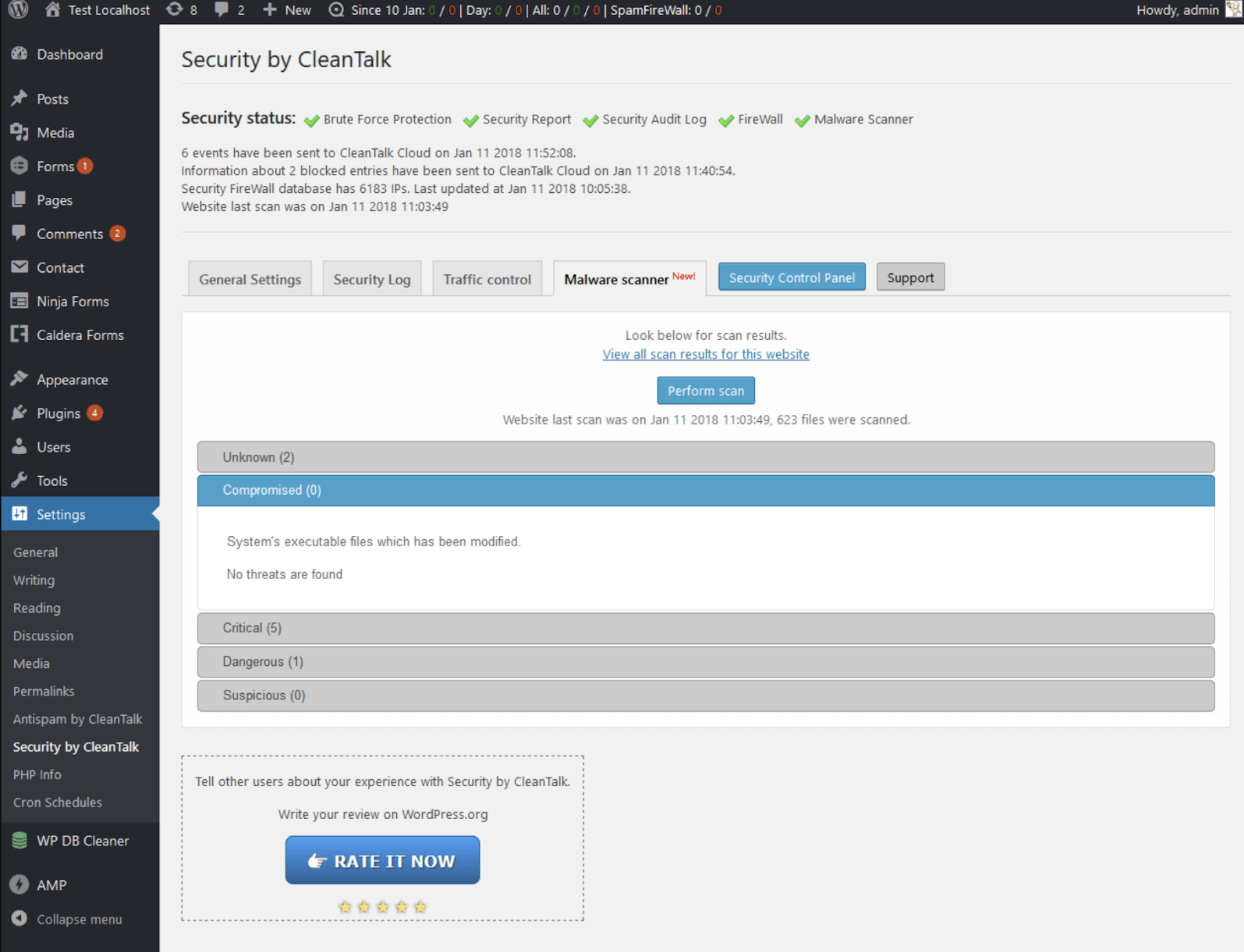
- Easy to use
- Cloud-based scanner
- You can send affected files to CleanTalk’s experts for cleanup
- Powerful threat surveillance
- Free but requires cloud security signup
- Free
- Paid: $1.30/month per site
Hire a WordPress developer for your website on Fiverr

Top Rated
I will design ecommerce website using flatsome woocommerce
Offers video consultations




Vetted Pro
I will develop, design and build your shopify store or shopify website
Offers video consultations





Vetted Pro
I will build shopify store, design redesign copy ecommerce website, dropshipping store
Offers video consultations


Top Rated
I will build ecommerce website online store, webshop using wordpress woocommerce
Offers video consultations


Vetted Pro
I will design shopify website, shopify store design or shopify website development
Offers video consultations


Top Rated
I will build you a ready to sell dropshipping shopify store
Offers video consultations


Level 2
I will build shopify store, design or redesign shopify website, copy dropshipping store
Offers video consultations



Vetted Pro
Our agency will build your shopify store design, or redesign shopify website
Offers video consultations




Top Rated
I will build fda compliant peptide website or research peptide store on woocommerce
Offers video consultations




Top Rated
I will be your dedicated shopify developer and custom coding shopify expert
Offers video consultations



Vetted Pro
I will do shopify store design and website redesign for ecommerce website development
Offers video consultations
Vetted Pro
I will be your shopify expert to build shopify store design and customize store website
Offers video consultations

Top Rated
Our agency will create wordpress website with elementor and acf or elementor pro, cpt
Offers video consultations

Top Rated
Our agency will do web design and build a professional wordpress website
Offers video consultations
Vetted Pro
I will build an fda compliant peptide website on woocommerce
Offers video consultations

Vetted Pro
Our agency will build a custom shopify store for your brand
Offers video consultations



Vetted Pro
I will design and develop professional, responsive and SEO optimized wordpress website
Offers video consultations




Vetted Pro
I will create ecommerce wordpress website or woocommerce store
Offers video consultations


Top Rated
Our agency will do shopify store design or shopify website design
Offers video consultations




Vetted Pro
Our agency will build a high end custom shopify store from figma or lovable
Offers video consultations


Vetted Pro
I will design shopify store, shopify store design, shopify website design
Offers video consultations

Top Rated
I will do custom website development as full stack developer frontend backend developer
Offers video consultations


Vetted Pro
I will build a professional shopify store with a premium theme
Offers video consultations




Vetted Pro
Our agency will design, redesign a modern research peptide website and peptide store
Offers video consultations




Vetted Pro
Our agency will migrate, transfer your shopify store to a dynamic wordpress woocommerce website
Offers video consultations




Vetted Pro
Our agency will design and develop an awesome shopify store for you
Offers video consultations


Vetted Pro
Our agency will build a b2b shopify wholesale ecommerce store
Offers video consultations






Vetted Pro
I will design and develop your custom shopify store that converts
Offers video consultations



Vetted Pro
I will develop shopify theme from your PSD, xd, ai, or figma design
Offers video consultations


15. WP Cerber Security: Best login protection
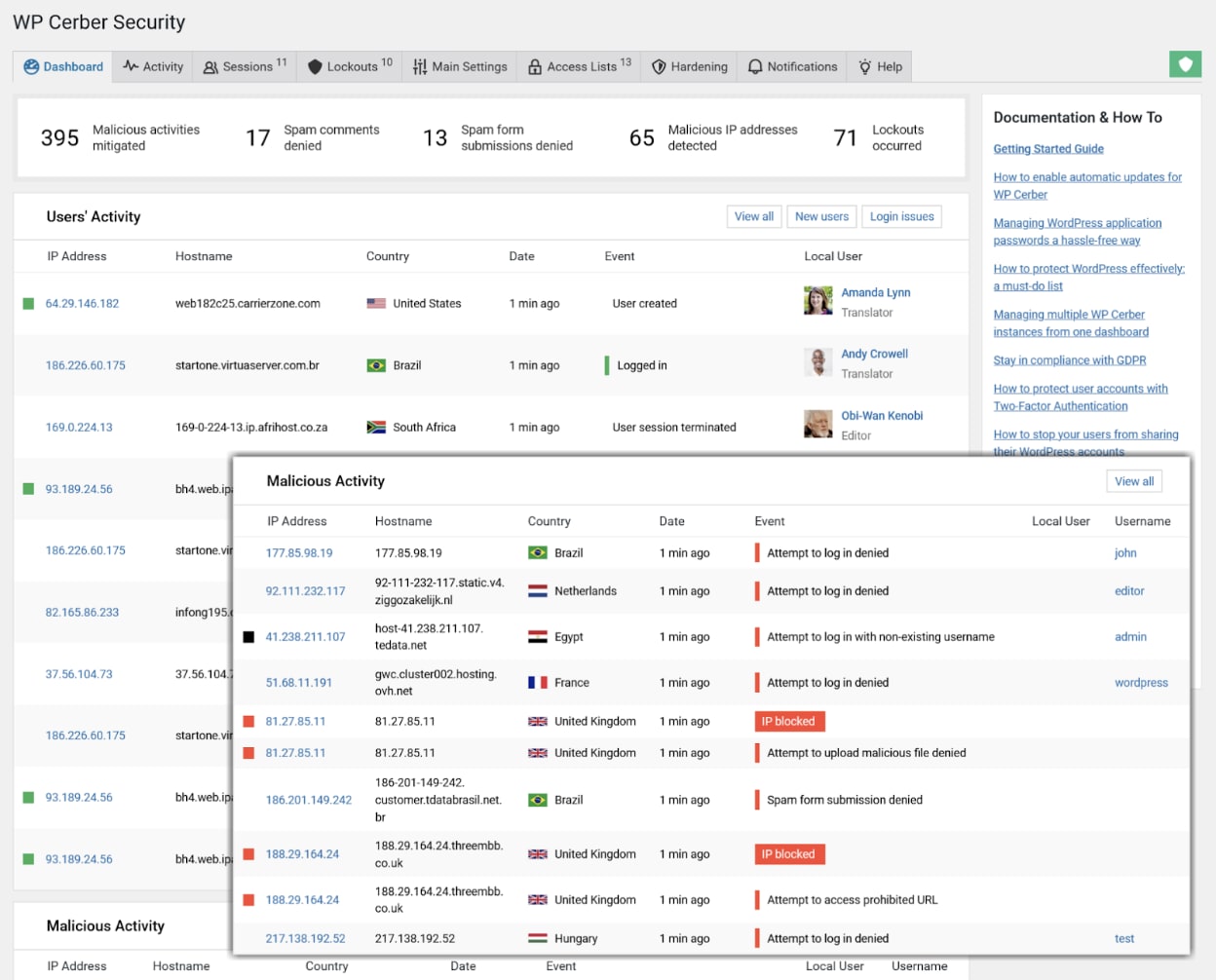
- Easy to install, use, and administer
- Deletes affected files
- Can recover past file versions for easier site restoration
- Integrates with CloudFlare
- Free plan has limited features
- Pricing may be expensive for many small businesses
- Free: $0
- Single: $29/quarter
- Value Pack: $39/month
16. Shield Security: Best for all user levels
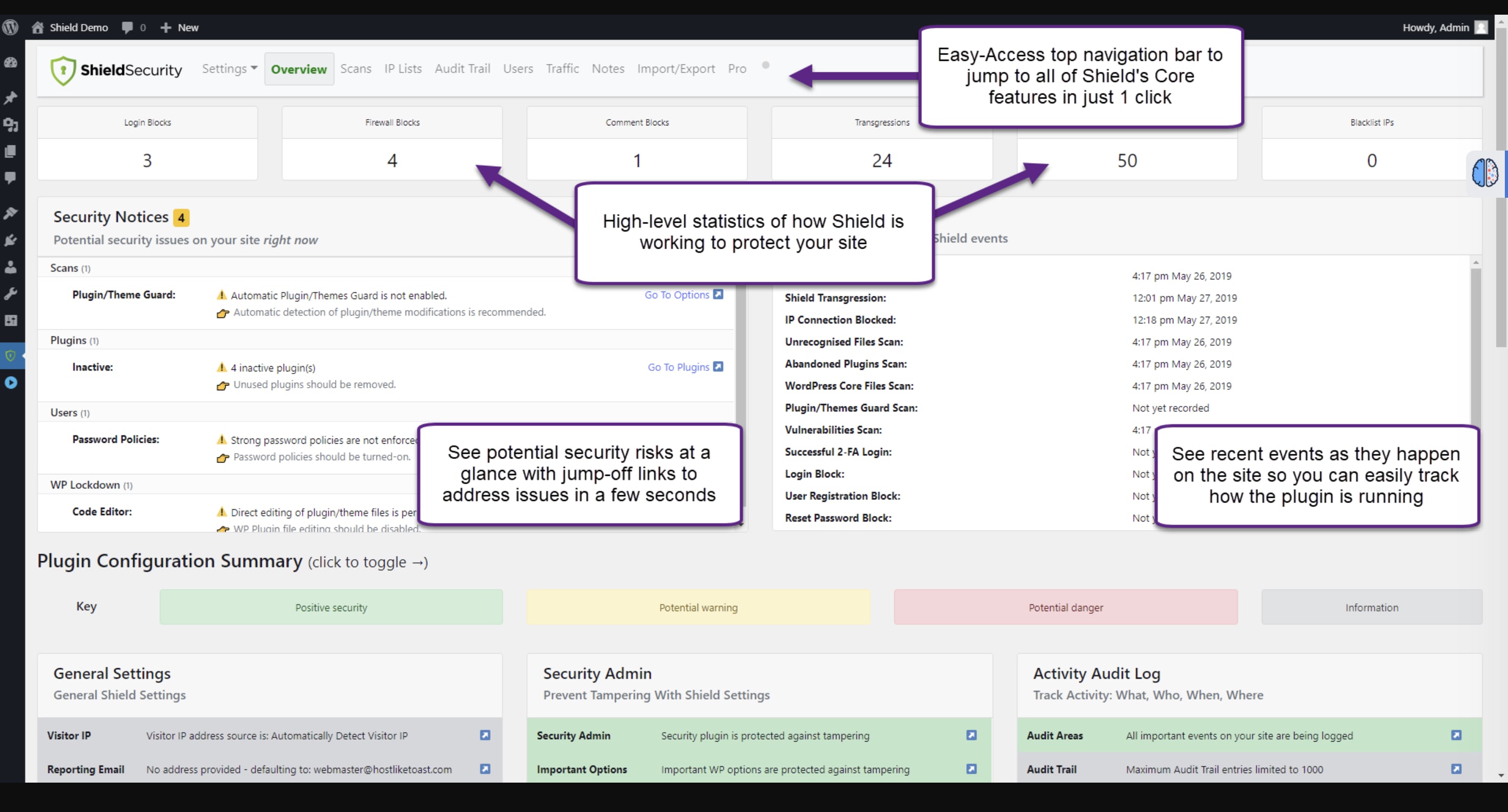
- Core is free forever
- Free version offers some Pro-grade features
- Restricts access to its settings to specific users
- Repairs hacks and blocks badbots
- Offers three types of 2FAs for free
- 24-hour support available for paid plans
- Free: $0
- ShieldSupport: $59/year
- ShieldPro: $79/year
- ShieldAgency: $399/year
17. WP Activity Log: Best for running security logs
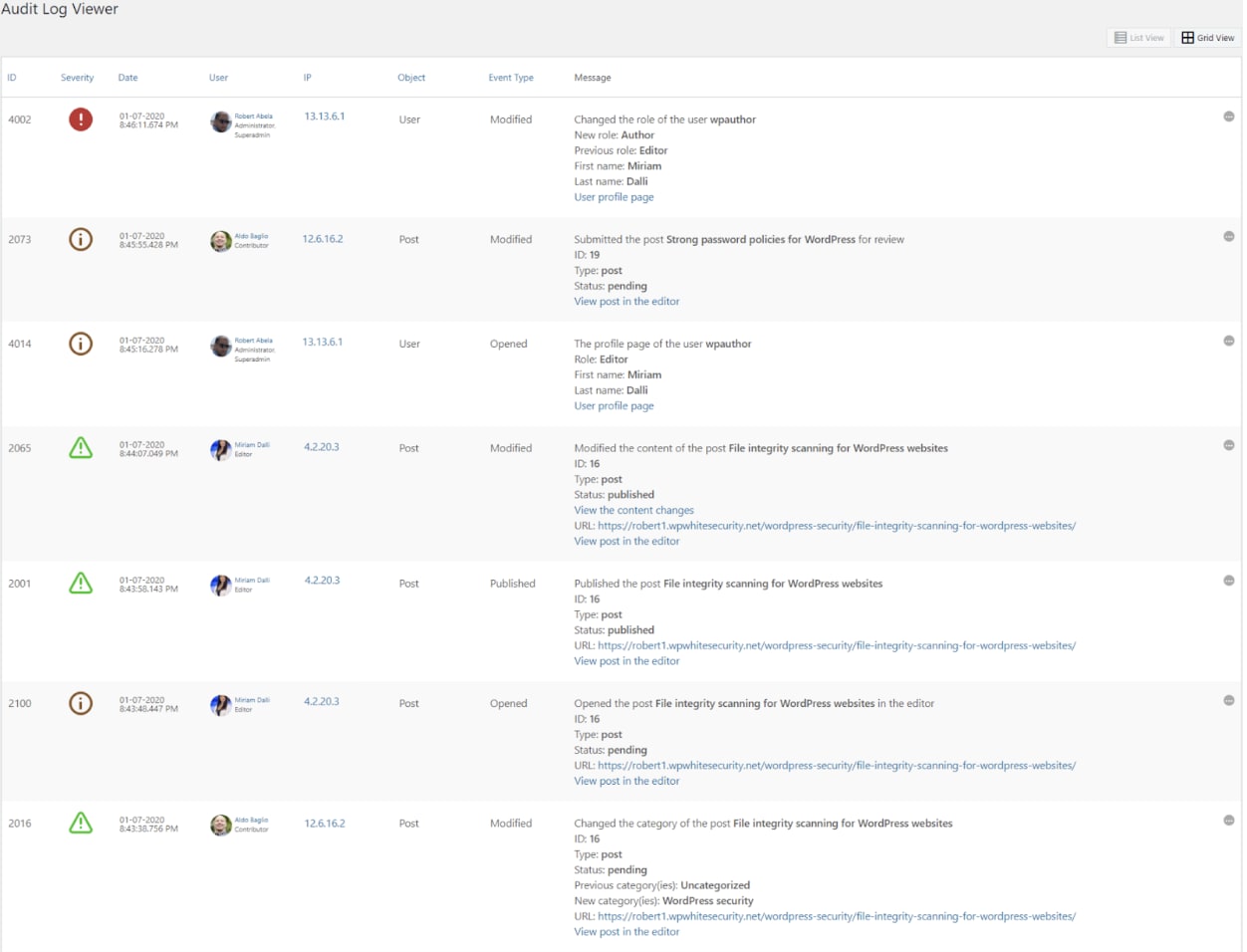
- Actively tracks and logs all website changes
- Displays information on any changes
- Notifies you of any problems or user activity
- Standard features like notifications, filters, locked-in paid plan
- Short 14-day trial
- Free: $0
- Starter: $99/year per site
- Professional: $139/year per site
- Business: $149/year per site
- Enterprise: $199/year per site
18. Titan Anti-Spam & Security: Best for spam and bot prevention
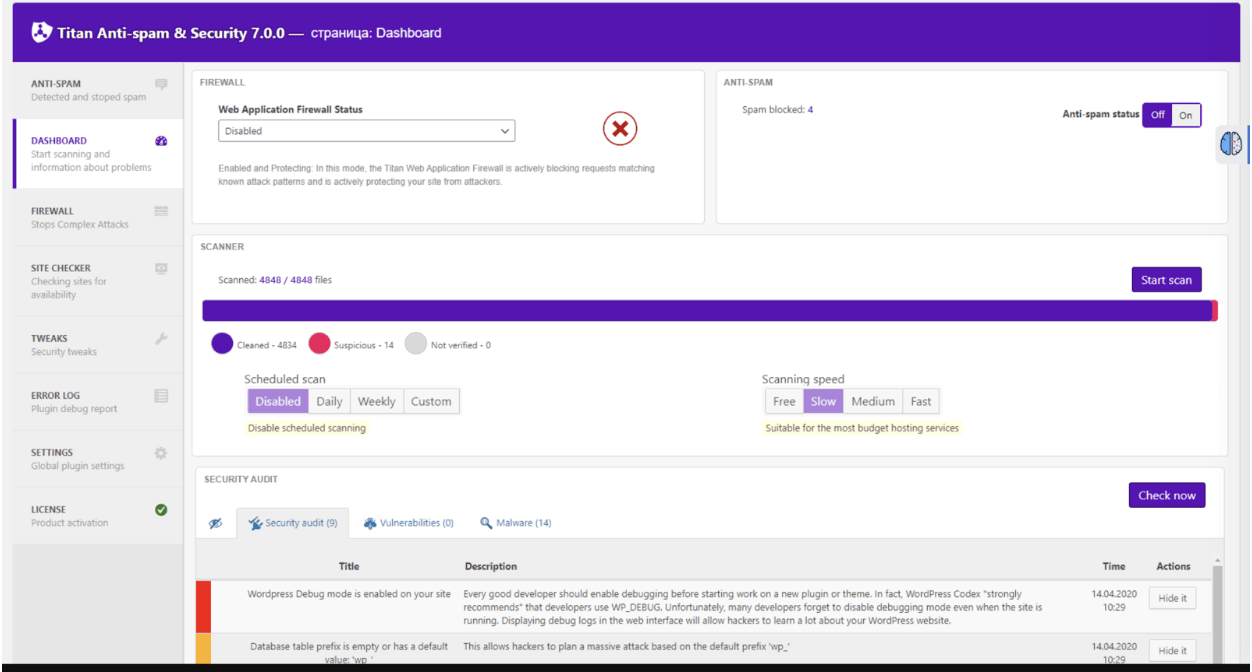
- Simple, clean interface
- Background spam reduction
- Removes spam comments immediately
- Real-time IP blocking
- You can delete unwanted files from your dashboard
- Attack log stores all suspicious activity
- Not as feature-packed as other plugins
- Free: $0
- Premium: $55/year (one site), $159/year (3 sites), $319/year (6 sites)
19. WP Hide and Security Enhancer: Best for file protection
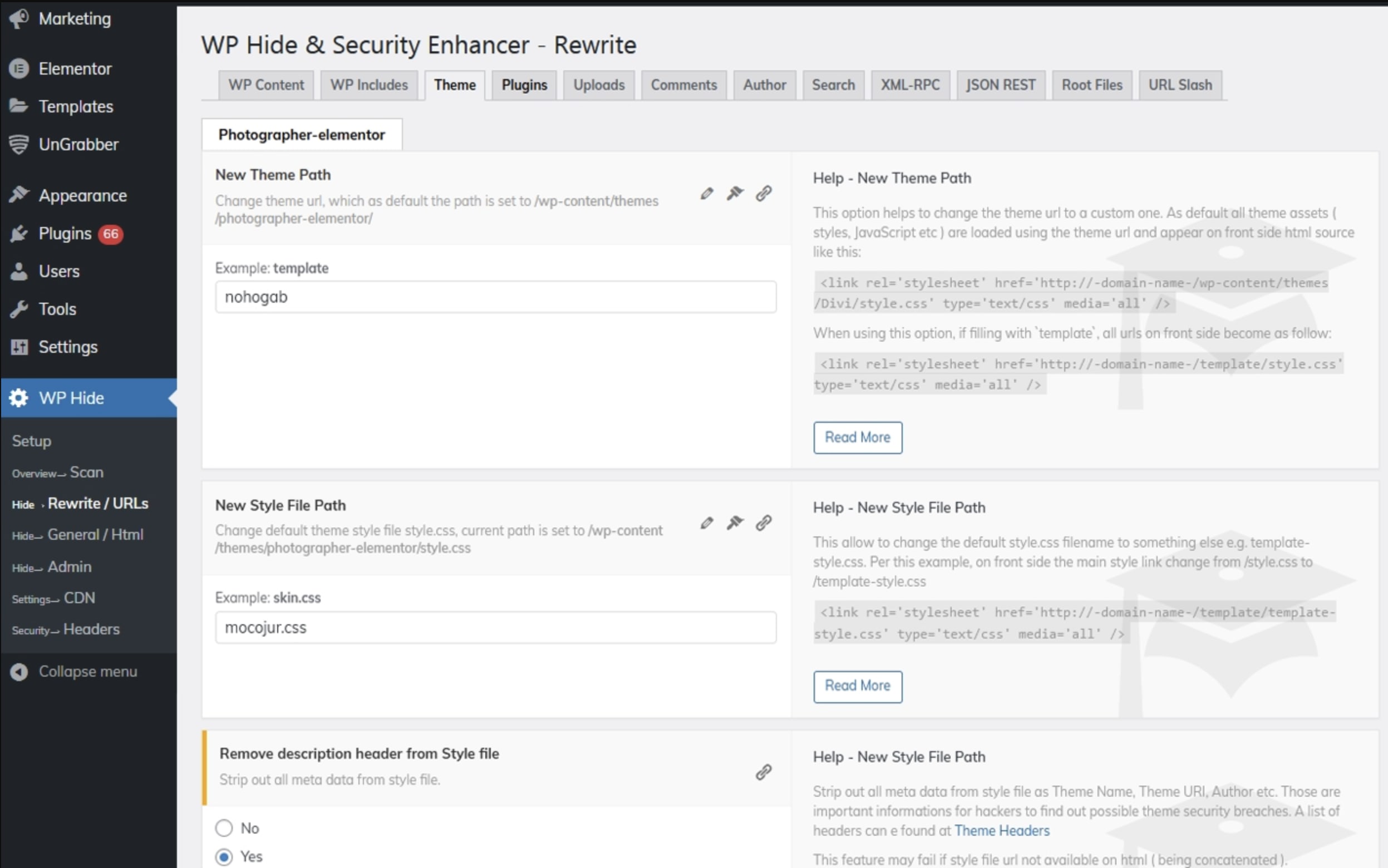
- Free plugin
- Offers multiple file-hiding and -blocking features
- Free plugin doesn’t favor sites with complex themes or plugins
- Free: $0
- Paid: $39/year
20. BBQ Firewall: Best advanced firewall protection
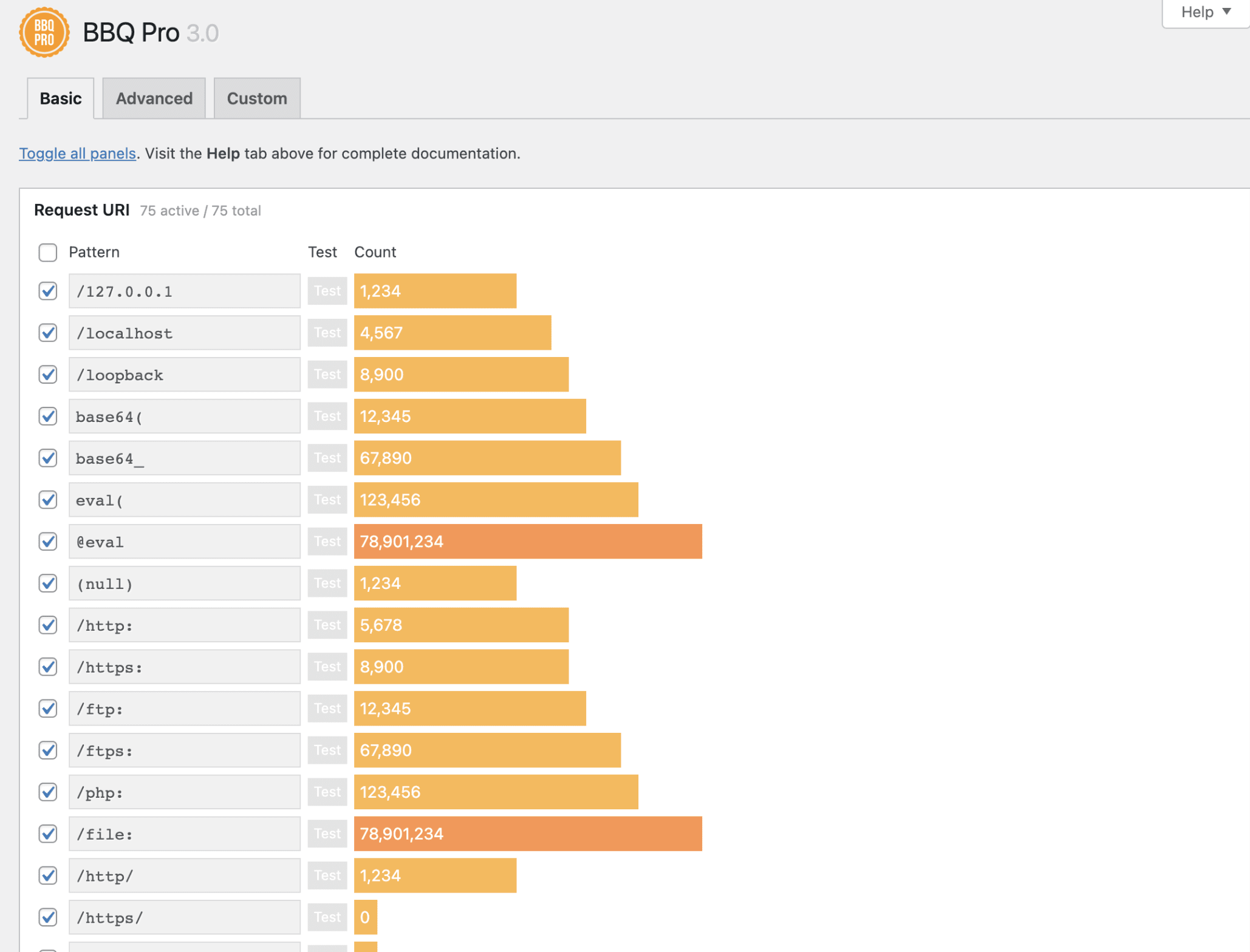
- Free plugin
- Blocks bad requests
- Firewall protection only in paid plan
- Free: $0
- BBQ Pro: Personal ($20/year per site), Business ($40/year per site), Advanced ($80/year per site), and Developer ($180/year per site)
How to choose the best WordPress security plugin
- Cost/pricing: Most plugins have a free version with basic or limited features and paid plans with advanced features. This helps you select a plugin that matches your needs and budget.
- Features: Check for standard security features like 2FA, malware scanner, activity logging, firewall, and login or brute force protection. However, some sites, like ecommerce stores, may need unique features, which you can check from the provider’s website before settling on a plugin.
- Ease of use: Go for a plugin that’s easy to use for your level of expertise and has a clean, user-friendly interface without complicated tools.
- Impact on server: Find a plugin that won’t drain server resources, which slows down your site’s performance and affects its SEO rankings and the overall customer experience. Some plugins run scans on their own servers to avoid slowing down your site.
- Support: Find a plugin with reliable, helpful, and friendly customer support 24/7/365, so you’re not stranded when your site breaks down.
Which WordPress security plugin is best for you?

Related Guides



About author
Elsier Otachi
Elsier writes data-driven content for tech-led brands and SaaS companies that gets them noticed online and truly delivers value.
