 October 7, 2026
 8 minute reading
Businesses rely on multiple tools to manage operations, from CRM systems to marketing platforms and internal communication tools. Moving data between these systems manually creates delays and increases the risk of errors.
Zapier is a no-code automation platform that connects apps and automates workflows. It allows businesses to define rules that move data between tools automatically, reducing manual work and improving operational efficiency.
In addition to traditional automation, Zapier now integrates artificial intelligence directly into workflows. This expands its capabilities beyond simple trigger-based automation into more adaptive, intelligent processes.
At a glance: What Zapier is and what it costs
- Zapier is a no-code automation platform that connects apps through trigger-and-action workflows called Zaps, which run continuously once activated.
- It works as a middleware layer using pre-built connectors, so businesses can link tools together without custom development.
- Pricing is task-based: each completed action counts as a task. The free plan is $0, Professional starts at $19.99 per month billed annually, and Team starts at $69.
- Zapier Copilot builds Zap structures from a plain-language description, which lowers the setup cost for teams without technical staff.
- Zapier Agents go further, working from a goal and a set of permitted actions rather than a fixed trigger-action path, with human approval recommended for critical steps.
- Fiverr connects businesses with process automation specialists who design and structure Zapier workflows that scale.
What Is Zapier and What Does Zapier Do?
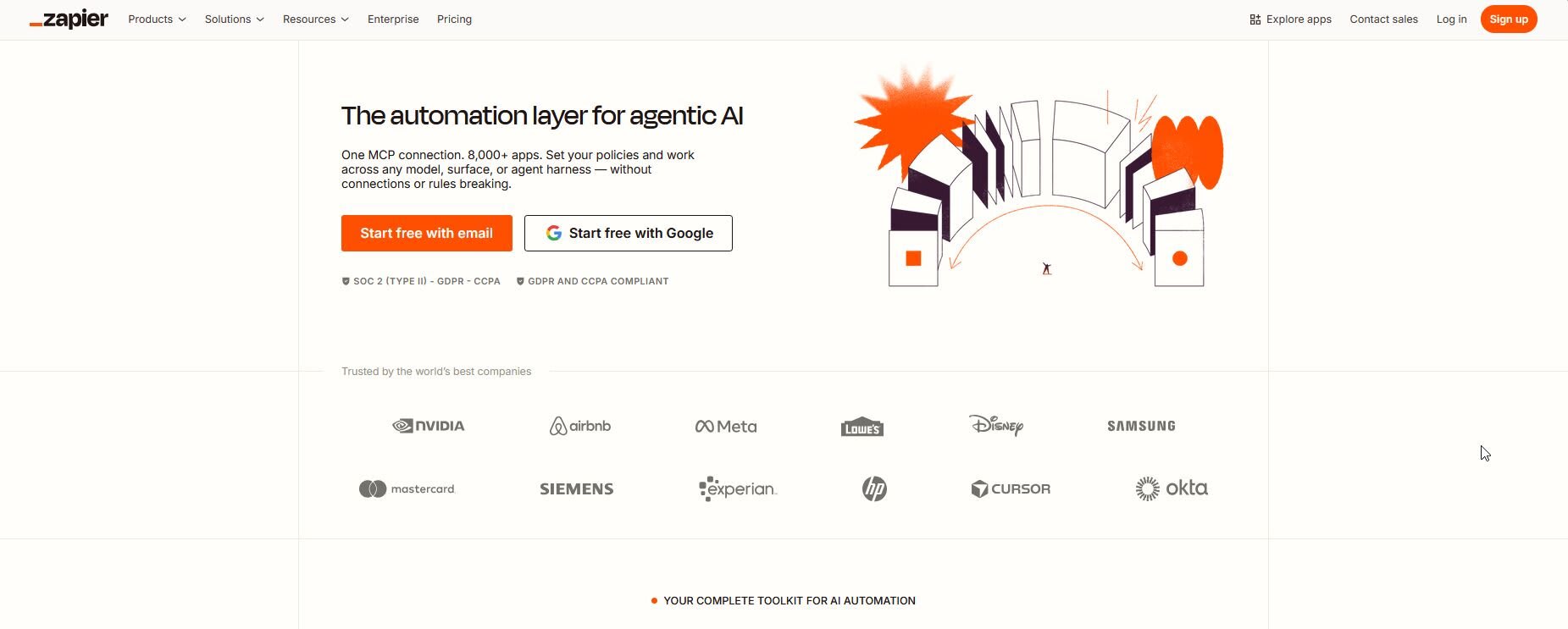
Zapier is a cloud-based platform that enables applications to communicate and share data automatically.
At a basic level, Zapier works through:
- Triggers, which start a workflow
- Actions, which perform tasks in response
These workflows are called “Zaps.” Once activated, they run continuously in the background.
Zapier’s core function is to eliminate repetitive manual tasks. For example, when a new lead is submitted through a form, Zapier can automatically send that data to a CRM, notify a team, and update internal records.
With the addition of AI, Zapier can now also interpret data, suggest actions, and assist in building workflows using natural language.
How Zapier Works in Practice
Zapier acts as a middleware layer between applications. Instead of building custom integrations, businesses use pre-built connectors to link tools together.
A typical workflow includes:
- A trigger event in one app
- Zapier detecting that event
- One or more automated actions in other apps
Each action counts as a task, which directly impacts Zapier pricing and overall cost.
Zapier supports thousands of integrations across business tools. This allows companies to create unified systems without custom development.
Zapier With AI Integration
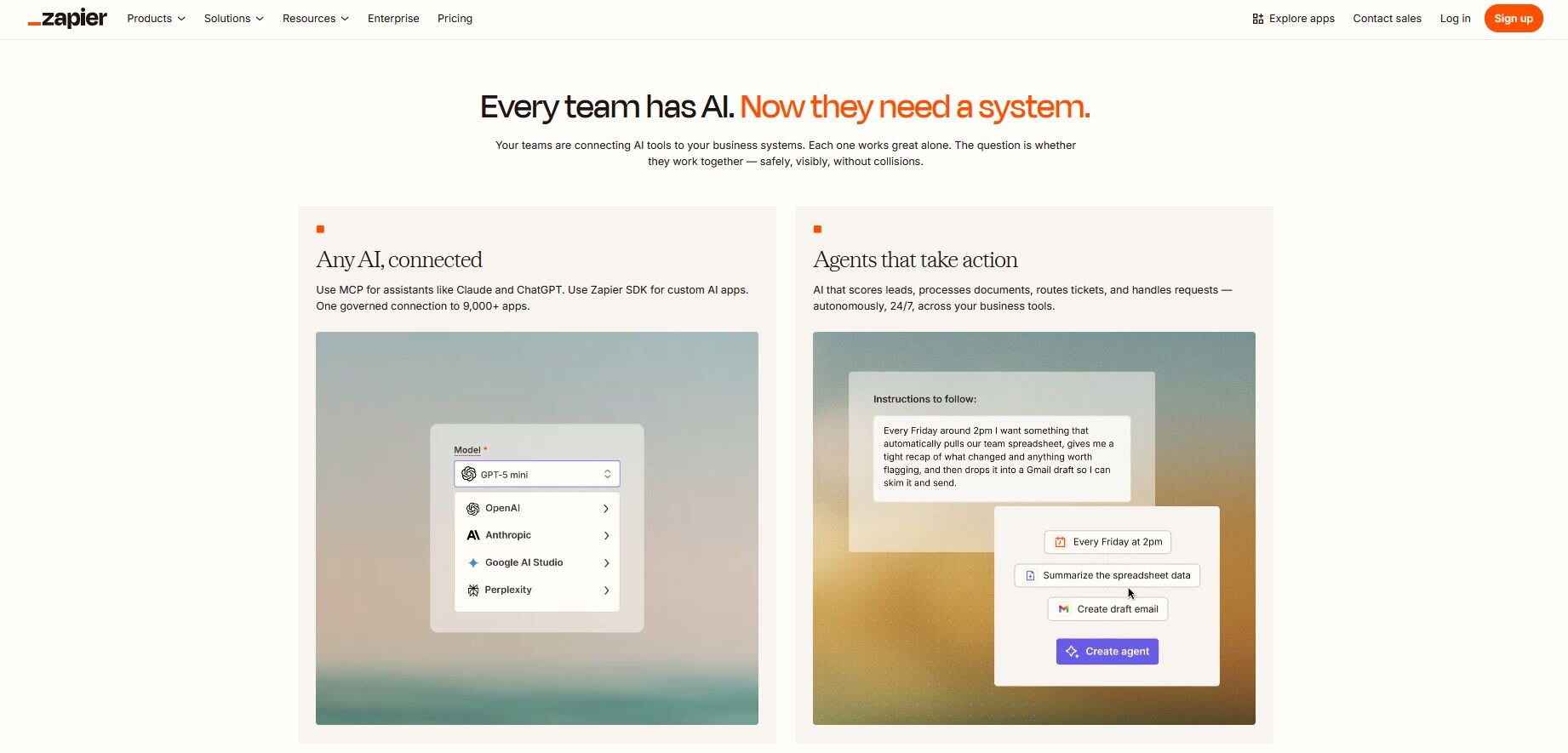
Rule-based automation is useful, but it has a hard ceiling. If the data doesn't match the condition, the workflow stops. Zapier's AI features are designed to push past that ceiling by adding interpretation, generation, and decision-making directly into workflows.
The most visible piece is Zapier Copilot, an AI assistant built into the workflow editor. Instead of manually selecting triggers, actions, and field mappings, you describe what you want in plain language and Copilot builds the Zap structure. For teams without dedicated operations or technical staff, this meaningfully lowers the cost of setting up and maintaining automation. Copilot can also modify existing workflows, suggest field values, and explain what individual components do, which makes iteration faster for anyone maintaining Zaps over time.
Beyond the builder, AI can be embedded as a step inside any Zap. This is where it gets more practically useful. A workflow that captures a form submission could summarize the response before routing it, classify the inquiry and send it to the right team, or generate a draft reply without any human in the loop. These aren't theoretical use cases, they're applications of the AI actions Zapier has made available as standard workflow steps.
Zapier Agents extend this further. They are configured with a goal, a set of permitted actions, and access to connected apps. Within those boundaries, they can pull data, make decisions, and execute tasks without a trigger-action structure, operating more like an assigned role than a fixed workflow. For critical actions, Zapier recommends building in human approval steps before the agent proceeds.
For businesses, the practical implication is that workflows no longer have to be rebuilt every time conditions change. An Agent handling lead enrichment, for example, can adapt its behavior based on what the data actually says rather than what a static filter anticipated.
Zapier Copilot vs. AI actions vs. Agents
Copilot
AI actions
Agents
What it does
Builds Zaps from plain language
Adds an AI step inside a Zap
Works from a goal, not a trigger
Where it sits
In the workflow editor
Inside an existing workflow
Across connected apps
Autonomy
Assists you building
Runs as a defined step
Decides and executes within limits
Example
Describe a Zap, it structures it
Summarize or classify a submission
Handle lead enrichment end to end
Common Business Use Cases for Zapier
Zapier eliminates repetitive manual work by connecting your tools and automating workflows in real time. Instead of moving data between apps, teams can focus on actual revenue-generating tasks.
- Lead management automation: Automatically send web form submissions to your CRM, notify sales reps, and log leads in tracking systems instantly.
- Marketing automation & personalization: Trigger targeted email campaigns based on user behavior (e.g. purchases or abandoned carts) and use AI to generate personalized follow-ups automatically.
- Internal operations & data syncing: Keep teams aligned by syncing data across tools, updating dashboards, and notifying stakeholders in real time, without manual input.
- Customer support automation: Automatically route, prioritize, and escalate tickets to reduce response time and eliminate manual triage.
- Content & workflow approvals: Use AI to review submissions, flag issues, and assign the right reviewers, reducing back-and-forth and speeding up approvals.
Zapier’s impact scales quickly across organizations.
Zapier Pricing and Cost Explained
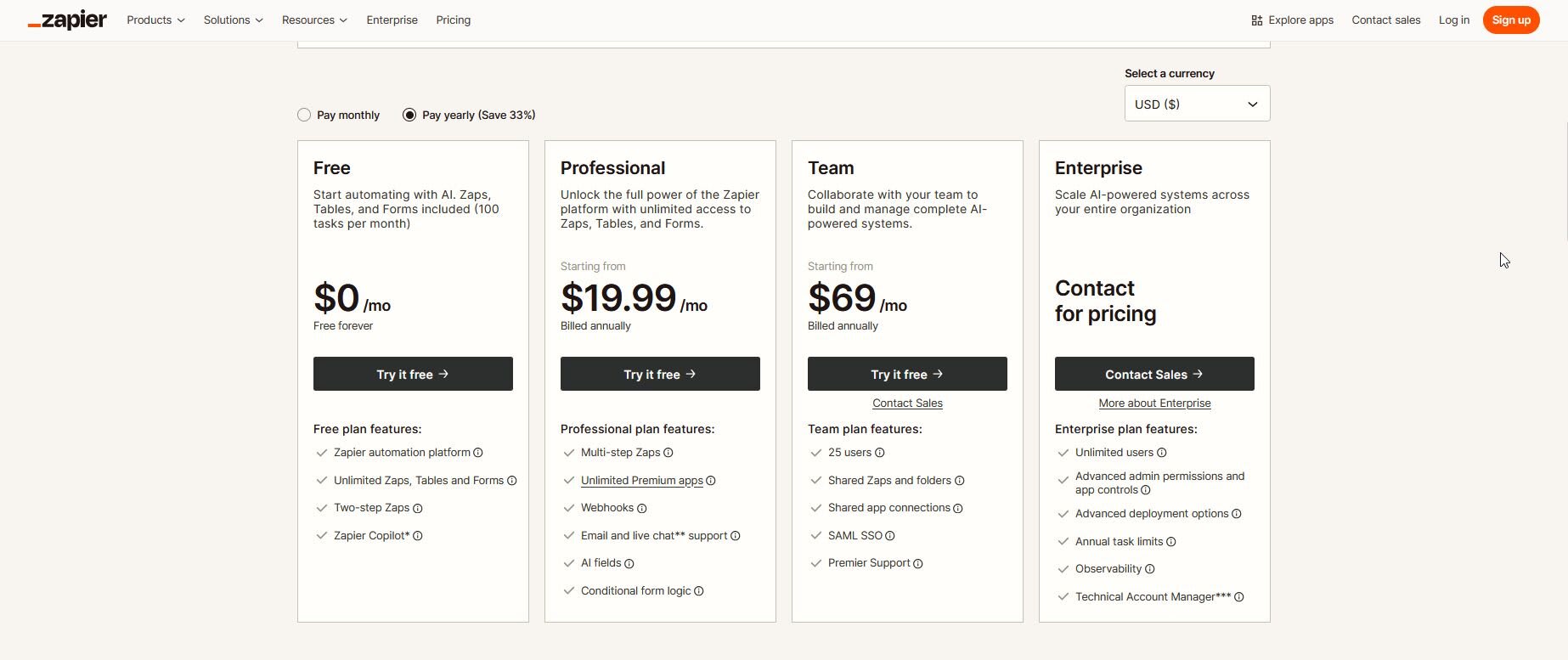
Zapier uses a task-based pricing model. Each completed action within a workflow counts as a task.
Overview of Zapier pricing
According to Zapier’s official pricing page:
Plan
Price
Billing
Suited to
Free
$0/month
—
Limited task volume, trying it out
Professional
From $19.99/month
Billed annually
Growing individual or small team use
Team
From $69/month
Billed annually
Shared workflows across a team
Enterprise
Custom pricing
Custom
Large-scale or governed deployments
How Zapier cost scales
Zapier cost depends on task usage.
- A single-step workflow uses one task
- Multi-step workflows consume multiple tasks per execution
As automation volume increases, businesses may need higher-tier plans.
Using Fiverr to Build and Optimize Zapier Workflows
Building effective automation requires more than connecting apps. Poorly designed workflows can create inefficiencies instead of solving them.
Fiverr connects businesses with process automation specialists who design and implement automation systems tailored to specific operational needs. Whether the goal is to integrate multiple platforms, automate lead management, or introduce AI into workflows, experienced professionals can structure solutions that scale.
For more complex or business-critical automation projects, Fiverr Pro provides access to vetted experts, structured hiring support, and project oversight.

FAQs
Zapier is used to automate workflows between applications. It connects tools and executes actions automatically when specific events occur, reducing manual data handling and improving efficiency.
Related Guides



About the author
Fiverr Team
Fiverr is a leading digital freelance solution on a global scale, providing you with access to high-quality, specialized, and diverse human talent on an AI-enhanced platform. We pride ourselves on being the best place to get the most value for your budget—whether you’re part of a startup or Fortune 500, whether you need help on a simple task or complex project.
