Collaborate with top freelance coders
Partner with skilled freelance software developers to take your technical projects to new heights. From web applications to software solutions, we've got you covered.
We used a simple two-step process to determine the best tools.
Step 1—Research: We first made a shortlist of tools based on a combination of first-hand experience and pure research. We looked for things such as pricing, general capabilities, reviews, and overall features.
Step 2—First-Hand Testing: After that, we tested each tool to get a feel for how it works.
Marketing speak is great for getting sales, but we wanted to know first-hand if the tool was useful for everyday needs.
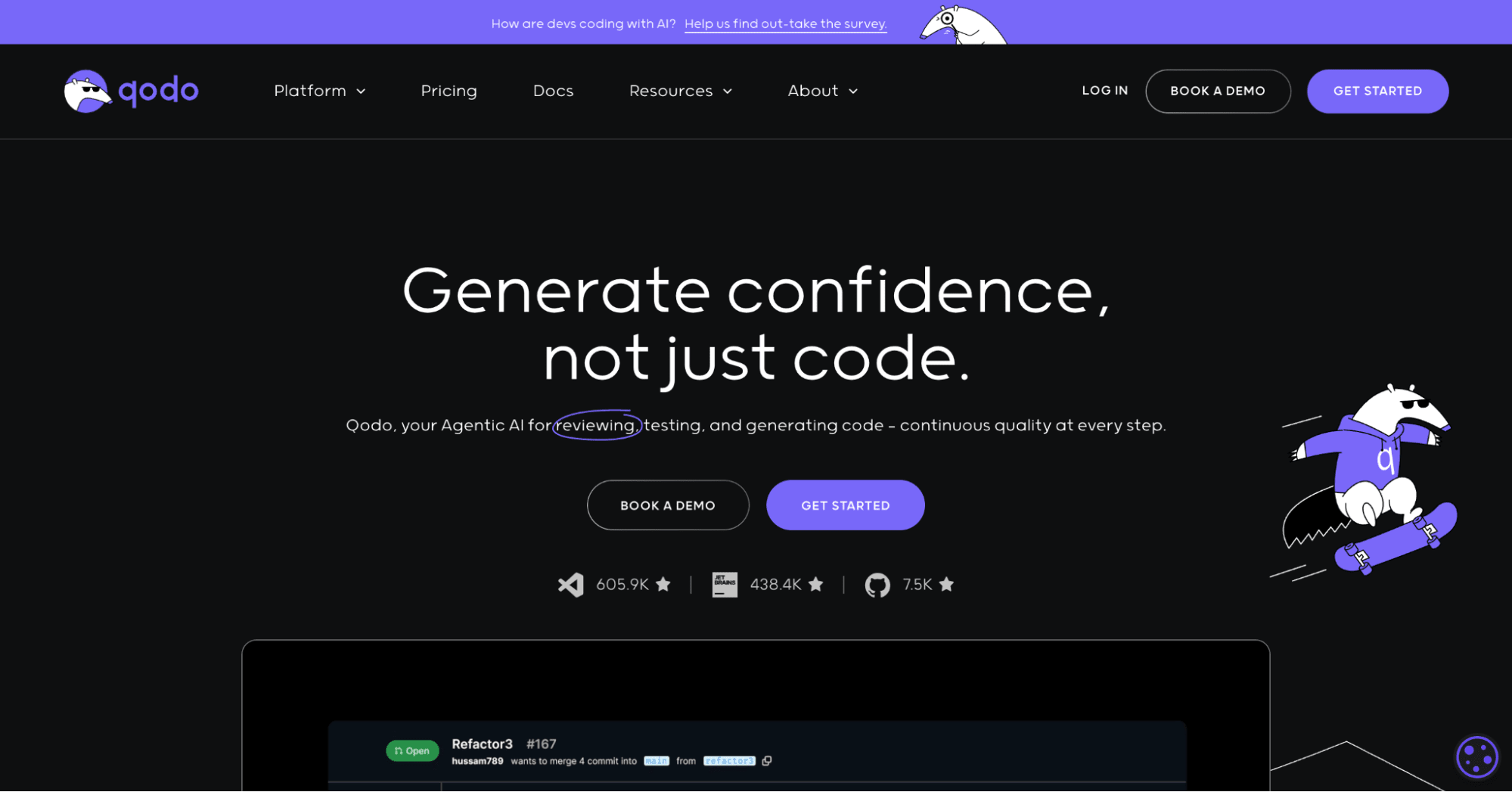
1. Qodo
Qodo used to be called Codium. Unfortunately, another AI coding tool on the market was called Codeium (with an e), and both tools ended up rebranding.
Qodo is an AI-driven coding platform that integrates directly into Git platforms such as GitHub, GitLab, and Bitbucket, as well as with the following development environments:
Visual Studio Code from Microsoft
JetBrains
PyCharm
IntelliJ
WebStorm
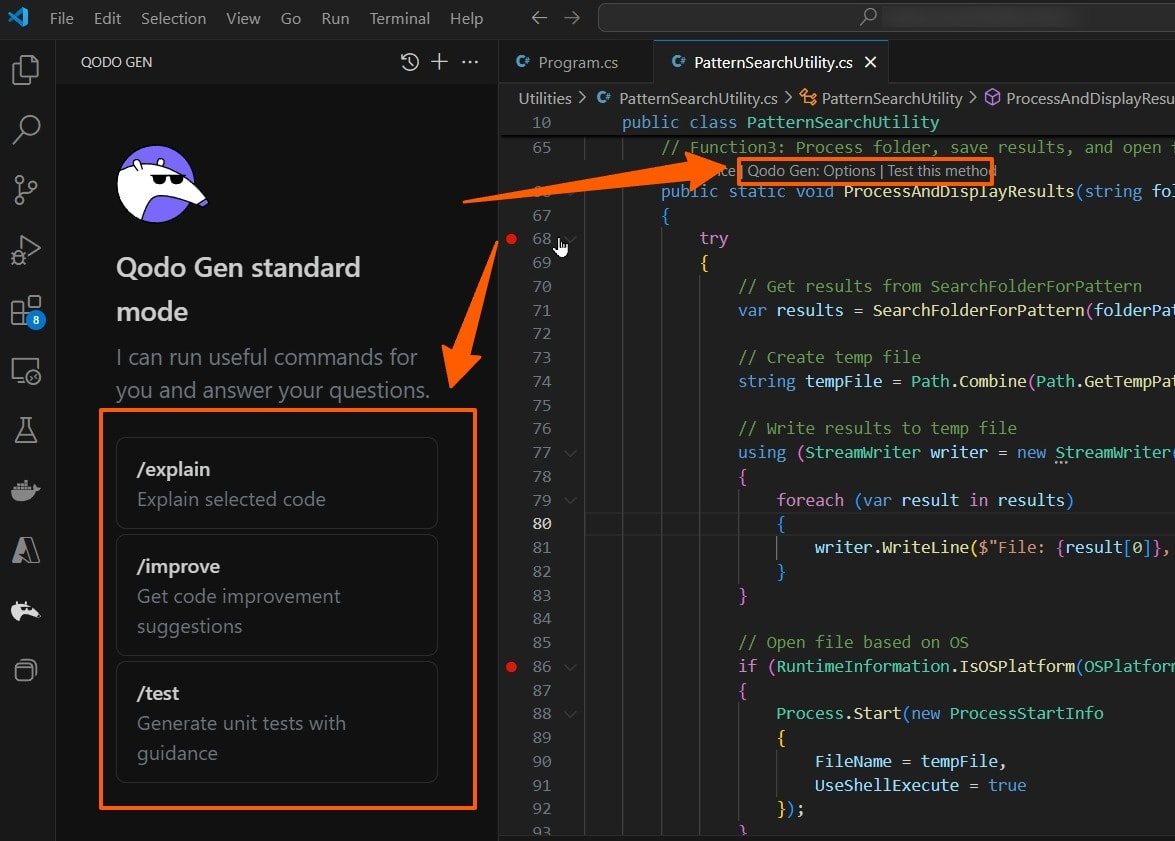
Qodo provides AI agents, AI chats, and test workflows. The extension explains code, writes unit tests, or improves code you’ve written, as shown below in Visual Studio Code:
Visual Studio Code and Qodo
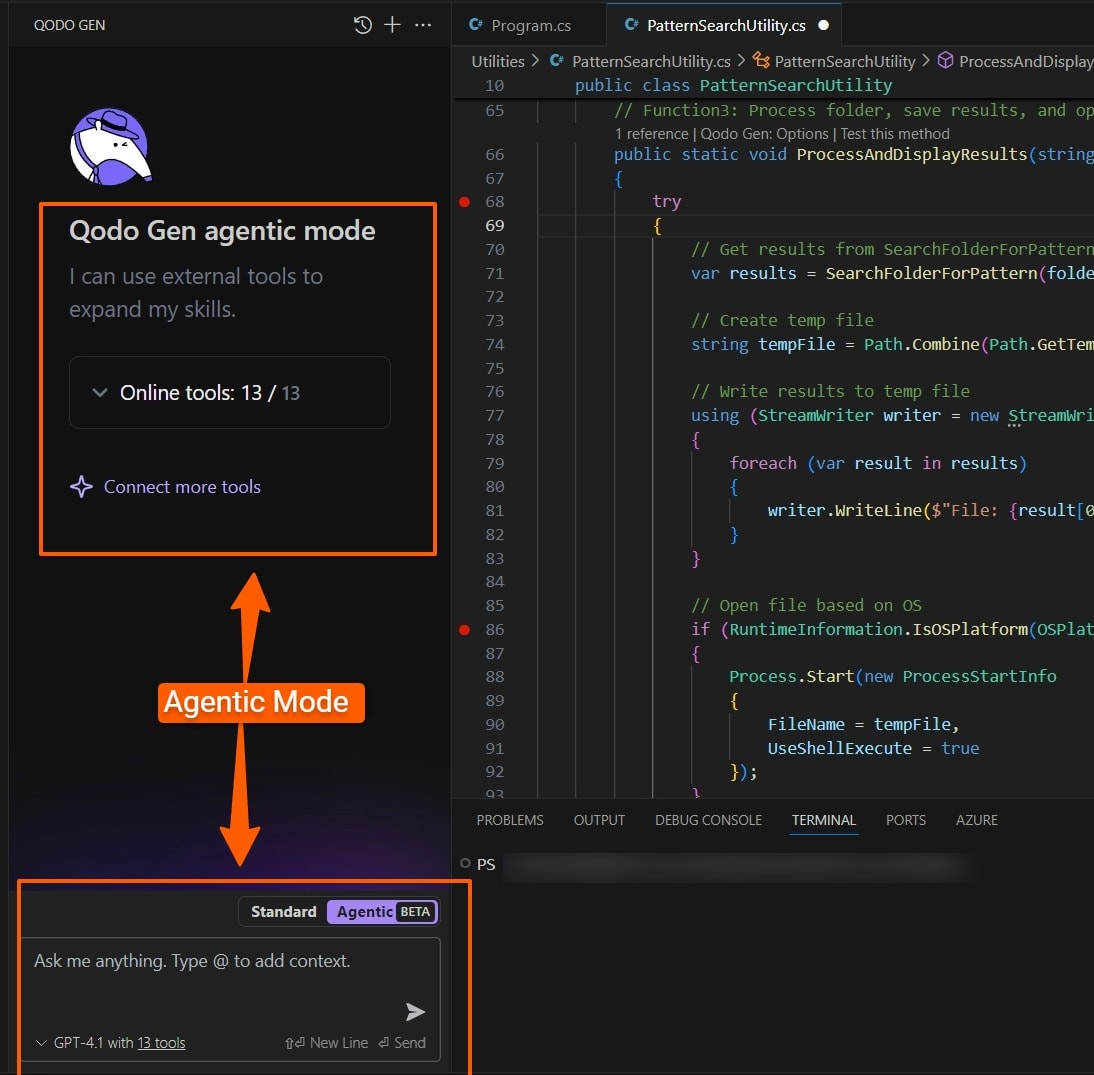
You can add files and folders to your query and even enable agentic mode to have it generate entire sections of code. You can choose which AI model you want to use for agentic mode, such as GPT-4.1, Claude 3.7 Sonnet, Gemini 2.5 Pro, DeepSeek R1, and others.
Visual Studio Code and Qodo
We gave it the following command to create a social media app for us using agentic mode:
“Create a Flutter social media app for a local club with all basic social media functionality (following, posting images, login, profile, feeds, etc). Create all the necessary Flutter code to interact with an agnostic back-end.”
We’re not big fans of agentic coding, especially if you’re not a coder. An overreliance on fully automated coding can lead to serious security issues and technical debt. Although it might feel like you’re saving time by getting AI to generate all the necessary files for you, it’s still necessary to go over those files manually to ensure they’re correct. It’s often harder to spot poor code when you’re reviewing it instead of writing it yourself.
Qodo’s website suggests they feel the same way about agentic coding, where they say, “AI-powered coding isn’t just about generating new code—it’s about understanding, retrieving, and working with existing code efficiently.” Qodo’s agentic AI created several files for us, which looked decent as boilerplate code to get you started. The project lacked basic dependencies to get going, so you’d either need to keep querying Qodo for help with that or get a Fiverr software developer to help you.
Qodo can also create use case tests for your code.
We were divided on the usefulness of this feature. Qodo generated plenty of tests, including for potential edge cases, which is useful for keeping errors down.
Some of the other features that Qodo offers are:
Code review before commits through Qodo Merge
Qodo coverage to expand test coverage for your codebase
Code refactoring
Code embedding, where you essentially train a large language model (LLM) on your codebase so it can efficiently work with it.
Qodo is free for developers who only need 250 messages a month. The team version costs $15 per user.
Overall opinion: Qodo is a great tool for teams and enterprise-level users who need extensive AI coding support and want to go all-in with AI development.
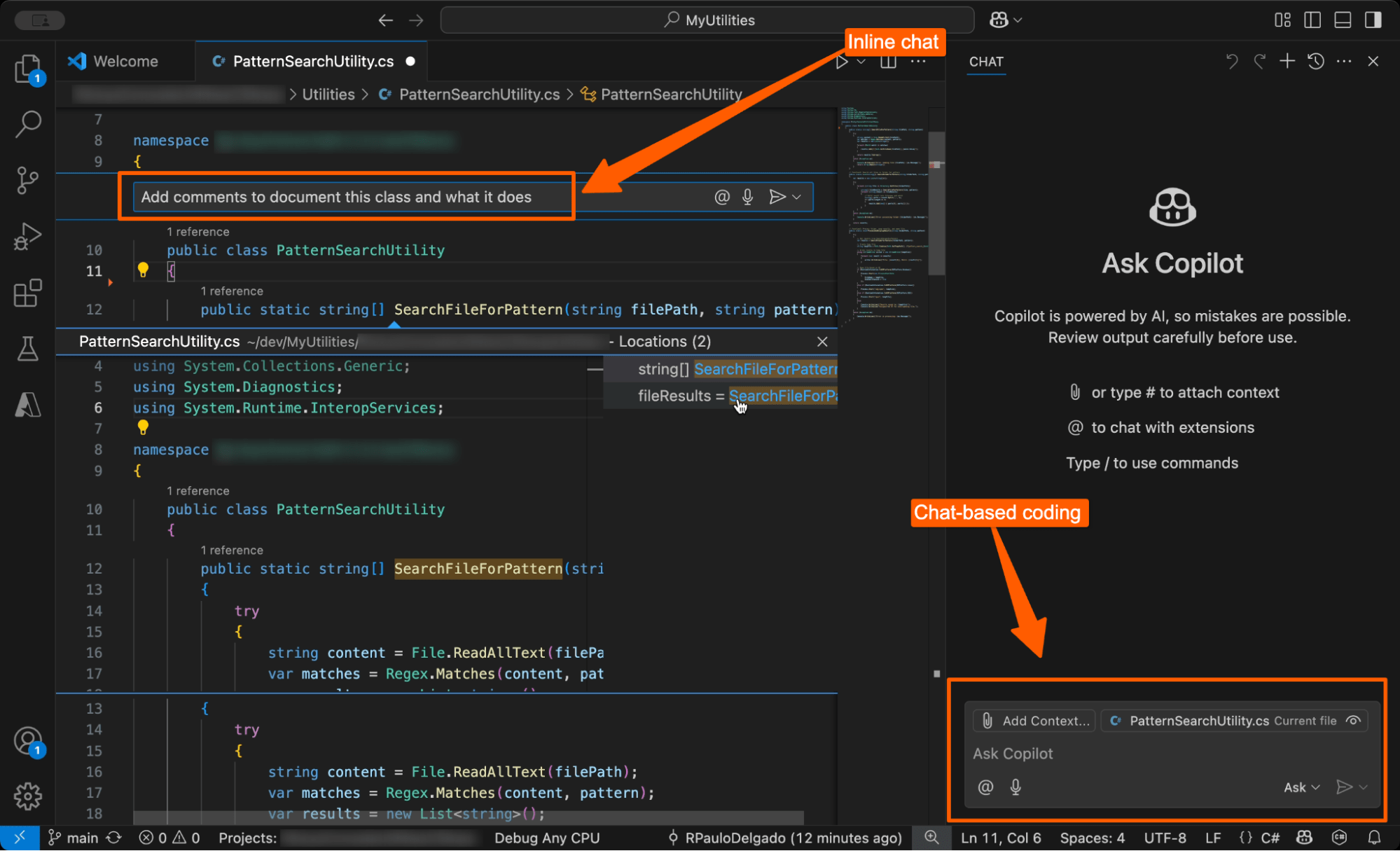
2. GitHub Copilot
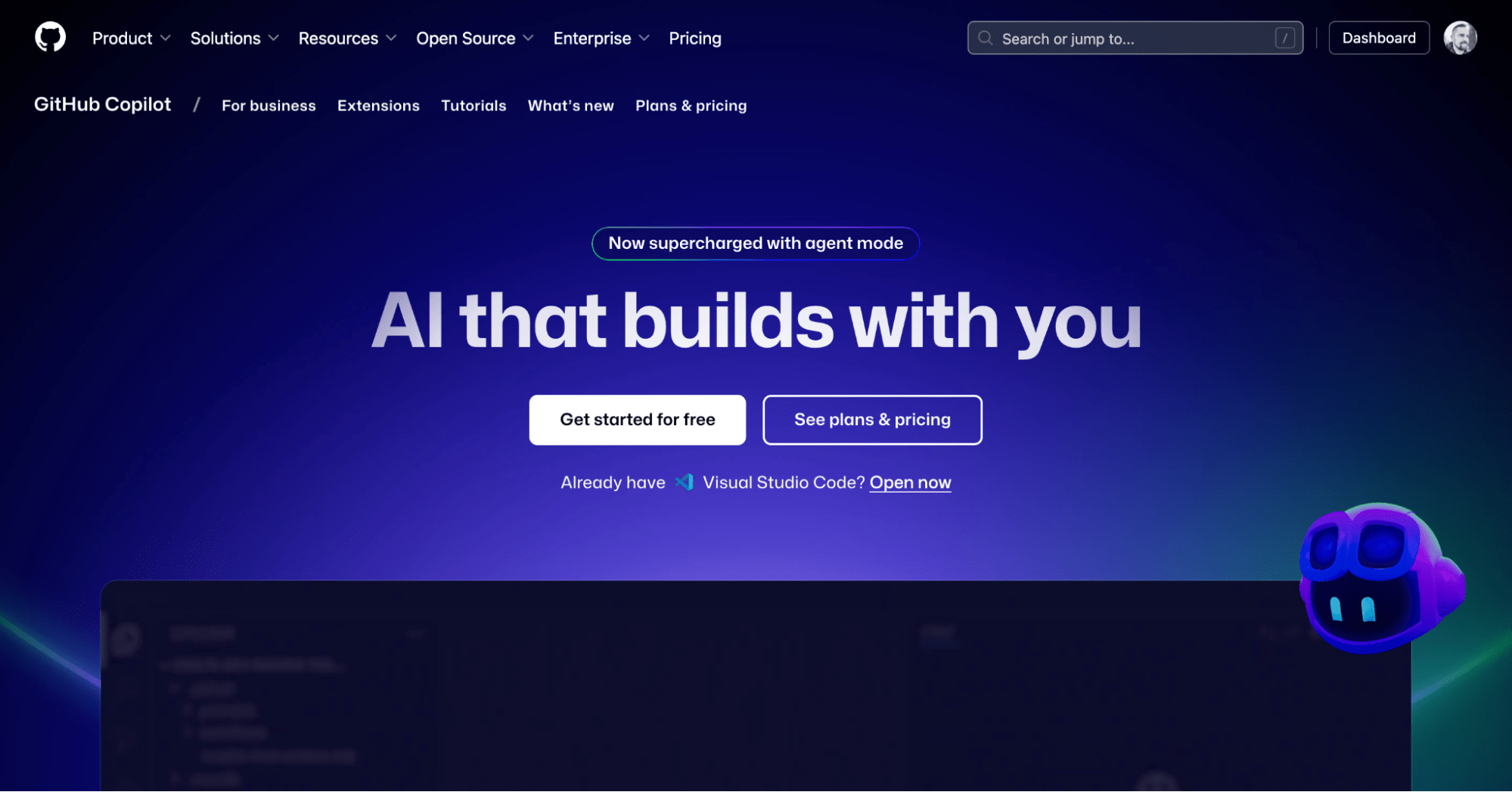
GitHub Copilot is an AI-powered coding assistant that forms part of the GitHub ecosystem. It integrates into IDEs (integrated development environments) like Visual Studio Code, Visual Studio, JetBrains, Xcode, Azure Data Studio, and others.
GitHub Copilot acts as a virtual pair programmer. It offers real-time code suggestions based on the code you’re writing, and it responds to prompts to generate code.
Visual Studio Code and GitHub Copilot
The inline chat feature is smooth, and you can approve or reject generated code suggestions.
Visual Studio Code and GitHub Copilot
You can choose between various models when prompting, including OpenAI, Anthropic, and Google models. All model providers have committed to not using your prompts for model training. GitHub Copilot now also includes an agent mode where it can iterate on its responses to create more complete code solutions. You can also feed it an image, and it’ll generate the UI and code for it. The free plan gives you 50 chat requests or agent modes each month, whereas the $10 plan gives you unlimited chats with GPT-4o and access to other models and their code review feature.
Overall opinion: GitHub Copilot is great for people who want easy-to-access AI assistance but aren’t focused on AI taking over the entire software development process. However, we struggled to find it more useful than simply using an online chatbot like ChatGPT, Claude, or Grok.
3. Tabnine
Tabnine is a contextually aware AI-powered coding assistant. It works with all the major IDEs, including GoLand, PhpStorm, Rider, PyCharm, AppCode, and many others.
It supports all the major programming languages, provides code reviews, and also offers code scanning to check for copyright and other potential intellectual property issues with your code.
Tabnine costs $9 per month, and they offer a free trial.
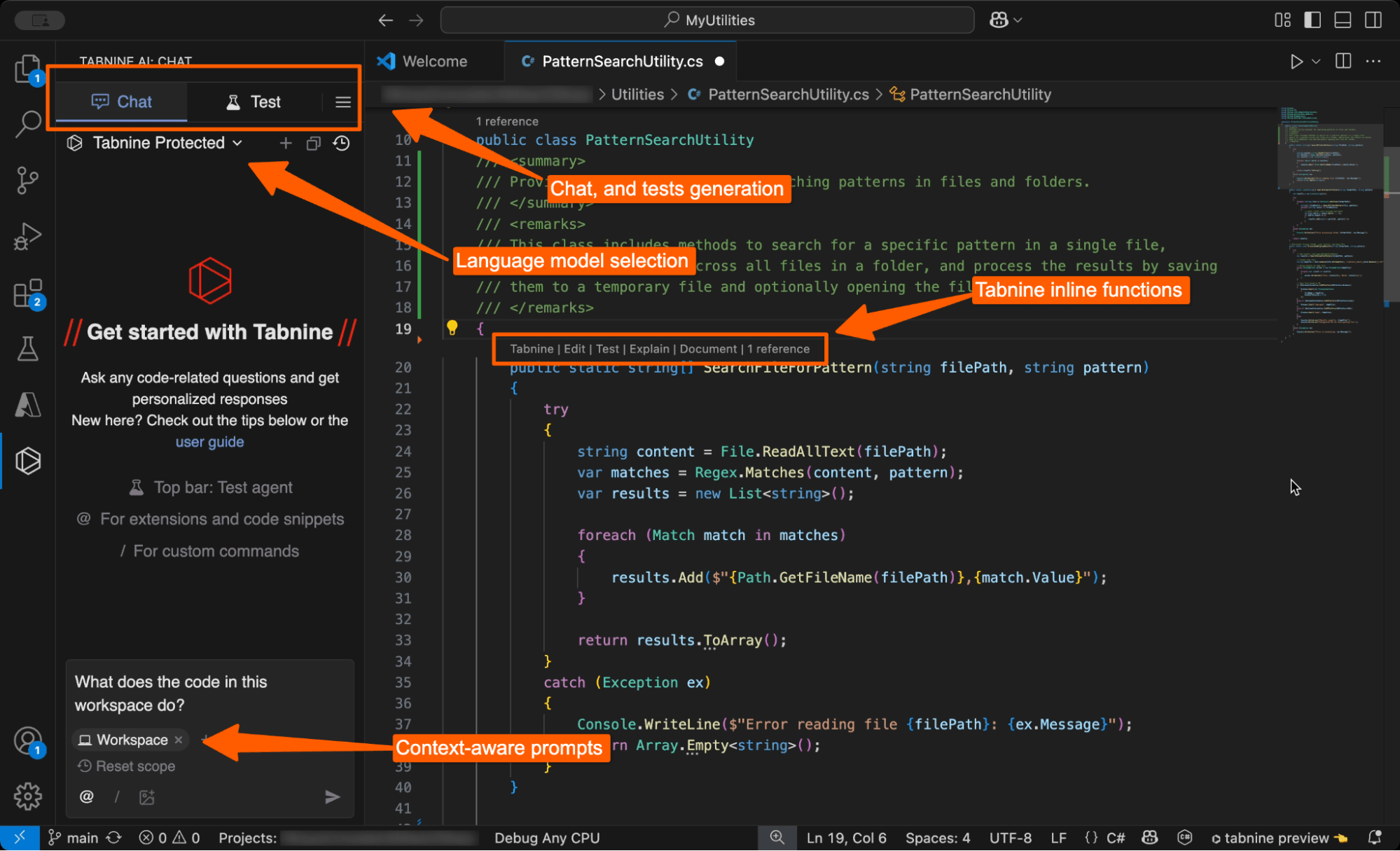
After installing Tabnine, it immediately started indexing our codebase, something that GitHub Copilot didn’t do. We queried it to ask what the codebase does, and it answered relatively well, but missed a few things, which it then added when we prompted about them specifically.
Visual Studio Code and Tabnine
Tabnine had more one-click solutions than GitHub Copilot, which we liked. You can just click the inline suggestions above a method or class to perform routine actions, such as generating tests or code documentation.
Its test generation feature is solid, and it generated excellent tests for us with a single click.
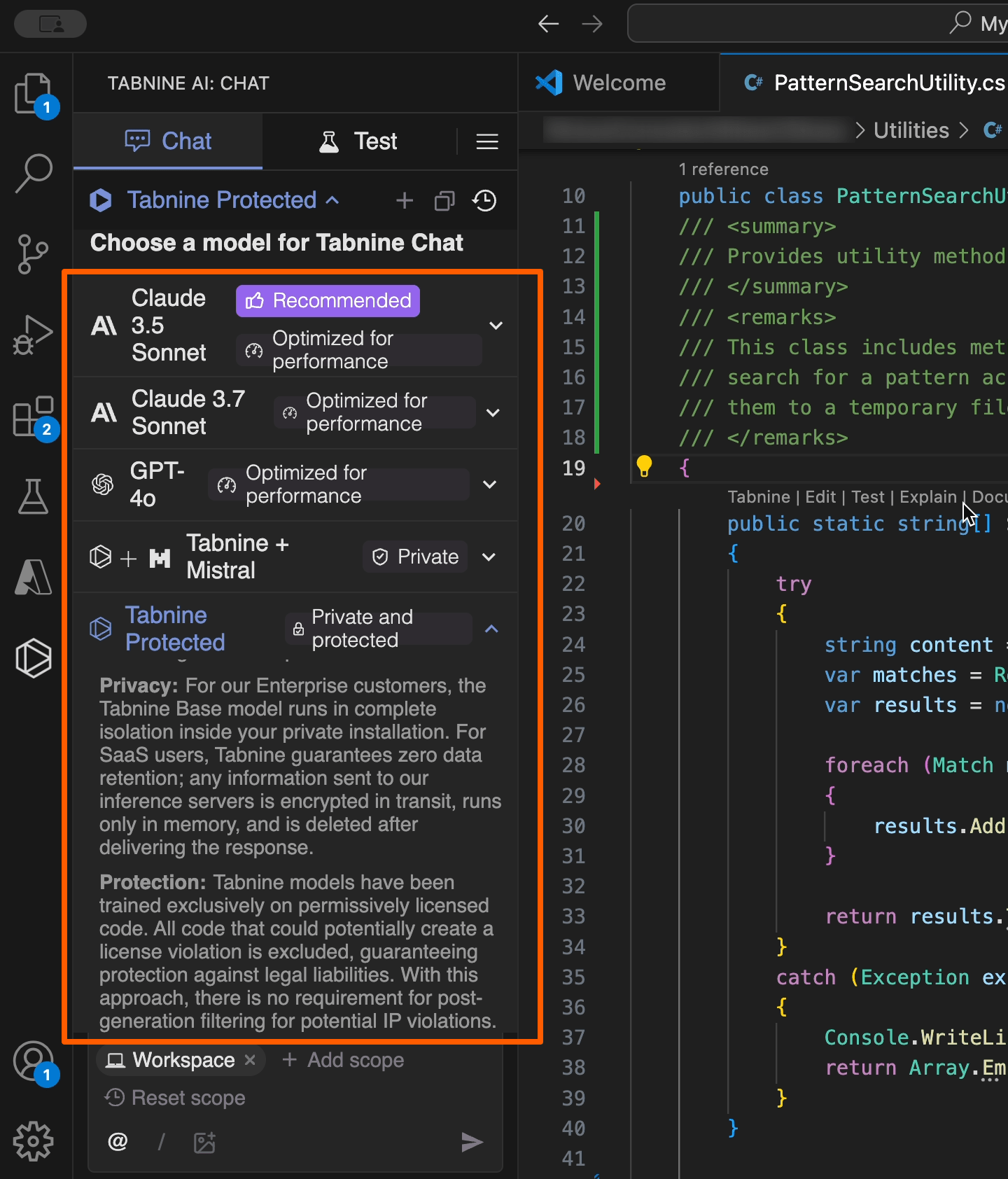
Tabnine has strong business appeal because of its model selection feature, which includes a “Tabnine Protected” machine learning model that was trained solely on permissively licensed code. Using the Tabnine Protected model gives companies added security that the code they’re using isn’t protected by IP laws. Still, to be completely certain your AI-generated code doesn’t infringe on copyrights, you might want to invest in AI consulting to advise you on ways to build in AI guardrails to prevent this. Visual Studio Code and Tabnine
Overall opinion: Tabine is a powerful, all-around AI coding solution. It indexes your codebase and can give you direct answers to many questions. However, the functionality comes at a performance cost. If you’re using a low-end computer, Tabnine might make the development environment feel sluggish.
4. Amazon Q Developer (previously Amazon CodeWhisperer)
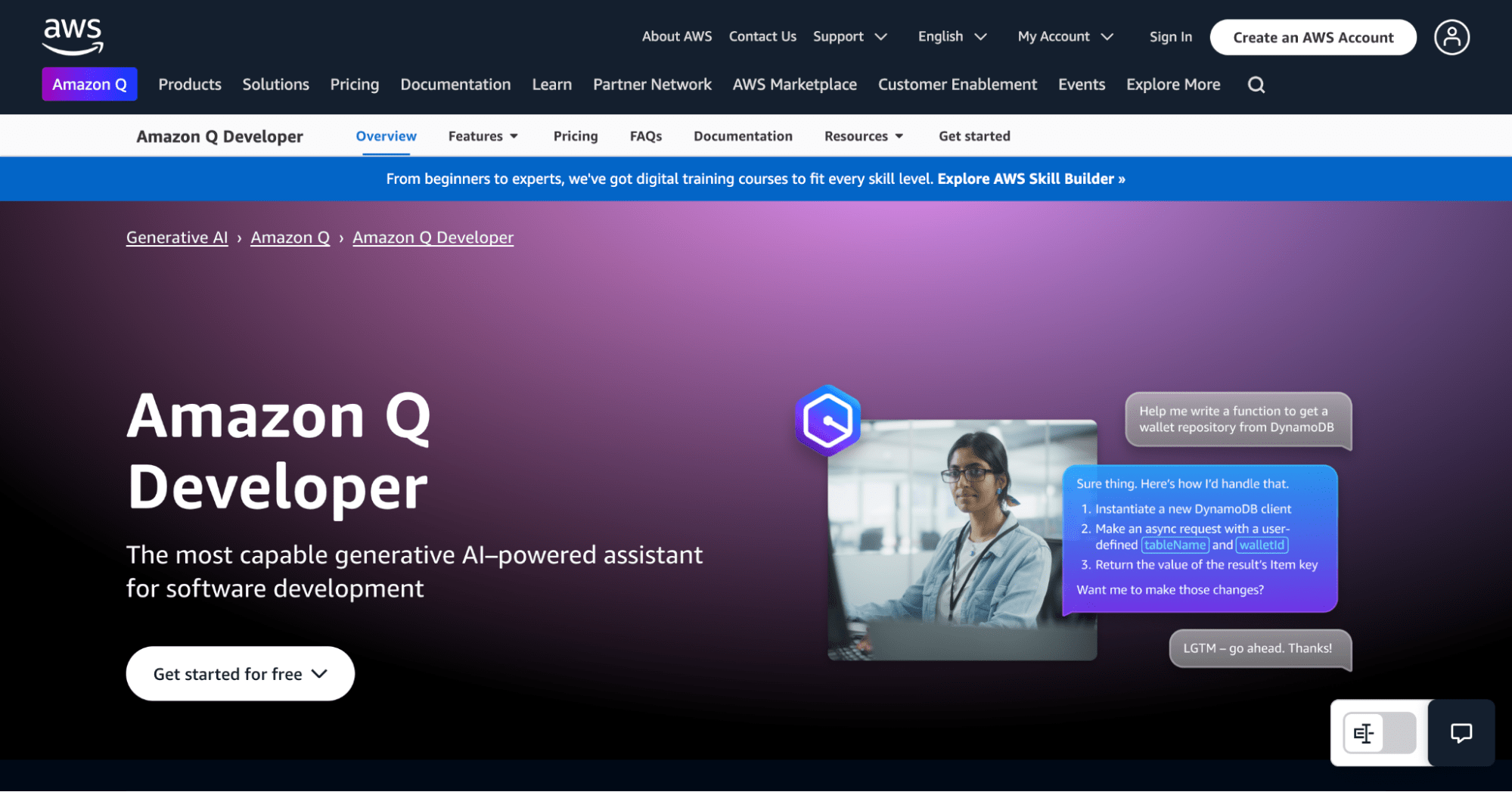
Amazon Q Developer is a conversational AI assistant designed to help you across the full gamut of AWS applications. It includes Amazon CodeWhisperer, a code generator powered by machine learning.
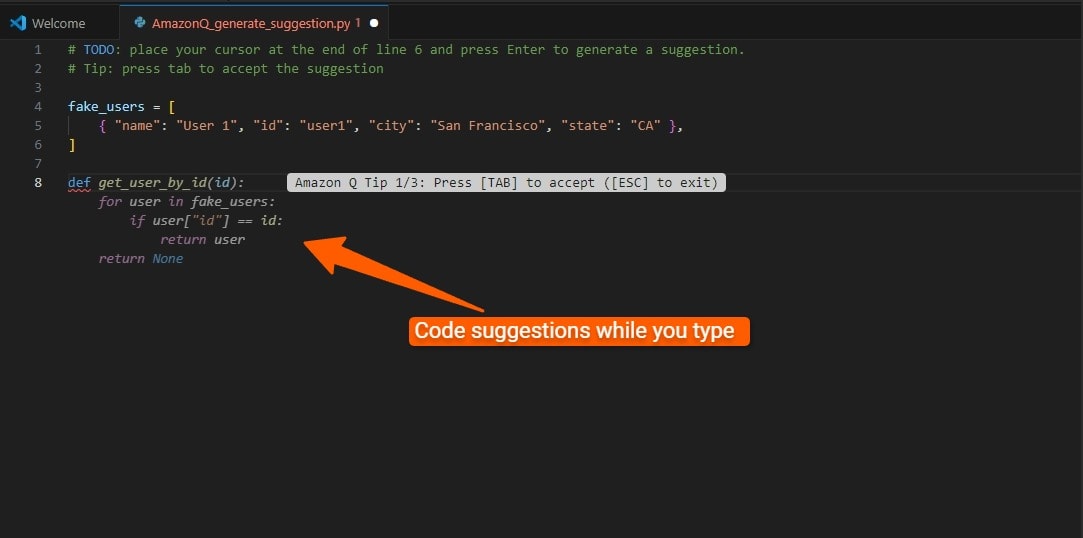
CodeWhisperer suggests code inside your IDE as you write it. It also scans your code for potential security issues or other code weaknesses. You can write comments inside your code file, and then CodeWhisperer generates the code based on the comment.
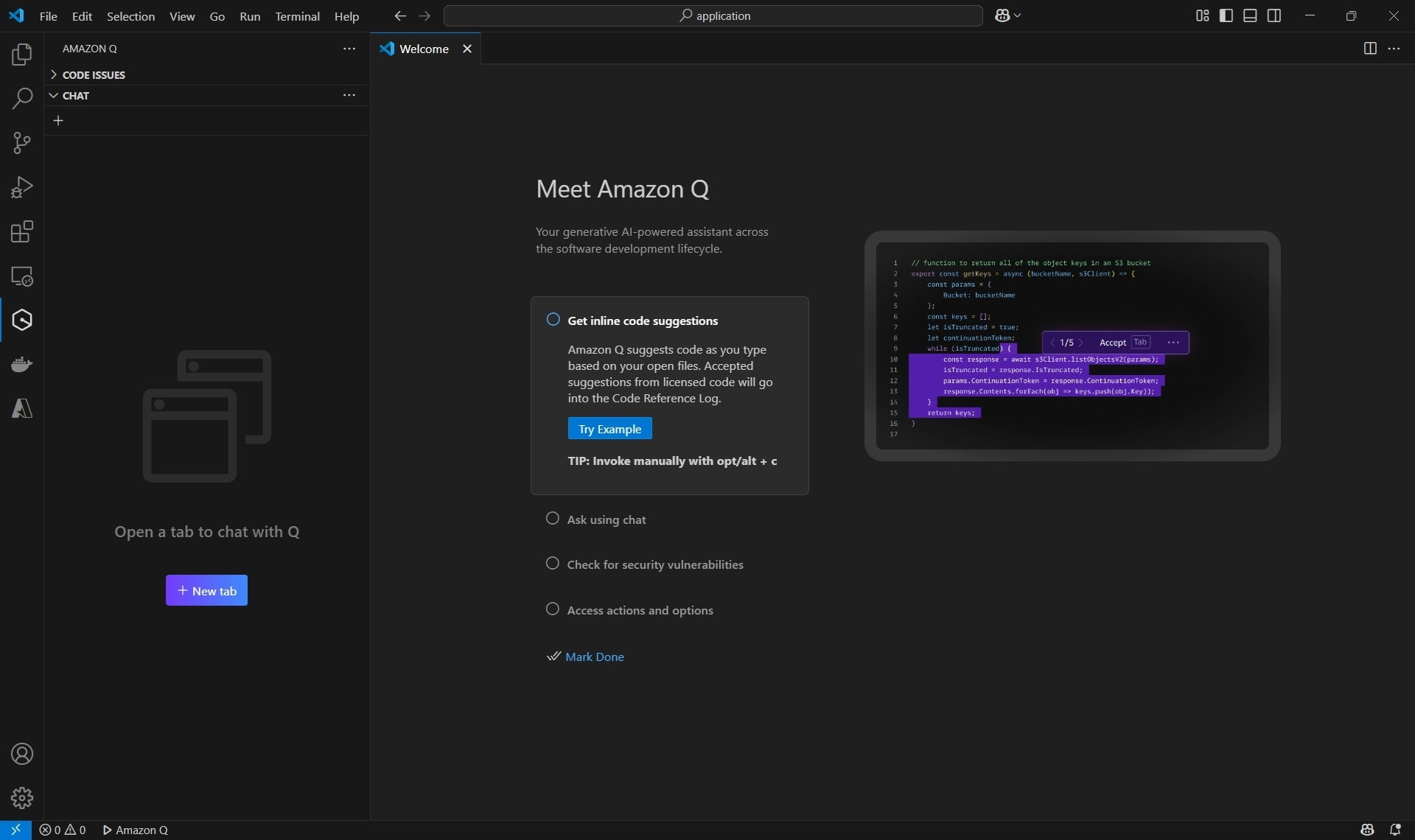
Its agent feature enables you to generate code across your entire project, generate documentation, perform an AI code review, create unit tests, and upgrade entire Java applications. Visual Studio Code and Amazon Q Developer
Amazon Q’s inline code snippets are smooth. You start typing, and Amazon Q suggests snippets and code completions as you go along.
Visual Studio Code and Amazon Q Developer
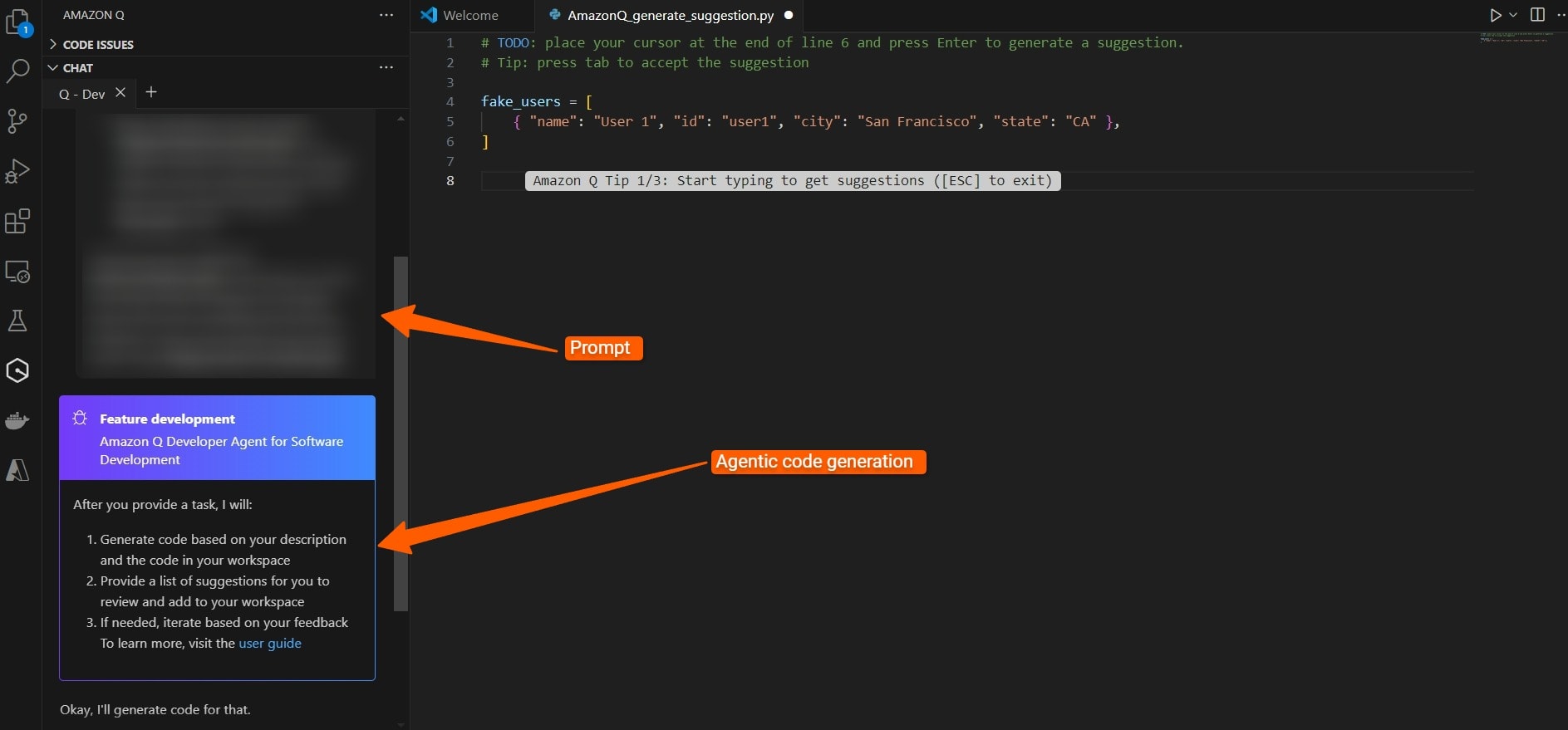
We tested its agentic coding capabilities to automate solving a detailed requirement for a project.
Unlike other tools, Amazon Q didn’t make a show and dance about generating code. Other tools like to show the code being generated in real-time, which might look like a cool movie, but it adds processing time. Amazon Q analyzed the codebase and then provided a detailed response.
Visual Studio Code and Amazon Q Developer
Despite the complexity of the task, the generated code was robust and solved our problem.
Amazon Q Developer has a limited free tier, which lets you test its features. Any developer will ultimately need the paid tier, which is $19 per month.
Overall opinion: Amazon Q is a powerful, all-around AI coding assistant suitable for small and large tasks. It’s also easy on computer resources despite its immense capabilities. Highly recommended.
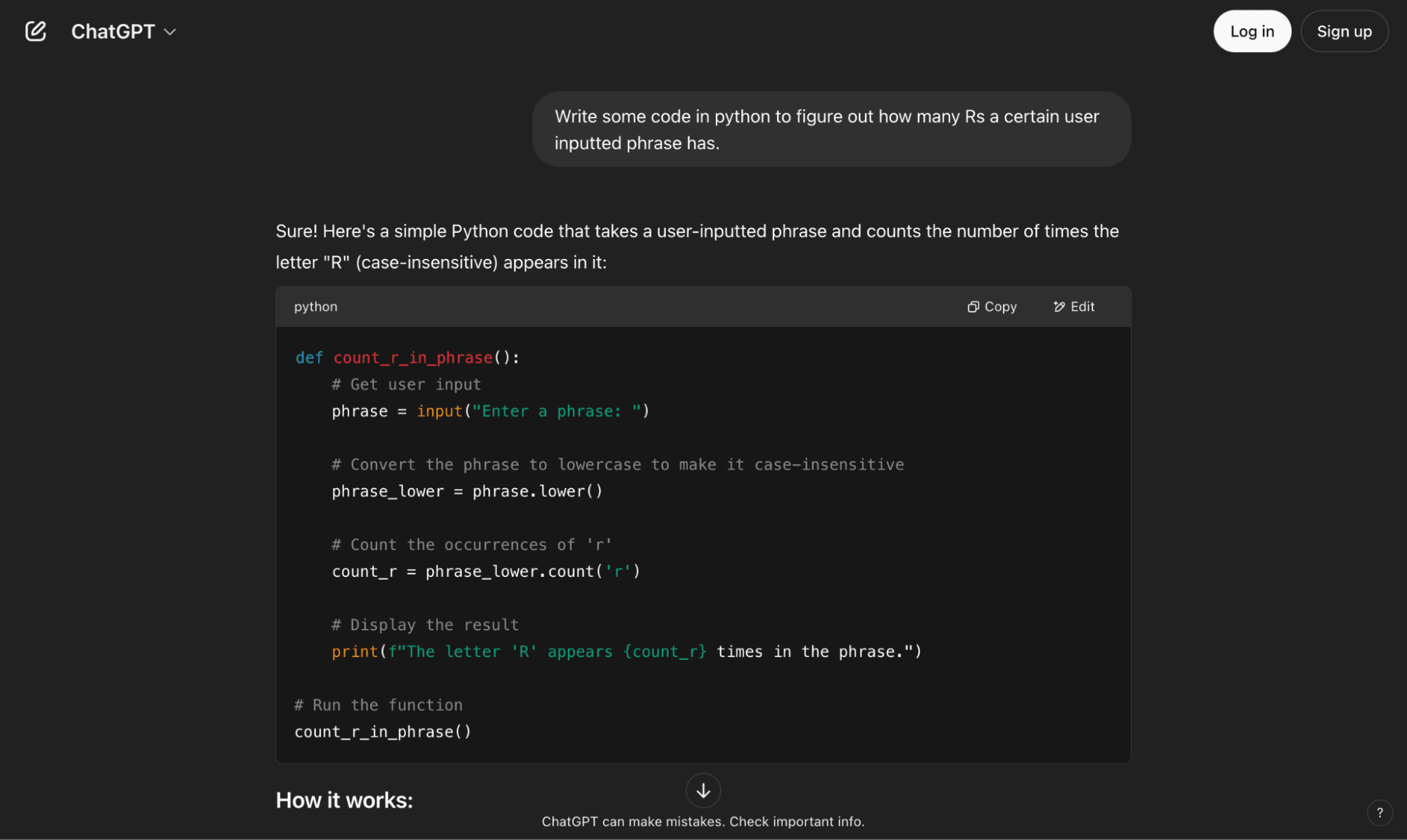
5. ChatGPT
ChatGPT has been trained extensively on online code bases, making it a powerful coding companion to streamline productivity.
ChatGPT powers many of the tools on our list, but if you want to use it directly in your browser, you can do it by copying and pasting code snippets.
Although this might feel counterintuitive, it has its benefits. The tools on our list that integrate into an IDE eventually sometimes feel intrusive, wanting to complete every single code line, and wrestle the power away from the programmer.
AI is best used as an assistant, not as the primary driver.
Keeping ChatGPT as a separate entity to your workflow lets you focus on the task at hand.
ChatGPT has a limited free tier, and its paid tier costs $20 per month.
Overall opinion: ChatGPT provides excellent code suggestions and debugging assistance. It has larger context windows now than it used to, so you can include more code for your queries.
However, if you want something that will act on your entire codebase’s context, you’ll have to integrate ChatGPT with in-house tools or use one of the other tools on our list that use ChatGPT in the back-end. 6. Cody by Sourcegraph
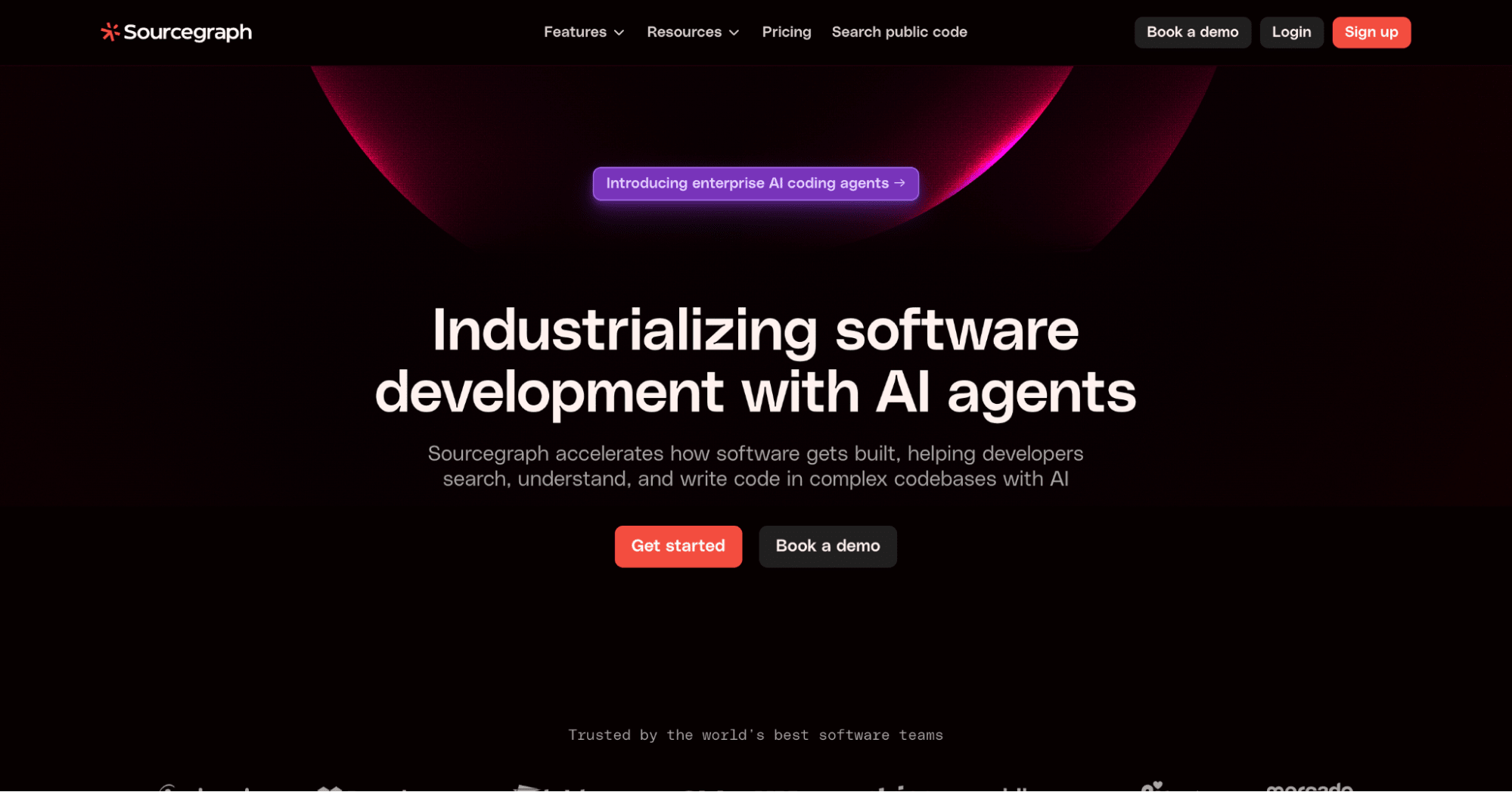
Sourcegraph is an advanced code search and code intelligence platform designed to help developers search, understand, and write code efficiently, especially within large and complex codebases.
Its coding assistant is called Cody, and it integrates with all the popular IDEs. Sourcegraph has multiple pricing tiers, from free with limited chats to an enterprise tier that allows batch code changes and other advanced tools.
To use Sourcegraph’s advanced search capabilities, you’ll need the Enterprise Starter Tier, which is $19 per user per month.
It’s aimed at enterprises with massive codebases but can also be used by individual developers.
Like many other tools, you can choose from one of several LLMs. Cody supports models from OpenAI, Anthropic, and Google. All
One feature we loved was that Cody lets you highlight code in the editor, which it then automatically adds as context into the chatbox.
Overall Opinion: From an end-user perspective, Cody feels very similar to Tabnine, Amazon Q, and Qodo, in that it provides chat functionality, agentic capabilities, contextual answers, and so on.
Cody felt more responsive than these other tools. For everyday coders, choosing one or the other of these tools will likely come down to pricing and user experience. For enterprises, the choice will depend more on code security and other enterprise-specific features, such as Cody’s advanced code-searching capabilities.
Find a Python tutor for hire
7. Cursor
Cursor differs from other tools in that it’s a standalone code editor instead of an extension for an existing IDE. It gained attention earlier this year as an agentic coding tool capable of creating entire apps.
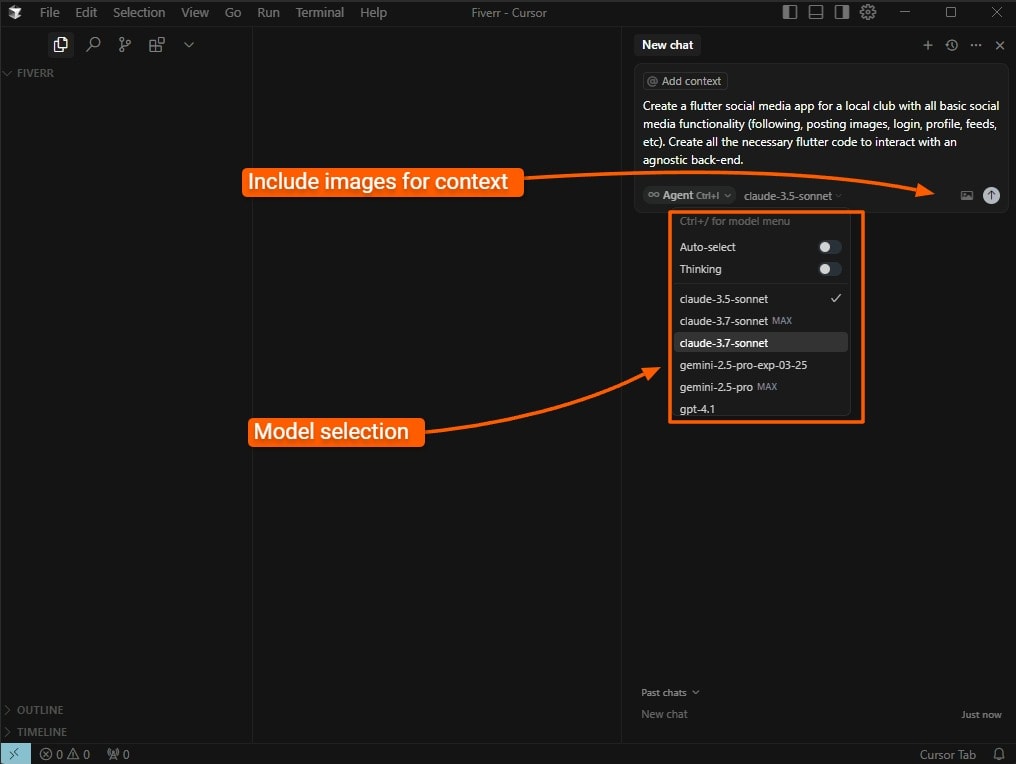
The AI IDE can run terminal commands, find context based on your entire codebase, autocomplete code snippets, and predict code. You can also drag and drop images into the chat for context.
You can easily reference your code or search the web for answers directly inside the chat. It also offers a Privacy Mode where your code is never stored remotely.
Cursor was developed as a fork from Visual Studio Code, so it looks and feels like Visual Studio Code. You can also use VS Code extensions inside it.
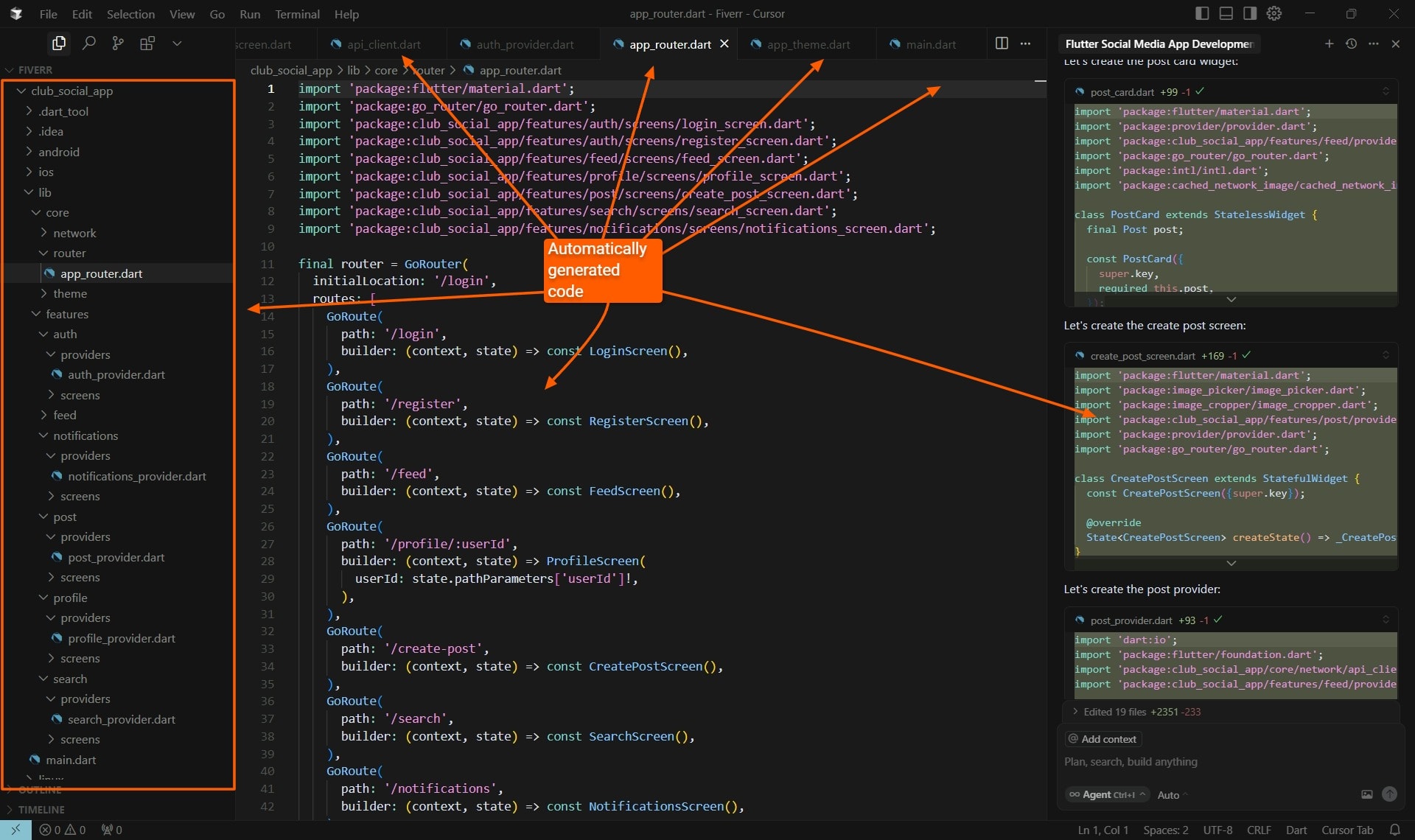
We asked it to create a basic Flutter app, and the result was impressive. It did everything from generating the necessary terminal command to initiate the app to creating theme files and the entire project’s architecture. Although this code would need to be verified, the time-saving for this basic structure can be massive. Visual Studio Code and Cursor
Visual Studio Code and Cursor
Cursor’s greatest strength is also its greatest weakness—operating independently from another IDE. However, switching IDEs is a major move, especially because developers often spend years tweaking their favorite IDE with extensions and settings.
When we installed Cursor, it found our VS Code settings and projects, making it easier to use both IDEs. You could switch to Cursor when you need major agentic code changes, then go back to your other IDE when you’re done.
Still, switching between IDEs is frustrating and defeats the purpose of it being an integrated development environment, where everything you need to code is at your fingertips.
Cursor has three tiers, including a free tier. Most professional developers will be satisfied with the Pro (mid) tier. The Business (top) Tier offers more privacy controls and other features for teams.
Overall opinion: Cursor is a powerful and slick tool. We see it as an essential tool for getting a project started more rapidly.
Eventually, you’ll need an experienced software developer to check any AI-generated code if you intend to use it in production.
8. Replit
Replit is a cloud-based IDE that lets you develop apps with AI, and it supports full agentic mode. They also have a desktop version for Windows, macOS, and Linux.
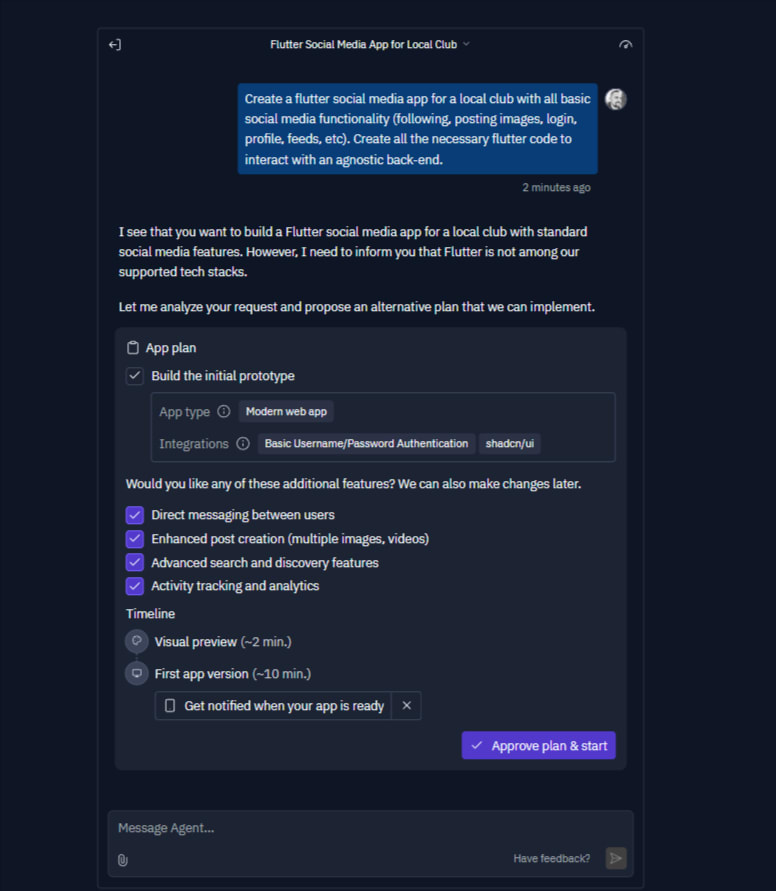
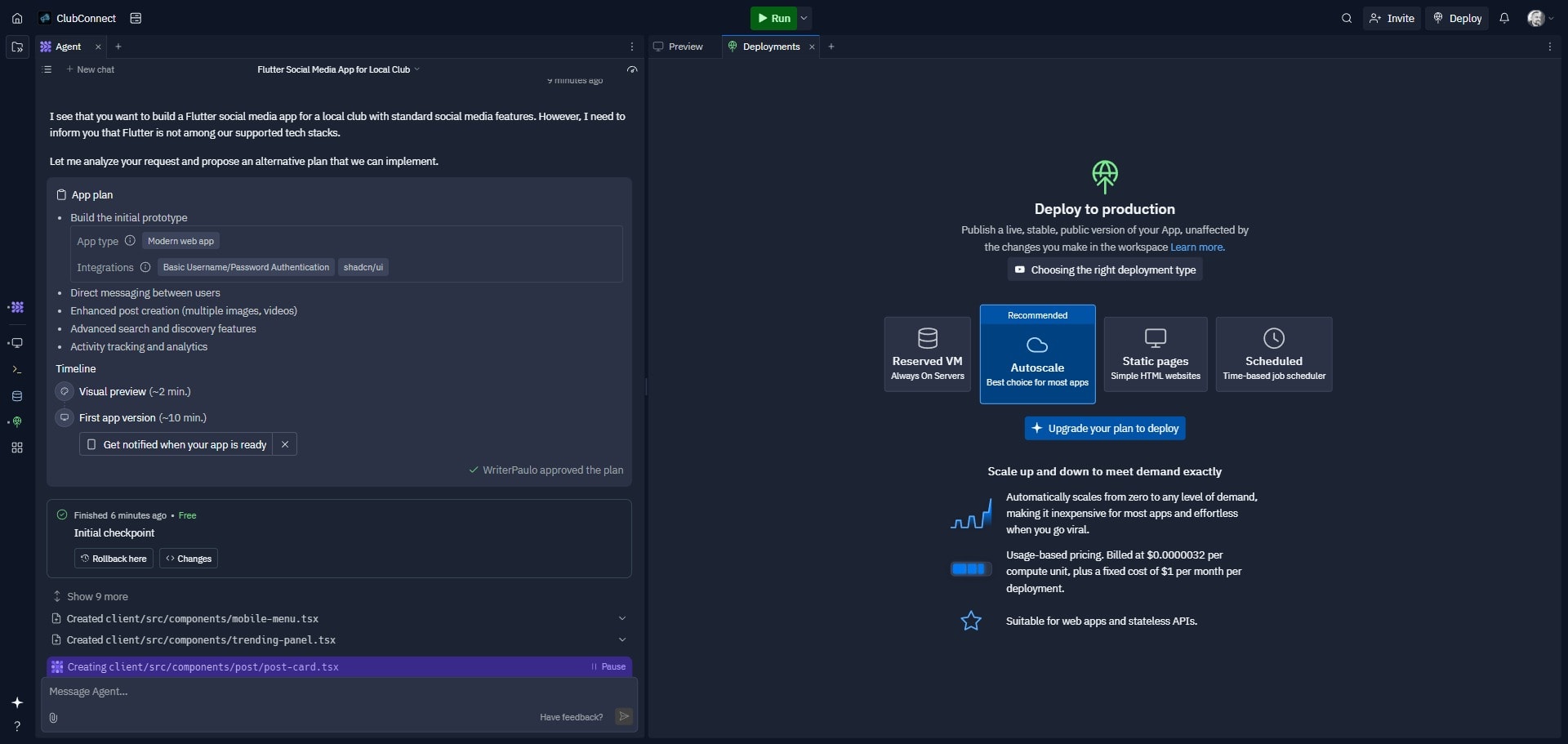
Replit supports over 50 programming languages and frameworks, but unfortunately, Flutter isn’t one of them, despite being one of the most popular frameworks for creating cross-platform apps. However, Replit offered something no other tool did: a set of options we might want to include for the app we asked it to generate.
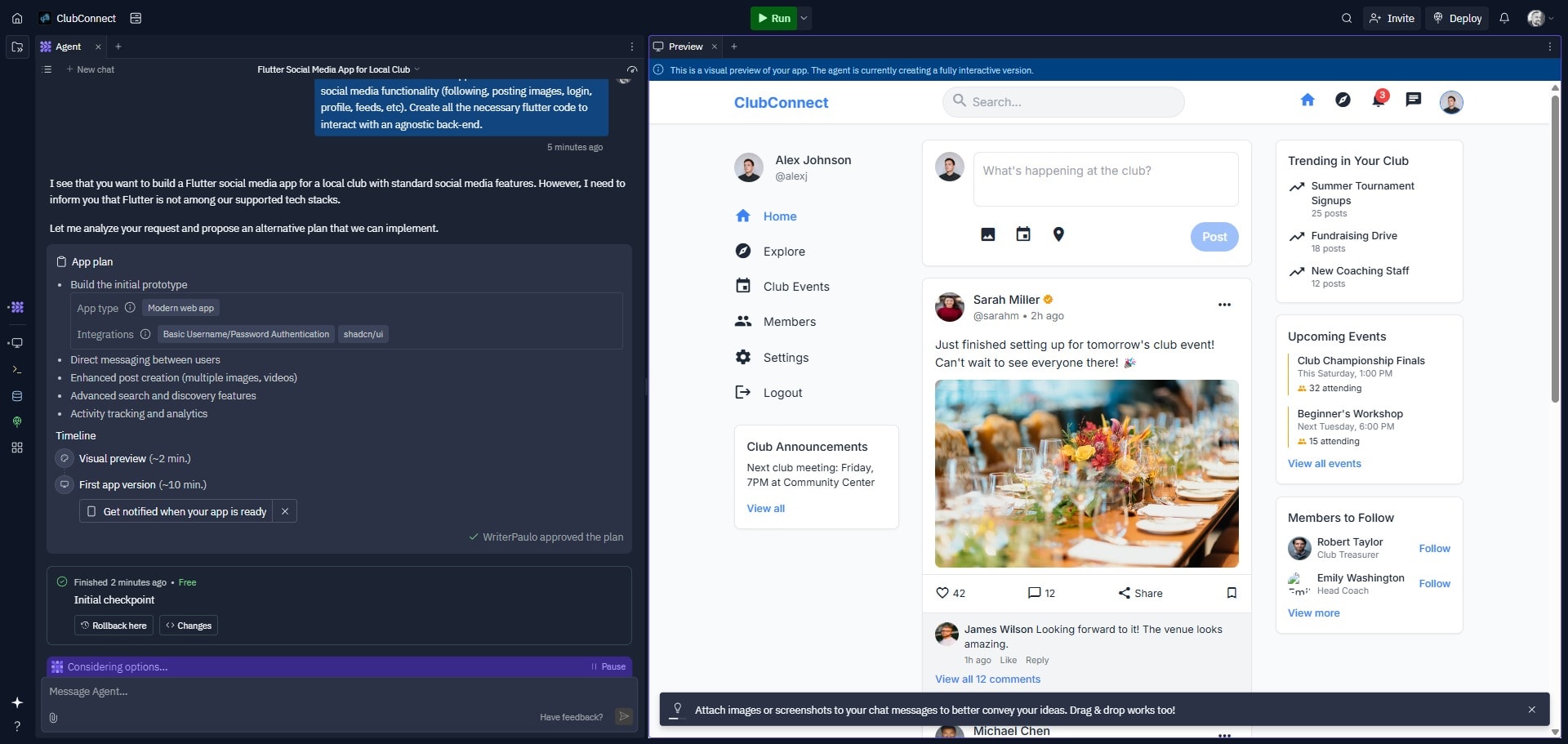
The online editor also provided a visual preview as it was building:
Replit also provides an easy deployment option that allows you to deploy apps easily to production.
Reply has a free tier and two paid tiers, ranging from $20 to $35 per month.
Overall opinion: This is a powerful AI coding app that offers agentic coding. Its easy deployment and immediate visual feedback give it an edge over the rest.
9. Code Llama
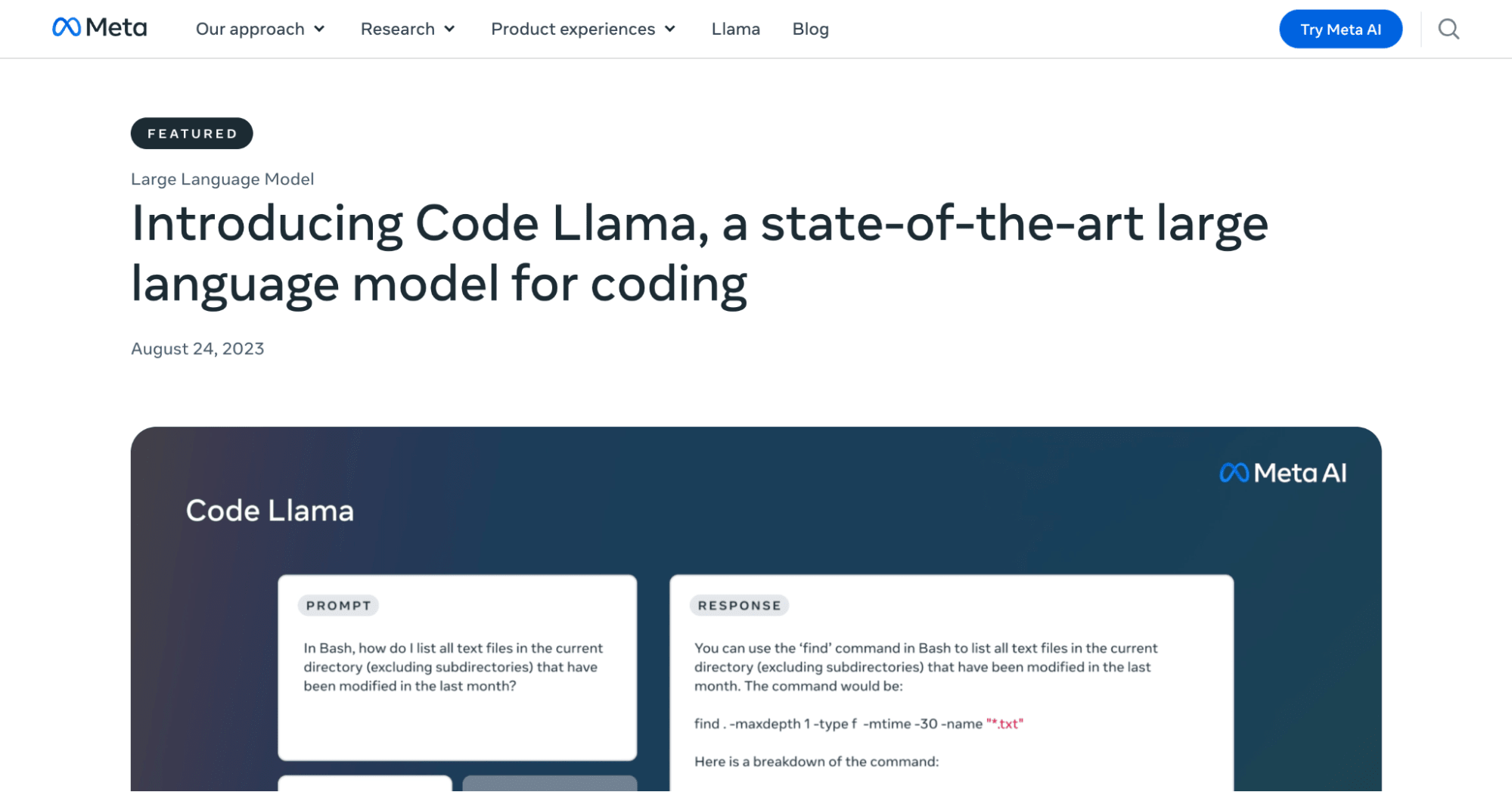
Code Llama is Meta’s AI model trained specifically on coding texts. Unlike other tools on this list, it doesn’t exist as a standalone solution but is rather a model you can use to power your own coding solutions in-house. All you need is AI integration services or an AI chatbot development to build your own coding tool. Code Llama is open-source and free for commercial use. You can audit and modify the model as needed. It’s customizable, and you can install it locally. Adding agentic capabilities to it requires only an AI programmer.
Large enterprises might prefer this approach because it gives you full control over the model, and it might be much cheaper to deploy internally if you have thousands of developers.
According to Meta, “Code Llama outperformed state-of-the-art publicly available LLMs on code tasks” in internal benchmark testing.
Our experience with benchmarks is that they’re cute but mean little when it comes to real-world coding. All the major models today have excellent overall coding skills. The major appeal of Code Llama is its open-source nature and cost-saving potential.
If you’d like to test an online version of Code Llama, you can test it here. Overall opinion: Code Llama is a powerful AI coding tool designed for people who want to build an in-house solution. The fact that it’s open source and free for commercial use makes it ideal for business use cases.
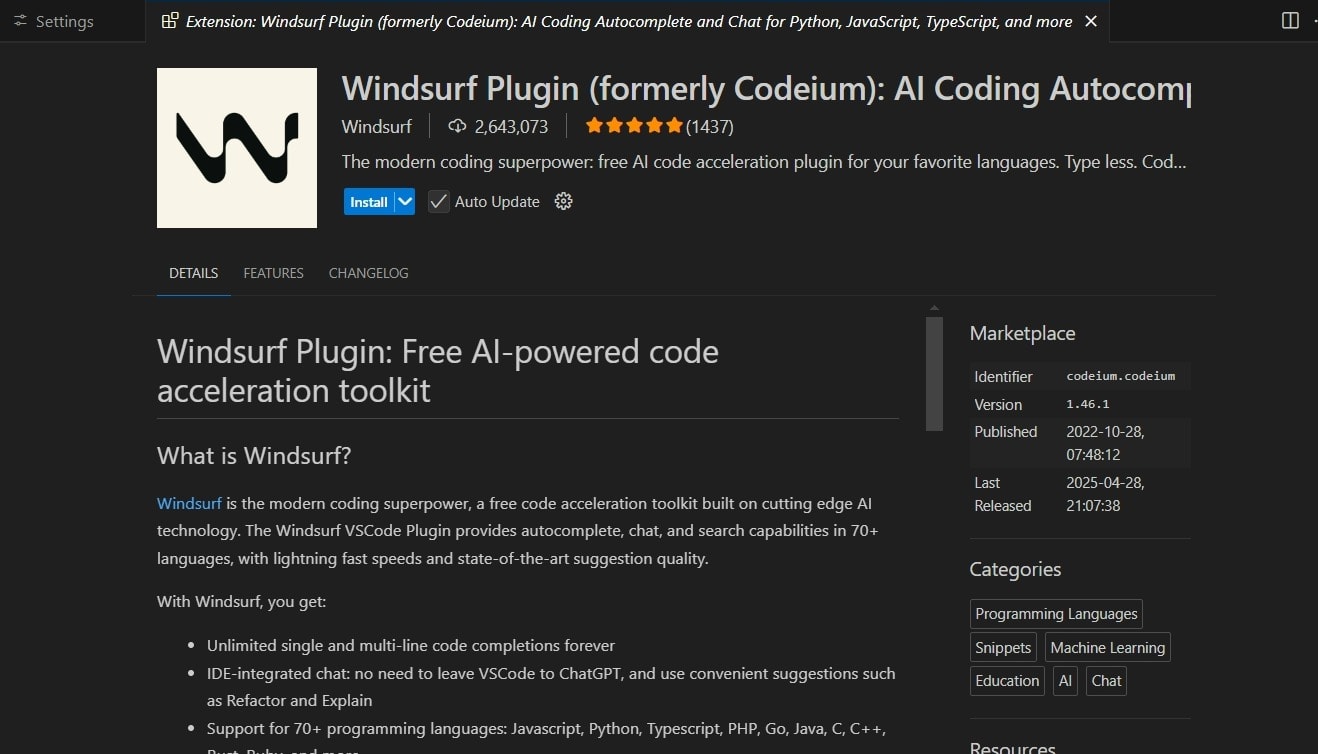
Windsurf was previously called Codeium (with an e), while Qodo was previously called Codium (without an e). We don’t know if that’s the reason both tools rebranded, but at least there’s no consumer confusion now.
Similar to Cursor, Windsurf is a Visual Studio Code fork. It’s an AI-native IDE that works on Windows, Mac, and Linux. However, you can also install it as an extension in Visual Studio Code.
Visual Studio Code and Windsurf
The extension provides unlimited single and multi-line code completions, integrated chat with AI models such as ChatGPT and Claude 3.5, refactoring, and code explanations.
Windsurf supports over 70 programming languages, such as Python, PHP, C#, JavaScript, TypeScript, and Ruby, as well as less popular languages such as Assembly, Cobol, APL, and Fortran.
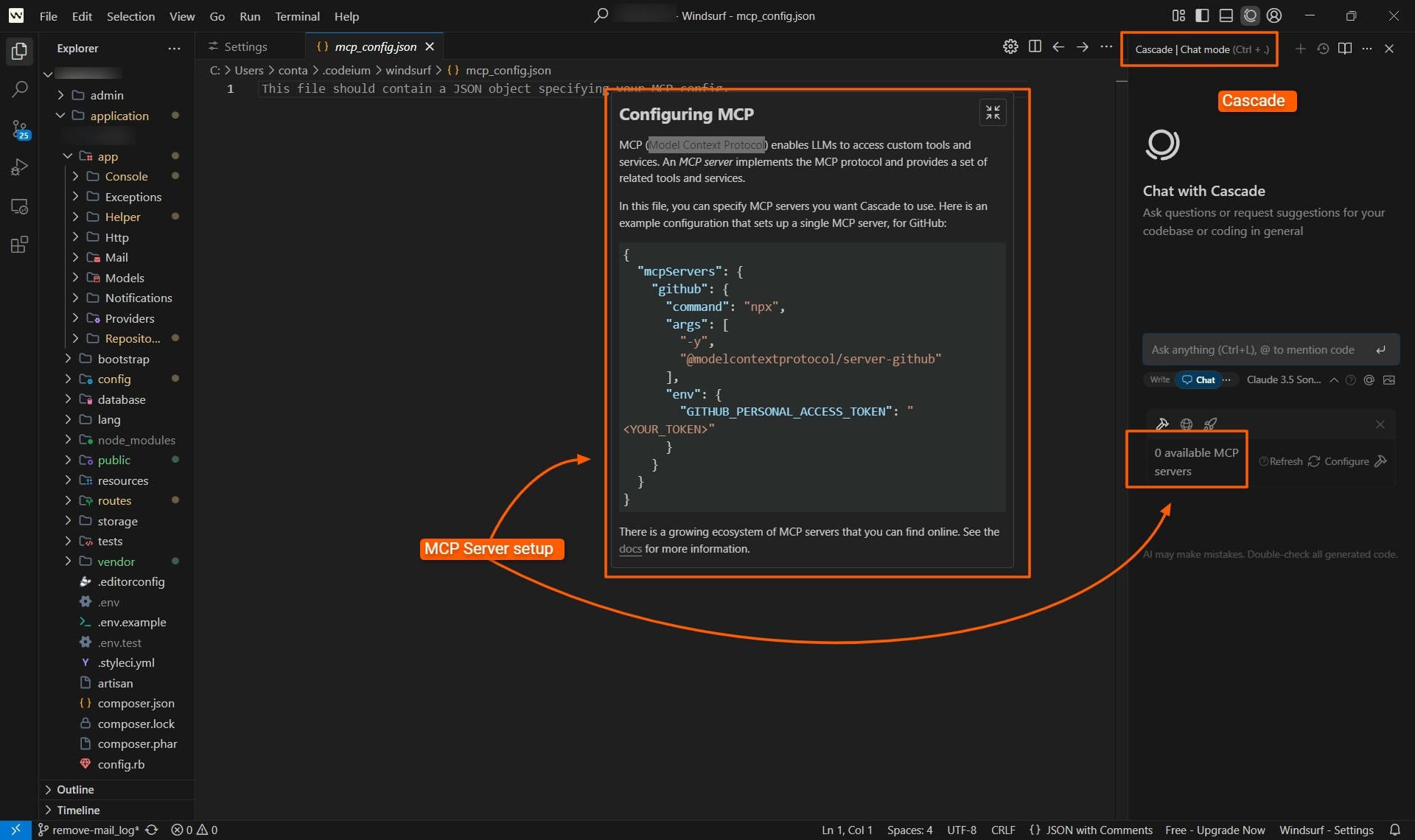
The Windsurf code editor additionally includes Cascade and Windsurf Tab.
Cascade is an all-purpose AI tool that combines chat and agentic actions to integrate deeply into your code base. With Cascade, you can specify MCP (Model Context Protocol) Servers that allow LLMs to call external tools based on your commands.
Windsurf Tab is a code completion feature that considers context and historical chat interactions to complete code.
Visual Studio Code and Windsurf
We fed it the prompt to create a Flutter social media app, and it performed similarly to Cursor, generating the necessary terminal commands and code files to complete the basic structure. It ensured the necessary code dependencies were in place and streamlined the entire workflow of getting the basic app scaffolding done.
It has a free plan and several paid tiers, depending on how many prompts you need.
Overall opinion: Although Windsurf was the first agentic IDE on the market, it now has competitors.
Eventually, the AI tools that use OpenAI, Anthropic, and Google models all start looking similar.
Windsurf does have its own model, although we didn’t test it extensively. Our experience with all the AI models is that they’re all excellent at coding.
We didn’t see an MCP feature in other tools, but this will likely change.
Barring some massive differences between Windsurfer’s internal model and proprietary models, using this IDE over others will largely come down to personal choice.
Find a freelance programmer for hire
Many of the tools on our list use the same underlying AI models, but with different clothing. They share many similarities.
Here’s what to consider when testing these tools out for yourself before making a decision:
Language and Framework Support
The coding tool you choose should minimally handle the programming languages and frameworks you’re working with. It’s ideal if it also handles other programming languages.
One caveat to this point is that support for many languages doesn’t necessarily mean the tool is any good at writing code in those languages. Always check what datasets the AI model was trained on.
LLMs perform well if they’ve been trained on a massive dataset for that specific language. They perform poorly when they don’t have enough training data for a specific coding language or framework.
Integration and Compatibility
The tool must integrate smoothly with your existing development environment to avoid disrupting workflows.
Ideally, the tool should also integrate with other coding platforms and services, such as source control platforms, and cloud hosting and deployment services.
Accuracy and Reliability
Incorrect code can lead to catastrophes, so accurate and reliable coding is one of the most important factors to consider when choosing a tool.
Look for tools with large context windows so they can understand entire codebases.
It’s also important to select a tool that has been trained on sufficient code for that specific language. Otherwise, it’s more likely to produce errors.
AI is useful for creating much of the template code necessary to start a project. However, the very nature of scaffolding code is that it’s reusable, so AI might not actually be a timesaver there. Your team can easily build up repositories of reusable code templates that have been thoroughly tested and are therefore more reliable than generating that code from scratch with AI.
Security and Privacy
Security and privacy are non-negotiable for proprietary or sensitive codebases. This includes mixing open-source code with closed-source code, which could lead to licensing conflicts that potentially endanger your entire project.
Tools should also avoid training on your input without consent.
Startups tend to want to move fast, often deprioritizing security for the sake of getting a product completed. Using agentic coding might sound like the solution all startups have been waiting for, but putting your faith entirely in AI without input from experienced coders is a sure way to introduce vulnerabilities into your code.
Cost and Licensing
There’s no point in choosing a tool you can’t afford. Some tools offer limits that might not be immediately apparent but will become so once you hit the limits, forcing you to upgrade. Look over the pricing carefully to ensure no surprises.
Powerful AI tools require processing power, and some of the tools we tested slowed our machines down.
A cloud-based solution might be a better option, but this could be tricky for sensitive, proprietary codebases.
Support and Community
Finally, excellent support is necessary for any service, especially for new products still in beta version. When choosing an AI tool, look for one with a strong support team behind it or an active community that can help provide solutions when official support isn’t immediately available.
Find freelance AI services on Fiverr
Fiverr is a marketplace of expert freelancers across all modern business needs. Whether you need to optimize your website or perform an API integration, Fiverr has freelancers to help you.
Fiverr is also home to excellent AI experts across all the major AI fields, offering services in AI consulting, AI websites, AI software, API integrations for custom tools, and many more.
AI meets pro talent
Explore Fiverr Go to get instant results and work with expert freelancers
Numerous tools exist that use AI to make coding faster. Some of the best tools include Tabnine, Amazon Q Developer, Cursor, and Replit. Check our list above for our 10 favorite tools.
Is C++ or Python better for AI?
Python is typically better suited for high-level AI applications. C++ is usually used for low-level applications and engines.
Is ChatGPT good at coding?
ChatGPT is an excellent tool for coding. So are Claude and Code Llama, and many other models.
Is Claude or ChatGPT better for coding?
Both tools have excellent coding capabilities. ChatGPT has the advantage of being able to access the web. However, Anthropic is rolling this feature out for its Claude models.
Ready to find the right freelance service?

 June 18, 2025
 12 minute reading