 August 3, 2026
 21 minute reading
You're building an online storefront from scratch. But, like 24% of small business owners, you lack the technical expertise to create and run a website.
An ecommerce website builder can help you create a professional, engaging site without dragging you through web development hell.
This guide shares a curated list of the best ecommerce website builders to help you create your site, build brand credibility, and convert leads into paying, loyal customers.
How we selected the best ecommerce website builders
Set your standards high when picking the best ecommerce website builder for your small business. With so many tools on the market, it’s important to know what to look for when starting your ecommerce business.
Here’s how we selected our 13 best website builders for ecommerce:
- Transparent payment structure. We provided the monthly cost for website builders on our list. Builders that only offer annual plans can be too much of a risk, especially for newer businesses just starting out.
- Ease of use. While many business owners prefer working with freelance website developers, we made sure that anyone with limited tech experience can access the builders on this list.
- Plethora of features. All the ecommerce website builders on our list have several useful features, as we see that as the best way to build an ecommerce website. If a builder was too simplistic, it didn’t make the cut.
- Scaleable. As your business grows, so too might your website. We highlighted builders that offer plenty of options for different sized companies.
The 13 best ecommerce website builders in 2024:
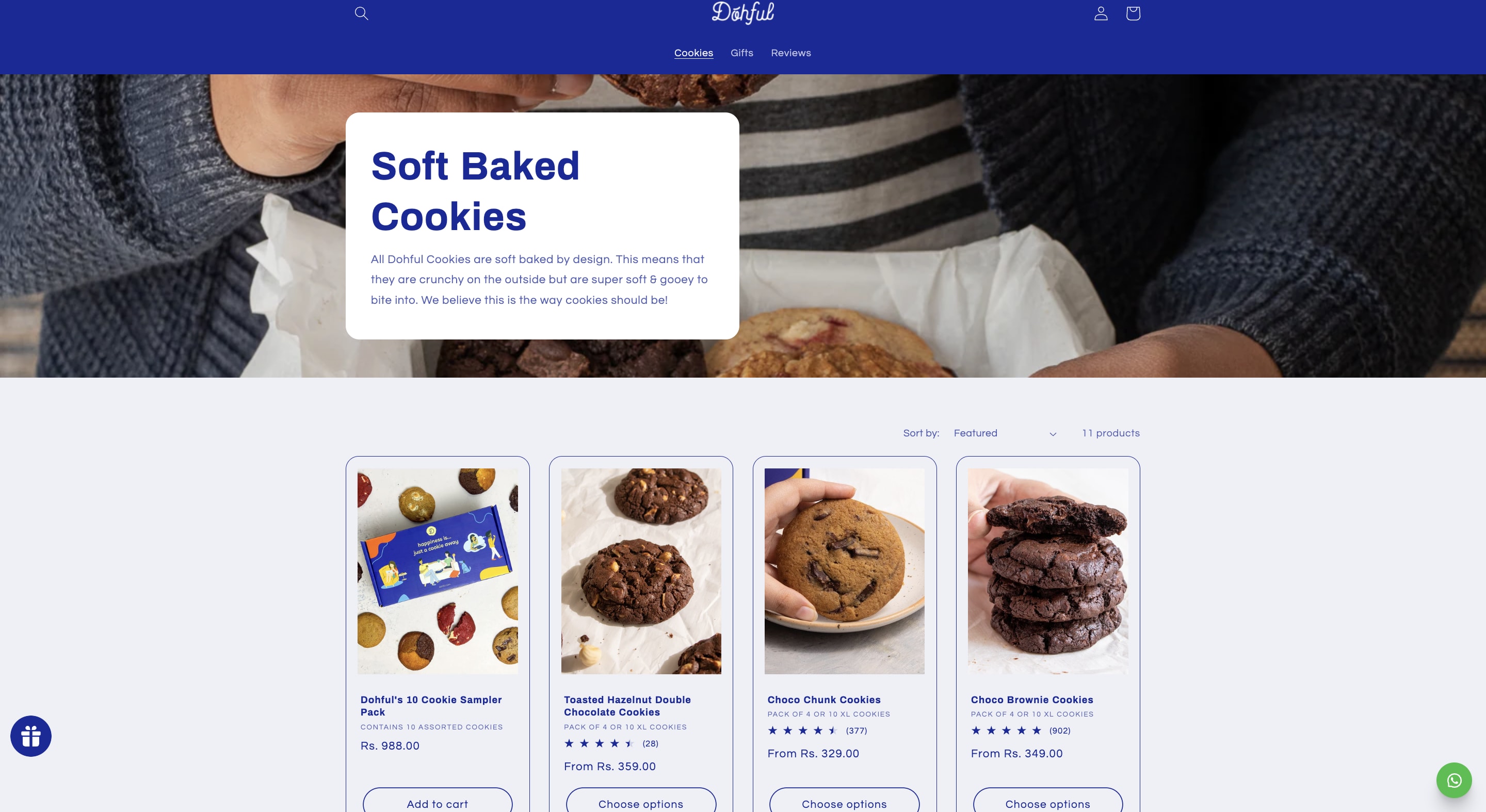
1. Shopify: Best for businesses that intend to scale
Key features
- 100+ professional and free store templates. Other website builders require coding knowledge—or only offer templates at a cost—Shopify makes building your own website easier by allowing users to select from hundreds of free pre-made template designs
- Built-in SEO features. Shopify makes your website SEO-friendly by automatically adding sitemaps and allowing you to add canonical tags to make your website easier for search engines to crawl and rank. Plus, you can manually edit tags, descriptions, URLS, and more.
- Burst stock photo library. Quality photography can be an issue for entreprenuers on a budget, but Shopify solves this with its free stock photo platform called Burst.
- 8,000+ apps and tools. The Shopify app store offers a vast number of tools to make your online store functions so it improves the customer experience.
Pros
- Free three-day trial, no credit card required
- Easy-to-use interface, including the ability to build and customize your store without coding
- All-in-one POS system that comes with inventory tracking, staff management, and more
- No transaction fees for stores using Shopify Payments
- Option to easily transfer an existing ecommerce store and its data to the platform using Shopify’s Store Importer app
- Seamless scalability with multiple plans for businesses of all sizes
Cons
- Pricey higher-tier plans
- Short trial period (three days)
- Free hosting only for higher plans
- Lacks marketing automation and email hosting
Shopify user reviews
Pricing (monthly)
- Basic plan ($29): Gives you up to 77% shipping discount, 10 inventory locations, and card rates starting at 2.9% + 30¢ USD online
- Shopify plan ($79): Gives you up to 88% shipping discount, 10 inventory locations, and card rates starting at 2.7% + 30¢ USD online
- Advanced plan ($299): Gives you up to 88% shipping discount and insurance, 10x checkout capacity, and card rates starting at 2.5% + 30¢ USD online
- Plus plan ($2,300): Gives you 200 inventory locations, unlimited staff accounts, and fully customizable checkout with 40x capacity
Setup your Shopify website with these online gigs




Level 2
I will copy, clone, design, redesign shopify store or shopify website
Offers video consultations



Vetted Pro
I will develop, design and build your shopify store or shopify website
Offers video consultations




Vetted Pro
I will build shopify store, design redesign copy ecommerce website, dropshipping store
Offers video consultations

Vetted Pro
I will be your shopify expert to build shopify store design and customize store website
Offers video consultations


Vetted Pro
I will design shopify store, shopify store design, shopify website design
Offers video consultations






Top Rated
I will build you a ready to sell dropshipping shopify store
Offers video consultations


Vetted Pro
Our agency will build a b2b shopify wholesale ecommerce store
Offers video consultations


Top Rated
I will build a high converting shopify store or redesign website
Offers video consultations




Level 2
I will build shopify store, design or redesign shopify website, copy dropshipping store
Offers video consultations





Vetted Pro
I will do shopify store design and website redesign for ecommerce website development
Offers video consultations





Vetted Pro
I will design shopify website, shopify store design or shopify website development
Offers video consultations





Vetted Pro
Our agency will build a high end custom shopify store from figma or lovable
Offers video consultations


Vetted Pro
I will build a highly professional shopify store or shopify website development
Offers video consultations


Vetted Pro
I will build a professional shopify store with a premium theme
Offers video consultations


Top Rated
Our agency will do shopify store design or shopify website design
Offers video consultations






Vetted Pro
Our agency will design and develop an awesome shopify store for you, shopify developer
Offers video consultations







Vetted Pro
I will design and develop your custom shopify store that converts
Offers video consultations

Vetted Pro
Our agency will create an automated shopify dropshipping store
Offers video consultations


Top Rated
I will develop a custom shopify ecommerce website for your brand
Offers video consultations


Vetted Pro
I will develop shopify theme from your PSD, xd, ai, or figma design
Offers video consultations




Top Rated
Our agency will setup profitable shopify website or shopify store design
Offers video consultations



Vetted Pro
Our agency will design and build a high converting shopify store
Offers video consultations




Vetted Pro
I will design and develop a high end custom shopify store for you
Offers video consultations
2. Wix: Best for small businesses looking to get started quickly

Key features
- Vimeo editing features. Wix and Vimeo are partners, allowing business owners to easily create stunning videos they can share on social platforms.
- Social media marketing tool. Through Wix, you can schedule posts, use pre-built templates, or publish directly to different platforms all in one place.
- Mobile site editor. Customize desktop vs. mobile-only elements to ensure users get the best possible experience no matter which device they visit your store with.
- Multilingual website. Wix’s editor allows you to bring international customers to your store with localization and translation options.
Pros
- Powerful setup wizard
- Built-in SEO capabilities
- Enterprise-grade infrastructure
- Free top-grade hosting
- No additional transaction fees
- Large selection of apps and plugins
- Free plan available
- 14-day free trial on paid plans
Cons
- You can't switch templates once the site is live
- Free domain only available for one year
- Slower loading times, especially for larger ecommerce stores
- Some limited customization, such as with sales confirmation emails
Wix user reviews
Pricing (monthly)
- Light ($17): Gives you two collaborators, 2GB storage space, and the light marketing suite
- Core ($29): Gives you five collaborators, 50GB storage space, and the basic marketing suite
- Business ($36): Gives you 10 collaborators, 100GB storage space, and the standard marketing suite
- Business Elite ($159): Gives you 15 collaborators, unlimited storage space, and the advanced marketing suite
3. Hostinger: Best for businesses wanting to use AI
Key features
- AI builder. Enter your brand name, select your website type, describe your business, and AI will take care of the rest—delivering a customizable website specifically for you.
- Marketing integrations. Communicate with your customers seamlessly and track your website data with built-in third-party marketing tools.
- AI image generator. Display stunning images on your site with Hostinger’s AI image generator—the first five images are free.
Pros
- Zero transaction fees
- Over 20 payment methods
- Free domain
- Free email
- Integrated AI tools
- Includes website hosting services
- Impressive speed and uptime
Cons
- Can only list up to 500 products
- No free plan or trial
- Can’t switch templates once live
- Only one plan that includes ecommerce features
Pricing (monthly)
- Business website builder ($3.99). Gives you access to all ecommerce and AI features, 30-day money-back guarantee, and mobile editing.
4. Squarespace: Best for SMBs with minimal product lines

Key features
- Subscription selling. Great for businesses that operate on monthly or annual models, Squarespace makes it easy to manage and sell subscriptions.
- Squarespace AI. One of Squarespace’s latest features makes marketing easy—input a prompt and the tool will give you top-of-the-line marketing copy.
- Social media integrations. Allow customers to purchase your products directly from platforms like Instagram or Facebook.
- Analytics app. Keep track of your analytics wherever you are by downloading the Squarespace analytics app for IOS or Android
Pros
- Simple and easy to use
- No-code editing capabilities
- Easy to change your design
- Free domain name and SSL certificate, as well as unlimited bandwidth and storage
- Access to a wide range of free, professionally designed templates
- Free domain with annual plans
Cons
- Backend has a steeper learning curve
- Only users of higher-tier plans can edit CSS and HTML files
- You can’t switch templates without starting from scratch
- No free plan, but you can start a free 14-day trial
- Limitations with international selling, particularly with its multilingual features and the option to sell products in only one currency
- The interface isn’t as easy to use as other competitors, such as Wix and Shopify
- Limited payment options, including only Stripe, PayPal, or Apple Pay
Squarespace user reviews
Pricing (monthly)
- Personal ($23): Gives you a free custom domain, the ability to send invoices for free, and templates for every need.
- Business ($33): Gives you advanced website analytics, the ability to sell products and services, and checkout on your domain.
- Commerce Basic ($36): Gives you 0% transaction fee when selling products or services, powerful merchandising (e.g., coupon codes, product variations, etc.), and advanced analytics.
5. PageCloud: Best for businesses that value design

Key features
- Store widgets. It’s fine if you don’t have coding knowledge, because PageCloud has many store widgets you can customize to reflect your brand colors, fonts, and style.
- Auto-generated layouts. No design skills are necessary either—PageCloud provides auto-generated layouts that make it easy for you to set up a page that looks good on any screen size.
- 40+ payment gateways. Don’t let customres get away because it’s difficult for them to pay—PageCloud has plenty of payment gateways, including Visa, Discover, Apple Pay, and more.
Pros
- Free plan
- Easy to learn
- No restrictive layouts
- Hosting is available on all plans
- Offers real-time shipping estimates
- Shopping cart includes automatic tax calculation and abandoned cart reports
Cons
- More expensive than similar website builders
- Fewer features
- Cheapest plan cannot add a blog, team members, custom domain, redirects, Pagecloud Ecommerce
- Unlimited products only available in the Unlimited plan
Pagecloud user reviews
Pricing (monthly)
- Start (Free): Gives you one site, one page, and 1000 website visitors/mo.
- Launch ($20): Gives you one site with two team members, 100 pages, and 10,000 website visitors/mo.
- Grow ($36): Gives you one site with 10 team members, 200 pages, and 25,000 website visitors/mo.
- Pro ($79): Gives you one site with 10 team members, 300 pages, and 75,000 website visitors/mo.
6. BigCommerce: Best for SMBs with multiple product variants
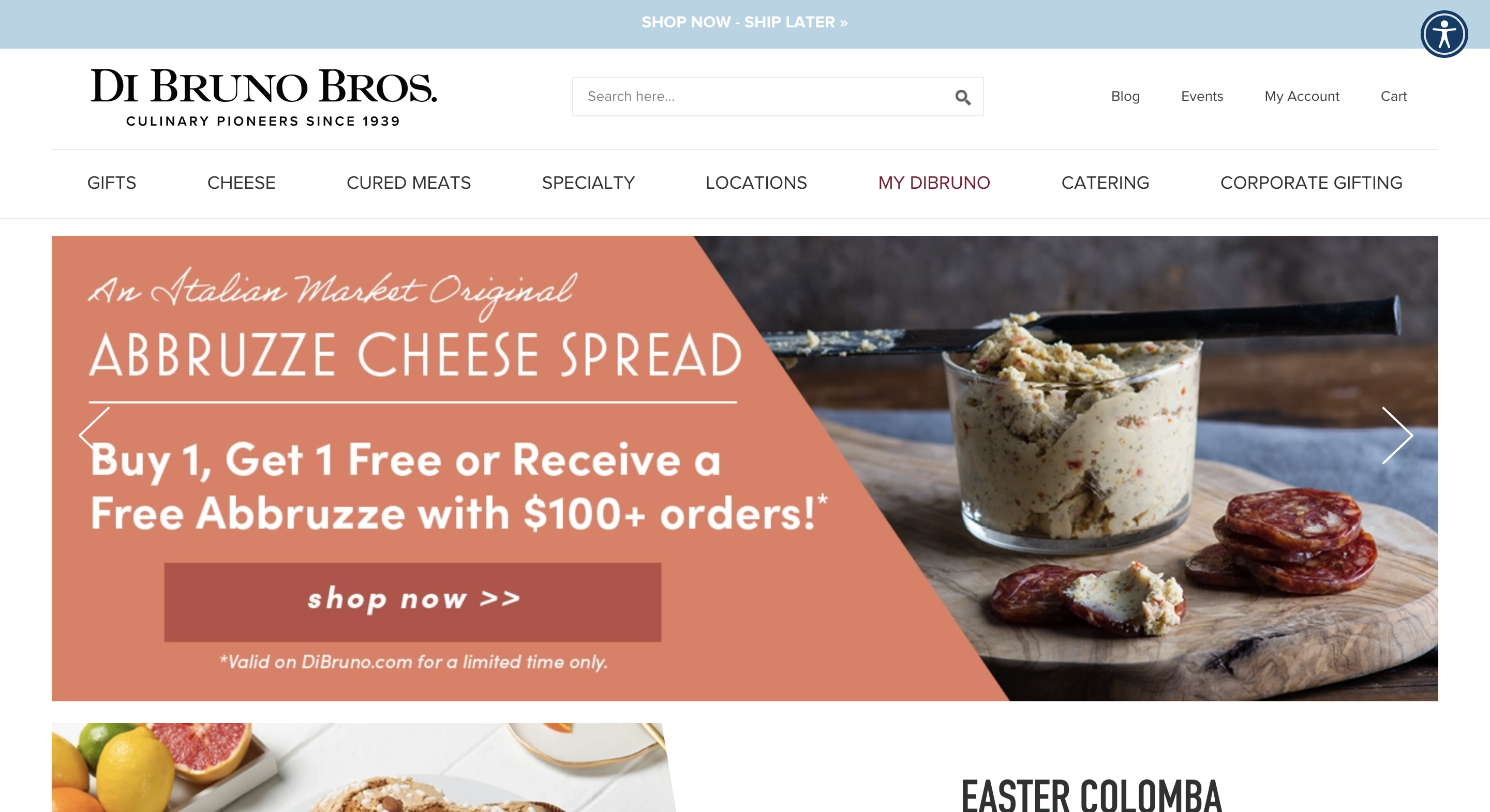
- 63% more conversions
- $1.5K per month hosting cost savings
- 6.5% more online sales
- 9% more orders
Key features
- Cross-channel ecommerce. BigCommerce makes it easy to integrate with top marketplaces, sell on social platforms, and even automatically update your in-store sales.
- Shipping tools. Get industry-leading shipping rates and choose from any of BigCommerce’s broad portfolio of shipping partners.
- Platform-wide APIs. Developers can create their own solutions with BigCommerce’s high-performance APIs.
Pros
- Offers native store-building features without extra fees
- Built to grow with your business
- 65+ payment solutions
- Unlimited bandwidth
- Zero transaction costs
- 15-day free trial
Cons
- Platform lock-in
- Limited app marketplace
- Overwhelming amount of information in its expansive product and inventory management system
- Less affordable than other ecommerce platforms
- Plans do not include a domain name
- Plans have a cap on the total amount of sales you can make annually before needing to upgrade
BigCommerce user reviews
Pricing (monthly)
- Standard ($39): Gives you up to three storefronts, four inventory locations, and up to $50k in online sales each year.
- Plus ($105): Gives you up to five storefronts, five inventory locations, and up to $180k in online sales each year.
- Pro ($399): Gives you up to eight storefronts, eight inventory locations, and up to $400k in online sales each year.
- Enterprise (Custom pricing): Gives you flexible options for many storefronts, inventory locations, and online sales each year.
7. Webflow: Best for businesses that want an engaging site
- 80% more overall site sessions
- 55% increase in organic search traffic
- Faster page launches for higher-priority projects

Key features
- Custom coding. Make your website more engaging by wearing your developer cap and adding custom code or HTML tags.
- Flexible, visual CMS. Webflow has its own CMS REST API (perform various content management tasks without directly accessing the CMS interface), dynamic content filtering to quickly find pages, and sorting that makes content management a breeze.
- Custom branding. You can replace the Webflow logo with your own on your site and in your emails.
Pros
- User-friendly design environment
- Offers many great learning resources
- Gives you control over every aspect of your site
- Simplified CSS styling
- Intuitive drag-and-drop building
- Free plan available
- Easy and quick to implement and iterate design ideas
- Large, helpful community
Cons
- Has a bit of a learning curve for more complex designs
- Pricing structure may be confusing for beginners
- Lacks multi-language support
Webflow user reviews
Pricing (monthly)
- Starter ($0): Gives you an entry-level two-page site including 50 CMS items, and 50 form submissions with limited traffic options.
- Basic ($18): Gives you a free custom domain with a 150-page limit and moderate traffic capabilities.
- CMS ($29): Gives you 2k CMS items, 1k monthly form submissions, and content editing abilities.
- Business ($49): Gives you form file uploads, free previews, and expanded traffic capacity.
- Enterprise (custom pricing): Gives you unlimited users, advanced collaboration tools, and enterprise security.
Create your Webflow store with these online gigs


Level 2
I will design, redesign, or develop webflow website, webflow expert
Offers video consultations














Level 2
Our agency will design or develop your webflow website as webflow expert, figma to webflow
Offers video consultations

























Level 2
Our agency will design and build a high converting webflow ecommerce store
From $750Offers video consultations



Vetted Pro
Our agency will design and develop a webflow ecommerce website
From $1,750Offers video consultations




Level 2
I will do website development, figma to webflow, webflow developer
Offers video consultations























8. Weebly: Best for businesses on a budget
Key features
- Customizable storefront templates. Showcase your brand’s personality with the easy-to-use drag-and-drop online store design builder.
- Multiple payment options. Make it easier for customers to purchase your products by accepting payments using Stripe, PayPal,or Square.
- Flexible shipping options. Get real-time shipping rates by carrier, address, weight, and quantity to best meet your customers’ needs.
Pros
- Simple setup process
- Free plan available
- Intuitive and easy to use
- Free ecommerce hosting
- Access to Square suite of business tools
- Allows you to sell an unlimited amount of physical or digital products, as well as services
- In-built tax and shipping calculator calculates these costs for you automatically
Cons
- Limited functionality
- The option to accept payments via PayPal is only available in the highest plan
- Some themes are not as high quality as other ecommerce platforms
- You can’t connect a custom domain to the free plan
- Dropshipping isn’t possible with Weebly
Weebly user reviews
Pricing
- Free ($0): Gives you unlimited items, an inventory management tool, coupons, and Instagram feed integration.
- Personal ($13): Gives you digital goods, shipping labels, and the ability to connect to a custom domain.
- Professional ($16): Gives you a free custom domain, removal of Square Ads, shipping calculator, and pop-up notification ability.
- Performance ($29): Gives you increased payment methods, item reviews enabler, and advanced ecommerce insights.
9. Square Online: Best for businesses that use the Square ecosystem
Key features
- Synchronization with Square POS. Efficiently manage online and in-store sales from a single unified system.
- Customer data management. Track customer data, such as sales history, loyalty points, and more.
- Personalized order management. Let customers create their own accounts to track orders, receive personalized recommendations, and encourage them to make more purchases.
Pros
- Offers free plan
- Syncs with Square POS
- Lets you accept payments seamlessly
- Multiple payment processing options (including installment payments with Afterpay)
- Free web hosting with unlimited bandwidth
- You can sell on social media
- Integration with over 200 third-party apps
Cons
- Custom domain only for annual paid plans
- Free plan lacks custom branding
- Fewer customization options than in other ecommerce platforms
- To avoid higher transaction fees, you must use the Square payment gateway
- High transaction fees on the free plan
Square Online reviews
Pricing (monthly)
- Free ($0): Gives you an SEO-savvy website builder, Square POS sync, and multiple shipping options.
- Plus ($29): Gives you customer accounts, personalized ordering, multiple payment options, and a one-year free domain.
- Premium ($79): Gives you real-time shipping rates, customer support, and no in-house delivery fees.
10. GoDaddy: Best for businesses that value a mobile-friendly site
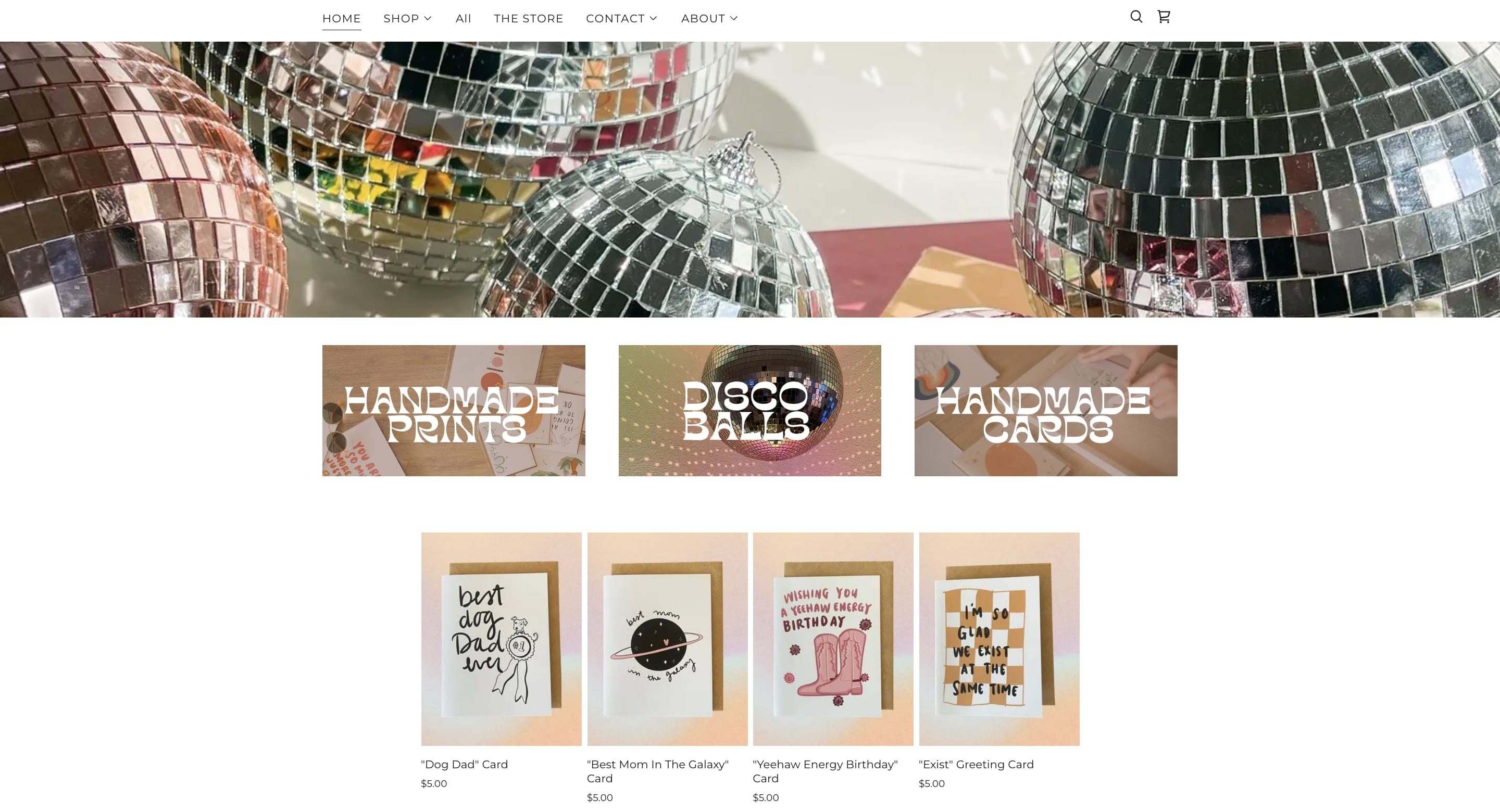
Key features
- Online appointments. Great for service providers who want to accept payments and manage bookings in one place, GoDaddy has useful client management features.
- GoDaddy InSight™ Score. This tool analyzes millions of GoDaddy customers to provide you with custom insights to improve your site.
- Blog features. You can create a blog on GoDaddy or bring over an old one, and then adjust the layout and categories to your liking.
Pros
- Ease of use
- Free trial
- Affordable pricing
- Powerful marketing tools
- Beautiful and professional-looking templates
- Reliable, secure web hosting
- Unlimited storage
- Powerful analytics and data-driven recommendations
Cons
- Ecommerce not available in all tiers
- Limited page customization
- Some add-ons are costly
- No free plan
- Limited emails sent per month
GoDaddy user reviews
Pricing (monthly)
- Ecommerce plan ($16.99): Gives you a free professional email for one year, up to 25,000 email marketing sends per month, and order email automation.
11. WooCommerce: Best for businesses with a WordPress site
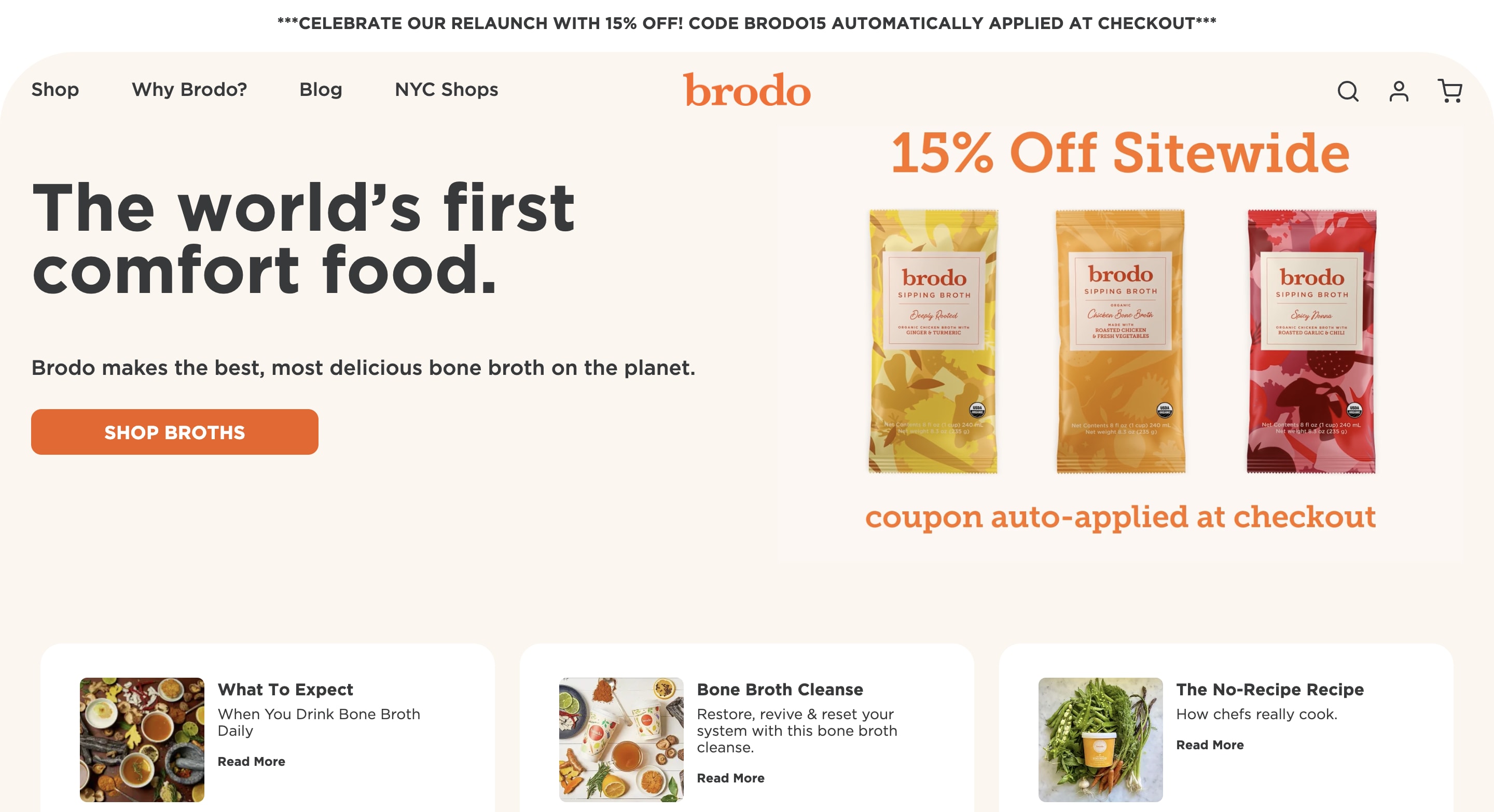
- Improve the user experience for its staff and customers
- Offer customers self-service subscription editing
- Manage all aspects of its online store directly in WordPress
- Highlight the benefits of its products
- Update everything on its web pages, including product bundles and posts
- Manage customer orders and discounts
Key features
- Multilingual content. WooCommerce is translated in 24 languages and offers prices in multiple currencies, allowing you to target global markets.
- Jetpack. Secure your store and keep it online with WooCommerce’s Jetpack product so your sales are always safe.
- Access to WooCommerce marketplace. Choose from a plethora of themes and extensions with one-month free trials and risk-free purchases.
Pros
- Customizable framework
- No extra transaction fees
- Variety of extensions and plugins
- Integrates with WordPress and other services
- Open-source gives you complete ownership over your store
- Free to use
- Allows you to have customer and admin accounts, as well as a guest checkout option for buyers
Cons
- Has a bit of a learning curve
- No phone support
- You must purchase web hosting, a domain, and an SSL certificate separately
- Because it’s a plugin, it comes with a different customer service channel
WooCommerce user reviews
Pricing (monthly)
- Free plugin
12. Shift4Shop: Best for B2B business owners
Key features
- State-of-the-art design. Customize your site with the integrated web design tool, giving you the freedom to edit both the HTML and CSS directly.
- Add unlimited products. Never run out of room with Shift4Shop—you can scale up when you need to thanks to its unlimited product storage.
- Personalized checkout experience. Customize your customer journey with either a one-page or three-page checkout process.
Pros
- Comprehensive set of features
- Integrated payment processing
- Offers a free trial
- Beautiful and professional-looking templates
- Comes with free migration assistance
- No additional charge for features
- 160 payment options
Cons
- Limited free themes
- Some features require third-party apps
- Annual sales limits
Pricing (monthly)
- End-to-End (Free, if you meet an order value of $500 a month): Gives you an SSL Certificate, domain name, payment processing integration, fraud protection, and a website integration option.
13. Volusion: Best for growing businesses with limited resources
Key features
- Checkout solution. Make the process simple for your customers by offering a linear checkout process with a clean design.
- Integrated payments. With Volusion’s centralized payment solution powered by Stripe, you get real-time metrics reporting and the ability to accept up to 135 different currencies.
- Volusion marketplace. Volusion is constantly adding new partnerships so you can enjoy more customization with additional ecommerce tools and solutions.
Pros
- 14-day free trial
- 99.9% site uptime guarantee
- Integrates with Facebook, Amazon, and eBay
- More than 1,000 apps supported through Zapier
- Has a mobile app
- Integrated CRM
Cons
- Limited blogging tools
- Personal plan doesn’t come with many features
- Not as easy to customize
Pricing (monthly)
- Personal ($35): Gives you a 100 product limit, free custom domain, several payment solutions, and live chat support.
- Professional ($79): Gives you five staff accounts, CRM tool, phone orders, and abandoned cart reporting.
- Business ($299): Gives you a $400k max GMV per year, call-in support option, customer loyalty plan, and batch order processing ability.
- Prime (Based on GMV): Gives you unlimited GMV, products capacity and staff accounts, a dedicated client success manager, and access to exclusive features.
How to select the best ecommerce website builder
- A user-friendly interface: An ecommerce website builder should be easy to use without requiring coding knowledge. And should allow you to collaborate with your team to update the site easily, even if they weren’t involved in its original design.
- Variety of industry-specific design templates: Go for website builders that offer a variety of aesthetically appealing site templates for different businesses and industries and provide flexible customization.
- Features: A good site builder should provide features that help you build your site professionally, like storage and bandwidth, ecommerce capabilities, email addresses, a domain, SSL security, social media integration, email marketing tools, online booking systems, contact forms, abandoned cart recovery, payment gateway options, and website accessibility.
- Scalability: As businesses start out, they’ll require fewer features and storage. However, as their business grows, they must use an ecommerce platform that can keep up with these demands. Therefore, scalability is another important factor when assessing popular ecommerce platforms.
- Search engine optimization (SEO) tools: A great site builder must have essential SEO tools to build a search engine-friendly site. That includes fast loading speeds, metadata capabilities, and media optimization.
- Pricing: A good ecommerce site builder should be priced within the industry average—but not significantly more than that. Some ecommerce platforms have hidden costs on top of the monthly subscription costs, such as transaction costs and extra fees when purchasing themes, extensions, and plugins.
- Free plan or trial: The site builders you choose should offer a free trial—whether a completely free plan or a free trial. That way, you can test it before committing to a paid plan. Otherwise, you might waste time and money setting up your site only to discover the platform lacks a key feature.
- Analytics: Consider site builders that provide basic analytics or reports to monitor your traffic, learn how people interact with your site, and refine things as you go. Track metrics like, page views, sign-ups, number of subscribers, and conversion rate.
- Customer support: Look for site builders that offer fast or timely, friendly, adequate support via email, phone calls, or live chat during business hours.
- Integrations: Give extra consideration to site builders offering integrations with other apps, which add more beneficial features to your site's overall aesthetic and can help you run your business more efficiently.
Take your ecommerce business to the next level

Related Guides



About author
Elsier Otachi
Elsier writes data-driven content for tech-led brands and SaaS companies that gets them noticed online and truly delivers value.
