 August 3, 2026
 11 minute reading
The higher you rank on Google, the more likely users will click on your website. In fact, moving up 1 spot in search results will increase CTR (click through rate) by 2.8% on average.
But to get those high rankings, you must optimize your website for search engines. However, using a free SEO tool or following SEO best practices isn’t enough, and may not differentiate you from competitors.
Crafting a unique SEO strategy yourself is tricky without any in-depth knowledge and experience.
That’s where outsourcing comes in.
When you hire a professional Search Engine Optimization (SEO) expert, not only do you avoid getting stretched out too thin across all company requirements, but you also get to focus better on tasks that do require your expertise.
So what can you expect an SEO strategist to take off your plate?
Here are a few examples:
- Boosting online visibility and ranking higher on SERPs
- Building your company’s reputation and local presence
- Optimizing your written content and incorporate link building to increase sales and click-through rates (CTRs)
- Adapting to industry trends
- Updating your site content according to algorithm changes
- Giving your business a competitive advantage
- Improving user experience and conversion rates
In this article, we’ll take you through the 8 essential steps of hiring the right SEO expert for your business.
Boost your online presence with expert SEO
Step 1: Understand your goal first
- Increasing newsletter signups
- Boosting conversion rates
- Maximizing your home page age speed
- Reducing bounce rate from the checkout page of your e-commerce website
- Improving online & offline visibility for your restaurant
- Increasing organic traffic to your company blog
- Growing overall company branding
- Improving and optimizing social media content marketing
Step 2: Find the type of SEO that aligns with your business goals
Understanding your SEO requirements ensures you only invest in necessary tasks.
Here are a few examples that specify which SEO strategy aligns with a business objective.
- On-Page SEO: Used to improve individual web pages to get traffic and rank higher. This includes optimizing meta tags, headings, specific keywords, or mobile-friendly design. Many SMBs choose to handle on-page SEO themselves with the help of a search optimization plugin or tool.
- Off-Page SEO: Meant to enhance your website’s credibility through external factors. Includes building high-quality backlinks from reputable sources
- Technical SEO: Helps to optimize the technical aspect of a website so search engines can crawl, index, and rank your content. This includes implementing URL structures, creating a sitemap for search engine bots, and improving site speed.
Step 3: Figure out your budget
The average business pays at least $50-$100 per hour for a satisfactory SEO service, according to WebFX research.
Then according to Ahref’s study on SEO pricing in 2023, $501-$1,000 is the most popular monthly retainer, and $75 to $100 for an hourly rate.
In-house SEO team vs hiring freelancers
Let’s break it down.
- SEO Consultancies: $171.18/hour, on average
- SEO Agencies: $98.90/hour, on average
- Freelancers: $71.59/hour, on average

Step 4: Find your SEO expert
- SEO Agencies: Search online for reputable agencies or get a referral. Always check for client reviews and portfolios.
- Freelancers: Find a freelancer through online communities or via professional networking platforms like LinkedIn.
- Online Platforms: Post a detailed job description on freelance platforms like Fiverr.
How to hire an SEO expert on Fiverr
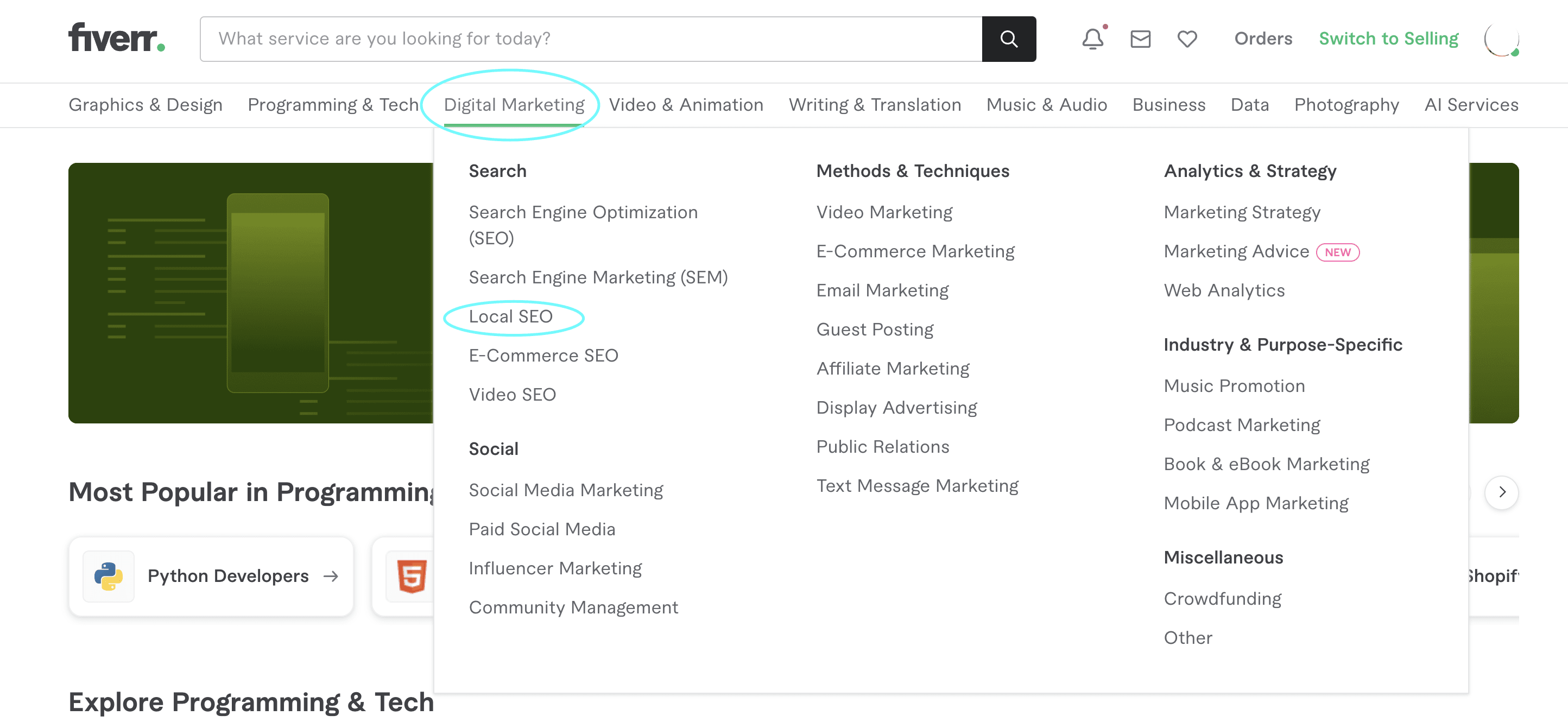
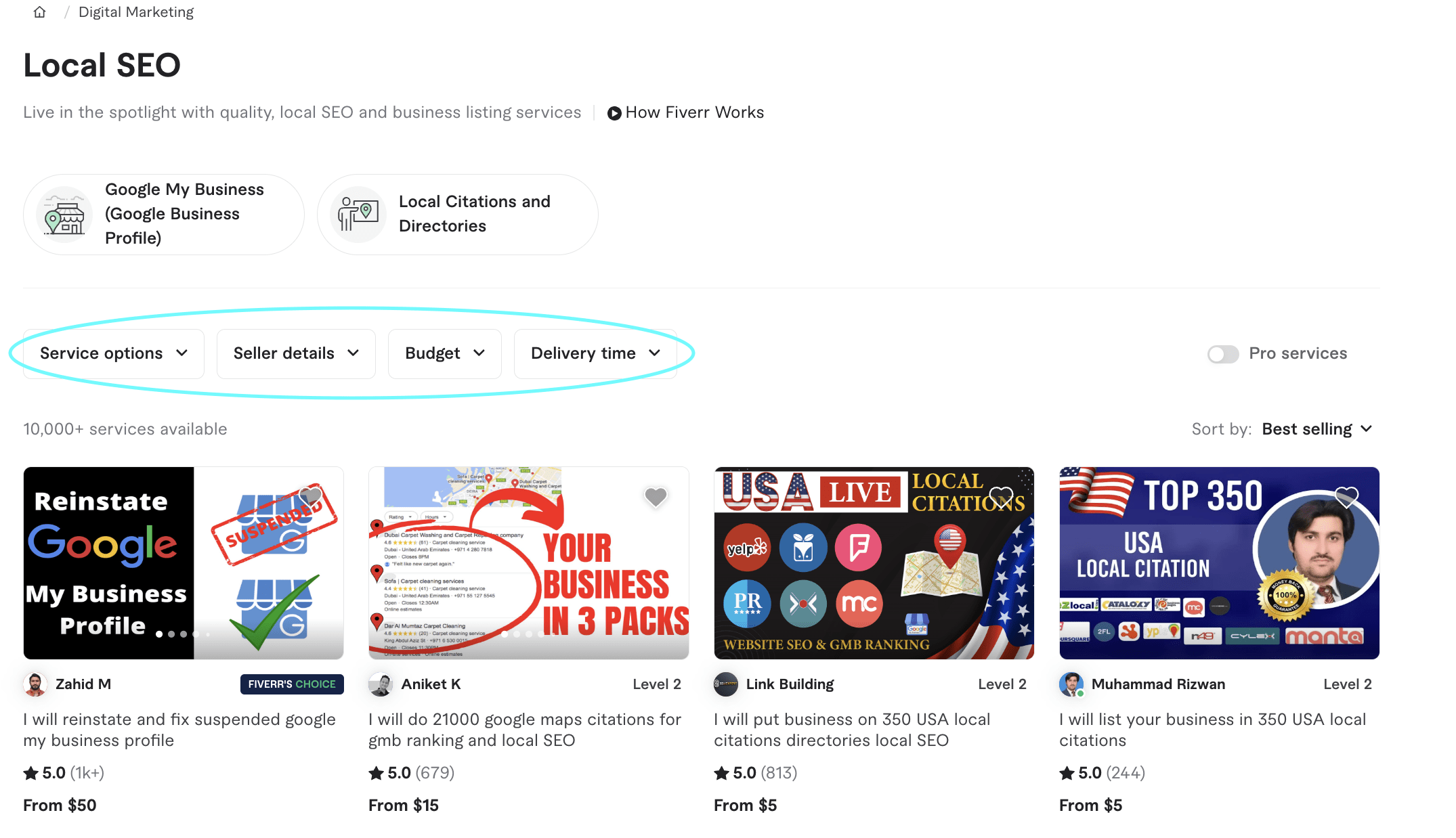
- Service options: Choose from local SEO citations, Google My Business (GMB) ranking, and more
- Seller details: Select the seller’s level (top-rated, new seller, level 1 or 2), language, and location
- Budget: Determine how much you’re willing to spend
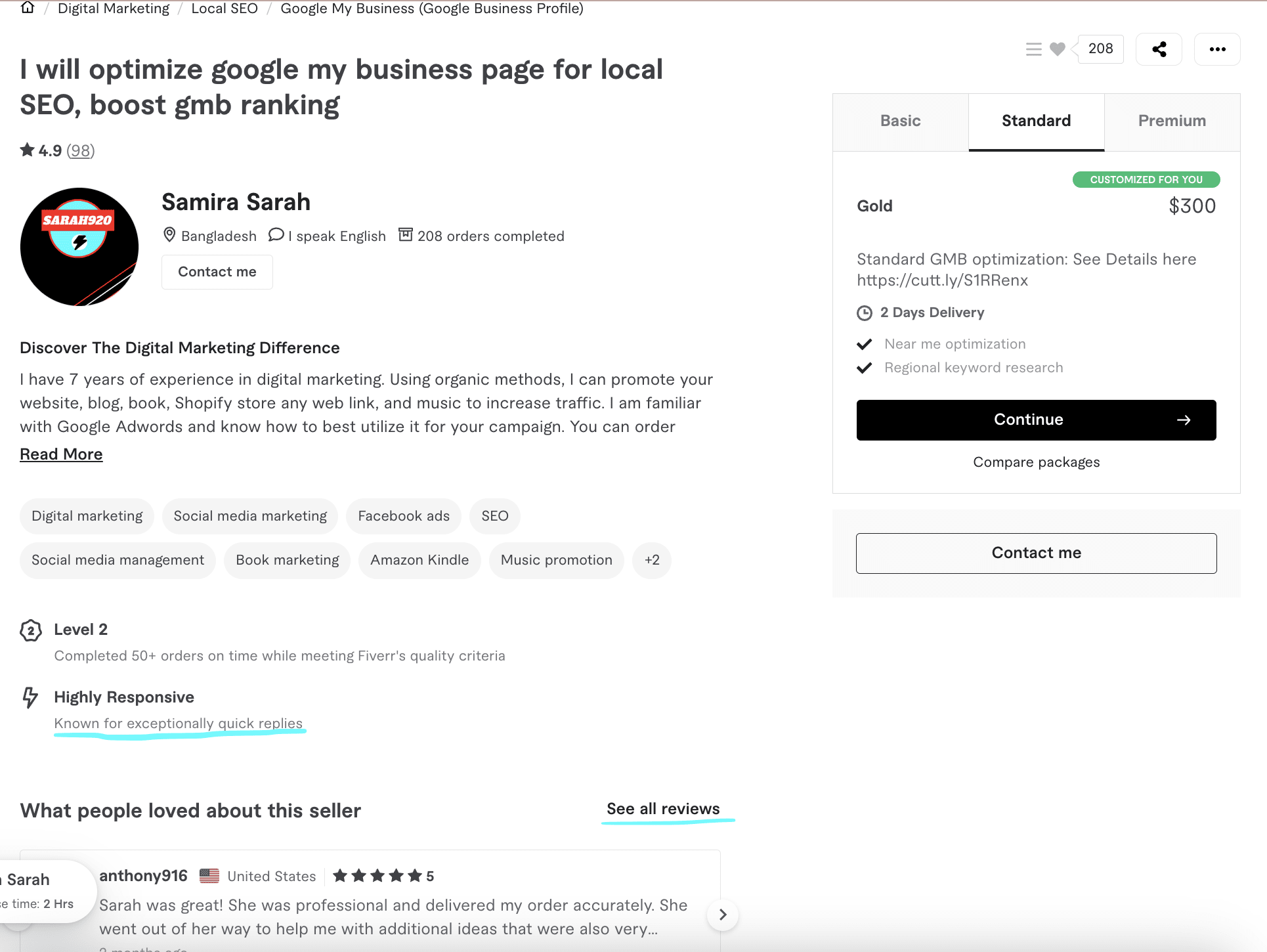
- After deciding, select a package of your choice and click continue to get started.
- Then the freelancer you select will accept your order and you can use Fiverr’s messenger to communicate with them.
Step 5: Conduct interviews and shortlist the right SEO candidate
For example, if your restaurant business requires SEO work, hire an SEO professional who works with F&B clients. Similarly, understand what platforms they’re more experienced with, such as WordPress and Squarespace, and if that aligns with your business.
- What sets you apart from other SEO professionals?
- What SEO campaign tools do you use?
- How can you integrate SEO into our ongoing social media marketing and pay-per-click (PPC) ad campaigns?
- How frequently do you send out reports?
- What’s your experience working with ecommerce
sites? - What metrics do you use to measure project progress?
- How do you stay updated with SEO trends or algorithm updates?
What are some green flags to look out for during the interview?
- Honesty: They are straightforward about their process and give realistic timelines.
- Interest: They ask the right questions and try to understand your business at a deeper level. (For example: What is your USP? Who is your target audience? Who are your competitors?)
- Transparency: They mention which SEO tools they will use for any campaign requirements.
- Credibility: They showcase their track record by referencing past projects, providing case studies and demonstrative evidence.
- Soft skills: Apart from their hard skills, take note of soft skills like communication, teamwork, and empathy.
What are some red flags to look out for?
Step 6: Ask potential clients to conduct an SEO audit
- Page Redirection errors
- Page loading speed
- Issues with duplicated content
- Sitemap errors
- Your keyword research, accuracy and usage
- The site’s content relevance to the target audience
- Meta texts and description lengths
- Missing image alt text
Step 7: Create an SOP
Step 8: Ensure success post-hiring
Find the right SEO specialist for your business

Related Guides




About author
Izrael Samson
Izrael Samson is a B2B SaaS writer who specializes in creating long-form, data-driven articles. Her content development process helps B2B brands break down complex ideas, grow distribution, and convert target audiences. When she's not writing, she's either teaching yoga classes or playing indie video games.
