 August 3, 2026
 8 minute reading
Synthesia is a popular web-based AI video creation platform for producing professional videos with no extra hardware required.
But when you’re a solopreneur or small business owner with a tight budget, you probably can’t afford Synthesia’s steep price tag and want a free or cheaper alternative.
Not to mention, Synthesia’s synthetic voices sound unnatural, with occasional pronunciation problems. All these affect the natural flow and clarity of the spoken content, and hinder effective communication.
Luckily, there are plenty of top-notch free and low-cost options, some of which offer features unparalleled by Synthesia.
This post runs through the top Synthesia alternatives so you can create stunning and engaging videos at scale without breaking the bank.
Hire an AI video spokesperson expert on Fiverr








Level 2
I will be your british spokesperson, actor, and youtube presenter
Offers video consultations


Vetted Pro
Our agency will be your UK video presenter, actor and professional spokesperson
Offers video consultations

Vetted Pro
I will record raw unedited spokesperson videos as a male actor
Offers video consultations


Vetted Pro
I will record a dynamic spokesperson video and be your professional actor
Offers video consultations
Vetted Pro
I will film raw unedited spokesperson video as your male actor
Offers video consultations




Vetted Pro
I will create high converting female spokesperson actor videos for ad, promo, explainer
Offers video consultations

Vetted Pro
I will be your high converting spokesperson video actor
Offers video consultations


Vetted Pro
I will produce course and elearning content as your male presenter
Offers video consultations




Top Rated
I will create captivating monthly youtube spokesperson videos
Offers video consultations



Vetted Pro
I will be your energetic bearded pro ugc content creator
Offers video consultations

Vetted Pro
I will create professional british male spokesperson explainer video
Offers video consultations




Vetted Pro
I will record a dynamic japanese male spokesperson video and be your professional actor
Offers video consultations




Vetted Pro
I will be your energetic bearded 4k green screen video spokesperson
Offers video consultations


Top Rated
I will create a spokesperson video for you with a green screen
Offers video consultations



Vetted Pro
I will be your professional saas and app spokesperson in 4k
Offers video consultations

Top Rated
I will create a professional spokesperson video in german
Offers video consultations





Why use a Synthesia alternative?
- Cost: Synthesia lacks a free plan or trial period, which means you have to commit to one of its premium plans to get a feel for its features and unlock its full potential. When you need to make changes to an existing video, you’ll have to duplicate it, which means paying for additional minutes on your plan. Plus, its cheapest plan offers only 10 minutes of video per month. Similar tools are either free, have a lower subscription fee, or only require a one-time purchase.
- Synthetic, robotic-sounding voices: A notable issue with Synthesia is its synthetic voices, which users say sound a bit too robotic (like an AI chatbot) and require fiddling with options and settings to get realistic voice output.
- Speech limitations: Synthesia users have reported several pronunciation problems with its AI-generated speech, particularly in dealing with specialized terminology or less common languages. While Synthesia lets users input phonetic typing for problematic parts, it’s time-consuming and requires a good understanding of phonetics. This can frustrate users unfamiliar with phonetic typing or handling large volumes of content.
- Difficulty capturing emotions: An inherent limitation of artificial intelligence is capturing the full range of human emotions and speech subtleties, slightly tarnishing otherwise professional videos. Synthesia’s avatars are highly realistic, but may only partially replicate a real human presenter’s nuances, which can affect the natural flow and engagement of the videos. It’s time-consuming having to sample each avatar and voice just to find one that sounds as natural as possible and animates with the most lifelike gestures.
- Limited creative freedom: Synthesia's limited customization options may restrict creative freedom, especially for more complex video projects or unique branding needs. Plus, there’s no option to create batches of videos, yet.
- No offline option: Synthesia is a web-based platform, so you’ll need a strong, reliable, and stable internet connection to use it uninterrupted.
8 Best Synthesia alternatives
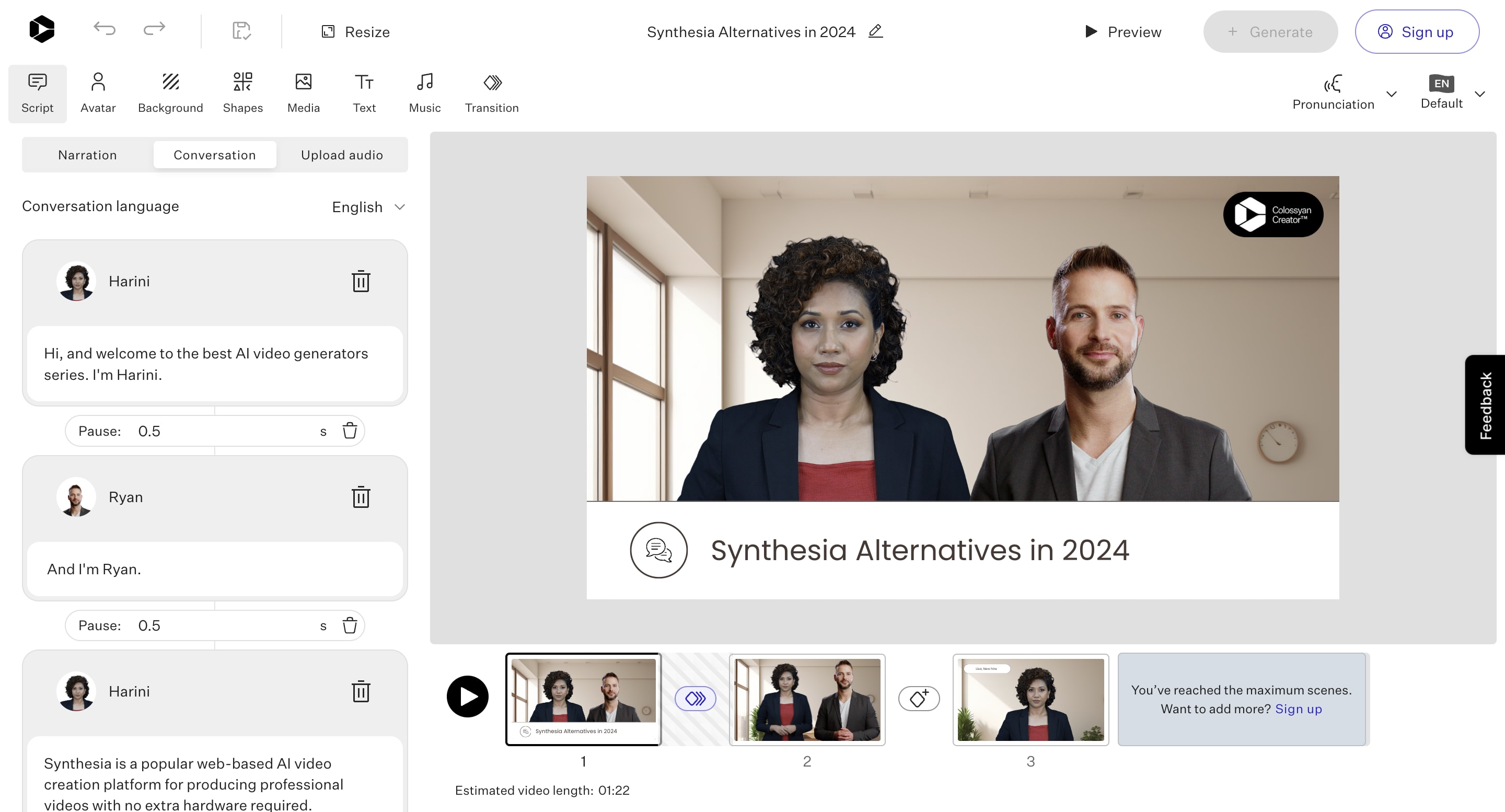
1. Colossyan: Best for training videos
Best features
- AI video editor
- Workspaces
- Multilingual support
- AI script assistant
- Custom AI avatars
- AI prompt to video
- Collaborative tools
Pros
- Easy to use
- Free trial
- Works with PDF and PPT files
- You can add multiple avatars in a video scene
- Supports multiple languages
Cons
- Costs rack up depending on video generation minutes
- Offers only 3 scenes in free trial
- Previews don’t show lip movements and transitions
- You can’t change pronunciations or share videos in free trial
- Takes time to render and generate a short video
- Starter: $35 per month
- Pro: $120 per month
- Enterprise: Custom pricing
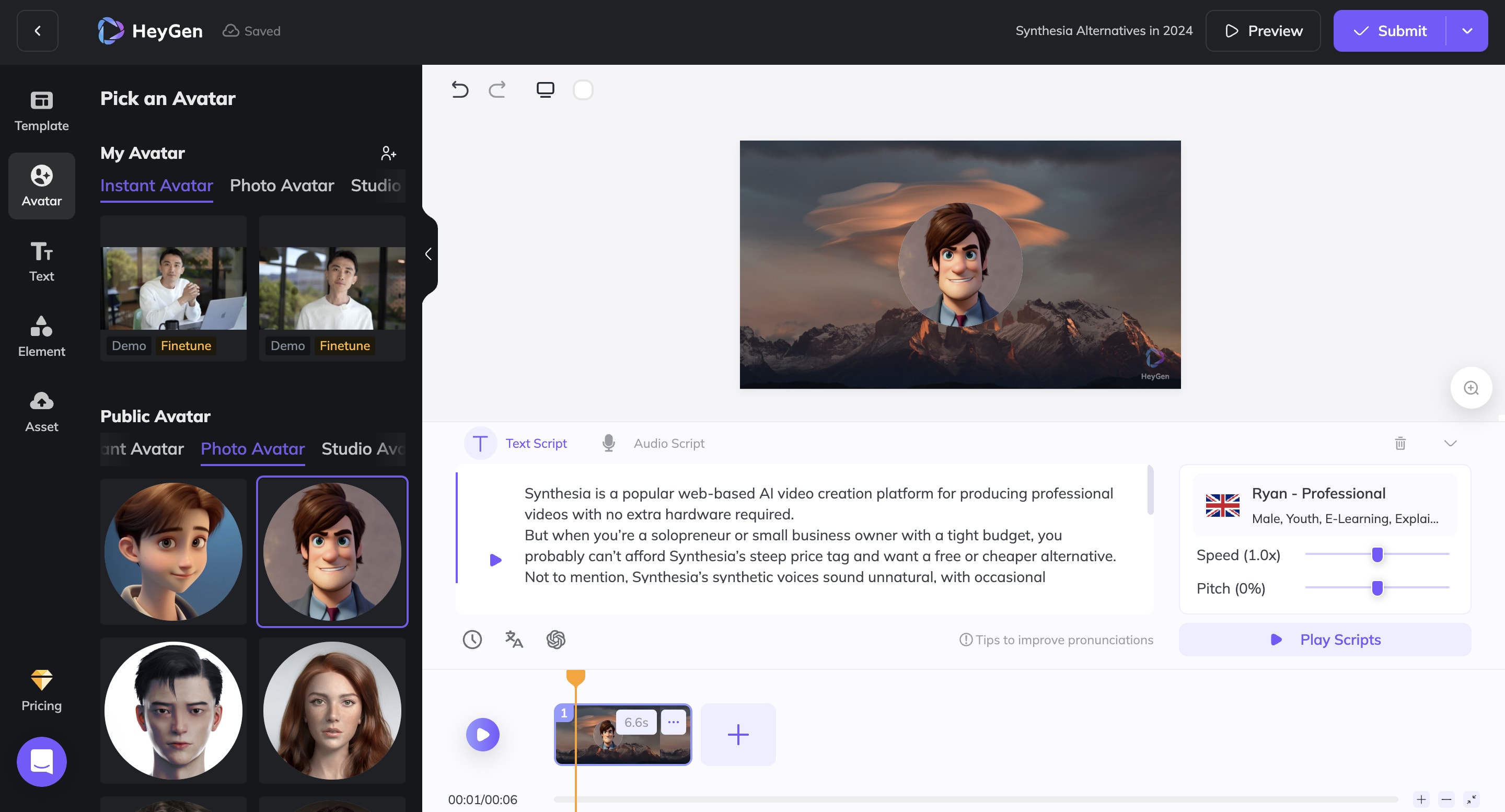
2. HeyGen: Best for sales and marketing videos
Best features
- 100+ AI and photo avatars
- Speed pitch
- Video Translate
- Voice Cloning
- Text to speech
- Templates
- ChatGPT script writer
Pros
- Easy to use
- Offers free plan
- Diverse use cases
- Translates video to multiple languages
- Seamless integration with popular tools, like Zapier
Cons
- Free plan limited to 1 credit per month
- 4K resolution only in higher priced plans
- Free: $0
- Creator: from $29 per month
- Business: from $89 per month
- Enterprise: Custom pricing
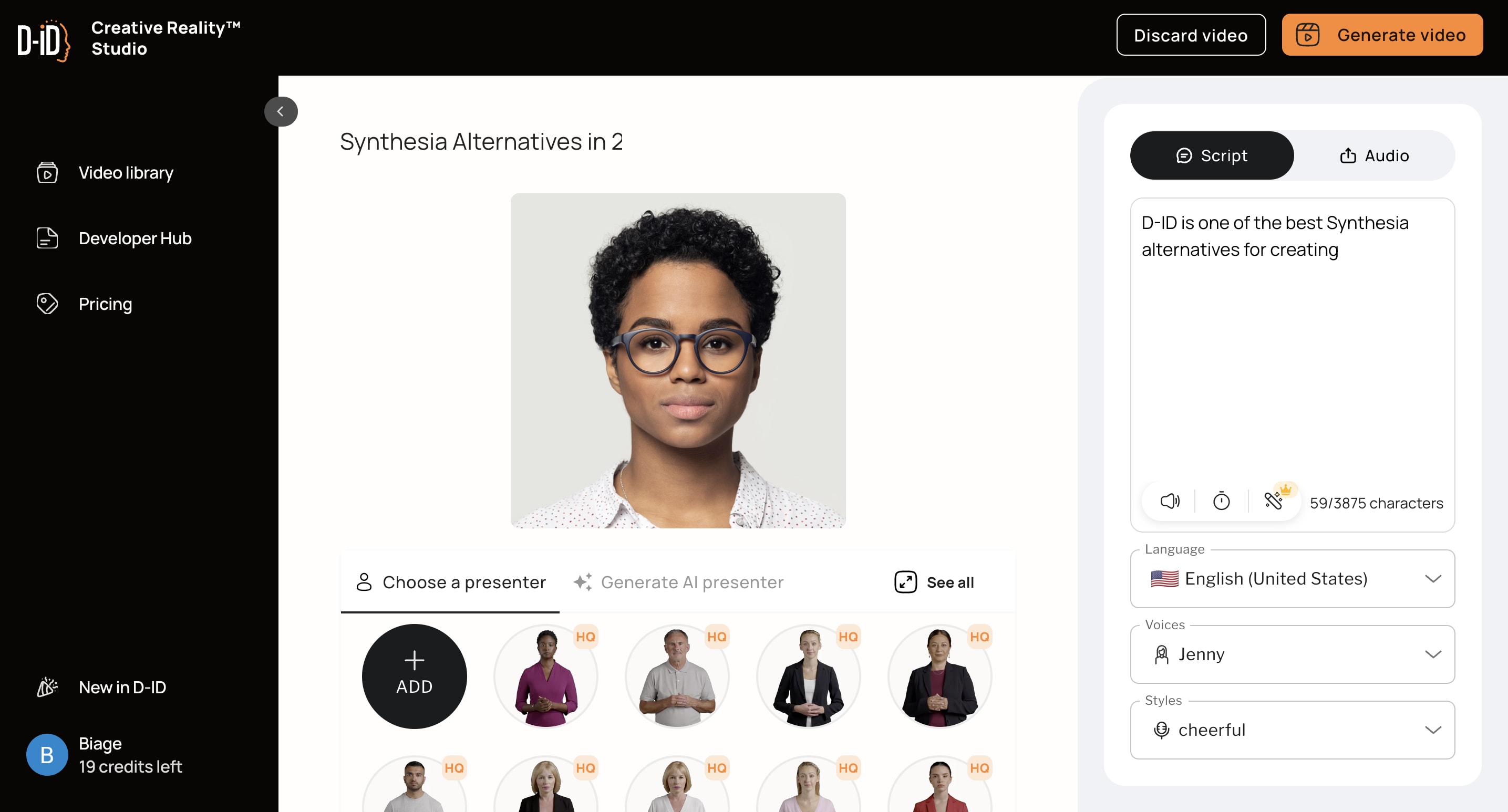
3. D-ID: Best for beginners
Best features
- Creative reality studio
- Digital Agents
- Subtitles
- Multilingual support
Pros
- Free plan available
- Offers 20 credits in free version
- Mobile app and API available
Cons
- Presenter voices sound unnatural
- Charges you for every run
- Videos aren’t always realistic
- Free: $0
- Build: $18 per month
- Launch: from $50 per month (depending on credits)
- Scale: $198 per month (depending on credits)
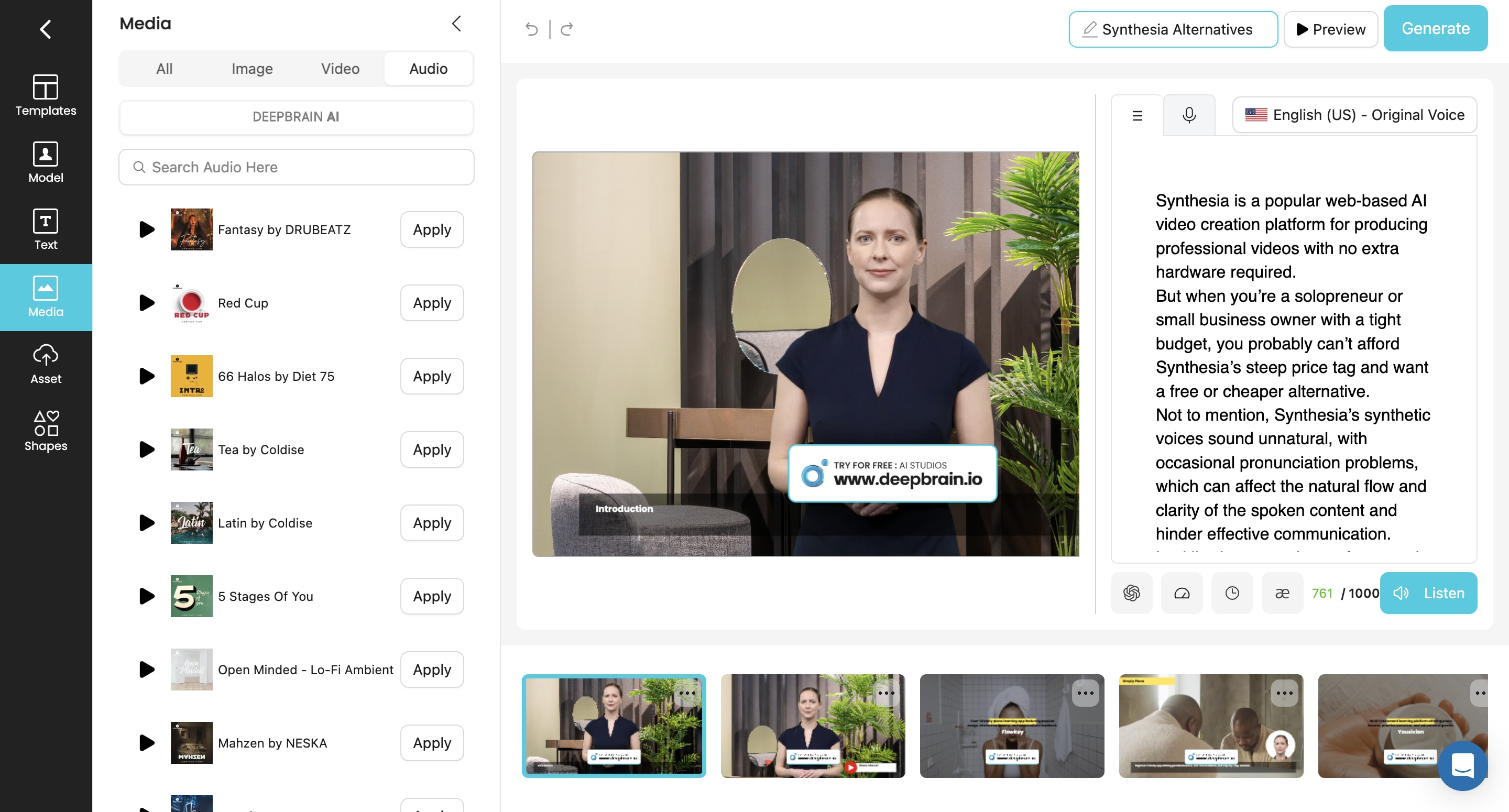
4. Deepbrain: Best for simple AI videos
Best features
- Powerful video editing tools
- AI video conversion
- Deepfake
- Face swap
- AI avatars
- Multi-language AI text-to-speech
Pros
- Photorealistic avatars
- Supports multiple languages
- Multiple sharing options
- Syncs with ChatGPT
Cons
- No free plan
- Watermark on video
- Free trial caps videos at 1 minute
- AI voice sounds unnatural
- Starter: $30 per month
- Pro: $225 per month
- Enterprise: Custom pricing
5. Veed: Best free online Synthesia alternative
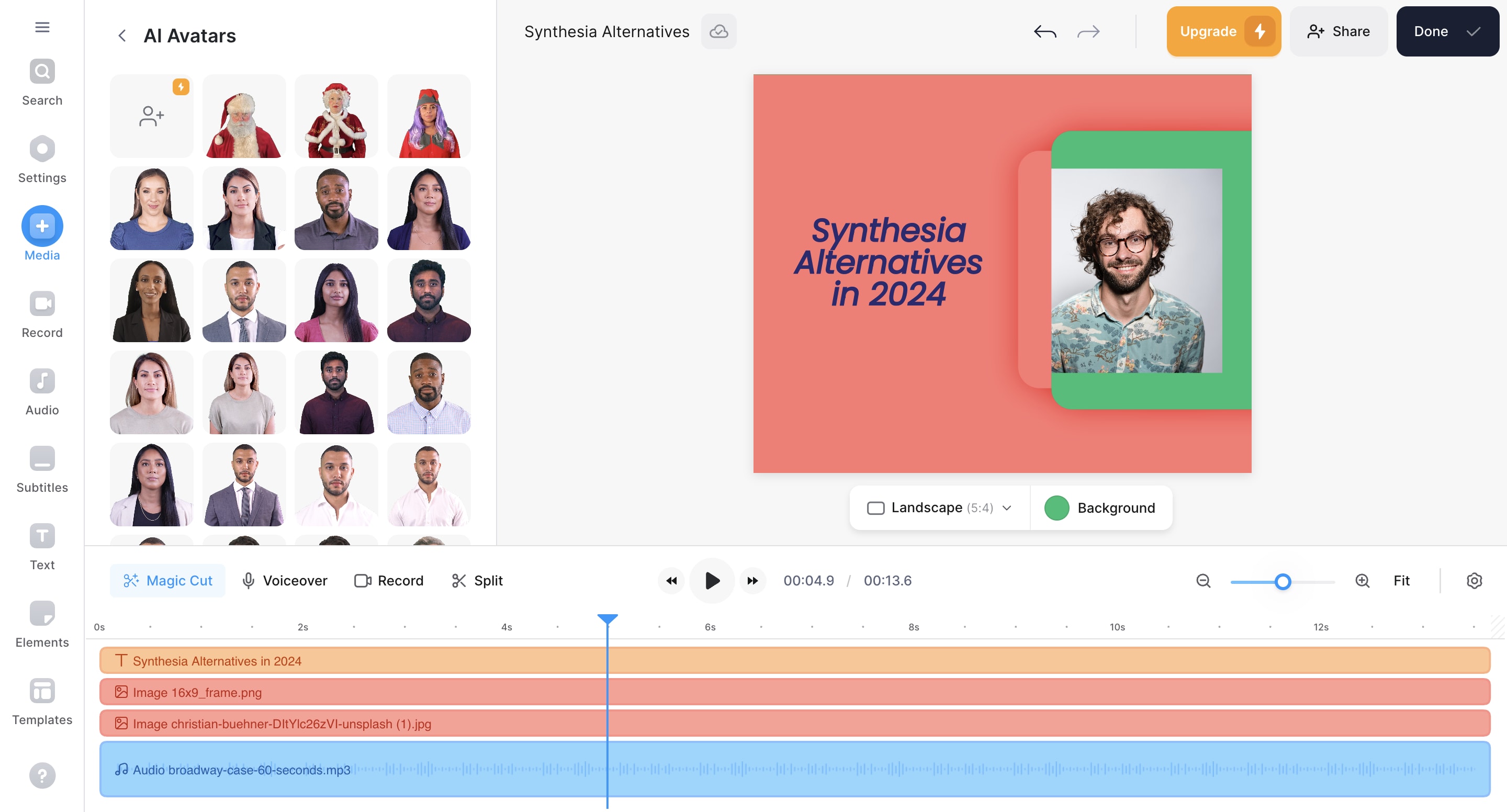
Best features
- AI video script generator
- Text-to-Speech
- Stock footage library
- Auto-subtitles
- AI title creator and music generator
Pros
- Offers free plan
- Intuitive timeline and one-click tools
Cons
- Expensive
- Interface can be confusing for beginners
- Free plan exports videos with watermark
- Free: $0
- Basic: $18 per user, per month
- Pro: $30 per user, per month
- Business: $70 per user, per month
6. Rephrase AI: Best multi-language actors
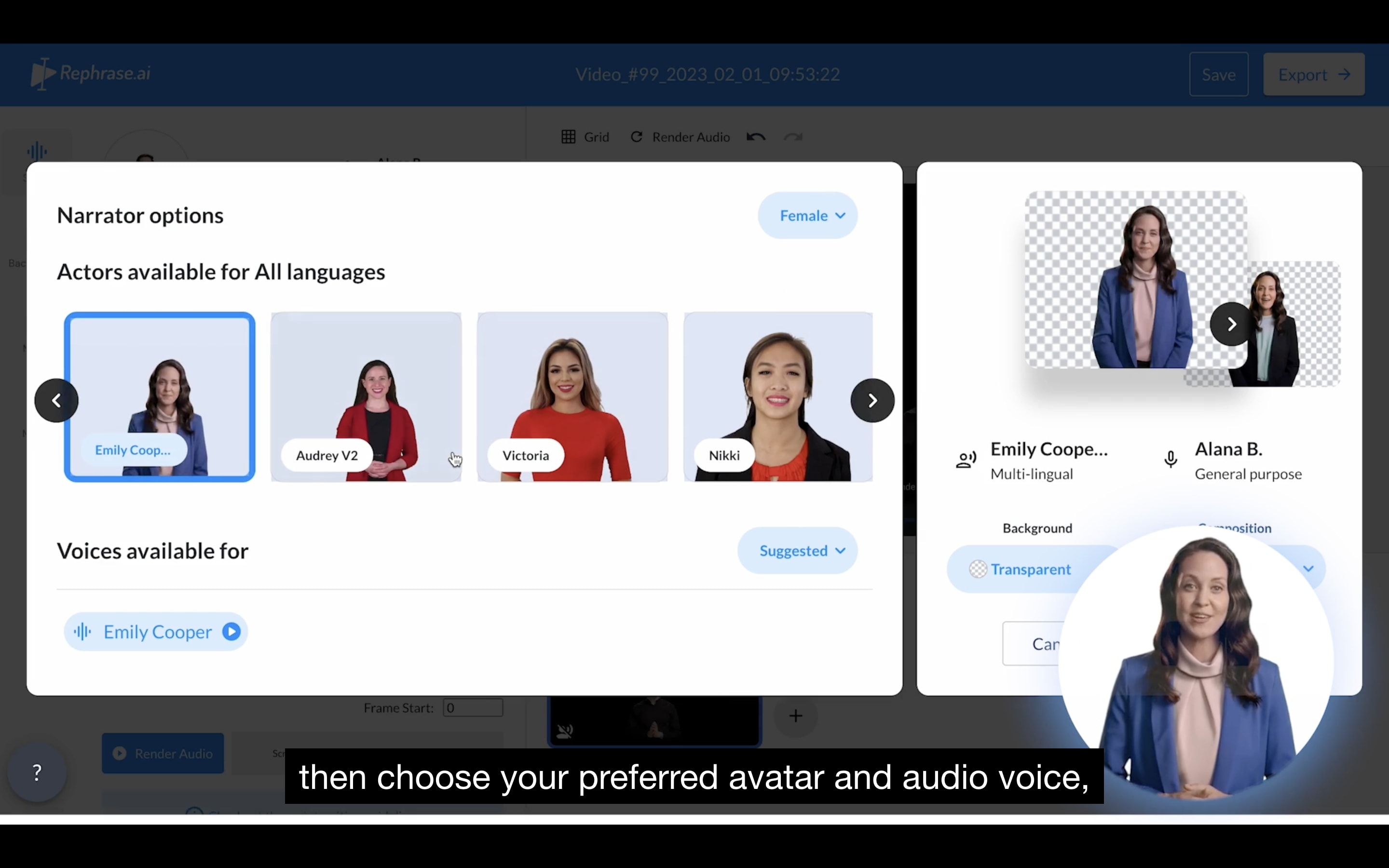
Best features
- Stock avatars
- Multi-language support
- Custom landing pages
Pros
- Lots of features
- Quick turnaround
Cons
- No free plan or trial period
- No commercial use in its cheapest plan
- Personal: $25 per month
- Enterprise: Custom pricing
7. Elai: Best for text-based editing
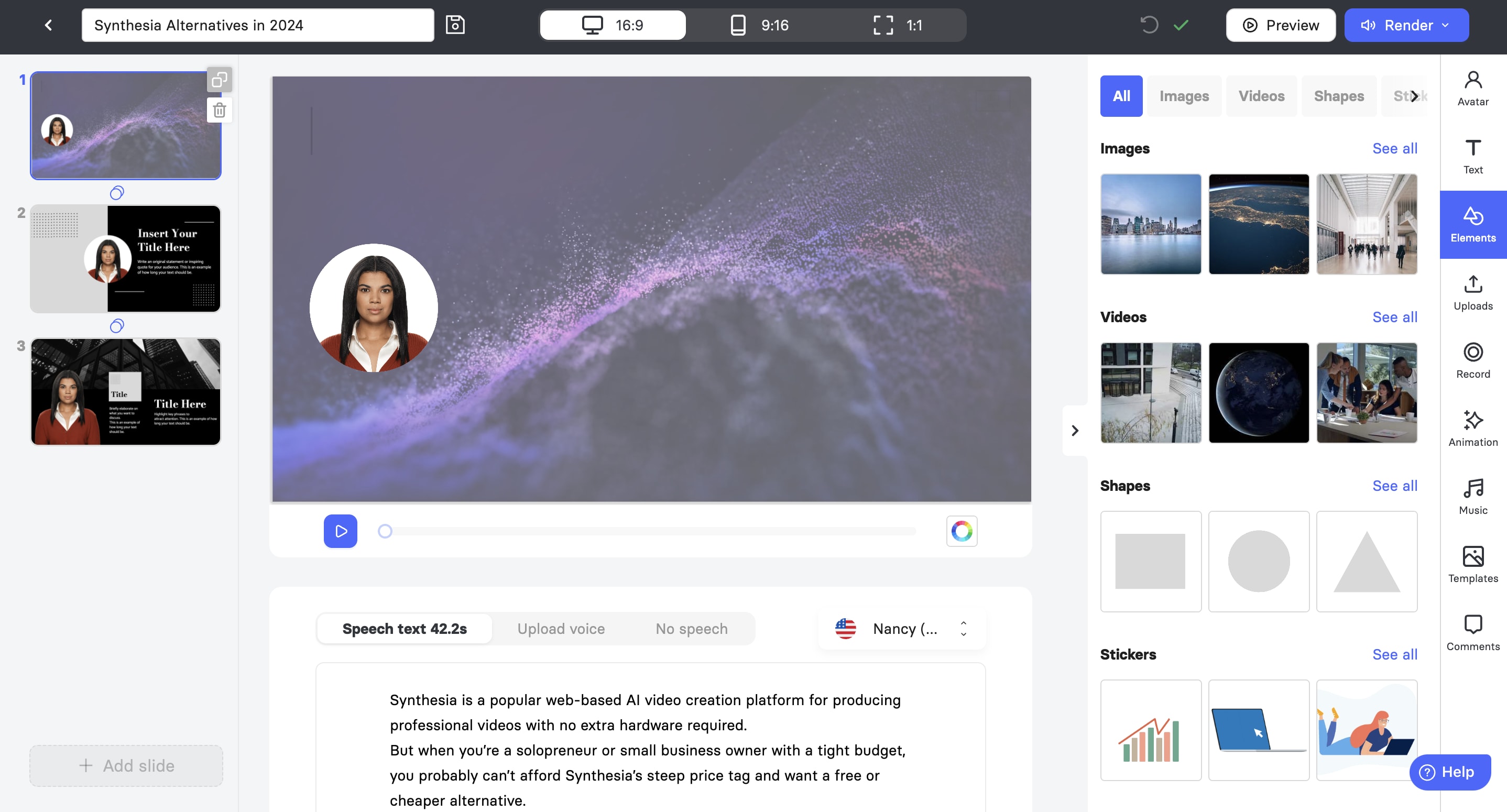
Best features
- 4K high quality avatars
- Automated Translation
- AI storyboard
- Animations and music
- Multilingual voice cloning
Pros
- User-friendly interface
- Offers free trial
Cons
- Free version only offers one minute free credit
- Trial users can only render 3 video slides
- Few integrations
- Free: $0
- Basic: $29 per month
- Advanced: $125 per month
8. Hour One: Best avatar and character customization options
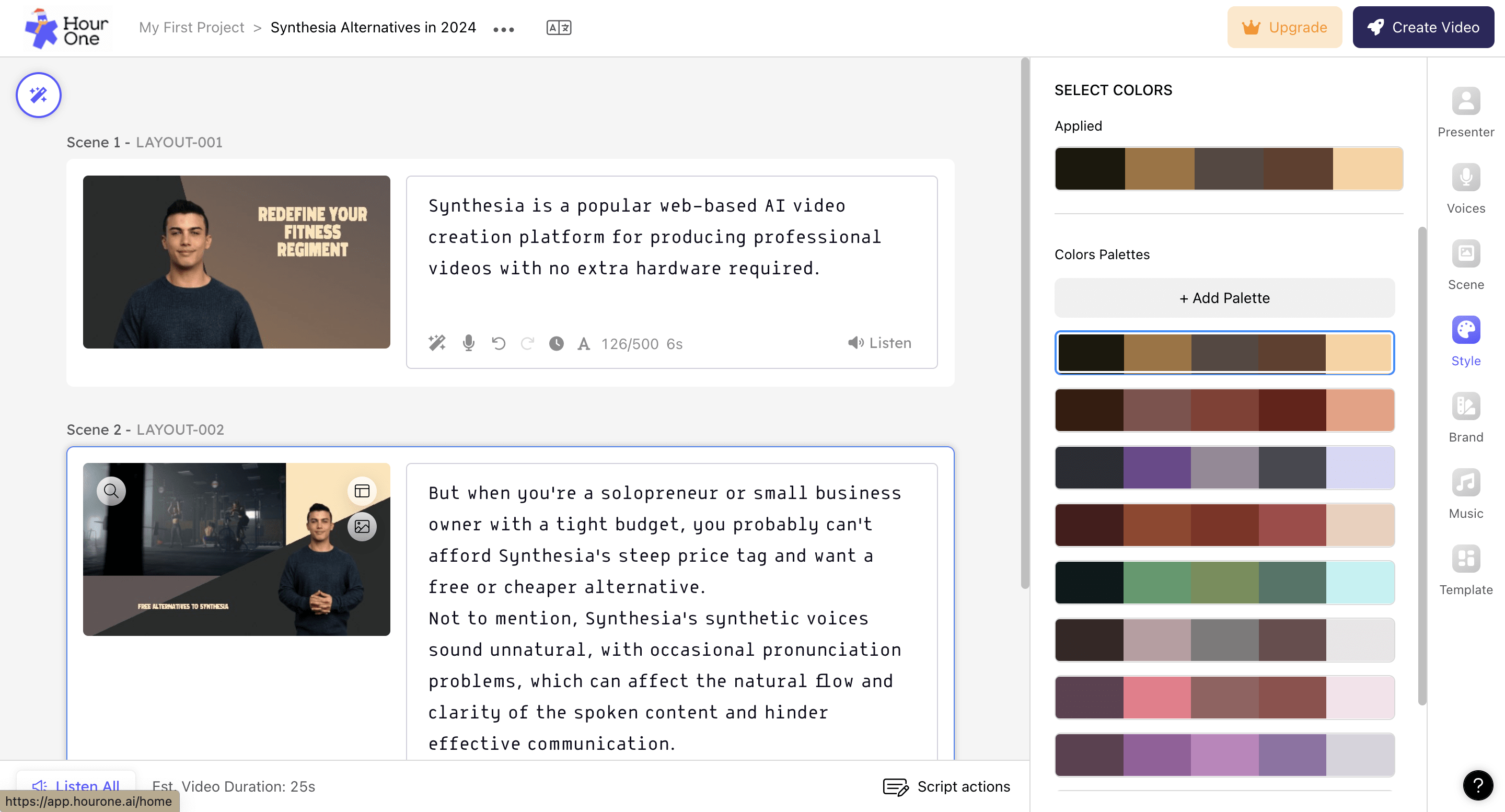
Best features
- Avatar and character customization
- Multi-language support
- Auto-template color palettes
- API integration
- Video Wizard
- Collaborative tools
Pros
- Intuitive interface
- Flexible video sharing options
- Offers self-guided tutorials
- Has brand-specific video templates
- Responsive support team
Cons
- You can’t upload or add your own music
- Some users find it hard to invite others to the platform
- Free: $0
- Lite: $30 per month
- Business: $112 per month
- Enterprise: Custom pricing
Find Synthesia alternatives for any budget
Hire an AI video spokesperson expert on Fiverr
Level 2
I will be your british spokesperson, actor, and youtube presenter
Offers video consultations
Vetted Pro
Our agency will be your UK video presenter, actor and professional spokesperson
Offers video consultations
Vetted Pro
I will record raw unedited spokesperson videos as a male actor
Offers video consultations
Vetted Pro
I will record a dynamic spokesperson video and be your professional actor
Offers video consultations
Vetted Pro
I will film raw unedited spokesperson video as your male actor
Offers video consultations
Vetted Pro
I will create high converting female spokesperson actor videos for ad, promo, explainer
Offers video consultations
Vetted Pro
I will be your high converting spokesperson video actor
Offers video consultations
Vetted Pro
I will produce course and elearning content as your male presenter
Offers video consultations
Top Rated
I will create captivating monthly youtube spokesperson videos
Offers video consultations
Vetted Pro
I will be your energetic bearded pro ugc content creator
Offers video consultations
Vetted Pro
I will create professional british male spokesperson explainer video
Offers video consultations
Vetted Pro
I will record a dynamic japanese male spokesperson video and be your professional actor
Offers video consultations
Vetted Pro
I will be your energetic bearded 4k green screen video spokesperson
Offers video consultations
Top Rated
I will create a spokesperson video for you with a green screen
Offers video consultations
Vetted Pro
I will be your professional saas and app spokesperson in 4k
Offers video consultations
Top Rated
I will create a professional spokesperson video in german
Offers video consultations

Related Guides


About author
Elsier Otachi
Elsier writes data-driven content for tech-led brands and SaaS companies that gets them noticed online and truly delivers value.
