 August 3, 2026
 10 minute reading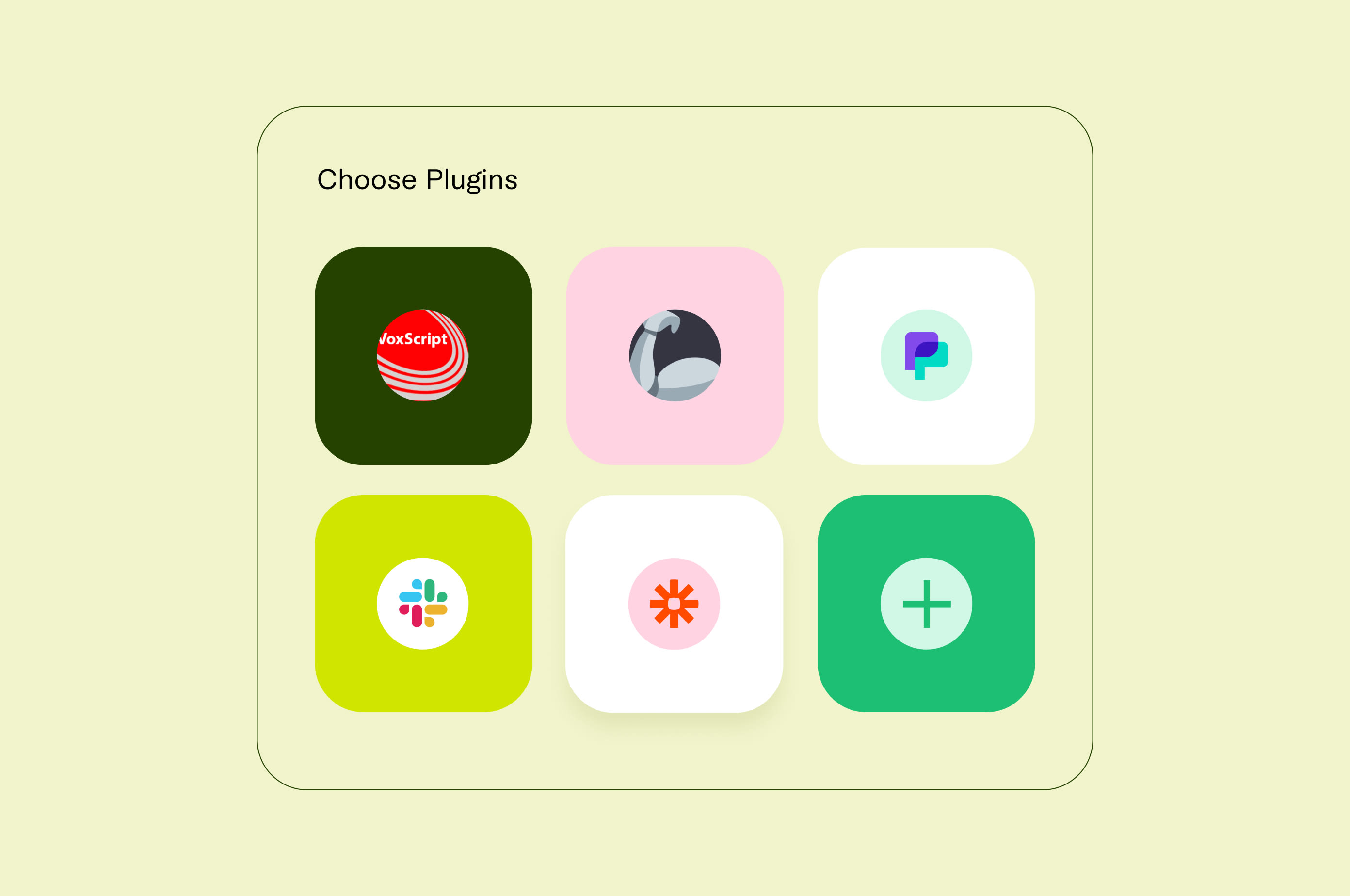
The large language model, ChatGPT, has become a household name in the last year. Right now, it has over 100 million users and receives approximately one billion visits every month.
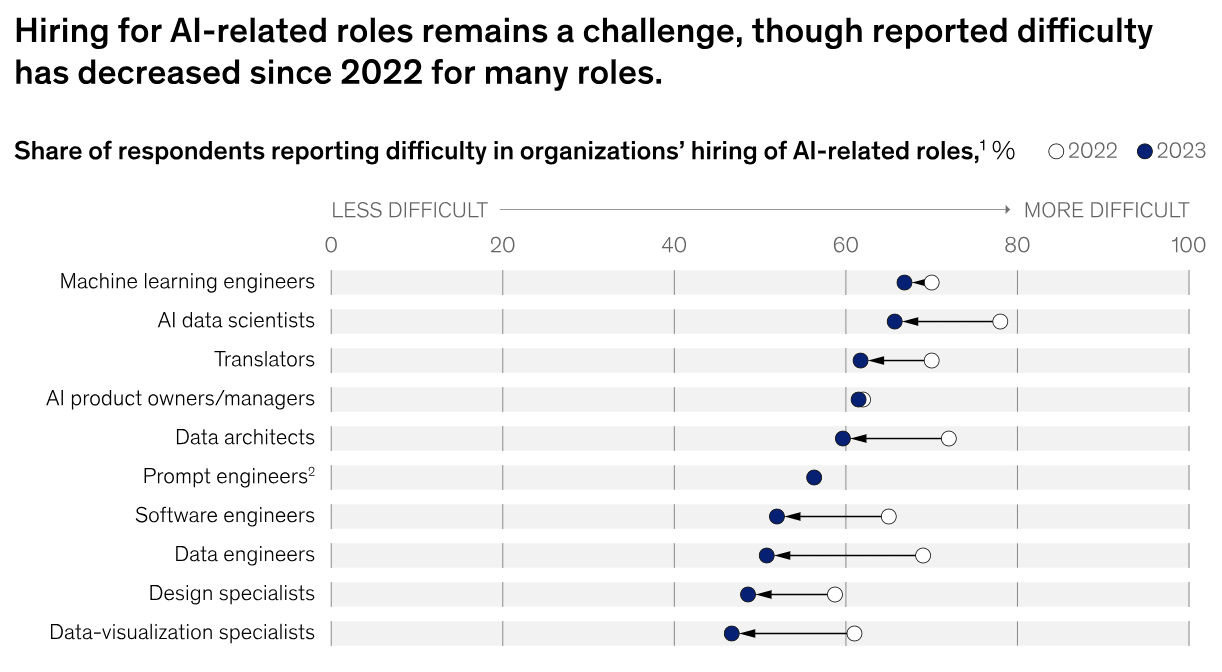
As the landscape of artificial intelligence evolves, different use cases for AI evolve alongside it. According to McKinsey’s latest research, one-third of respondents say their organizations use generative AI for at least one use case.
OpenAI, the research lab behind ChatGPT, rolled out support for ChatGPT plugins in March 2023. Now, businesses are regularly use them to automate tasks, access real-time data, and improve their productivity.
Let's explore how you can do the same.
What are the benefits of using ChatGPT plugins?
ChatGPT plugins provide small business owners with a new set of tools to automate and streamline tasks, reduce manual labor, and free time for more meaningful work. The use cases for ChatGPT go far beyond that of a simple AI chatbot. ChatGPT isn’t limited to finding information—new plugins enable it to complete tasks.
Some benefits of ChatGPT's available plugins include:
- Increased efficiency
- Expanded interaction with third-party applications
- Automated repetitive tasks
- Access to real-time information
- Personalized interactions
Add ChatGPT plugins to your current workflow and unlock a new world of productivity.
While AI still relies on human involvement, it’s a great way to speed up your processes. Eleven percent of US companies saved over $100 million since February 2023, thanks to ChatGPT.
Here’s how to install various plugins and our top picks for small business use cases.
Look for an expert AI prompt engineer on Fiverr


Level 2
I will prompt engineer chat gpt prompt for chat gpt 5o in 12 hours
Offers video consultations















Level 2
I will do ai prompt engineering for chatgpt, midjourney, gemini, claude
From $10Offers video consultations

Top Rated
I will craft ai prompts to boost engagement and creativity
Offers video consultations












































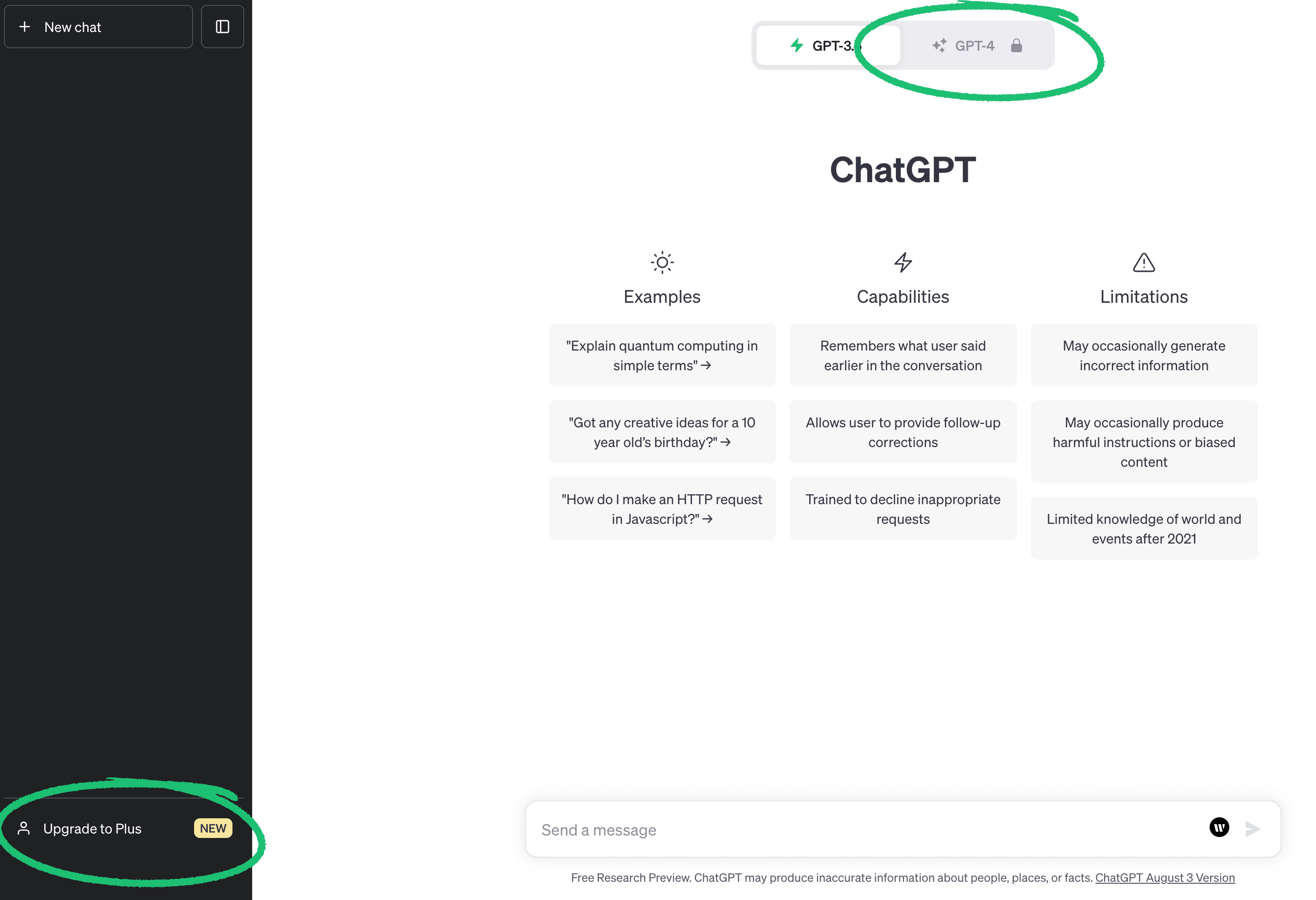
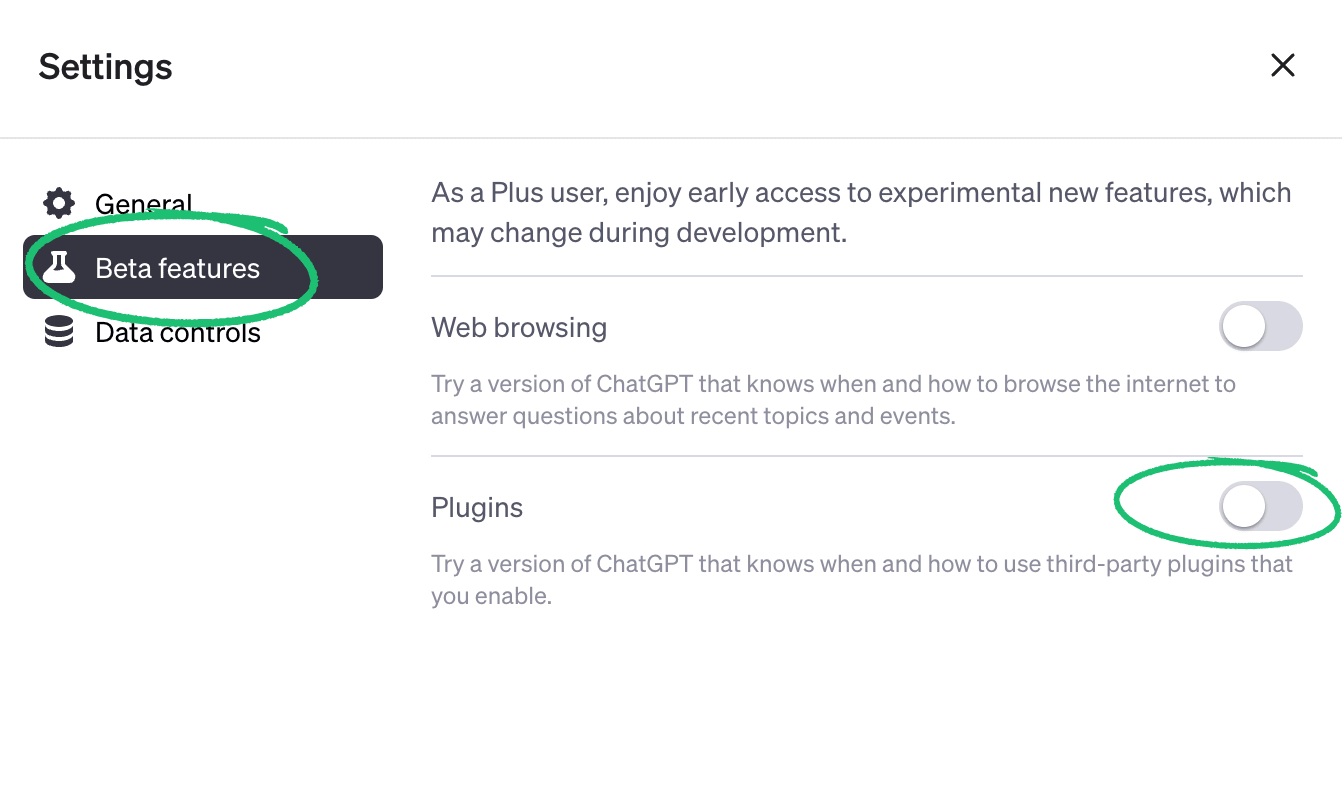
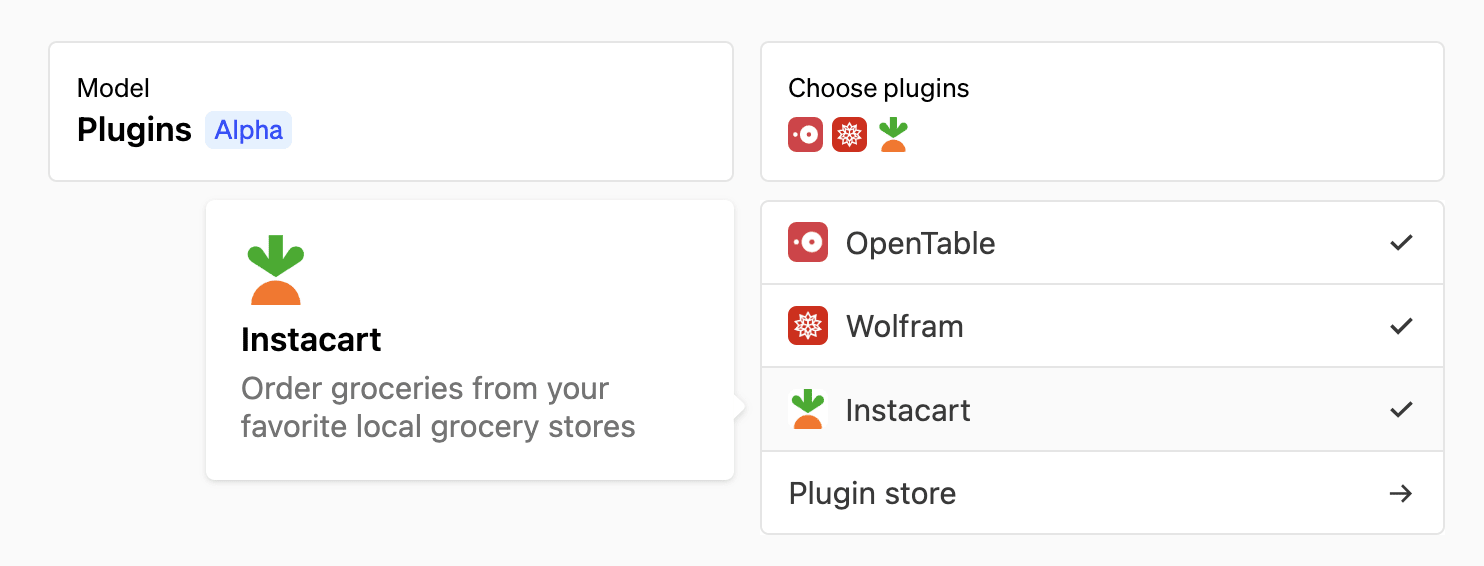
How to access, install, and use AI ChatGPT plugins
How to use ChatGPT plugins in different industries
- Travel. Kayak and Expedia make it easy to search for flights or hotels, while GetYourGuide curates itineraries for different trips.
- Dining. OpenTable uses ChatGPT to power restaurant recommendations, while Instacart saves users time making shopping lists with personalized recommendations.
- Coding. Developers can use ChatGPT’s plugin, “Code interpreter” to solve mathematical problems, write code, do data analysis, and more.
- Legal. FiscalNote allows users to access real-time data sets for legal, political, and regulatory information.
1. VoxScript
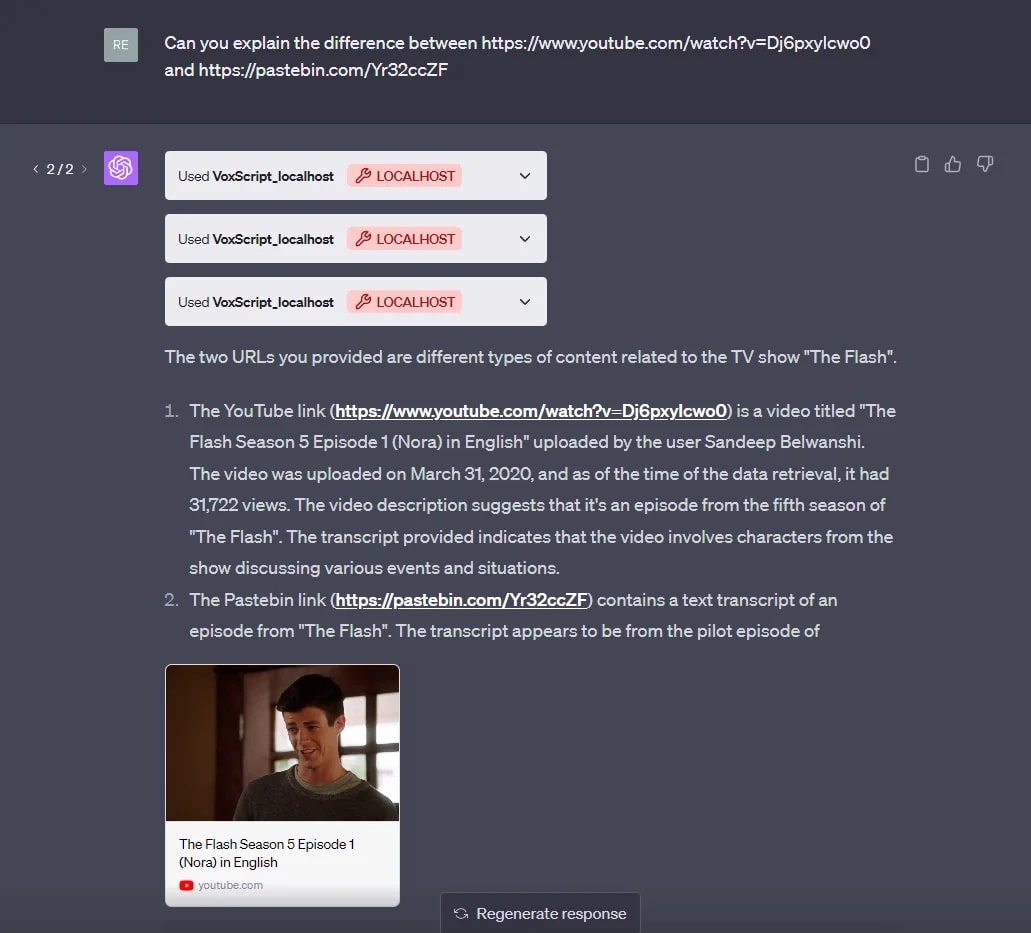
Benefits
- Instantly transcribes YouTube videos
- Answers follow-up questions based on video URLs
- Breaks down complex search results into more understandable terms
- Offers better search for YouTube based on topics
Use case examples
- YouTube creators. YouTube content creators may be familiar with YouTube Chrome extensions, but ChatGPT plugins can also boost productivity. Creators can digest videos faster to better gauge the competition, conduct research, and determine search intent.
- Financial analysts. It’s easy to access real-time and historical data related to the stock market, currency exchanges, and more with VoxScript. Enter a prompt such as, “What are the historical prices for Ethereum from March 2023 to May 2023.”
2. Slack
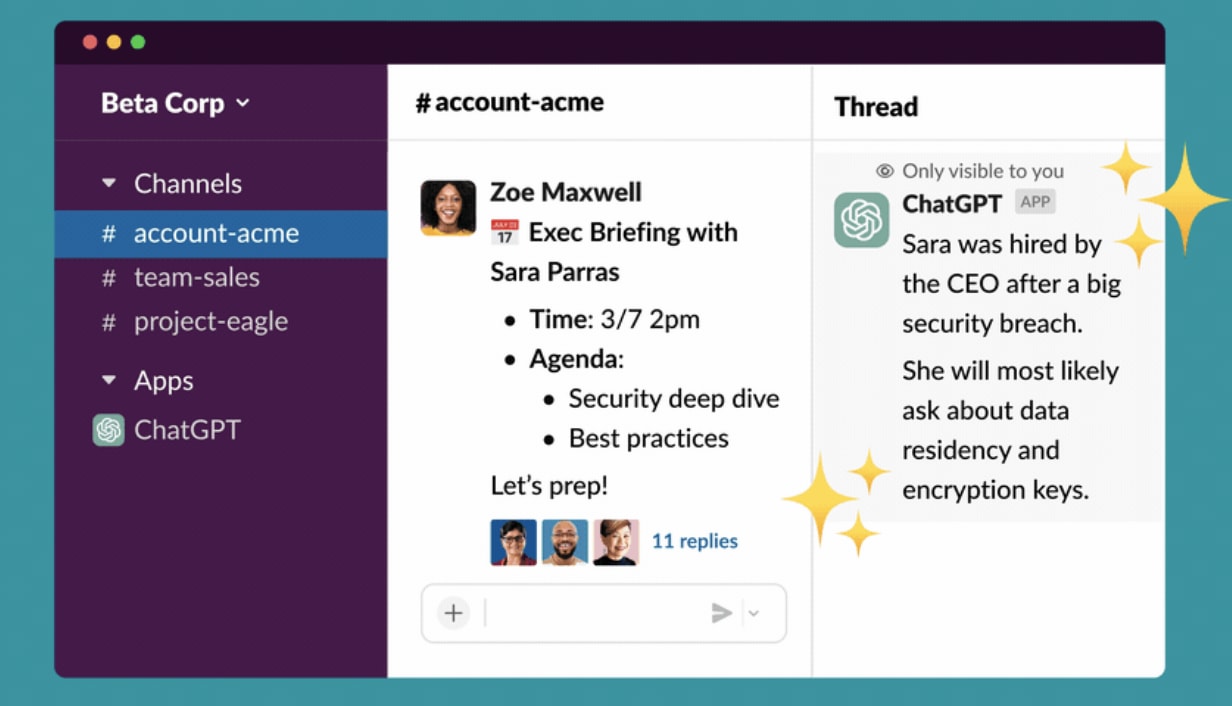
Benefits
- Quickly summarizes threads in Slack
- Drafts messages to send to team members with writing assistance
- Locates answers about relevant topics
Use case examples
- Custom workplaces. Make your Slack workspace a custom experience by enabling the ChatGPT plugin to perform custom tasks. You can customize the chatbot to respond to common questions people ask in various channels.
- Team conversations. Reading long Slack threads is time-consuming—the ChatGPT plugin for Slack summarizes conversations to keep users updated.
- Research. Rather than heading to Google to find the answer to a question, users can do everything on Slack now.
3. Zapier
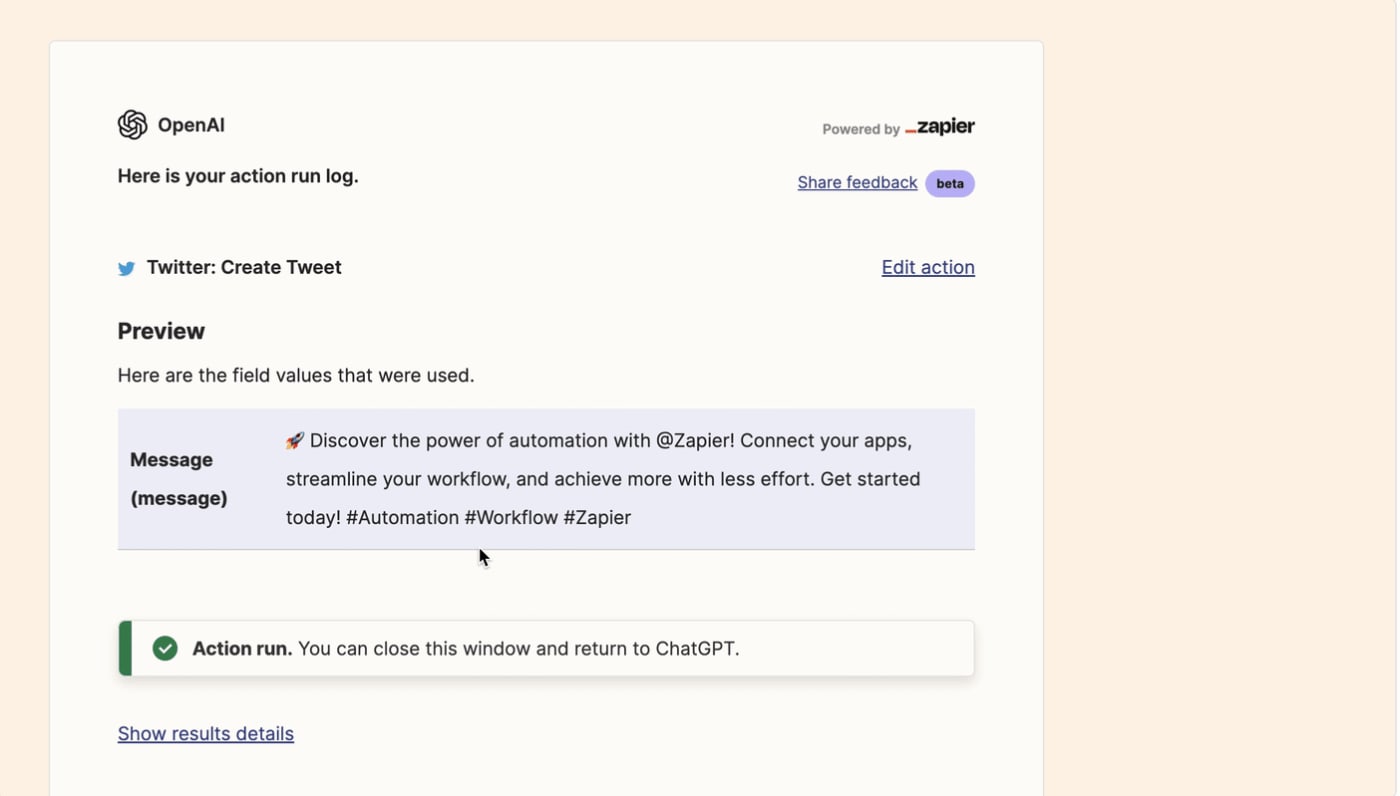
Benefits
- Writes copy for whatever third-party application you specify
- Updates spreadsheets and databases
- Creates calendar events and schedules meetings
Use case examples
- Content creation. Need to draft a quick work email or update your team on a client meeting? Zapier can write copy for any use case—and since it integrates with all your favorite apps, it can send the messages too.
- Social scheduling. Don’t waste time toggling between AI tools that draft and schedule posts. Zapier automates social scheduling—making it easy to draft copy and publish on the same platform.
4. There's An AI For That
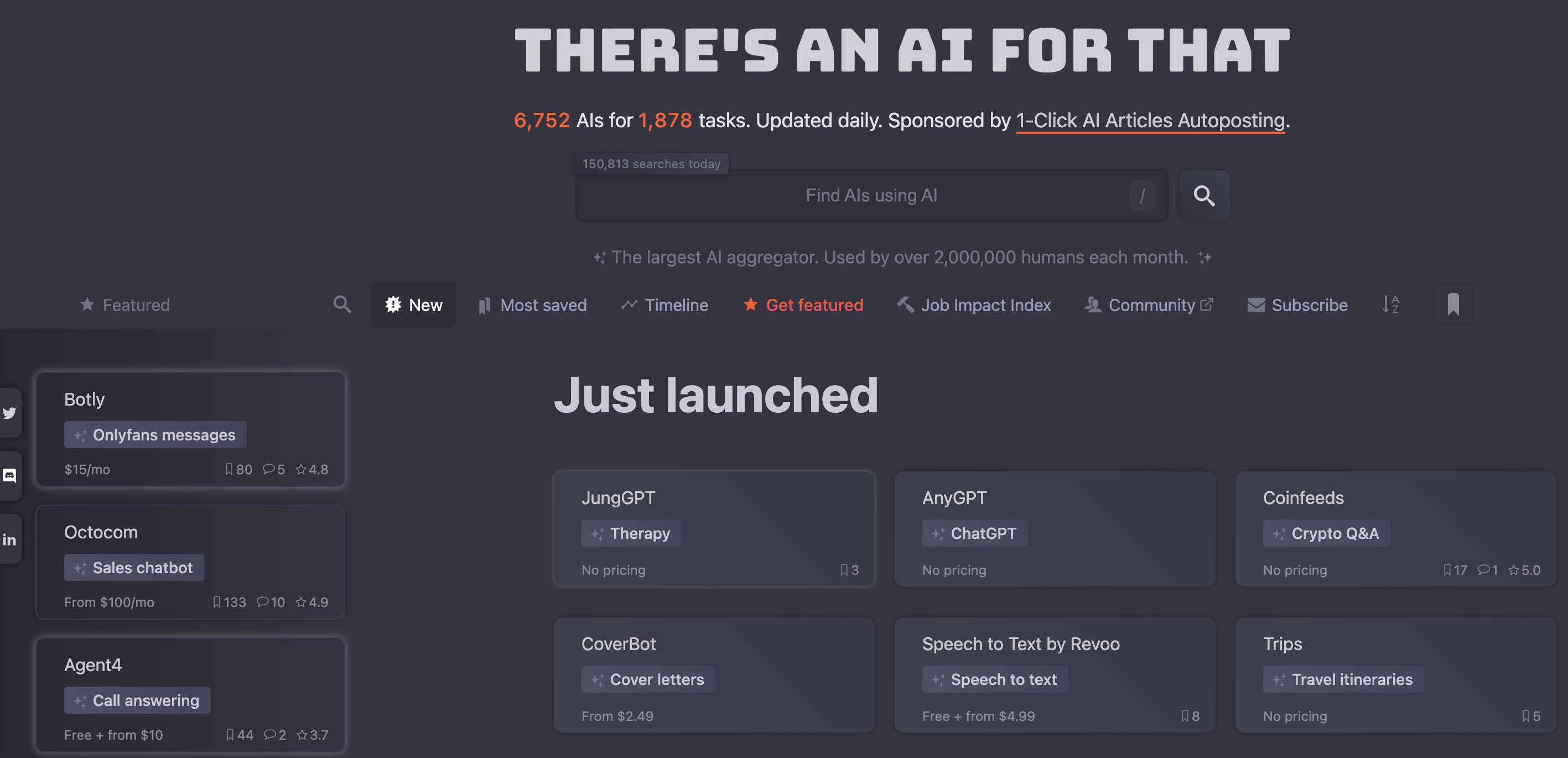
Benefits
- Locates any AI tool
- Database is constantly updating
- Finds AI tools for various use cases
Use case examples
- Finding tools. If you’re trying to edit a video or image and don’t have the right AI tool, simply ask the plugin. It'll curate a list of all the relevant tools, like Midjourney.
- Getting unstuck. Sometimes, you don’t know what you’re looking for, or what exact resources will help with a project. Since There’s An AI For That has access to all of the latest news surrounding AI tools, it can suggest tools.
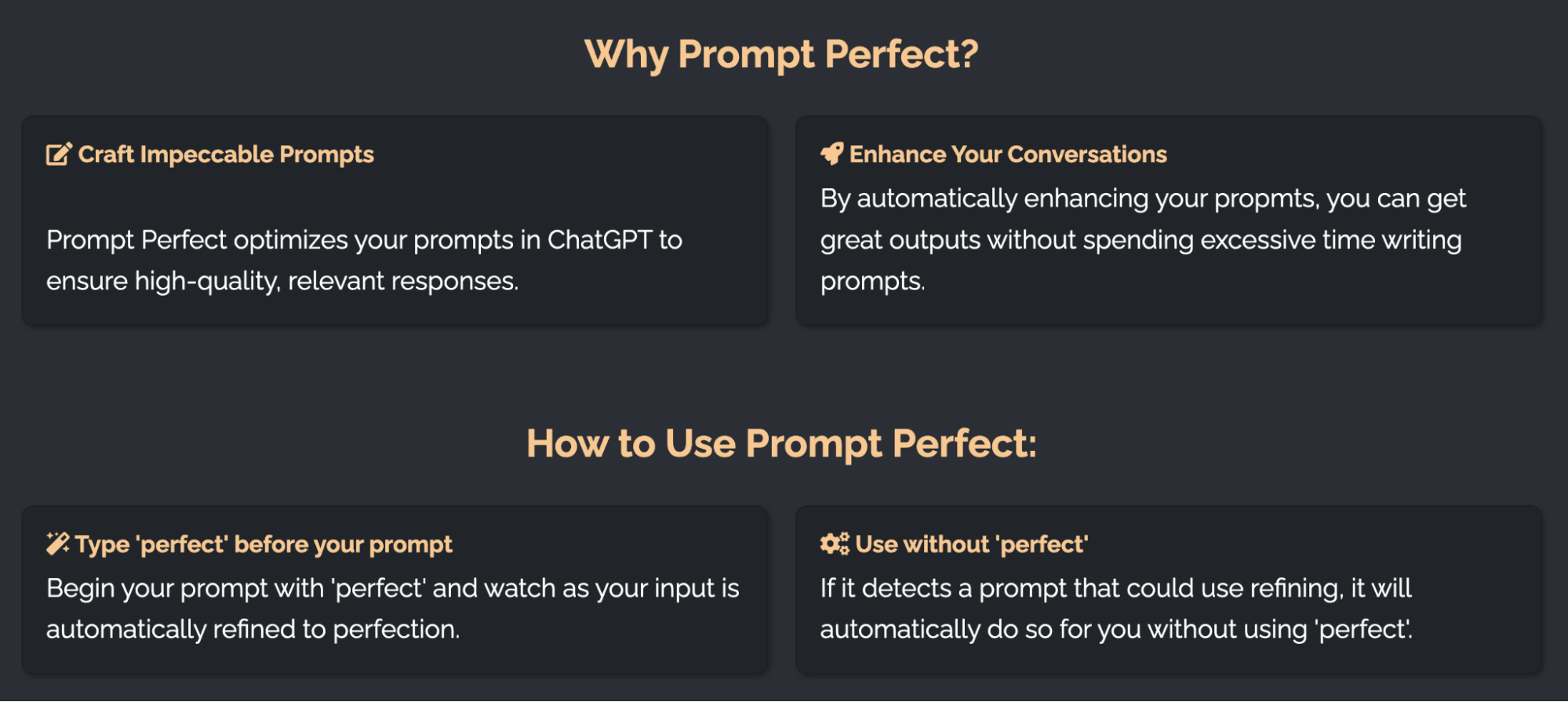
5. Prompt perfect
Benefits
- Elevates the language of your prompts
- Provides more detail so ChatGPT delivers a more specific output
- Helps you figure out what ChatGPT responds best to
Use case examples
- Content creation. ChatGPT is great for helping write blog posts, press releases, social media copy, and more. With Prompt Perfect, you don’t need to waste hours trying to craft the right prompt.
- Education. If you’re someone that frequently uses AI chatbots like ChatGPT, you can learn how the chatbot responds to elements in prompts. This will save you time when coming up with new prompts on your own.
Find an AI expert on Fiverr


Level 2
I will do ai mobile app development, android, ios app development as flutter developer
Offers video consultations


Level 2
I will do ai mobile app development, android, ios app development as flutter developer
Offers video consultations




Level 2
I will do ai mobile app development, ai chatbot, ai app developer
Offers video consultations




Level 2
Our agency will ai mobile app development, ai website, app developer, ai chatbot, ai agent
Offers video consultations



Top Rated
I will develop ai powered mobile, web and automation applications
Offers video consultations

Top Rated
I will do ai mobile app development, ai website, app developer, ai chatbot, ai agent
Offers video consultations












Level 2
I will do ai mobile app development ai android app ai ios app creation as flutter app
Offers video consultations


Level 2
I will develop ai mobile app, ai integration ios app, android app, mobile app developer
Offers video consultations

Vetted Pro
Our agency will do ai mobile app development, ai chatbot development as an ai app developer
Offers video consultations




Level 2
I will develop ai software, saas or ai mobile app as full stack ai developer
Offers video consultations

Top Rated
I will develop a custom flutter ai app with ai agents and chatbots
Offers video consultations

Vetted Pro
I will do ai mobile app development, ai saas app, ai website, flutter app developer
Offers video consultations


Level 2
I will do ai mobile app development, ai website, android app, ios app, ai integration
Offers video consultations



Vetted Pro
Our agency will develop ai app, ai saas, ai website and ai mobile app
Offers video consultations



Vetted Pro
Our agency will build ai app, ai mobile app ai chatbot ai powered app ai agent ai website
Offers video consultations

Vetted Pro
Our agency will provide ai powered mobile and web application development with openai chatgpt
Offers video consultations

Vetted Pro
I will do ai mobile app development, ai chatbot, react native, flutter as ai developer
Offers video consultations

Top Rated
I will develop ai mobile apps, ai agents, ai chatbots and custom ai solutions
Offers video consultations


Vetted Pro
Our agency will build an ai mobile app with ai integrations, gpt claude or gemini
Offers video consultations





Level 2
I will do ai mobile app development,ai website,ai app developer,ai chatbot,ai agent
Offers video consultations


Level 2
I will do ai mobile app development, ai chatbot and flutter ai app
Offers video consultations

Level 2
I will develop custom trained ai chatgpt mobile app, ai saas app website, ai chatbot
Offers video consultations


Vetted Pro
I will create chatgpt gpt3 gpt4 integrations and chatbots for you
Offers video consultations


Top Rated
I will do ai mobile app development open claw custom gpt claude code ai app developer
Offers video consultations


Level 2
Our agency will develop ai mobile apps using flutter and gpt
Offers video consultations



Level 2
I will do ai mobile app development, ai automation, ai chatbot, ai mobile app
Offers video consultations
How to get the most out of ChatGPT plugins
Identify specific areas your business can benefit from ChatGPT plugins
- Customer support
- Content creation
- Data analysis
- Marketing
Research and evaluate different ChatGPT plugins
Collaborate with freelancers
Test and optimize the plugins' performance
Enlist freelancers to accelerate your workflow with ChatGPT

Related Guides



About Author
Michelle Newblom
Michelle Newblom is a B2B SaaS writer with a knack for creative storytelling, which she artfully applies to all of her content. Her expertise lies in creating compelling copy for blogs and guides, which help businesses generate conversions and attain their goals.
